
NASA Exoplanets MCP. Find potential worlds in the habitable zone.
 Gemini
 Works with every AI agent you already use
…and any MCP-compatible client









Just plug in your AI agents and start using Vinkius.
Uses NASA’s Exoplanet Archive to query confirmed worlds beyond our solar system. Filter for planets in the habitable zone, analyze global discovery statistics, or search specifically for transiting exoplanets from Kepler and TESS missions.
What your AI agents can do
Get habitable zone
Retrieves a list of exoplanet candidates that are located within the habitable zone, suggesting potential for liquid water.
Get planet stats
Pulls global statistics on exoplanet discovery, providing total counts and yearly trend data.
Get transit planets
Filters the database to show only exoplanets discovered using the transit method from Kepler or TESS missions.
You can filter the database by planet name, discovery method, facility (like Kepler), or year to pull specific planetary records.
The server filters exoplanets to show only those located in the habitable zone—the range where liquid surface water is possible.
You pull global statistics on exoplanet finds, including totals and how different methods contribute over time.
The server isolates planets discovered using the transit method (Kepler/TESS data), which is one of the most common discovery techniques.
Ask AI about this MCP
Supported MCP Clients
Gemini Waiting for input…
NASA Exoplanets — 4 Tools for Stellar Analysis
Use these four tools to query, filter, and analyze the world’s largest collection of confirmed exoplanet data from NASA's archive.
019d75daget habitable zone
Retrieves a list of exoplanet candidates that are located within the habitable zone, suggesting potential for liquid water.
019d75daget planet stats
Pulls global statistics on exoplanet discovery, providing total counts and yearly trend data.
019d75daget transit planets
Filters the database to show only exoplanets discovered using the transit method from Kepler or TESS missions.
019d75daquery confirmed planets
Searches confirmed planets by name, discovery method (Radial Velocity, Imaging, etc.), facility, or year, returning key orbital data like radius and mass.
Choose How to Get Started
Build a custom MCP for your own tools, or connect a ready-made integration from our catalog.
Build Your Own
Turn any API into an MCP. Import a spec, define Agent Skills, or deploy with MCPFusion.
- Import from OpenAPI, Swagger, or YAML specs
- Create Agent Skills with progressive disclosure
- Deploy to edge with MCPFusion framework
- Built in DLP, auth, and compliance on every call
- Real time usage dashboard and cost metering
- Publish to catalog or keep private
Make Your AI Do More
Start with NASA Exoplanets — Worlds Beyond Our Solar System, then connect any of our 4,700+ other servers whenever your AI needs more. One click, no limits.
- Use this MCP plus 4,700+ others, all in one place
- Add new capabilities to your AI anytime you want
- Every connection is secured and compliant automatically
- Track usage and costs across all your servers
- Works with Claude, ChatGPT, Cursor, and more
- New servers added to the catalog every week
What you can do with this MCP connector
You've got direct access to NASA's Exoplanet Archive, which means you can query the biggest database of confirmed planets outside our solar system. This isn't some vague overview; it pulls real orbital data and discovery records straight from the source.
If you need to know about a specific world, query_confirmed_planets lets you search for confirmed worlds by name, or narrow your focus using criteria like the facility that found it (say, Kepler), the year of detection, or even the method used—whether that was Radial Velocity or Imaging. When you run this, you get key orbital specs right away: things like the planet's mass and its radius.
Need to find worlds where liquid water might actually exist? You can use get_habitable_zone. This tool filters out everything else; it only pulls exoplanet candidates located in the habitable zone—that specific range of orbital distance that suggests liquid surface water is possible. It's a huge help for finding prime targets.
For deep dives into discovery techniques, you can isolate planets using get_transit_planets. This function filters the database specifically to show only exoplanets discovered via the transit method, pulling data primarily from missions like Kepler or TESS. That's one of the most common ways we find these things.
When you need context on how exoplanet science has grown, get_planet_stats pulls global statistics. You can get total counts and see yearly trend data to map out how different discovery methods have contributed over time. It gives you a comprehensive view of the field's growth curve.
So, whether you’re checking specific planetary records by name or year using query_confirmed_planets, filtering for potential water worlds with get_habitable_zone, isolating Kepler/TESS finds with get_transit_planets, or pulling global trend data with get_planet_stats, you've got the tools to build a serious profile on these distant worlds. You don't have to jump between different scientific databases; it's all here.
How NASA Exoplanets MCP Works
- 1 Start with
query_confirmed_planetsto define a broad set of candidates using specific criteria like method or facility. - 2 Pass those filtered results through
get_habitable_zoneto narrow the list down to planets that meet the basic liquid water potential requirements. - 3 Finally, run
get_planet_statson the final candidate pool to get context, showing total numbers and global discovery trends.
The bottom line is you use structured queries to filter millions of data points down into actionable lists of candidates and metrics.
Who Is NASA Exoplanets MCP For?
This tool is for astrophysicists, academic researchers, and planetary scientists. If your job involves analyzing stellar flux, calculating orbital parameters, or building reports on exoplanet discovery rates, this is what you need. You're the person who needs to know if a potential world warrants another round of funding.
Uses get_habitable_zone first, then cross-references results with query_confirmed_planets to validate the planet's known parameters.
Runs get_planet_stats to establish baseline metrics and uses all four tools sequentially to build a comprehensive report on discovery methodology.
Filters specific datasets using get_transit_planets or query_confirmed_planets, then uses the data output in natural language conversation for analysis.
What Changes When You Connect
- Quickly narrow down targets: Instead of sifting through thousands of records, use
get_habitable_zoneto filter results instantly for planets where liquid water could exist. It saves hours of manual cross-referencing. - Contextualize your findings: Run
get_planet_statswhenever you need a baseline understanding. This tool shows global discovery totals and methods, putting any single planet finding into proper scientific context. - Isolate key data sets: If your research focuses on transit detection, use
get_transit_planets. It isolates the massive amount of Kepler and TESS data, making it easy to analyze that specific population of worlds. - Deep-dive searching: Need a planet from a certain year or using a specific method?
query_confirmed_planetslets you filter by facility (like Keck) or method—giving you precise control over the dataset. - Structured analysis: The tools don't just dump data; they provide structured outputs like orbital period, radius, and mass. This allows your AI client to perform calculations right away.
Real-World Use Cases
Assessing a new target for water life
Astrobiologist finds a promising planet name. Instead of searching general literature, they run query_confirmed_planets by the name and then immediately pass those results to get_habitable_zone. This quickly confirms if the world is even physically viable for liquid water before writing any grant proposal.
Building a historical overview of exoplanet detection
A science communicator needs content on how far our knowledge has come. They use get_planet_stats to get the total count, then run query_confirmed_planets by year (e.g., 2015) and compare it with earlier years to show the exponential growth of detection methods.
Comparing different discovery techniques
A researcher needs to prove that one method is more productive than another. They run get_transit_planets for TESS discoveries and then compare those results (radius, mass) against general results pulled from the broader query_confirmed_planets toolset.
Validating a specific class of planet
You suspect a certain type of mission found unique worlds. You use get_transit_planets to gather all Kepler/TESS data points, and then feed those into your agent with the goal of finding planets that are both small (low radius) and in the habitable zone.
The Tradeoffs
Assuming habitability from existence
Running a general search using query_confirmed_planets and assuming every planet found is suitable for life because it's large enough.
→
Don't trust size alone. Always run the results through get_habitable_zone. This tool filters out planets that, while confirmed, are too far from their star or too massive to support surface water.
Over-relying on one mission's data
Only looking at results from get_transit_planets and assuming those methods capture the full picture of exoplanet science.
→
Balance your search. Use query_confirmed_planets to include multiple discovery facilities (e.g., Keck and Kepler) in your initial query, then apply filters like get_habitable_zone.
Searching without purpose
Just running a random search and getting a massive spreadsheet of data with no clear goal or comparison point.
→
Start by setting the objective. If you want scale, run get_planet_stats. If you want candidates, use get_habitable_zone first.
When It Fits, When It Doesn't
Use this server if your goal is preliminary screening based on known orbital mechanics and stellar flux. It's perfect for initial research phases: 'Are there planets here that could support life?' or 'How many total have been found?'
Don't use it if you need to know about detailed atmospheric composition (e.g., methane levels, greenhouse effects) or plate tectonics. This data isn't in the archive. If your question requires a full climate model run, this tool won’t help—you’ll need external simulation software.
When comparing tools: Use query_confirmed_planets for maximum control (filtering by method and year). But if you just want the 'best shot' candidates, skip the general query and go straight to get_habitable_zone. Always use get_planet_stats at the end of your process to provide necessary scientific context.
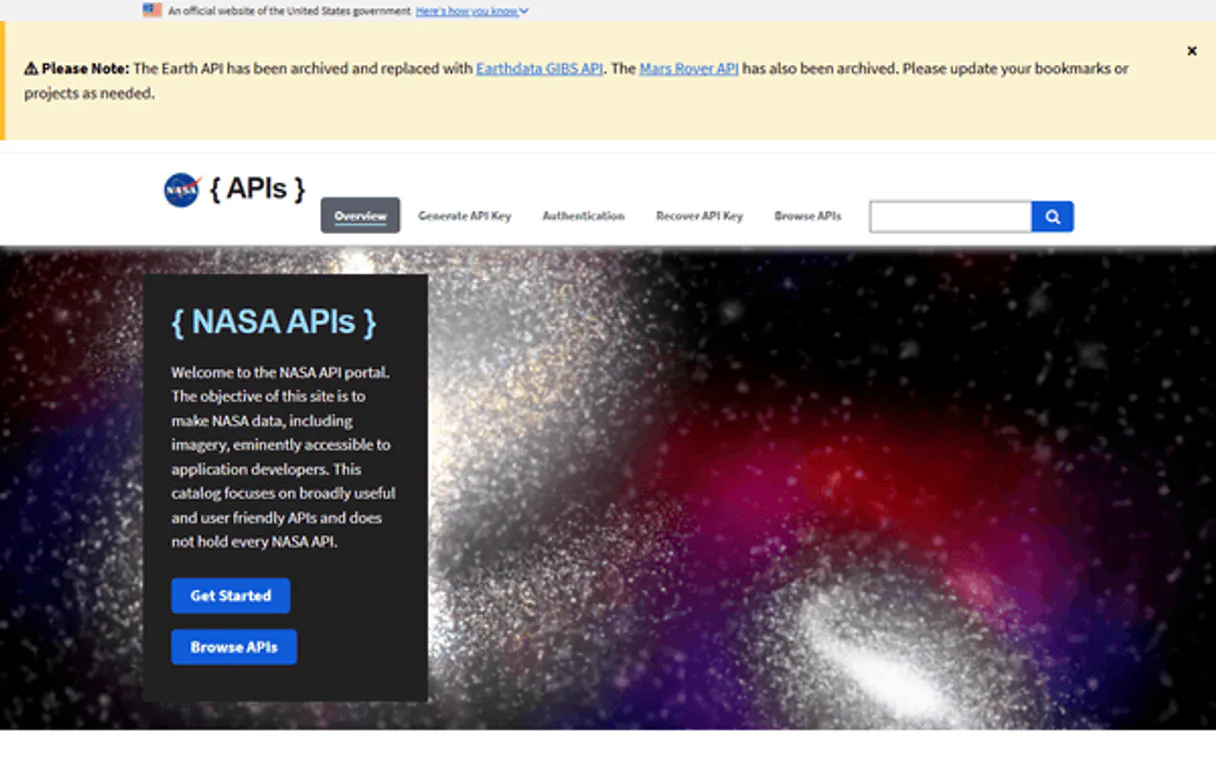
Independent Platform Disclaimer: Vinkius is an independent platform and is not affiliated with, endorsed by, sponsored by, verified by, or otherwise authorized by NASA. All third-party trademarks, logos, and brand names are the property of their respective owners. Their use on this website is strictly for informational purposes to identify service compatibility and interoperability.
VINKIUS INFRASTRUCTURE
Cloud Hosted
Managed infra
V8 Isolated
Sandboxed per request
Zero-Trust Proxy
No stored credentials
DLP Enforced
Policy on every call
GDPR Compliant
EU data residency
Token Compression
~60% cost reduction
Works with Claude, ChatGPT, Cursor, and more
The Model Context Protocol standardizes how applications expose capabilities to LLMs. Instead of operating in isolation, your AI gains direct access to external platforms, live data, and real-world actions through secure, standardized connections.
This server provides 4 capabilities that interface natively with Claude, ChatGPT, Cursor, and any MCP client. No middleware. No custom integration required.
Available Capabilities
Sifting through astronomical data shouldn't feel like a PhD thesis bibliography.
Today, analyzing exoplanets means jumping between NASA websites, cross-referencing Kepler mission results with TESS findings, and manually checking if the planet’s radius is within the 'habitable zone.' You spend hours copy-pasting parameters—orbital period, mass, temperature—into spreadsheets just to find a few viable targets.
With this MCP server, you talk directly to the data. Your agent runs `query_confirmed_planets` by method and year, then pipes that list into `get_habitable_zone`. The output is clean: a filtered list of candidates with all necessary metrics—no more copy-pasting required.
The get_planet_stats tool gives you global context instantly.
Before, understanding the scale of exoplanet science meant reading annual reviews and comparing charts showing 'Total Discoveries' versus 'Top Missions.' You had to piece together totals from different sources just to answer: 'How many worlds have we found?'
Now, you run `get_planet_stats`. In one query, your agent gives you the total count, the percentage contribution of Radial Velocity vs. Transit, and even highlights peak years. It’s a single source for global scientific context.
Common Questions About NASA Exoplanets MCP
How do I check if an exoplanet is potentially habitable using get_habitable_zone? +
You pass the planet's known parameters (like radius and orbital period) to get_habitable_zone. This tool compares those values against the criteria needed for liquid water, giving you a yes/no candidate status.
I want to find all planets found by Kepler or TESS. Which tool should I use? +
Use get_transit_planets. This tool specifically filters the database for worlds discovered via the transit method, pulling data from those major missions.
How can I find planets using a specific discovery method or year? Use query_confirmed_planets. +
Run query_confirmed_planets and specify your criteria—for instance, filtering by 'Radial Velocity' as the method or setting '2015' as the year. You get back detailed metrics like mass and equilibrium temperature.
What is the best way to see how exoplanet science has grown? +
Run get_planet_stats. This tool pulls global discovery statistics, giving you totals over time, which helps show trends across different methods and years.
What specific data fields does `query_confirmed_planets` return? +
The tool provides orbital period, radius, mass, and equilibrium temperature. This gives you four key physical metrics for comparing exoplanet candidates.
If I only want to check planets found by a specific facility (like Keck), how do I use `query_confirmed_planets`? +
You must pass the facility name directly into the query_confirmed_planets function. This narrows your search results specifically to that discovery source.
Do I need to run both `get_transit_planets` and then filter those results with `query_confirmed_planets`? +
No, you don't. While transit planets are included in the general archive, using get_transit_planets is faster if your only goal is to gather Kepler/TESS data.
What kind of input parameters should I use when running `get_habitable_zone`? +
The function requires specific planet identifiers or a defined radius range. You can't pass general text; stick to measurable astronomical parameters for valid results.
What is the habitable zone? +
The habitable zone ('Goldilocks zone') is the range of distances from a star where liquid water could exist on a planet's surface — not too hot, not too cold. We filter for equilibrium temperatures between 200-320K and rocky sizes (< 2 Earth radii).
Use it with your favorite AI tools
Connect this server to Cursor, Claude, VS Code, and more.
More in this category

FRED Series — U.S. Economic Time Series
Search and retrieve data from 816,000+ official U.S. economic time series: GDP, inflation, unemployment, interest rates, money supply — with built-in transformations, frequency aggregation, and vintage analysis.

NASA TechPort (Technology Projects)
Explore NASA's technology project portfolio—search projects, track funding opportunities, and analyze R&D taxonomies directly.

IBM Quantum
Connect IBM Quantum to any AI agent via MCP.
You might also like

Chi-Square Test Engine
Run exact Chi-Square independence tests on contingency tables local. Get CPU-guaranteed chi² statistics and p-values for categorical analysis.

Mav
Let AI text your leads automatically with human-like conversations that schedule appointments and qualify prospects by SMS.
Exchange Rates API
Equip your AI agent to access real-time and historical foreign exchange rates via the ExchangeRatesAPI.io service.