
NASA MCP. Access all space data—from Mars rovers to patents.
 Gemini
 Works with every AI agent you already use
…and any MCP-compatible client









Just plug in your AI agents and start using Vinkius.
NASA MCP Server lets you access a massive archive of space data using natural conversation. Check out the `get_apod` tool for daily astronomy images, or use `get_earth_imagery` to see Landsat 8 views at any specific location and date.
You can also track Near-Earth Objects with `get_neo_feed`, search NASA patents via `search_patents`, and pull rover photos from Mars using `get_mars_photos`.
It’s a central hub for everything space, built into your AI agent.
What your AI agents can do
Get apod
Fetches today's or past Astronomy Picture of the Day (APOD) image/video details and explanation.
Get earth imagery
Gets Landsat 8 satellite imagery for specific coordinates and a date to show geographic changes.
Get epic images
Retrieves full-disk Earth images captured by the DSCOVR satellite's Deep Space Camera (EPIC).
Gets today’s or historical Astronomy Picture of the Day (APOD) with title, explanation, and media URL.
Pulls Landsat 8 satellite imagery for specific latitude/longitude coordinates and a chosen date to track environmental or physical changes.
Calculates the count, size, velocity, and potential hazard status of asteroids over a specified date range.
Executes free-text searches across NASA’s massive image/video library or finds patent titles for commercial review.
Retrieves specific photos from rovers like Perseverance, filtered by camera type and Earth date.
Ask AI about this MCP
Supported MCP Clients
Gemini Waiting for input…
NASA MCP Server: 9 Tools for Space Data Retrieval
Retrieve everything from daily astronomy images to asteroid threat levels, all managed by a single conversation interface.
019d845dget apod
Fetches today's or past Astronomy Picture of the Day (APOD) image/video details and explanation.
019d845dget earth imagery
Gets Landsat 8 satellite imagery for specific coordinates and a date to show geographic changes.
019d845dget epic images
Retrieves full-disk Earth images captured by the DSCOVR satellite's Deep Space Camera (EPIC).
019d845dget mars photos
Browses photos from Curiosity, Perseverance, etc., filtering results by camera type and date.
019d845dget mars rovers
Gets a summary of active Mars rovers and the last time they took pictures.
019d845dget neo feed
Tracks Near-Earth Objects, reporting estimated diameters, velocity, and potential hazard status over a date range.
019d845dget tech transfer
Searches for technology transfer information from NASA patents, including contact details and availability status.
019d845dsearch nasa library
Searches the main NASA media library using free text queries to find images, videos, or audio files.
019d845dsearch patents
Queries NASA's patent database for titles, numbers, abstracts, and licensing availability.
Choose How to Get Started
Build a custom MCP for your own tools, or connect a ready-made integration from our catalog.
Build Your Own
Turn any API into an MCP. Import a spec, define Agent Skills, or deploy with MCPFusion.
- Import from OpenAPI, Swagger, or YAML specs
- Create Agent Skills with progressive disclosure
- Deploy to edge with MCPFusion framework
- Built in DLP, auth, and compliance on every call
- Real time usage dashboard and cost metering
- Publish to catalog or keep private
Make Your AI Do More
Start with NASA, then connect any of our 4,700+ other servers whenever your AI needs more. One click, no limits.
- Use this MCP plus 4,700+ others, all in one place
- Add new capabilities to your AI anytime you want
- Every connection is secured and compliant automatically
- Track usage and costs across all your servers
- Works with Claude, ChatGPT, Cursor, and more
- New servers added to the catalog every week
What you can do with this MCP connector
NASA MCP Server: Space Data, Imagery, & Patents. This server gives your AI client direct access to massive NASA archives—everything from historical Earth satellite views to commercial technology patents. You don't need to juggle API keys or wade through endless documentation; you just talk to your agent and get the data.
Tracking Planet Earth’s Changes Over Time
The get_earth_imagery tool lets you pull Landsat 8 satellite imagery for precise coordinates and a specific date, enabling you to track environmental shifts or physical changes across geography. You can also view full-disk images of the planet using get_epic_images, which pulls data from DSCOVR's Deep Space Camera (EPIC). For daily cosmic context, the get_apod tool fetches today’s, or any historical, Astronomy Picture of the Day image and video details along with a thorough explanation.
Observing Mars and Near-Earth Objects
You can keep tabs on planetary hazards using get_neo_feed. This function calculates the estimated diameter, velocity, and potential hazard status for Near-Earth Objects over any date range you specify. When you wanna check out the activity on Mars, the system handles it in two ways: first, get_mars_rovers gives you a summary of which rovers are currently active and when they last took pictures; second, get_mars_photos lets you browse specific photos from missions like Perseverance or Curiosity, filtering results by camera type and Earth date.
Digging Into NASA's Archives and Patents
When you gotta find some academic data or commercial tech, the system runs deep searches for you. The search_nasa_library tool executes free-text queries across NASA’s massive media library, pulling up images, videos, and audio files that match your search terms. If you're looking into intellectual property, search_patents queries NASA's main patent database, giving you titles, numbers, abstracts, and details on licensing availability for commercial review.
You can then use the get_tech_transfer tool to specifically search for technology transfer information related to those patents, pulling contact details and confirming current availability status.
How Your AI Agent Handles It All
Your agent manages all this complex backend work. You ask it a question—like, 'What were the rover photos in Arizona last month?' or 'Show me patents filed on deep space propulsion.' The agent figures out the correct parameters for get_mars_photos and then sends the request; you just get the final data.
It's pure conversation, zero coding required.
How NASA MCP Works
- 1 First, you prompt your AI client with a request (e.g., 'What are the major asteroids approaching Earth next month?').
- 2 Next, your agent identifies that
get_neo_feedis needed, formats the date parameters, and calls the API. - 3 Finally, it processes the raw data—providing you with asteroid counts, estimated diameters, or hazard classifications in a clear response.
The bottom line is: your AI agent handles all the complex API formatting and rate limit management so you just talk to it like you're talking to a space expert.
Who Is NASA MCP For?
This tool is built for researchers, developers, and educators who deal with large, disparate scientific datasets. Stop manually visiting NASA’s multiple websites just to pull data points. If your job requires checking historical imagery alongside patent law, this saves hours of context switching.
Needs to compare the visual evidence from get_earth_imagery with the legal scope found in search_patents when writing a paper on climate change or resource extraction.
Integrates real-time data feeds into an application, using get_neo_feed to build a public planetary defense dashboard that requires specific date ranges and error handling.
Assembles engaging lesson plans by pulling the daily image (get_apod) and historical rover photos (get_mars_photos) for different grade levels into a single presentation deck.
What Changes When You Connect
- See the full scope of planetary science in one place. Instead of managing separate APIs for Earth imagery and NEO tracking, your agent handles both with
get_earth_imageryandget_neo_feed, saving you integration time. - Get deep research insights by cross-referencing data. Use
search_patentsto find a tech concept, then useget_tech_transferto see if it's available for licensing right now. - Cut through the noise when finding media. Don't browse hundreds of folders in NASA’s library; just ask your agent and let
search_nasa_librarypull relevant assets instantly. - Keep track of space threats without complex queries. Simply specify a date range, and
get_neo_feedgives you the asteroid count, size estimates, and hazard rating right away. - Automate educational content generation. Pull today's visual lesson plan by calling
get_apod, then supplement it with recent findings from Mars usingget_mars_photos.
Real-World Use Cases
Analyzing Historical Climate Drift
A geo-scientist needs to prove how a coastline changed between 2015 and 2020. They ask their agent, 'Show me Landsat 8 imagery for this specific coordinate range over these years.' The agent runs get_earth_imagery, providing the visual evidence needed for their report.
Validating a New Propulsion System
An aerospace developer needs to know if NASA has patented similar tech. They run 'search_patents' with keywords like 'plasma engine.' The agent returns patent numbers and abstracts, allowing the developer to verify commercial viability before writing code.
Curating a Museum Exhibit on Space
A museum curator needs diverse visuals. They ask for the daily featured image (get_apod) alongside historical rover photos from Spirit and Opportunity using get_mars_photos to build a timeline exhibit.
Pre-trip Planetary Risk Assessment
A space agency planner must check if any large asteroids are passing near Earth during the next deployment window. They run 'get_neo_feed' for the specific dates, receiving immediate hazard ratings and size estimates.
The Tradeoffs
Treating APIs like simple search forms
Trying to find all Mars photos by searching only 'red rocks.' This fails because the API needs structured parameters (date, camera type) and can't interpret general concepts.
→
Use get_mars_photos instead. You must tell the tool which rover, what date range, and ideally, which specific camera (e.g., 'Perseverance on 2024-05-10 using NAVCAM').
Mixing up media searches
Searching for a patent abstract in the general NASA library search (search_nasa_library). This is wrong because patents are governed by search_patents.
→
Always use dedicated tools. Use search_patents specifically for licensing and legal documents, and reserve search_nasa_library only for images, videos, or audio content.
Overlooking data boundaries
Asking the agent to find the latest rover photos from a camera that hasn't been used in years. The tool will return an error without context.
→
First, check which rovers are active using get_mars_rovers. This confirms current operational status before attempting detailed photo pulls with get_mars_photos.
When It Fits, When It Doesn't
Use this MCP Server if your core problem involves combining disparate datasets—like comparing a technological patent (search_patents) against visual evidence of Earth's changes over decades (get_earth_imagery). This server is built for cross-domain research.
Don't use it if you only need one single piece of information, like just the current APOD. In that case, a simpler, dedicated API endpoint might be faster, but this server ensures your workflow remains unified and easily scalable when requirements grow complex.
If your goal is purely content generation without data retrieval, then a general-purpose LLM call suffices. But if you need to know what happened—like tracking an asteroid with get_neo_feed or finding a specific piece of tech via get_tech_transfer—this server is mandatory.

Independent Platform Disclaimer: Vinkius is an independent platform and is not affiliated with, endorsed by, sponsored by, verified by, or otherwise authorized by NASA. All third-party trademarks, logos, and brand names are the property of their respective owners. Their use on this website is strictly for informational purposes to identify service compatibility and interoperability.
VINKIUS INFRASTRUCTURE
Cloud Hosted
Managed infra
V8 Isolated
Sandboxed per request
Zero-Trust Proxy
No stored credentials
DLP Enforced
Policy on every call
GDPR Compliant
EU data residency
Token Compression
~60% cost reduction
Works with Claude, ChatGPT, Cursor, and more
The Model Context Protocol standardizes how applications expose capabilities to LLMs. Instead of operating in isolation, your AI gains direct access to external platforms, live data, and real-world actions through secure, standardized connections.
This server provides 9 capabilities that interface natively with Claude, ChatGPT, Cursor, and any MCP client. No middleware. No custom integration required.
Available Capabilities
Pinpointing historical satellite data shouldn't require knowing coordinates and dates in separate forms.
Right now, tracking environmental change means logging into a GIS portal. You manually input the coordinate grid, you select the year range, and then you click 'generate.' If you want to compare that data to a patent filed at the same time, you have to open three different browser tabs.
With this MCP Server, you just ask: 'What did the land look like here in 2015 vs. 2020?' The agent handles the coordinate mapping and calls `get_earth_imagery`. You get a direct comparison right in your chat window.
The NASA MCP Server: Get Mars photos, patents, and more.
Previously, getting rover data involved navigating through rovers' specific web pages. You had to remember if the camera was named FHAZ or RHAZ just to pull a photo for your presentation slides. It’s tedious clicking.
Now, you just ask: 'Give me 20 photos from Perseverance using its best panoramic camera from last month.' The agent runs `get_mars_photos`, and the data structure is clean. You get the exact files you need without ever touching a rover's specific UI.
Common Questions About NASA MCP
How do I use get_apod to find an image from 1985? +
You can specify a date directly. Just ask your agent for the APOD on '1985-06-20.' The tool handles historical requests, giving you the title, explanation, and media link for that specific day.
Is get_neo_feed reliable for predicting impact? +
The get_neo_feed provides tracking data like estimated diameter, velocity, and hazard rating. Remember, it tracks objects over a range; the output tells you if they are potentially hazardous right now.
What is the best way to search for NASA patents? +
Use search_patents first. This tool targets the patent database specifically, giving you titles and numbers. If you need commercial availability details later, run get_tech_transfer.
Can I get imagery for a coordinate that hasn't been surveyed? +
The get_earth_imagery tool requires valid longitude and latitude coordinates. If the location is outside known survey areas, the API will return an error, letting you know your input was bad.
How do I search for a specific video in NASA's archives? +
Use search_nasa_library. Simply provide descriptive text—like 'deep space telescope video footage.' The tool searches the media asset type (video) and returns matching titles and URLs.
How do I handle authentication when calling get_apod? +
You must provide your NASA API key in the request headers or parameters. The server requires this key to authenticate every call, even basic ones like getting today's APOD. Always secure your key and obtain it first from api.nasa.gov.
Can I filter photos using multiple criteria with get_mars_photos? +
Yes, you can combine filters like camera type and Earth date in a single call. Just provide all relevant parameters in the function argument list. For instance, specifying both a camera code and a date narrows the search to that precise set of rover images.
What happens if I make too many requests using search_nasa_library? +
The API enforces rate limits for stable service. If your agent exceeds the allowed calls, it will return a 429 error code. You'll need to build an exponential backoff retry mechanism into your workflow logic to manage temporary outages.
How do I get a NASA API key? +
Visit api.nasa.gov and sign up with your email — it's completely free. You'll receive an API key instantly. For quick testing, you can use DEMO_KEY which allows 30 requests/hour and 50/day. Registered keys get 1,000 requests/hour.
Can I get Mars rover photos from today? +
Mars rovers don't take photos every Earth day due to communication delays and mission schedules. Use get_mars_photos with rover name 'curiosity' or 'perseverance' and an earth_date parameter. If no photos exist for that date, the API returns an empty list. Try recent dates or browse available dates with get_mars_rovers.
What are Near-Earth Objects (NEOs)? +
NEOs are asteroids and comets whose orbits bring them close to Earth. NASA tracks them for planetary defense. Use get_neo_feed to see asteroid counts and data over a date range. Each NEO includes estimated diameter, velocity, miss distance, and whether it's classified as 'potentially hazardous'.
Can I search NASA's image library? +
Yes! Use search_nasa_library with a free-text query (e.g. 'Apollo 11', 'Mars', 'ISS', 'Hubble'). It searches thousands of images, videos and audio files. Results include title, description, NASA center, media type and URL. Optionally set page number for pagination.
Use it with your favorite AI tools
Connect this server to Cursor, Claude, VS Code, and more.
More in this category
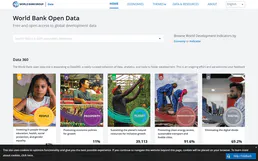
World Bank Full Access
The ultimate Mega-Server integration: A massive 30-tool suite granting your AI zero-auth access to the entire World Bank catalog (29,506 indicators) across all 21 specific categories.
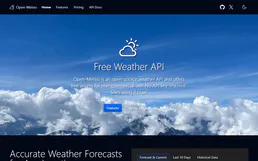
Open-Meteo Full Access
The ultimate weather Mega-Server: 15 tools covering forecast, historical (84 years), marine, air quality, pollen, climate projections (to 2100), flood, geocoding, and elevation — all in one zero-auth integration.

Wikidata
Access the world's largest open knowledge graph—query entities via SPARQL, perform vector searches, and manage structured data directly from your AI agent.
You might also like

Telnyx
Send and manage SMS/MMS, check account balances, and configure messaging profiles natively via your AI agent.

FanPower (PickUp)
Drive fan engagement via FanPower (PickUp) — manage interactive questions, track fan picks, and monitor rewards directly through your AI agent.

Innform
Train your team with an LMS that creates courses from your content, tracks completion, and gamifies the learning experience.