
NCDC Climate Data Online MCP. Pull Historical Weather Records by Asking Questions.
 Gemini
 Works with every AI agent you already use
…and any MCP-compatible client









Just plug in your AI agents and start using Vinkius.
NCDC Climate Data Online gives your AI agent direct access to NOAA's National Climatic Data Center archive. It lets you pull authoritative historical weather records—everything from daily temperature averages to yearly precipitation totals—by simply asking questions about specific locations and dates.
What your AI agents can do
Get climate data
Retrieves specific climate records (like temperature or precipitation) for a given location and date range.
Get dataset
Gets detailed information about a specific NCDC dataset, confirming its coverage and structure.
Get station
Retrieves full metadata and details for a single identified weather station.
Gets actual, quantified weather records (like daily maximum temperature or precipitation) for specified locations and dates.
Lists all the primary climate datasets available through NCDC, such as GHCND and GSOD.
Finds specific weather stations globally and retrieves their associated metadata and coverage information.
Lists the specific types of metrics (e.g., Max Temperature, Snowfall) or time classes (Hourly, Monthly) you need to query.
Allows filtering and listing locations using predefined categories like City, State, or Country IDs.
Ask AI about this MCP
Supported MCP Clients
Gemini Waiting for input…
NCDC Climate Data Online: 10 Tools for Climate Analysis
These tools let your AI client systematically query, discover, and retrieve every type of historical climate data from the National Climatic Data Center archive.
019d75dbget climate data
Retrieves specific climate records (like temperature or precipitation) for a given location and date range.
019d75dbget dataset
Gets detailed information about a specific NCDC dataset, confirming its coverage and structure.
019d75dbget station
Retrieves full metadata and details for a single identified weather station.
019d75dblist data categories
Lists the high-level categories of climate data available (e.g., Temperature, Precipitation).
019d75dblist data classes
Lists the frequency classes for the data, such as Hourly, Daily, or Monthly summaries.
019d75dblist data types
Lists specific metrics that can be tracked, like Maximum Temperature or Snowfall depth.
019d75dblist datasets
Provides a list of all available NCDC climate datasets (e.g., GHCND, GSOD).
019d75dblist location categories
Lists general location types available for filtering data queries (City, Country, State).
019d75dblist locations
Returns a list of specific geographic locations based on predefined parameters.
019d75dblist stations
Retrieves a comprehensive list of all active weather stations within a specified area or category.
Choose How to Get Started
Build a custom MCP for your own tools, or connect a ready-made integration from our catalog.
Build Your Own
Turn any API into an MCP. Import a spec, define Agent Skills, or deploy with MCPFusion.
- Import from OpenAPI, Swagger, or YAML specs
- Create Agent Skills with progressive disclosure
- Deploy to edge with MCPFusion framework
- Built in DLP, auth, and compliance on every call
- Real time usage dashboard and cost metering
- Publish to catalog or keep private
Make Your AI Do More
Start with NCDC Climate Data Online, then connect any of our 4,700+ other servers whenever your AI needs more. One click, no limits.
- Use this MCP plus 4,700+ others, all in one place
- Add new capabilities to your AI anytime you want
- Every connection is secured and compliant automatically
- Track usage and costs across all your servers
- Works with Claude, ChatGPT, Cursor, and more
- New servers added to the catalog every week
What you can do with this MCP connector
You're giving your AI agent direct access to NOAA's National Climatic Data Center archive. This lets you pull authoritative historical weather records—everything from daily temperature averages to yearly precipitation totals—by just asking questions about specific locations and dates.
To use this, your agent first needs to know what data exists. You can start by running list_datasets to see a list of every primary climate dataset available through NCDC, like GHCND or GSOD. Once you know the source, you'll need to figure out the scope: run list_data_categories for high-level groupings (like Temperature or Precipitation), then use list_data_types to pinpoint the specific metrics you want to track—say, Maximum Temperature or Snowfall depth.
For time granularity, checking list_data_classes shows you if you need Hourly, Daily, or Monthly summaries.
When it comes to finding a location, your agent can't just guess. It needs structure. You'll start by using list_location_categories to see general filters—City, State, Country IDs. Then, running list_locations returns a list of specific geographic points based on those parameters. If you need to find the physical infrastructure, running list_stations gives a comprehensive rundown of all active weather stations within a defined area or category.
The system also lets your agent dive deep into any single station's history by calling get_station, which retrieves full metadata and details for that specific spot. Need to know if a dataset is reliable? You can run get_dataset to get detailed information about a specific NCDC dataset, confirming exactly what it covers and how its structure works.
When you're ready to pull the numbers, your agent uses get_climate_data. This tool retrieves actual, quantified weather records—like daily maximum temperature or precipitation totals—for any specified location and date range. It handles the core query using all the data scoping established above. If you just want to know what kinds of locations are possible for filtering, running list_location_categories provides those general filters.
Everything works together like this: You first determine your location parameters using list_location_categories and then narrow down specific spots with list_locations. To build the query, you use list_data_types and list_data_classes to define what metrics and time periods matter. Once you've pinpointed a station or a general area, you can get its metadata using get_station or confirming dataset details with get_dataset.
The entire workflow funnels down into get_climate_data, which pulls the final, authoritative records for you.
How NCDC Climate Data Online MCP Works
- 1 Subscribe to the NCDC Climate Data Online server and provide your API token.
- 2 Ask your AI agent a question (e.g., 'What datasets are available for global daily summaries?').
- 3 The agent executes the necessary tool calls, retrieves structured data, and presents the analyzed climate records.
The bottom line is that you pass the complexity of API management to your AI client; you just ask what historical weather data you need.
Who Is NCDC Climate Data Online MCP For?
This server is for deep-dive researchers, environmental consultants, and data scientists. You're the person who wakes up needing to prove a climate trend over decades or calculate regional risk based on historical weather extremes. If your job requires more than simple Google searches, this is what you need.
Uses get_climate_data to pull daily temperature and precipitation records for modeling long-term climate shifts.
Runs queries using list_location_categories and list_stations to assess environmental impact or calculate agricultural risk in a new region.
Automates the collection of historical weather trends across multiple sites, using tools like get_dataset to compare different metrics.
What Changes When You Connect
- Stop guessing what data exists. Use
list_data_typesandlist_data_classesto quickly map out if you need daily averages or just monthly totals for your report. This prevents API dead ends. - Need a station ID? Instead of searching NOAA's site, use
list_stations. It gives you the full metadata in one query, letting you verify coverage and location instantly. - The best part is data discovery. Run
list_datasetsto see if GHCND (Global Historical Climatology Network Daily) has the specific dataset you need before writing a single line of code. - Never get stuck on geography again. Use
list_location_categoriesfirst, then drill down withlist_locations. It structures your query path from general region to precise point. - It’s all conversational. You don't need to manually chain 10 API calls; you just tell the agent: 'Get Max Temp for Asheville in Jan 2023,' and it runs the sequence for you.
Real-World Use Cases
Assessing Drought Risk Across a State
An environmental consultant needs to compare rainfall trends across three different counties. They use list_location_categories to confirm 'County' is a valid filter, then run specific queries using get_climate_data for each county/date range, gathering all necessary precipitation totals in one workflow.
Modeling Historical Energy Demand
An energy analyst needs data on average temperatures over the last 50 years. They run list_datasets to find GHCND, then use get_dataset to confirm the 'Max Temperature' type is available before finally pulling the records with get_climate_data.
Verifying Site Coverage for a New Project
A developer needs to know if there are any weather stations near a specific coordinate. They use list_stations first, confirming active sites exist, and then they run get_station on the best match to get full metadata before proceeding.
Comparing Different Climate Metrics
A researcher wants to compare snow depth vs. maximum temperature for a region. They use list_data_types to confirm both metrics are available, then use the agent to run multiple specific queries using get_climate_data, ensuring all data points come from one authoritative source.
The Tradeoffs
Assuming API Structure
Trying to pull climate records without first checking if the site has that specific dataset or location ID. This results in vague 'data not found' errors and wasted time.
→
Always start with discovery tools. First, run list_datasets to confirm you need GHCND, then use list_location_categories before attempting a query with get_climate_data.
Forgetting Location Granularity
Running a simple search for 'Asheville' and getting vague results that don't pinpoint the exact station ID needed for the API.
→
Use list_location_categories to narrow down (City, State) first. Then use list_stations to get a list of specific stations in Asheville, guaranteeing you have the correct identifier.
Confusing Data Types and Classes
Asking for 'temperature' data without specifying if they want daily averages or hourly readings. The API fails because it needs both type and class.
→
Check list_data_types to confirm the metric (e.g., Max Temperature) and then check list_data_classes to define the time granularity (Daily, Monthly). Use this context when calling get_climate_data.
When It Fits, When It Doesn't
Use this server if your requirement is historical scientific data—meaning you need metrics like temperature or precipitation measured over specific time spans and tied to established weather stations. The complexity of the NCDC API demands specialized tooling, which this provides.
Don't use it if you just want today's forecast, or general local information (like 'What is the nearest park?'). For simple lookups, standard mapping services are faster. If you are building a data pipeline that requires knowing the structure of available metrics before querying, rely heavily on list_data_types, list_data_classes, and list_datasets. If you only need to know what tools exist, start with list_stations to confirm your target area has coverage.
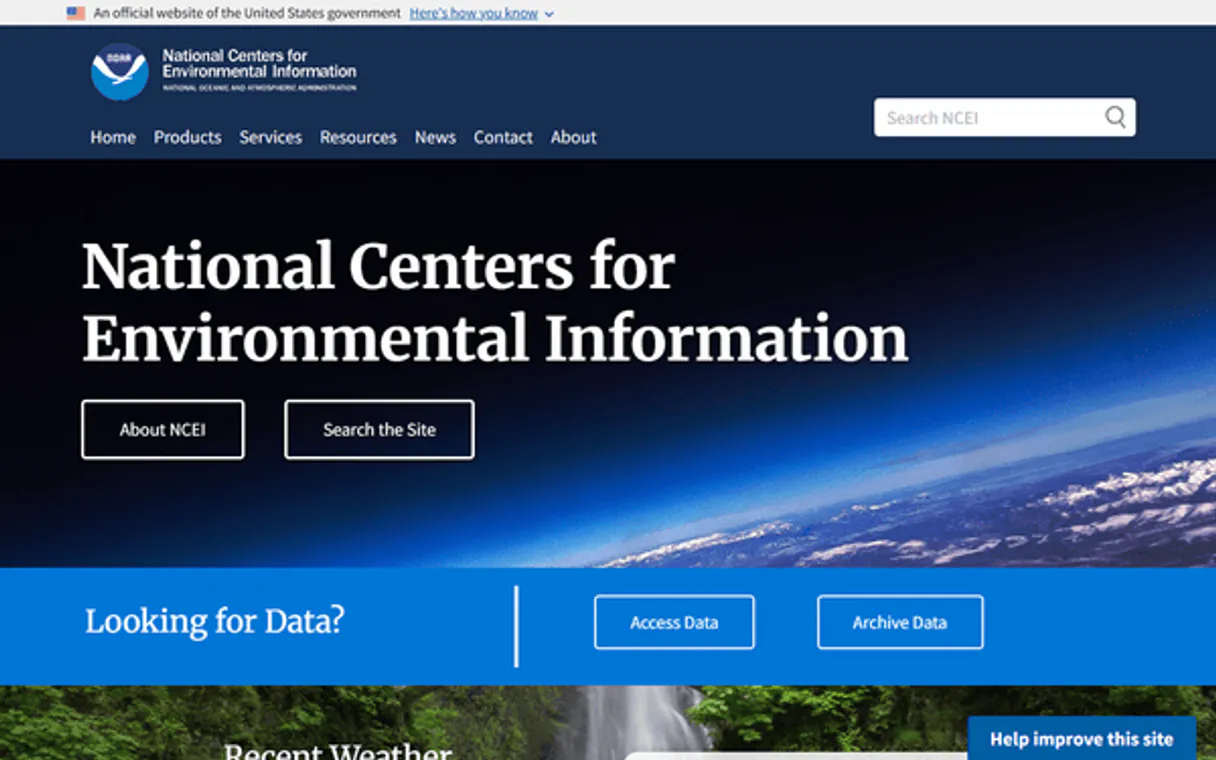
Independent Platform Disclaimer: Vinkius is an independent platform and is not affiliated with, endorsed by, sponsored by, verified by, or otherwise authorized by NCDC Climate Data Online. All third-party trademarks, logos, and brand names are the property of their respective owners. Their use on this website is strictly for informational purposes to identify service compatibility and interoperability.
VINKIUS INFRASTRUCTURE
Cloud Hosted
Managed infra
V8 Isolated
Sandboxed per request
Zero-Trust Proxy
No stored credentials
DLP Enforced
Policy on every call
GDPR Compliant
EU data residency
Token Compression
~60% cost reduction
Works with Claude, ChatGPT, Cursor, and more
The Model Context Protocol standardizes how applications expose capabilities to LLMs. Instead of operating in isolation, your AI gains direct access to external platforms, live data, and real-world actions through secure, standardized connections.
This server provides 10 capabilities that interface natively with Claude, ChatGPT, Cursor, and any MCP client. No middleware. No custom integration required.
Available Capabilities
Manual climate data gathering is a mess of API calls and manual lookups. It's exhausting.
Right now, pulling historical weather means jumping between NOAA web pages, cross-referencing station IDs in one tab, checking dataset availability in another, and then finally crafting the correct date query—all while worrying if you used the right combination of metrics (Max Temp vs. Average Temp). It’s slow, brittle, and full of manual copy/pasting.
With this MCP server, that entire process runs through your agent. You tell it: 'Give me average max temperature for Asheville in 2023.' The agent handles the sequence: finding the location ID (`list_locations`), confirming the dataset (`list_datasets`), and pulling the record (`get_climate_data`). You just get the answer.
NCDC Climate Data Online MCP Server. Get structured data by asking simple questions.
The biggest time sink is validation: Do I need GHCND or GSOD? Is 'snowfall' a type, or do I need to check the classes first? You spend more time confirming the API structure than you do analyzing the data itself.
This server eliminates that guesswork. It forces structured thinking by exposing tools like `list_data_types` and `list_data_classes`. It lets your agent figure out the exact combination of parameters needed, giving you reliable results without manual verification.
Common Questions About NCDC Climate Data Online MCP
How do I find all weather stations for a specific city using list_stations? +
You first use list_location_categories to confirm 'City' is valid, then run list_locations to get the ID. Finally, you pass that location context into list_stations to retrieve the relevant station IDs.
What is the difference between list_data_types and list_data_categories? +
Categories are high-level groupings (like Temperature or Precipitation). Data Types specify the actual metric within that group, like Max Temperature or Snowfall. You need both for a precise query.
Can I get daily temperature data for a location using get_climate_data? +
Yes, you can. When calling get_climate_data, make sure you've confirmed the 'Daily' class via list_data_classes and the 'Temperature' type via list_data_types to ensure accurate results.
How do I find out what climate datasets are available? +
Just run the list_datasets tool. This immediately provides a list of primary archives, like GHCND and GSOD, so you know which data source to target.
What do I need to provide when running `get_climate_data`? +
You must configure your NCDC/NOAA API Token in the server connection settings. This token handles authentication for all requests, ensuring your agent can access the historical data archive.
How do I narrow down my search using `list_location_categories`? +
First, run list_location_categories to identify available levels (like Country or State). Then, you use those specific categories as filters when running other location lookup tools for precise results.
What is the difference between hourly and monthly data classes from `list_data_classes`? +
The class defines your time resolution. Hourly gives detailed readings throughout a 24-hour period, while Monthly aggregates all measurements across an entire calendar month.
If I request data outside a valid range using `get_climate_data`, what happens? +
The agent will return an error detailing the invalid parameters. Always confirm your required date ranges and station IDs first by running list tools like list_stations.
Is the NCDC API Token free? +
Yes! You can request a free API token by providing your email address at https://www.ncdc.noaa.gov/cdo-web/token.
What is the GHCND dataset? +
GHCND stands for Global Historical Climatology Network - Daily. It is one of the most popular datasets, providing daily climate summaries (temperature, precipitation, etc.) from stations around the world.
How far back does the data go? +
NCDC archives contain data dating back to the 18th century for some locations, though the availability varies significantly by station and dataset.
Use it with your favorite AI tools
Connect this server to Cursor, Claude, VS Code, and more.
More in this category

WHO GHO
Access 2,200+ health indicators from 194 countries — life expectancy, disease prevalence, mortality rates, immunization coverage, and environmental health data from the World Health Organization.
NASA Media & Patents — Images, Videos & Technology Transfer
Search NASA's library of 140,000+ images and videos from every mission: Apollo, ISS, Hubble, Webb, Mars rovers, and more — plus browse NASA's technology transfer portfolio of patents and commercial spinoffs available for licensing.

Wikidata
Access the world's largest open knowledge graph—query entities via SPARQL, perform vector searches, and manage structured data directly from your AI agent.
You might also like

Langflow (Visual Multi-agent Orchestrator)
Orchestrate multi-agent AI workflows visually — execute flows, manage projects, and trigger webhooks directly from any AI agent.

eBird
Access real-time bird sightings, hotspots, and taxonomic data from the global eBird database directly from your AI agent.

PDF.co
Parse, generate, merge, and convert PDF documents programmatically with an API that handles complex document processing tasks.