
Nutshell CRM MCP. Pull full customer history without opening the browser.
 Gemini
 Works with every AI agent you already use
…and any MCP-compatible client









Just plug in your AI agents and start using Vinkius.
Nutshell CRM connects your AI agent directly to your sales pipeline data. Use this server to list, search, and retrieve detailed records for accounts, contacts, and leads, all through natural conversation.
It lets you pull current activity logs and check custom field definitions without opening the actual CRM interface.
What your AI agents can do
Get account details
Retrieves all specific information about one business account.
Get contact details
Pulls the complete profile for a single person/contact.
Get lead details
Gets all specific data points for one sales lead.
Run one search query to find leads, accounts, or contacts simultaneously.
Get detailed information about a specific business account by name or ID.
Pull a list of contacts, allowing you to narrow results down by criteria like company or role.
View structured logs of all calls, meetings, and tasks associated with accounts or leads.
List the names and definitions of every custom field you've set up in Nutshell CRM.
Ask AI about this MCP
Supported MCP Clients
Gemini Waiting for input…
Nutshell CRM: 10 Tools for Sales Data Retrieval
Use these 10 tools to get deep, specific data on every account, contact, or lead in your Nutshell CRM instance.
019d75e0get account details
Retrieves all specific information about one business account.
019d75e0get contact details
Pulls the complete profile for a single person/contact.
019d75e0get lead details
Gets all specific data points for one sales lead.
019d75e0list accounts
Finds and returns a list of multiple business accounts based on filters.
019d75e0list activities
Lists structured records of past interactions like calls, emails, or meetings.
019d75e0list activity types
Provides a list of all valid activity types (e.g., 'Phone Call', 'Email') that can be logged in the CRM.
019d75e0list contacts
Finds and lists multiple individual contacts within your network.
019d75e0list custom fields
Returns a list of all custom data fields that the organization has added to Nutshell CRM.
019d75e0list leads
Finds and lists multiple sales leads, allowing you to filter by stage or source.
019d75e0universal search
Searches across the entire CRM—accounts, contacts, and leads—using one keyword query.
Choose How to Get Started
Build a custom MCP for your own tools, or connect a ready-made integration from our catalog.
Build Your Own
Turn any API into an MCP. Import a spec, define Agent Skills, or deploy with MCPFusion.
- Import from OpenAPI, Swagger, or YAML specs
- Create Agent Skills with progressive disclosure
- Deploy to edge with MCPFusion framework
- Built in DLP, auth, and compliance on every call
- Real time usage dashboard and cost metering
- Publish to catalog or keep private
Make Your AI Do More
Start with Nutshell CRM, then connect any of our 4,700+ other servers whenever your AI needs more. One click, no limits.
- Use this MCP plus 4,700+ others, all in one place
- Add new capabilities to your AI anytime you want
- Every connection is secured and compliant automatically
- Track usage and costs across all your servers
- Works with Claude, ChatGPT, Cursor, and more
- New servers added to the catalog every week
What you can do with this MCP connector
Nutshell CRM MCP Server - Manage Accounts, Contacts & Leads
Listen up. This server hooks your AI agent right into Nutshell’s entire sales pipeline. You don't have to log in or click around; your agent handles it all through natural conversation. It gives you direct access to the data—the accounts, the contacts, the leads, and every interaction that happened along the way.
Your agent can pull current activity logs and even check what custom fields you’ve set up without ever opening the CRM interface.
When you need a quick answer, your agent runs universal_search to find something across the board—it doesn't matter if it's an account, a lead, or a contact; you just give it a keyword and get results back. For deeper dives, you've got options for every type of data point.
Account Deep Dives: If you need to know everything about one specific business, your agent uses get_account_details to pull all the detailed info on that account. You can also list multiple businesses using list_accounts, letting you filter those results based on criteria like industry or size.
People & Leads: Need to check on a person? Your agent runs get_contact_details to get their complete profile, or it uses list_contacts if you're looking at a whole list of people. For sales prospects, the process is similar: use get_lead_details for one specific lead, or run list_leads to pull multiple leads while filtering by where they came from or what stage they’re in.
Tracking Activity: You don't want to guess how things went. Your agent tracks past sales activities using list_activities, pulling structured records of everything—calls, meetings, tasks, whatever you logged. If you need to know what kinds of interactions are even possible, you can check out all the valid types with list_activity_types.
This lets your agent log or reference things like 'Phone Call' versus 'Email'.
Data Structure Inspection: You own this data structure. Your agent keeps track of exactly what fields matter by running list_custom_fields, which returns a list of every single custom data field you’ve tacked onto Nutshell CRM. This lets your AI client know precisely what kind of information to expect when it reads records.
You can pull lists for contacts using list_contacts or leads via list_leads. You never have to navigate menus; just talk to the agent, and it uses these tools to get you exactly what you're looking at. It’s all about turning conversational queries into structured data retrieval.
How Nutshell CRM MCP Works
- 1 Subscribe to this server, then enter your required Nutshell API Key and login credentials.
- 2 Your AI client sends a prompt (e.g., 'What was the status of Acme Corp?').
- 3 The agent recognizes the intent, calls the correct tool (like
get_account_details), and returns structured data to you.
The bottom line is: your AI client talks directly to Nutshell's database using established tools, so you don’t have to click through any UI tabs.
Who Is Nutshell CRM MCP For?
Sales teams who are tired of switching between the CRM dashboard and Slack just to check a basic lead status. This is for account managers who need an instant, deep dive into customer history without leaving their workflow tool.
Uses get_account_details or list_activities to track a client's full interaction history right when they need it.
Runs universal_search or list_leads immediately after an inbound inquiry to qualify the lead and find related contacts.
Uses list functions (list_accounts, list_contacts) to quickly pull aggregated data for a daily sales standup meeting.
What Changes When You Connect
- Check a lead's status instantly. Instead of navigating to the lead record, your agent runs
get_lead_detailsand tells you exactly where they are in the pipeline. It’s that fast. - Stop hunting for people. If you only know a company name, use
universal_search. It scans across accounts, contacts, and leads so you don't miss anything. - See a full picture of customer health. You can run
list_activitiesto pull all past calls and meetings associated with an account, giving context before any call. - Get data structure answers. Need to know what fields are available? Running
list_custom_fieldsgives you the definitions right here, without logging into settings. - Build better pipelines. By using
list_accountsand then callingget_account_details, your agent compiles a report on all key metrics for multiple clients in one go.
Real-World Use Cases
Client needs an immediate status update.
A sales rep gets an inquiry from 'Acme Corp' and needs to know if they are already a client. Instead of opening the CRM, the agent runs universal_search with the company name. The results show 1 account match and provide enough context for the rep to continue the conversation immediately.
Pre-meeting prep.
An account manager is prepping for a call with 'Jane Doe.' They ask their agent, 'What did I talk about last month?' The agent uses list_activities and get_contact_details to compile the summary of past calls and shared notes.
Auditing lead quality.
A manager needs to audit all leads that came from a specific campaign. They run list_leads, filter by the source, and then use get_lead_details on the top five records to ensure all required custom fields were filled out.
Quickly building a client list.
The founder needs a quick roster of key people from their biggest clients. They run list_accounts and then iterate through the results, calling get_contact_details for every account to build a single CSV-ready contact manifest.
The Tradeoffs
Overloading the search.
A developer tries to write one massive prompt that asks the agent to list accounts, get details for five contacts, and find all activities. This is too much context and usually fails or times out.
→
Break it up. Run list_accounts first to get a target account ID. Then pass that ID to get_account_details. Finally, use the account name in an activity search with list_activities. Sequential, targeted calls work best.
Confusing list vs. get.
The developer runs list_accounts and gets 50 results. They then try to pass the entire JSON array into a tool that only expects one ID.
→
list_accounts is for discovery; it gives you many IDs. If you need details on just one, always follow up by calling get_account_details(id=...). Never mix the two.
Ignoring schema constraints.
Trying to query a custom field that doesn't exist or using an old name. The agent fails because the data model is wrong.
→
Always start by running list_custom_fields when dealing with unique company fields. This confirms the exact, current schema names you need for your queries.
When It Fits, When It Doesn't
Use this server if your core workflow involves moving data from a conversational prompt into structured CRM records (accounts, leads, contacts). You need to know who the customer is and what they talked about. The universal_search tool is great for initial discovery when you have no idea where to start. If you only need to pull reports or basic lists without specific details, then a different reporting API might be cleaner. Don't use this if your primary goal is just sending an email; you'll need a dedicated messaging service for that. This tool is purely for reading and gathering data—it doesn't write back records.
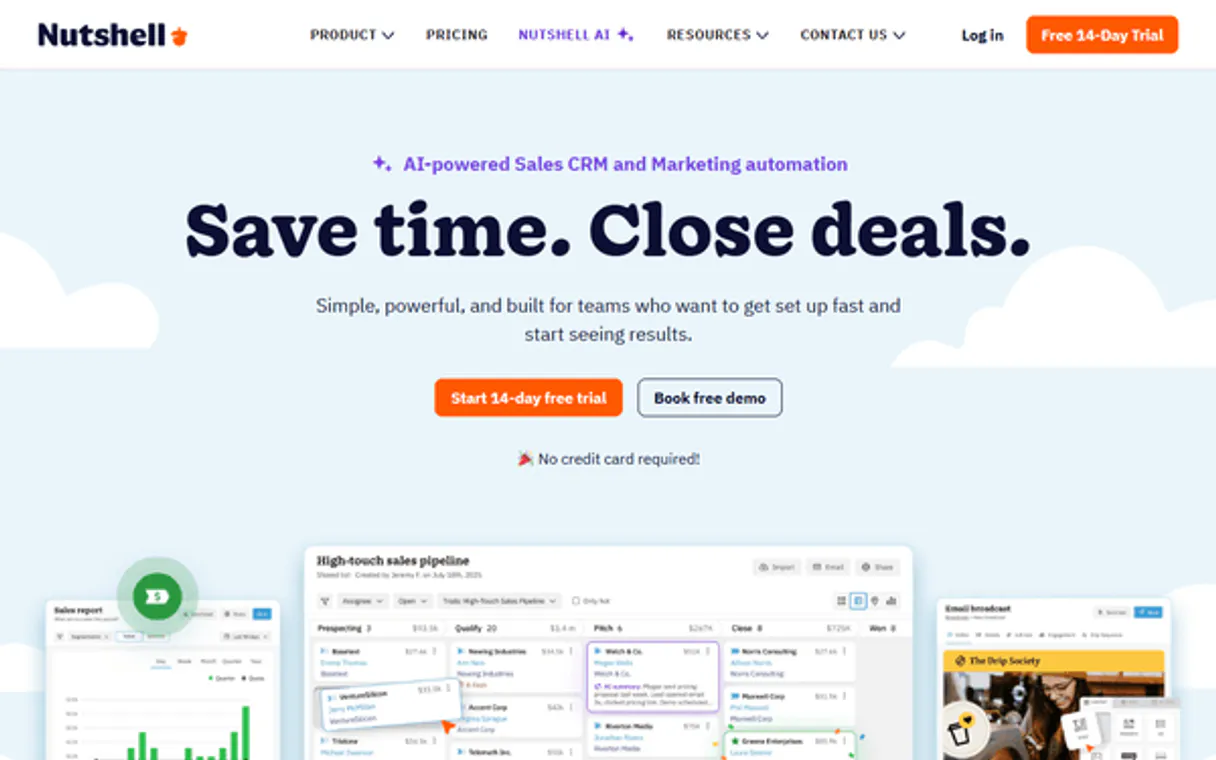
Independent Platform Disclaimer: Vinkius is an independent platform and is not affiliated with, endorsed by, sponsored by, verified by, or otherwise authorized by Nutshell CRM. All third-party trademarks, logos, and brand names are the property of their respective owners. Their use on this website is strictly for informational purposes to identify service compatibility and interoperability.
VINKIUS INFRASTRUCTURE
Cloud Hosted
Managed infra
V8 Isolated
Sandboxed per request
Zero-Trust Proxy
No stored credentials
DLP Enforced
Policy on every call
GDPR Compliant
EU data residency
Token Compression
~60% cost reduction
Works with Claude, ChatGPT, Cursor, and more
The Model Context Protocol standardizes how applications expose capabilities to LLMs. Instead of operating in isolation, your AI gains direct access to external platforms, live data, and real-world actions through secure, standardized connections.
This server provides 10 capabilities that interface natively with Claude, ChatGPT, Cursor, and any MCP client. No middleware. No custom integration required.
Available Capabilities
Finding customer history shouldn't take 8 clicks across 4 tabs.
Today, you need to know what happened with 'Acme Corp.' You open the CRM. First, you check the Account tab for status updates. Then, you click on the Contacts sub-tab to see who spoke to them. Next, you have to jump to the Activity log and filter by date range to find calls—and if you want that person's email, you have to copy it from a different view.
With this MCP server, your agent handles all of that in one go. You just ask: 'What was Acme Corp.'s last interaction?' It runs `list_activities` and pulls the relevant contact info using `get_contact_details`. The answer is instant, synthesized data—no tabs, no clicks.
Nutshell CRM MCP Server: Get accurate lead details instantly.
Manual work involves copying a name from an email and pasting it into the search bar to see if they are already in the system. You might get 5 potential matches, and you have to click every single one just to verify which ID is correct.
Now, your agent handles that logic. You ask for details on 'Jane Doe' related to Acme Corp., and it uses `get_lead_details` or `universal_search` to isolate the exact record. It doesn't guess; it tells you exactly what it found.
Common Questions About Nutshell CRM MCP
How do I search for a lead if I only know the company name? Use universal_search. +
You use universal_search with the company name. This tool searches accounts, leads, and contacts simultaneously, giving you an overview of all related records instead of just failing.
Can I get details for multiple contacts at once? Use list_contacts. +
The list_contacts tool lets you find groups of people. If you need deep info on every single one, you'll run get_contact_details sequentially after getting the IDs from the list.
What if I want to know about a specific task? Should I use get_account_details or list_activities? +
You should use list_activities. While get_account_details gives general info, list_activities focuses specifically on the log of tasks, calls, and meetings.
Do I need to run list_custom_fields every time? Use list_custom_fields. +
It's best practice. Running list_custom_fields first confirms the exact schema names (like 'Industry Vertical') before you try to query for data using those fields.
What credentials do I need to connect my AI agent using `list_accounts`? +
You must provide your Nutshell API Key, along with a valid login email or domain. These keys authenticate your connection and ensure your agent has permission to read the required account data.
If I use `list_leads`, how do I make sure I get all of them if there are thousands? +
The system handles pagination automatically when you request a list. If the results exceed the initial batch limit, your agent will prompt you for the next page or provide an iterator to fetch the remaining leads.
When I use `get_contact_details`, does it pull all historical information about the person? +
Yes. The tool provides deep profile inspection, giving your agent access to the contact's full metadata and associated activity logs—not just basic name and email fields.
I have a Lead ID; how can I find out which Account it belongs to? +
You use get_lead_details with the specific lead's unique ID. The returned data packet includes all relational metadata, allowing your agent to map that lead back to its parent account record.
How do I get a Nutshell API Key? +
Log in to Nutshell, go to Settings > API Keys, and click 'Create New API Key'. You'll need to use this key as your password for authentication.
What is Universal Search? +
Universal Search allows you to search across Leads, Contacts, and Accounts at the same time using a single keyword or phrase, making it much faster to find what you need.
Can I see my custom fields? +
Yes! Use the list_custom_fields tool to retrieve all the unique data field definitions you have configured in your CRM instance.
Use it with your favorite AI tools
Connect this server to Cursor, Claude, VS Code, and more.
More in this category
Zoho CRM (Full)
Manage leads, contacts, accounts, deals, and notes — complete Zoho CRM access through natural conversation.

Calendly
Automate scheduling workflows via Calendly — manage event types, scheduled events, invitees, and availability directly from any AI agent.
Snov.io
Equip your AI agent with direct access to Snov.io — find emails, verify addresses, automate drip campaigns, and manage prospect lists without opening the Snov dashboard.
You might also like

Neptune.ai (ML Experiment Tracking)
Manage ML experiments via Neptune.ai — track training runs, monitor metrics, and audit model versions.

15Five
Empower performance management with 15Five — manage check-ins, high fives, objectives, and team feedback directly from your AI agent.
Dashly
Convert more website visitors with targeted pop-ups, live chat triggers, and automated lead nurturing sequences.