
OilPrice MCP. Benchmark Prices for Oil, Gas, and Fuels.
 Gemini
 Works with every AI agent you already use
…and any MCP-compatible client









Just plug in your AI agents and start using Vinkius.
OilPrice MCP Server provides real-time, historical data for over 50 energy commodities. It lets your agent pull current spot prices for WTI crude, Brent international oil, Natural Gas, Diesel, and more.
You can query intraday movements, weekly trends, or custom date ranges directly into any AI workflow.
What your AI agents can do
Get brent price
Retrieves the current spot price for Brent crude oil, a primary global benchmark.
Get diesel price
Gets the current US Ultra Low Sulfur Diesel (ULSD) price, critical for transportation cost tracking.
Get historical prices
Fetches detailed price data for a commodity over any custom start and end date range (paid tier).
Get instant pricing for any major commodity—WTI, Brent, Natural Gas, or refined fuels—using get_latest_prices.
Pull targeted prices for key benchmarks like WTI (get_wti_price) and international Brent crude (get_brent_price).
Analyze hourly price swings over the last 24 hours using get_past_day_prices.
Access daily pricing history for custom timeframes, from weekly trends (get_past_week_prices) up to a full month or more via get_historical_prices.
Run list_commodities when you need to confirm the codes and list of all 50+ available energy products.
Ask AI about this MCP
Supported MCP Clients
Gemini Waiting for input…
OilPrice MCP Server: 10 Tools for Market Data Access
This server gives your agent ten specialized tools to query commodity prices across all time frames—from instant spot quotes to multi-year historical data.
019d75e3get brent price
Retrieves the current spot price for Brent crude oil, a primary global benchmark.
019d75e3get diesel price
Gets the current US Ultra Low Sulfur Diesel (ULSD) price, critical for transportation cost tracking.
019d75e3get historical prices
Fetches detailed price data for a commodity over any custom start and end date range (paid tier).
019d75e3get latest prices
Returns the most up-to-date spot prices for all available energy commodities.
019d75e3get natural gas price
Retrieves the current Henry Hub price for US Natural Gas.
019d75e3get past day prices
Gathers hourly price data showing commodity movements over the last 24 hours.
019d75e3get past month prices
Provides daily price data for a specific commodity covering the last 30 days.
019d75e3get past week prices
Gathers daily price data showing commodity movements over the last 7 days.
019d75e3get wti price
Retrieves the current spot price for West Texas Intermediate (WTI) crude oil, the US benchmark.
019d75e3list commodities
Lists all available energy commodities and their unique codes supported by the API.
Choose How to Get Started
Build a custom MCP for your own tools, or connect a ready-made integration from our catalog.
Build Your Own
Turn any API into an MCP. Import a spec, define Agent Skills, or deploy with MCPFusion.
- Import from OpenAPI, Swagger, or YAML specs
- Create Agent Skills with progressive disclosure
- Deploy to edge with MCPFusion framework
- Built in DLP, auth, and compliance on every call
- Real time usage dashboard and cost metering
- Publish to catalog or keep private
Make Your AI Do More
Start with OilPrice, then connect any of our 4,700+ other servers whenever your AI needs more. One click, no limits.
- Use this MCP plus 4,700+ others, all in one place
- Add new capabilities to your AI anytime you want
- Every connection is secured and compliant automatically
- Track usage and costs across all your servers
- Works with Claude, ChatGPT, Cursor, and more
- New servers added to the catalog every week
What you can do with this MCP connector
OilPrice API - Track WTI & Brent Commodity Prices
This server gives your agent instant access to real-time and historical data for over 50 energy commodities. You're pulling live market intelligence directly into your AI workflow, making sure you don't gotta rely on old spreadsheets or slow feeds. It covers everything from crude oil benchmarks to refined fuels like diesel.
Getting Current Prices: Snapshot Data
To get a quick read on the market, you can use get_latest_prices. This single call returns the most current spot prices for every energy commodity supported by the API. Need to focus just on the big players? You've got targeted tools ready. Calling get_wti_price pulls the immediate spot price for West Texas Intermediate (WTI) crude oil, which is the main US benchmark.
For international tracking, use get_brent_price to get the current spot rate for Brent crude oil, a key global trading standard. You can also pull specific refined fuel pricing; just call get_diesel_price for the latest US Ultra Low Sulfur Diesel (ULSD) price, which is crucial if you're tracking transportation costs. If you need Natural Gas rates right now, get_natural_gas_price retrieves the Henry Hub spot price.
It’s simple—you tell your agent what commodity you want, and it gives you that live number.
Analyzing Market Movements: Time-Based Data
If current prices aren't enough, you gotta know what happened leading up to this moment. For short-term volatility, get_past_day_prices gathers hourly price data, showing exactly how commodities moved over the last 24 hours. You can check out medium-range trends too: calling get_past_week_prices provides daily closing prices for commodity movements covering seven days.
If you need a deeper dive into recent history, get_past_month_prices collects daily price data spanning the last 30 days.
For custom analysis—say, checking prices from Q2 of last year through early June—you use get_historical_prices. This function lets your agent pull detailed price records for any specific start date and end date range. Note: Using this historical tool requires the paid tier access.
Discovering What's Available: The Commodity List
Don't know what commodity codes you need? Run list_commodities. This function returns a comprehensive list of every energy product, confirming all 50+ available commodities and their unique API codes. You can then pass these exact codes to any other tool.
Putting It Together: Workflow Examples
You don't gotta run five separate calls just to analyze one week. Your agent handles that complexity for you. If you need a full picture, you might first call list_commodities to confirm the code for 'Junk Fuel'. Then, you can use get_historical_prices with that specific code and a custom date range to plot its movement.
You could follow up by calling get_latest_prices just to see where the market is standing right now compared to last Tuesday's price point.
It’s about layering data: pulling the current spot rate via get_wti_price, then running get_past_day_prices to map out the hourly swings, and finally using get_historical_prices on a custom date range for long-term context. Your agent structures this data so you can analyze market dynamics immediately, all without leaving your chat environment.
How OilPrice MCP Works
- 1 First, connect your AI client to the OilPriceAPI server using a valid API key.
- 2 Next, tell your agent exactly what you need—e.g., 'Show me WTI prices for the last week' or 'What is the current diesel price?'
- 3 Your agent executes the correct tool call and returns clean, structured data for that commodity and time frame.
The bottom line is your AI client acts like a terminal connection to live energy market feeds, bringing complex financial data directly into your conversation or script.
Who Is OilPrice MCP For?
Financial analysts and procurement managers need this. Specifically, the commodities trader who can't afford to miss a price shift between WTI and Brent. The logistics manager who has spent too much time cross-referencing diesel costs across multiple state portals. If your job involves tracking fluctuating fuel or commodity expenses, you need this.
Uses get_brent_price and get_wti_price to compare global vs. domestic benchmarks for immediate trading decisions.
Runs get_diesel_price or get_latest_prices to determine the optimal time to bulk-buy fuel, optimizing purchasing timing against market shifts.
Uses get_historical_prices and list_commodities to pull data for long-term reports, backtesting, or academic publications.
Monitors fuel costs using tools like get_diesel_price and get_past_week_prices to predict fleet operational expenditure changes.
What Changes When You Connect
- Track real-time benchmarks. Instead of checking multiple websites, use
get_latest_pricesto get immediate spot quotes for WTI, Brent, Natural Gas, and more in one call. - Analyze price movements over time. Use
get_past_day_pricesto see hourly volatility orget_past_week_pricesto track short-term trends without manual graphing. - Optimize purchasing timing. By running
get_diesel_price, you instantly compare fuel costs against current market rates, informing your logistics decisions immediately. - Build deep reports quickly. Use
get_historical_priceswith specific date ranges to pull data for long-term analysis and academic papers in minutes. - Confirm scope fast. If you aren't sure which commodity code to use, just call
list_commodities. It gives you a catalog of all 50+ supported energy products.
Real-World Use Cases
Comparing Global vs. Domestic Oil Prices
A trader needs to know the spread between US and international oil markets. They ask their agent: 'Compare WTI and Brent today.' The agent runs both get_wti_price and get_brent_price, allowing the user to immediately calculate the current price spread for arbitrage analysis.
Forecasting Next Month's Fuel Budget
A logistics manager needs a quarterly budget estimate. They ask for 'Diesel prices over the last 30 days.' The agent uses get_past_month_prices with the diesel code, giving them enough data to trend costs and predict spending fluctuations.
Investigating Gas Price Spikes
An analyst notices recent natural gas volatility. They use get_past_day_prices for Natural Gas to pinpoint exactly when the sharp price movements occurred in the last 24 hours, helping them identify market triggers.
Initial Data Discovery
A new user is unsure which energy commodity data they need. They simply ask: 'What types of commodities do you track?' The agent calls list_commodities, providing a comprehensive catalog and the necessary codes for them to proceed.
The Tradeoffs
Asking for simple comparisons
Typing 'Show me oil prices today' is vague. You don't tell your agent if you mean WTI, Brent, or just the average.
→
Be specific. Ask for 'Current WTI price' (using get_wti_price) OR use get_latest_prices and specify which commodities you want in the list.
Ignoring time scope
Asking 'What is the natural gas price?' when you actually need to know how it changed over the last week. The agent only gives you a single, static number.
→
Specify your timeframe. For recent changes, use get_past_week_prices. If you want historical context, specify dates for get_historical_prices.
Over-relying on general knowledge
Assuming the system knows which commodity codes to link. You might ask about 'jet fuel' but forget its specific code.
→
Run list_commodities first. This gives you the exact, structured code (e.g., JET_FUEL_USD) needed for accurate calls.
When It Fits, When It Doesn't
Use this server if your task is purely about retrieval and comparison of existing market data. If you need to run a complex predictive model—for example, 'What will the price be in 6 months?'—this tool won't do it. You must use get_historical_prices first to feed that prediction into another system or agent. Use this if you need current benchmarks (WTI/Brent) OR specific time-series data (weekly, monthly). Don't use this if your goal is financial advice; the tool just gives you numbers. Always cross-reference key commodity codes using list_commodities to ensure accuracy.
Independent Platform Disclaimer: Vinkius is an independent platform and is not affiliated with, endorsed by, sponsored by, verified by, or otherwise authorized by OilPriceAPI. All third-party trademarks, logos, and brand names are the property of their respective owners. Their use on this website is strictly for informational purposes to identify service compatibility and interoperability.
VINKIUS INFRASTRUCTURE
Cloud Hosted
Managed infra
V8 Isolated
Sandboxed per request
Zero-Trust Proxy
No stored credentials
DLP Enforced
Policy on every call
GDPR Compliant
EU data residency
Token Compression
~60% cost reduction
Works with Claude, ChatGPT, Cursor, and more
The Model Context Protocol standardizes how applications expose capabilities to LLMs. Instead of operating in isolation, your AI gains direct access to external platforms, live data, and real-world actions through secure, standardized connections.
This server provides 10 capabilities that interface natively with Claude, ChatGPT, Cursor, and any MCP client. No middleware. No custom integration required.
Available Capabilities
Comparing fuel and oil prices used to be a nightmare of tabs and spreadsheets.
Today, if you need the price spread between WTI crude and diesel, you open three different browser tabs: one for energy news, one for commodity exchanges, and another for refined products. You spend fifteen minutes copy-pasting data into a single spreadsheet just to calculate the margin—a process prone to human error.
With this MCP server, you ask your agent once. It runs both `get_wti_price` and `get_diesel_price`. The result is an instant, clean comparison delivered directly back to you. No clicking, no copy-pasting.
Using the OilPriceMCP Server: Get Structured Commodity Data.
Manual tracking requires logging into multiple provider dashboards and manually recording daily data points for different commodities. This is slow, expensive, and impossible to scale across dozens of assets.
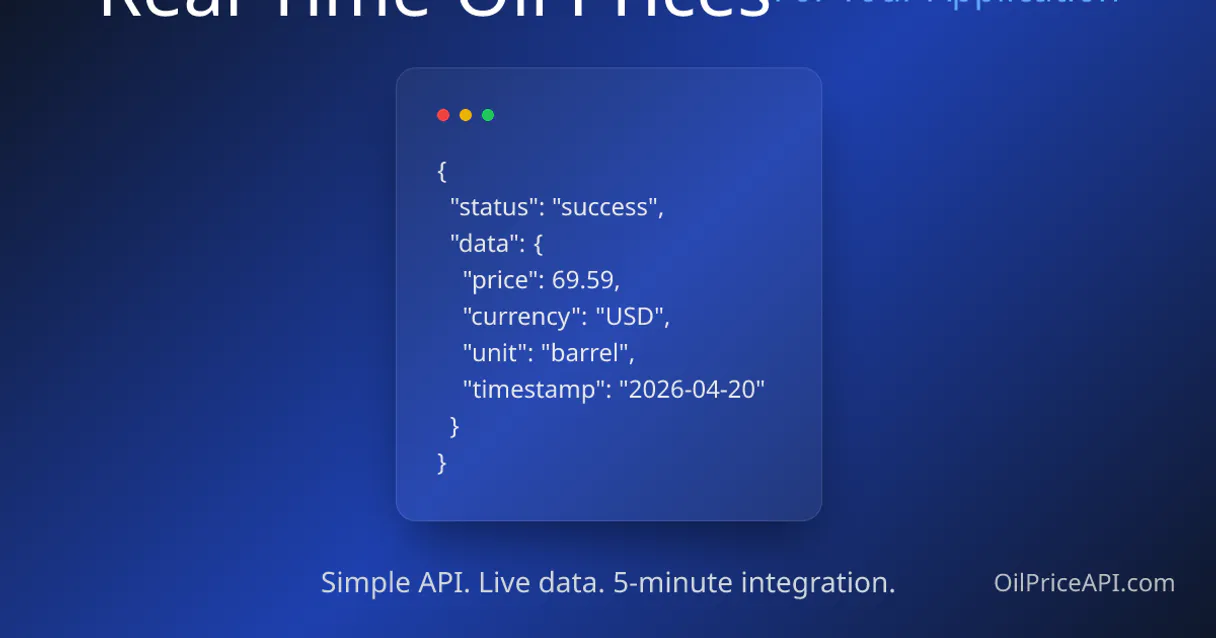
Now you get structured JSON outputs from tools like `get_past_month_prices`. You're getting machine-readable time series data that your agent can instantly analyze and summarize in plain English.
Common Questions About OilPrice MCP
How often are oil and gas prices updated? +
Oil, gas, and refined product prices (WTI, Brent, Natural Gas, Diesel, Gasoline, etc.) are updated every 5 minutes during market hours. Coal prices update daily. This ensures you have near real-time data for trading decisions and cost monitoring.
How do I get an OilPriceAPI key and what does the free trial include? +
Visit https://oilpriceapi.com/ and sign up for a free account. The 7-day free trial includes 10,000 API requests, access to all 50+ commodities, all endpoints (latest, past day, past week, past month), and no credit card required. After the trial, paid plans start at $15/month. Rate limit on free tier: 60 requests/minute.
What commodity codes are available? +
The API offers 50+ energy commodities. Key codes include: WTI_USD (WTI Crude), BRENT_CRUDE_USD (Brent Crude), NATURAL_GAS_USD (Henry Hub Gas), DIESEL_USD (Ultra Low Sulfur Diesel), GASOLINE_USD (RBOB Gasoline), HEATING_OIL_USD (No. 2 Heating Oil), JET_FUEL_USD (Aviation Fuel/Kerosene), COAL_USD (Newcastle Thermal Coal). Use the list_commodities tool to see the full catalog.
Can I access historical price data for trend analysis? +
Yes! The free tier includes past_day (24h hourly), past_week (7d daily), and past_month (30d daily) endpoints. For custom date ranges beyond 30 days, use the get_historical_prices tool which requires a paid subscription. This is ideal for long-term trend analysis, backtesting trading strategies, and academic research.
How do I compare WTI and Brent benchmarks using `get_latest_prices`? +
You must call the tool for both commodity codes: WTI_USD and BRENT_CRUDE_USD. This lets your agent calculate the current 'spread' between the two. Monitoring this spread is essential because it indicates global supply tension or US inventory changes.
What’s the difference between `get_past_day_prices` and `get_past_week_prices`? +
Use get_past_day_prices when you need granular, hourly data for intraday volatility over 24 hours. For a wider view, run get_past_week_prices; this delivers daily closing prices across the last seven days.
How do I track specific fuel costs using `get_diesel_price`? +
This tool gives you the current US Diesel price, which is vital for logistics and procurement teams. You can immediately check if refined product margins are tightening or widening compared to crude oil benchmarks.
What should I do if a commodity code fails when calling `get_latest_prices`? +
If you get an error, first verify the spelling of your desired commodity_code. Always cross-reference codes against the output from the list_commodities tool. This resolves most API connection or syntax issues.
Use it with your favorite AI tools
Connect this server to Cursor, Claude, VS Code, and more.
More in this category

OKLink (Multi-chain Web3 Blockchain Data API)
Access real-time blockchain data across multiple chains—query addresses, tokens, transactions, and blocks directly from your AI agent.

Portfolio CSV Analyzer
Parse massive CSV exports from brokers like DEGIRO or XTB instantly. Streams financial data locally to prevent AI crashes, returning clean column schemas and sample data.

Geometry Calculator
Compute exact Euclidean distances, 2D areas, and 3D volumes completely local. A zero-latency geometry engine for autonomous AI agents.
You might also like

Duo Security (Two-Factor Authentication API)
Manage Duo Security users, trigger 2FA authentication, and handle account administration directly from any AI agent.

Huawei Push Kit / 华为推送服务
Huawei's essential device push platform — send notifications to HMS devices via AI.

Craft CMS (Craftnet)
Equip your AI agent to manage plugins, licenses, and sales directly via the Craftnet (Craft CMS) API.