
OpenCart MCP. Manage every order, product, and customer record from a chat window.
 Gemini
 Works with every AI agent you already use
…and any MCP-compatible client









Just plug in your AI agents and start using Vinkius.
OpenCart MCP Server connects your AI client directly to your store's backend data. You can browse products, pull detailed order records, check customer profiles, and update fulfillment status—all via natural conversation without ever logging into the admin panel.
What your AI agents can do
Add order history
Updates an order's status (like Complete or Canceled) and adds a comment to the open order history record.
Get cart
Retrieves all items currently held in the API session cart for checkout validation.
Get customer
Fetches complete details for an OpenCart customer using their unique ID.
Gets full details for an OpenCart product using its unique ID, including pricing and stock information.
Retrieves lists of open orders or pulls deep line-item breakdowns for a single order ID.
Changes the fulfillment status (e.g., Processing to Shipped) and adds an administrative comment to any order record.
Pulls complete user profiles from your database, including custom fields and registered addresses.
Fetches a list of all currently available products, allowing for mass data checks or validation prior to checkout.
Checks the temporary API session cart to validate product mapping before running custom order creation logic.
Ask AI about this MCP
Supported MCP Clients
Gemini Waiting for input…
OpenCart MCP Server: 10 Tools for E-commerce Operations
Use these ten tools to directly read and modify core OpenCart data—products, orders, customers, and inventory status—through natural conversation.
019d75e9add order history
Updates an order's status (like Complete or Canceled) and adds a comment to the open order history record.
019d75e9get cart
Retrieves all items currently held in the API session cart for checkout validation.
019d75e9get customer
Fetches complete details for an OpenCart customer using their unique ID.
019d75e9get order
Pulls the main details (totals, payment) for a specific open order by its ID number.
019d75e9get order history
Gets the status changes and history log for an order using its ID.
019d75e9get product
Retrieves all product details, including pricing and stock, using a specific OpenCart product ID.
019d75e9list categories
Outputs the full schema of your OpenCart product categories and their hierarchy structure.
019d75e9list customers
Returns a list containing basic information for all registered OpenCart customers in the system.
019d75e9list orders
Lists recent open orders using the native API endpoints, providing summary totals and statuses.
019d75e9list products
Fetches an active list of all products in your store, including metadata like prices and stock tags.
Choose How to Get Started
Build a custom MCP for your own tools, or connect a ready-made integration from our catalog.
Build Your Own
Turn any API into an MCP. Import a spec, define Agent Skills, or deploy with MCPFusion.
- Import from OpenAPI, Swagger, or YAML specs
- Create Agent Skills with progressive disclosure
- Deploy to edge with MCPFusion framework
- Built in DLP, auth, and compliance on every call
- Real time usage dashboard and cost metering
- Publish to catalog or keep private
Make Your AI Do More
Start with OpenCart, then connect any of our 4,700+ other servers whenever your AI needs more. One click, no limits.
- Use this MCP plus 4,700+ others, all in one place
- Add new capabilities to your AI anytime you want
- Every connection is secured and compliant automatically
- Track usage and costs across all your servers
- Works with Claude, ChatGPT, Cursor, and more
- New servers added to the catalog every week
What you can do with this MCP connector
OpenCart MCP Server - Manage Orders & Products with AI
This server hooks your AI client directly into the guts of your OpenCart store. Forget logging into the admin panel or wrestling with API keys; you just talk to your agent, and it handles connecting to all that backend data for you. It’s like giving your agent a master key card to everything.
Product Inventory Management
Need product info? You've got a few ways to pull it. Use list_products to get an active inventory list of every item in the store, including metadata like current prices and stock tags across the board. If you only care about one specific SKU, run get_product with its unique ID; that’ll return all the detailed pricing and stock counts for just that product.
Want to know what categories your products fall under? The list_categories tool outputs the full schema of every category and how they're structured in your store hierarchy. When you need to validate a potential purchase, check out get_cart, which retrieves all items currently sitting in the API session cart for checkout confirmation.
Order & Fulfillment Processing
This is where you do the heavy lifting. You can list recent open orders using list_orders; that gives you summary totals and overall statuses right away. For a deep dive on one specific order, run get_order to pull all the main details—think totals, payment methods, and general billing info.
If you need to trace exactly what happened with an order, use get_order_history to view its complete status change log. You can also update things using add_order_history, which lets you change the fulfillment status—say, from 'Processing' to 'Shipped'—and drop an administrative comment right into that order record.
Customer Data and Records
Managing customers is straightforward. Run list_customers to get basic info on every registered user in your system. To pull a full profile for one customer, use get_customer with their unique ID; that fetches everything, including custom fields and all their saved addresses.
The Workflow Summary
Your AI client can handle the whole lifecycle from start to finish. You can fetch product data using IDs or list entire inventories. When an order comes in, you pull its totals via get_order then check the status changes with get_order_history. If things change—like shipping out—you update it immediately with add_order_history.
You never touch the admin dashboard; you just ask your agent to handle it.
How OpenCart MCP Works
- 1 Subscribe to the OpenCart MCP Server and provide your store URL, API Username, and API Key.
- 2 Your AI client (Claude, Cursor, etc.) authenticates with Vinkius using those credentials.
- 3 You prompt your agent by asking a natural language question (e.g., 'What is the status of order #1052?'). The agent then calls the necessary tool and returns the structured data.
The bottom line is that you treat your e-commerce backend like an API, speaking to it through your AI client instead of navigating a web UI.
Who Is OpenCart MCP For?
This server is for anyone whose job requires looking at or changing data in the OpenCart admin panel. It targets the support agent who's sick of switching between Zendesk and their backend, or the fulfillment team that spends hours clicking through status forms.
Looks up a customer's order history instantly during a live chat without leaving the support dashboard.
Updates hundreds of shipment statuses in bulk by giving commands to their AI agent, instead of clicking through forms one by one.
Checks daily revenue totals and top-selling products without logging into the admin panel or running custom SQL queries.
What Changes When You Connect
- Instant Customer Lookup: Need to know Sarah Johnson's lifetime value or address? Use
get_customer. Your agent pulls the full profile instantly, eliminating manual database searches. - Real-time Fulfillment Control: Don't wait for an admin worker. Tell your AI client to run
add_order_historyand update status from 'Processing' straight to 'Shipped' with a tracking number comment. - Complete Inventory Visibility: Check stock across the board by calling
list_products. You see product metadata—prices, stock counts, SEO tags—all in one go. No need to check multiple inventory tabs. - Deep Order Detail Retrieval: Don't just know the order total; use
get_orderorget_order_historyto pull line-item breakdowns and payment methods instantly for auditing purposes. - Proactive Cart Validation: Before generating an invoice, run
get_cart. This validates product mapping against current inventory rules in a programmatic way. It's key for custom checkout logic.
Real-World Use Cases
The Support Agent needs to verify shipping details.
A customer asks, 'Where is order #1247?' Instead of asking the customer to email their order ID and then navigating to a separate tracking system, your agent runs get_order for the total. It then uses get_order_history to confirm if the status has been marked as 'Shipped' and extracts the necessary tracking number.
Fulfilling a batch of manual updates.
The operations team gets 50 orders ready for shipment. Instead of logging into the admin panel 50 times, they prompt their agent to run add_order_history in a loop: 'Mark all pending orders with ID starting 1240 as Shipped.' The status updates instantly.
Checking product pricing for a quote.
A sales rep needs a precise price and stock count for an old item (ID: 55). They don't need to browse the catalog. They prompt their agent, which executes get_product(ID=55) and returns all metadata immediately, including pricing and current inventory status.
Onboarding a new user for support.
The team needs full context on a client. They ask to look up the customer ID. The agent calls get_customer, providing not just the name, but all custom fields and their total order history value—all in one response.
The Tradeoffs
Guessing product stock from list results
Seeing a high-level list_products result that just shows 'In Stock' and assuming the exact count is available. This often leads to inventory errors.
→
Always use the dedicated endpoint: If you need precise, current pricing or stock levels for a known item ID, run get_product. For an overall view of all active items, start with list_products.
Confusing order status endpoints
Trying to use general list tools like list_orders when you actually need the detailed history. You might pull a summary that misses critical fulfillment steps.
→
For any specific investigation into what happened with an order, always call get_order_history. Use get_order only for core details like payment method and totals.
Writing complex data validation logic client-side
The developer writes code to check if a customer's address is valid, but misses custom fields or specific required format checks.
→
Let the server handle it. Use get_customer to retrieve all available customer data points, including custom fields, ensuring your validation logic uses complete, accurate input.
When It Fits, When It Doesn't
Use this OpenCart MCP Server if your primary workflow involves looking up or changing core e-commerce records: orders, customers, or products. If you need to check stock levels, use list_products for a full view, but use get_product when the item ID is known and precision matters.
Don't use this server if your task involves external systems (e.g., sending an email via Gmail, or writing code in a specific language). If you just need to write a report based on data you already have, don't call any tools. This toolset is for data retrieval and data mutation. When dealing with order status, remember the distinction: get_order gives the current state; add_order_history changes that state.
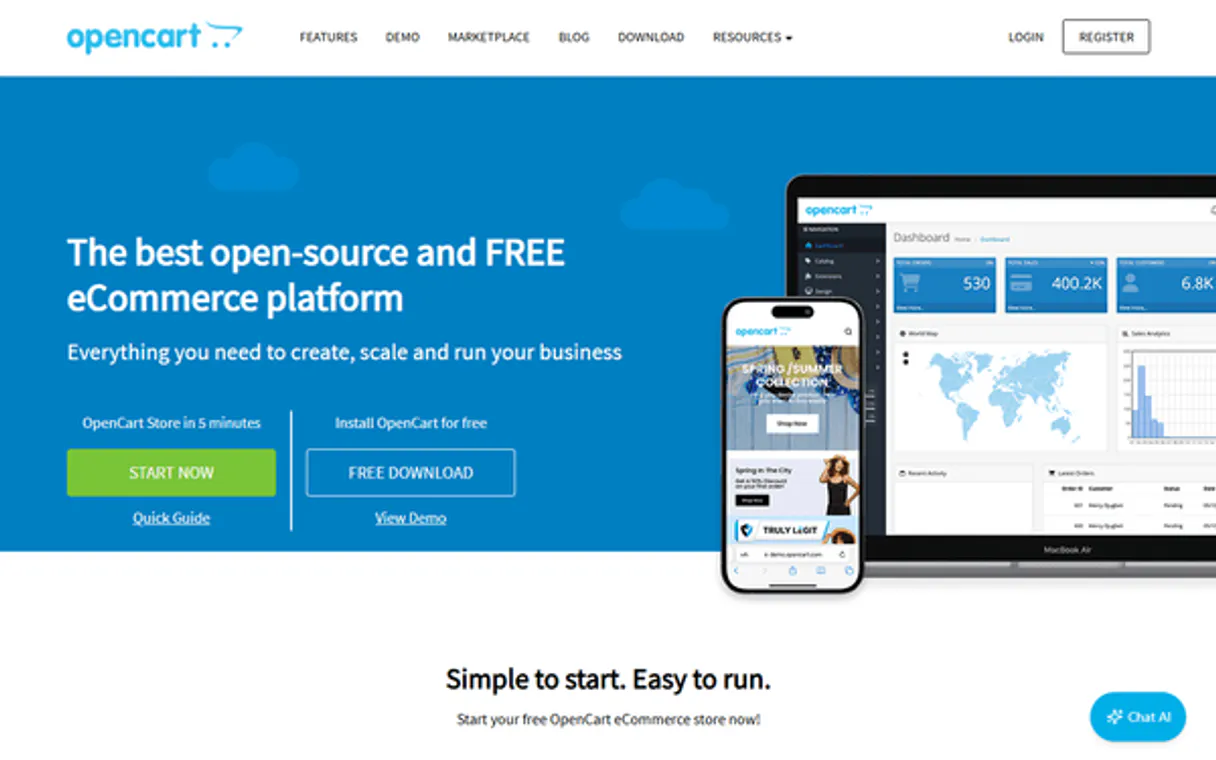
Independent Platform Disclaimer: Vinkius is an independent platform and is not affiliated with, endorsed by, sponsored by, verified by, or otherwise authorized by OpenCart. All third-party trademarks, logos, and brand names are the property of their respective owners. Their use on this website is strictly for informational purposes to identify service compatibility and interoperability.
VINKIUS INFRASTRUCTURE
Cloud Hosted
Managed infra
V8 Isolated
Sandboxed per request
Zero-Trust Proxy
No stored credentials
DLP Enforced
Policy on every call
GDPR Compliant
EU data residency
Token Compression
~60% cost reduction
Works with Claude, ChatGPT, Cursor, and more
The Model Context Protocol standardizes how applications expose capabilities to LLMs. Instead of operating in isolation, your AI gains direct access to external platforms, live data, and real-world actions through secure, standardized connections.
This server provides 10 capabilities that interface natively with Claude, ChatGPT, Cursor, and any MCP client. No middleware. No custom integration required.
Available Capabilities
Manually checking orders means clicking through 5-7 different admin pages.
Today, if you need to know why a customer's order total is off, you have to start at the 'Orders' dashboard. Then, click into Order #1247. You might check the line items tab, then jump over to 'Payments' to verify Stripe status, and finally look at the 'Shipping Details' tab to see if taxes were applied correctly. It takes five clicks just to get a picture.
With this MCP server, you simply ask your agent: 'Pull all payment details and tax breakdowns for order #1247.' The tool chain runs `get_order` and synthesizes the necessary data points—payment methods, totals, line items—and hands it back structured. You get the answer without opening a single tab.
The OpenCart MCP Server: Update order status with one simple command.
Before this, if an item shipped, you had to log in, find the order, click 'Update Status,' select 'Shipped' from a dropdown, type the tracking number into a text box, and then hit save. It’s repetitive form-filling.
Now, tell your agent: 'Set order #1247 status to Shipped, tracking number is TRK-9876.' The tool runs `add_order_history` in the background. Done. You bypassed the entire UI and moved straight to the data layer.
Common Questions About OpenCart MCP
How do I check product stock using get_product? +
The get_product tool returns a full data object, which includes the current stock quantity for that specific ID. It's best for verifying single item counts.
Can list_orders tell me if an order is paid or pending? +
Yes. The list_orders tool provides a summary of recent orders, including the payment method and current status (e.g., Pending vs. Complete) for quick review.
Is add_order_history safe to use? +
It's designed specifically for updating order state. You must provide a valid Order ID, the target status (like 'Complete'), and any required comments or tracking numbers to ensure data integrity.
Which tool do I use to see all my registered users? +
Use list_customers. This tool fetches basic information for every user in your system, giving you a roster of account holders.
How do I get a customer's full profile, including their default address, using get_customer? +
Yes, get_customer pulls all available details for a single ID. This includes addresses, custom fields, and newsletter subscription status. You'll get the complete picture of that user's account data.
Does get_order provide detailed line items and payment methods for an order ID? +
Yes, it provides full details including all line items. You'll see the product IDs, quantities, associated prices, and the original payment method used for that specific transaction.
What metadata can I retrieve about multiple products using list_products? +
It fetches active products and includes valuable metadata like prices, stock status, and basic SEO tags. This helps you map product data without needing to call get_product repeatedly.
When should I use get_cart in my workflow? +
Use it to verify product mapping right before creating a custom order. It returns the current contents of the API session cart, which is critical for programmatic checkout workflows.
Can my AI agent update order statuses — like marking an order as shipped? +
Yes. The add_order_history tool pushes a new status entry to any order. Provide the order ID, the OpenCart status ID (e.g., 3 for Shipped), and an optional comment. The status change appears immediately in the admin panel and triggers any configured email notifications.
Does it work with any OpenCart version? +
This integration uses the native OpenCart REST API available in OpenCart 2.x and later. If your store is running OpenCart 1.x, the API endpoints won't be available. For OpenCart 3.x and 4.x, the API user setup is the same — just ensure the API user is enabled in System > Users > API.
What about IP restrictions — will the API reject requests? +
OpenCart's API enforces an IP whitelist by default. When creating your API user, add the IP address of your server to the 'IP Addresses' tab. If you're running through a cloud proxy, add that proxy's IP. Without this step, all API requests will be rejected with a permission error.
Use it with your favorite AI tools
Connect this server to Cursor, Claude, VS Code, and more.
More in this category

Sellsy
Equip your AI agent with full read access to your Sellsy CRM to audit deals, generate invoices overviews, and prospect natively.

Freshdesk
Manage customer support via Freshdesk — track tickets, handle contacts, and oversee agent groups via AI agents.

Pipedrive Products
Manage your product catalog, attach products to deals, and track recurring revenue subscriptions in Pipedrive.
You might also like

Substack
Equip your AI agent with direct access to Substack — manage publications, draft posts, and track subscriber data without opening the Substack editor.

Dastra
Stay GDPR compliant with privacy management tools for data mapping, consent records, and breach notification workflows.

Webhook.site
Test and debug webhooks and HTTP requests. Create custom URLs, inspect incoming payloads, and automate responses via AI.