
OpenClassrooms MCP. Track student progress, courses, and certificates live.
 Gemini
 Works with every AI agent you already use
…and any MCP-compatible client









Just plug in your AI agents and start using Vinkius.
OpenClassrooms MCP Server gives you full visibility into student records, course catalogs, and diploma progress through a single AI agent connection.
Search for courses by keyword, track individual enrollment status, review mentoring session schedules, list all available degree paths, and verify certificates instantly—all without leaving your workflow.
What your AI agents can do
Certificats etudiant
Checks success certificates earned by a student using their verification ID.
Consulter cours
Retrieves deep, detailed information for one specific course, including its full syllabus.
Consulter parcours
Shows the complete academic structure and requirements for a single diploma path.
Provides detailed metrics on an individual student, including percentage completion and project validation status against their assigned diploma path.
Allows you to search the entire catalog by keyword (e.g., 'React') or view a deep syllabus for any given class.
Retrieves a manifest of every student registered under your partner account's API key.
Confirms if a student earned a certificate, using their public verification ID to pull official records.
Displays the full structure and requirements for all available diploma programs offered by OpenClassrooms.
Ask AI about this MCP
Supported MCP Clients
Gemini Waiting for input…
OpenClassrooms MCP Server: 9 Tools for Education Data
These nine tools let you query everything from individual course syllabi to a full roster of enrolled students and their completed credentials.
019d75e9certificats etudiant
Checks success certificates earned by a student using their verification ID.
019d75e9consulter cours
Retrieves deep, detailed information for one specific course, including its full syllabus.
019d75e9consulter parcours
Shows the complete academic structure and requirements for a single diploma path.
019d75e9lister cours
Lists every available course on OpenClassrooms. (Includes pagination handling).
019d75e9lister etudiants
Retrieves a list of all students enrolled under your specific partner API key.
019d75e9lister parcours
Lists every degree path available on OpenClassrooms.
019d75e9progression etudiant
Checks the precise, detailed progress metrics for a single student against their diploma track.
019d75e9rechercher cours
Dynamically searches and returns courses based on specific keywords (e.g., 'Python data science').
019d75e9sessions mentorat
Lists scheduled video mentoring sessions, including dates and mentor names.
Choose How to Get Started
Build a custom MCP for your own tools, or connect a ready-made integration from our catalog.
Build Your Own
Turn any API into an MCP. Import a spec, define Agent Skills, or deploy with MCPFusion.
- Import from OpenAPI, Swagger, or YAML specs
- Create Agent Skills with progressive disclosure
- Deploy to edge with MCPFusion framework
- Built in DLP, auth, and compliance on every call
- Real time usage dashboard and cost metering
- Publish to catalog or keep private
Make Your AI Do More
Start with OpenClassrooms, then connect any of our 4,700+ other servers whenever your AI needs more. One click, no limits.
- Use this MCP plus 4,700+ others, all in one place
- Add new capabilities to your AI anytime you want
- Every connection is secured and compliant automatically
- Track usage and costs across all your servers
- Works with Claude, ChatGPT, Cursor, and more
- New servers added to the catalog every week
What you can do with this MCP connector
You connect your OpenClassrooms partner account directly to your AI client. This server gives you full visibility into student progress, course catalogs, and diploma paths without switching screens or jumping through dashboards. You'll have all the data you need right where you are working.
Student Status and Progress Tracking
lister_etudiants pulls a complete list of every student registered under your partner key. progression_etudiant checks an individual student’s precise progress metrics, showing their percentage completion and whether they've validated required projects against their current diploma path. You can also use certificats_etudiant to verify if a student earned a specific certificate just by providing their public verification ID.
Course Discovery and Curriculum Deep Dives
If you need to find what students are learning, start with rechercher_cours. This tool dynamically searches the entire catalog based on keywords—think 'Python data science' or 'React development.' When that general search isn't enough, consulter_cours pulls deep, detailed information for one specific course, including its full syllabus and required skill competencies.
To see everything available, run lister_cours, which lists every single class on OpenClassrooms, handling all the pagination so you don't miss anything.
Program Mapping and Career Paths
When mapping out career options for a student, you can use lister_parcours to list every diploma program available. If you need specifics on one track—like what courses or projects are required for the Master’s degree in Data Science—you'll run consulter_parcours. This shows the complete academic structure and requirements needed to finish that specific path.
Administrative Tools and Scheduling
For scheduling, you can check out sessions_mentorat, which lists all scheduled video mentoring sessions, providing dates and mentor names. If you're managing student cohorts, remember that lister_etudiants always pulls the full manifest of everyone under your account key.
How It Works for You
It's straightforward: Tell your AI agent exactly what you need—for instance, 'What's John Doe's progress in his data science track?' or 'List all courses related to cloud computing.' Your agent runs the necessary tools (progression_etudiant and rechercher_cours) and presents the raw, actionable data immediately. You don't have to guess which dashboard holds the answer; your AI client just gets it for you.
How OpenClassrooms MCP Works
- 1 Subscribe to this server on Vinkius, then enter your OpenClassrooms Partner API Key.
- 2 Your AI client sends a natural language request (e.g., 'What is the status for student X?').
- 3 The agent invokes the appropriate tool (
progression_etudiantorcertificats_etudiant) and passes you the structured data.
The bottom line is that your AI client talks to our server, which pulls specific student and course data from OpenClassrooms without you needing to navigate any websites.
Who Is OpenClassrooms MCP For?
This tool is for the Learning & Development (L&D) department or HR Specialist who has to audit hundreds of employee records. If you're tired of switching between an internal CRM, a learning portal, and a spreadsheet just to track compliance, this is for you.
Needs to see the entire team's upskilling progress across multiple diploma paths in one view. They use progression_etudiant frequently.
Must verify employee certifications for regulatory audits. They rely heavily on calling certificats_etudiant to build compliance reports.
Manages the curriculum catalog, needing to list all available courses (lister_cours) and map out full degree paths (lister_parcours).
What Changes When You Connect
- Know who's in the system: Use
lister_etudiantsto get a complete roster of every person enrolled under your partner account instantly. No more manual spreadsheet checks. - Pinpoint curriculum details: Need to know exactly what skills are taught? Call
consulter_coursor userechercher_coursto pull the full syllabus and competencies for any class. - Audit credentials fast: Verifying a student's completion is simple. Just call
certificats_etudiantwith their public ID, and you get an instant status report. - Map out career routes: Don't guess at skills. Call
lister_parcoursto see the entire catalog of degree paths and what courses they require. - Track granular progress: Instead of just a percentage,
progression_etudiantshows where a student is—which project is next and if it's pending review.
Real-World Use Cases
HR Compliance Audit
An HR compliance officer needs to verify that 30 employees completed their 'Data Analyst' certification by Q2. They tell their agent, "Check all certifications for the Data Analyst path.". The agent runs certificats_etudiant and returns a clean list of IDs, completion dates, and verification status for every required employee.
Training Manager Onboarding
A manager is onboarding a new team. They ask the agent to "Show me all Python courses and how they fit into the 'Web Developer' path." The agent runs lister_cours and then uses consulter_parcours, combining the data into one readable view, saving hours of manual research.
Identifying Skill Gaps
The academic team needs to update a curriculum. They ask the agent to "List all available courses and which skills they cover." The agent calls lister_cours and then uses consulter_parcours, allowing them to identify gaps between current offerings and needed competencies.
Checking Student Status Before Mentoring
A mentor needs to prepare for a meeting with Julia. They ask the agent, "What is Julia's last project status?" The agent runs progression_etudiant, showing if her current project is validated or still pending review before they even start talking.
The Tradeoffs
Asking for general 'student data'
Just asking the agent, "How is my team doing?" without specifying which metric or student ID.
→
You must be specific. Start by calling lister_etudiants to get a list of IDs, then use progression_etudiant and specify the exact Student ID you want details on.
Missing curriculum context
Assuming that because a course exists (lister_cours), it is part of a full degree path.
→
First, check the master list using lister_parcours. Then, use consulter_parcours to see which specific courses are required for that diploma.
Over-relying on keyword search
Running only rechercher_cours and missing the official path structure.
→
Use rechercher_cours to find potential courses, but always follow up by checking consulter_parcours to ensure that course fits into a recognized degree track.
When It Fits, When It Doesn't
Use this server if your goal is structured data retrieval related to educational records: tracking progress, listing credentials, or cataloging curriculum. It's essential for L&D and HR tech stacks.
Don't use it if you need general knowledge—like 'What is the history of Python?' Use a standard LLM prompt for that. Don't use it if your data isn't linked to OpenClassrooms via an API Key. You can't pull anything without proper authorization credentials.
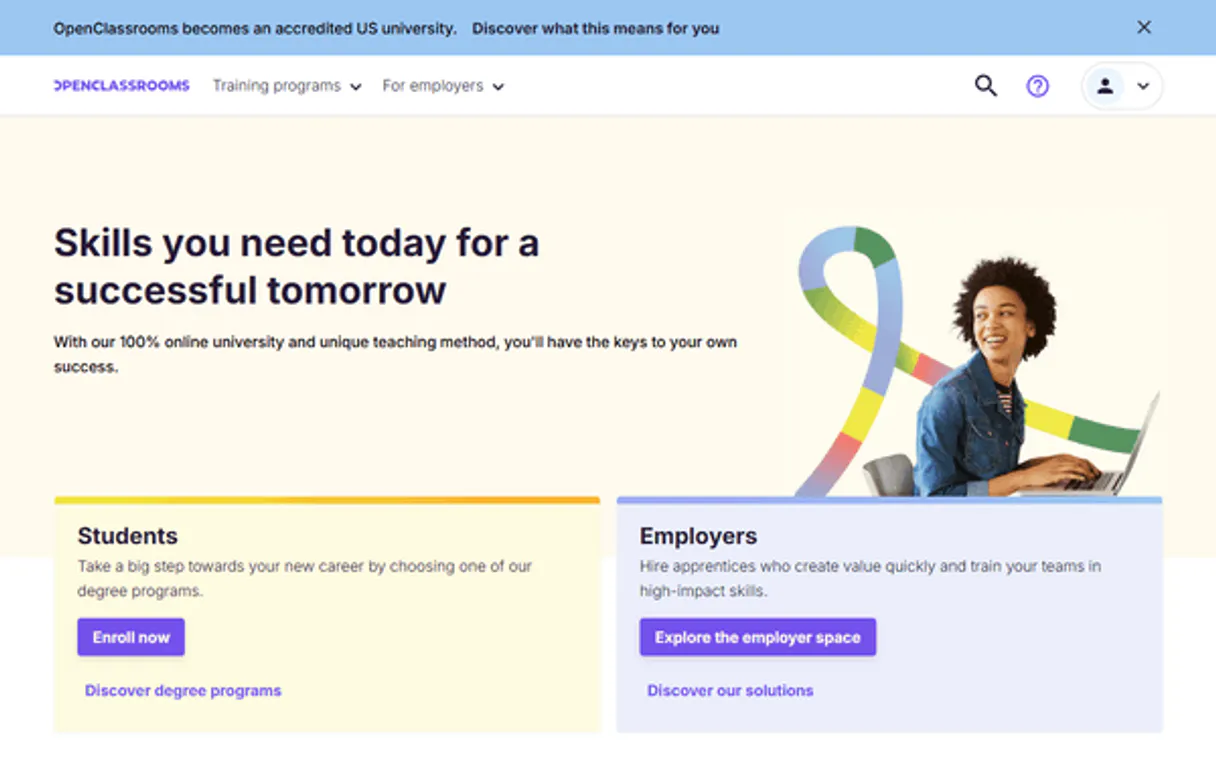
Independent Platform Disclaimer: Vinkius is an independent platform and is not affiliated with, endorsed by, sponsored by, verified by, or otherwise authorized by OpenClassrooms. All third-party trademarks, logos, and brand names are the property of their respective owners. Their use on this website is strictly for informational purposes to identify service compatibility and interoperability.
VINKIUS INFRASTRUCTURE
Cloud Hosted
Managed infra
V8 Isolated
Sandboxed per request
Zero-Trust Proxy
No stored credentials
DLP Enforced
Policy on every call
GDPR Compliant
EU data residency
Token Compression
~60% cost reduction
Works with Claude, ChatGPT, Cursor, and more
The Model Context Protocol standardizes how applications expose capabilities to LLMs. Instead of operating in isolation, your AI gains direct access to external platforms, live data, and real-world actions through secure, standardized connections.
This server provides 9 capabilities that interface natively with Claude, ChatGPT, Cursor, and any MCP client. No middleware. No custom integration required.
Available Capabilities
Tracking team progress shouldn't require five different logins.
Today, tracking a single employee’s skill development means logging into the HRIS to check enrollment, going to the LMS to see completion percentage, and then opening an external document to verify their certificate. You copy-paste IDs across three or four different dashboards just to get a full picture.
With this MCP server, you tell your agent what you need—for example, "What is Alex Chen's status?" Your AI client runs `progression_etudiant` and pulls all that data in one clean response. You get the answer without ever leaving your chat window.
OpenClassrooms MCP Server: Get verifiable student progress.
Manual verification of credentials is slow. You have to request a document, wait for an email, and then file it away. This process creates immediate operational lag every time you need proof of completion.
Now, calling `certificats_etudiant` gives you the status immediately. No emails, no waiting—just a clean data point that confirms if they completed the path or not.
Common Questions About OpenClassrooms MCP
How do I check an employee's progress using progression_etudiant? +
You must provide the student's unique ID and specify which diploma path you are tracking. This tool gives detailed metrics like project validation counts, not just a single percentage.
What is the difference between lister_cours and rechercher_cours? +
Use lister_cours when you want to see every course available on OpenClassrooms. Use rechercher_cours when you know a keyword (like 'data science') and only want to filter results by that term.
How do I find out what degree paths are offered? +
You call the lister_parcours tool. This gives you the full catalog of all available career tracks, which you can then drill into using consulter_parcours for details.
Can I check if a student is enrolled at all? +
Yes, call lister_etudiants. This lists every single person associated with your partner key and gives you their basic enrollment status.
When I run `consulter_cours`, what specific data points do I get? +
The tool provides a deep syllabus breakdown, listing all mandatory skill competencies for that course. Beyond just the name and duration, you receive structured curriculum details showing required knowledge areas.
If I use an invalid ID with `certificats_etudiant`, what does the API return? +
It returns a specific validation error message indicating that the certificate ID is not found or doesn't match the expected format. The response structure details exactly what credentials are required for verification.
How do I check available mentor sessions using `sessions_mentorat`? +
You can filter the results by date, mentor name, or status (e.g., 'upcoming'). The tool lists all scheduled video sessions and notes if a session is full or requires pre-registration.
What credentials do I need for `lister_etudiants`? +
You must use your OpenClassrooms Partner API Key. This key needs explicit read access to student records and it’s mandatory for listing any enrolled students under the partner account.
Can I track completion rates across my entire team at once? +
Yes. List all students associated with your partner API key, then ask your agent to summarize each student's completion percentage and pending projects. Get a full team progress report in a single conversation — no spreadsheets, no manual exports from the OpenClassrooms dashboard.
What data do I get about mentoring sessions? +
The agent pulls session date, time, mentor name, session status (completed, scheduled, or missed), and the student linked to each session. This is useful for auditing mentorship quality and identifying students who are missing their scheduled sessions.
Is this API available to everyone or only to OpenClassrooms partners? +
The OpenClassrooms API is restricted to approved partners. You need an active partnership agreement with OpenClassrooms to obtain production API credentials. If you're already a partner, your account manager can provide the API key. This integration is designed for organizations using OpenClassrooms for team training.
Use it with your favorite AI tools
Connect this server to Cursor, Claude, VS Code, and more.
More in this category
DeskTime
Understand how your team spends their workday with automatic time tracking, productivity scoring, and project cost analysis.
Traction Guest
Manage visitor operations via Traction Guest — list hosts, locations, invites, sign-ins, and group visits directly from any AI agent.
WeCom / 企业微信
Enterprise communication and management platform — manage departments, users, and messages via AI.
You might also like

Google Maps
Empower location intelligence via Google Maps — perform geocoding, search millions of places, retrieve rich venue details, and calculate directions directly from any AI agent.
Mailjet
Deliver emails at scale with collaborative template editing, real-time monitoring, and deliverability analytics in one platform.

Farcaster (Decentralized Social Protocol)
Interact with the Farcaster protocol — manage channels, moderate casts, and explore social graphs directly from your AI agent.