
OpenFDA Alternative MCP. Correlate Drug Safety, Device Recalls, and Food Alerts.
 Gemini
 Works with every AI agent you already use
…and any MCP-compatible client









Just plug in your AI agents and start using Vinkius.
OpenFDA Alternative is an MCP Server that connects directly to open FDA data. Use your AI client to search drug safety reports (FAERS), medical device malfunctions (MAUDE), food recalls, and approved drug applications—all in one conversation.
You don't need API keys or complex queries; just ask about side effects, recall status, or ingredient warnings for drugs and devices.
What your AI agents can do
Search animal events
Finds adverse event reports for animal drugs and veterinary products using species or active ingredient filters.
Search device clearance
Retrieves details on 510(k) premarket device clearances, including product codes and applicant names.
Search device events
Searches medical reports detailing malfunctions, injuries, or deaths related to specific devices.
It finds reports submitted by professionals or consumers detailing drug side effects (e.g., headache, nausea) and their associated drugs.
It pulls records on medical devices that failed or caused injury, citing the device brand name and reported problems.
It gives you current food product recalls, specifying the risk class (I/II/III) and what type of contamination occurred.
It retrieves structured drug label data, allowing you to check specific ingredients, warnings, or dosage instructions for any product.
It searches the database of approved drug applications, providing sponsor names and original approval dates.
It provides technical details on 510(k) premarket device clearances, listing applicant names and decision numbers.
Ask AI about this MCP
Supported MCP Clients
Gemini Waiting for input…
OpenFDA Alternative MCP Server: 8 Tools for Public Health Data
Use these eight specialized tools to retrieve highly structured information on adverse events, recalls, drug labels, and device clearances directly from FDA databases.
019d8467search animal events
Finds adverse event reports for animal drugs and veterinary products using species or active ingredient filters.
019d8467search device clearance
Retrieves details on 510(k) premarket device clearances, including product codes and applicant names.
019d8467search device events
Searches medical reports detailing malfunctions, injuries, or deaths related to specific devices.
019d8467search device recalls
Gathers information on recalled medical devices, specifying the recall reason and distribution pattern.
019d8467search drug events
Pulls adverse events reported by consumers or healthcare professionals, allowing searches by reaction or brand name.
019d8467search drug labels
Returns detailed drug labels, including active ingredients, warnings, dosage instructions, and manufacturer information.
019d8467search drugsfda
Queries the FDA database for approved drugs, showing application numbers, sponsors, and approval dates.
019d8467search food recalls
Generates reports on recalled food products, noting the contamination source and required risk classification (Class I/II/III).
Choose How to Get Started
Build a custom MCP for your own tools, or connect a ready-made integration from our catalog.
Build Your Own
Turn any API into an MCP. Import a spec, define Agent Skills, or deploy with MCPFusion.
- Import from OpenAPI, Swagger, or YAML specs
- Create Agent Skills with progressive disclosure
- Deploy to edge with MCPFusion framework
- Built in DLP, auth, and compliance on every call
- Real time usage dashboard and cost metering
- Publish to catalog or keep private
Make Your AI Do More
Start with OpenFDA Alternative, then connect any of our 4,700+ other servers whenever your AI needs more. One click, no limits.
- Use this MCP plus 4,700+ others, all in one place
- Add new capabilities to your AI anytime you want
- Every connection is secured and compliant automatically
- Track usage and costs across all your servers
- Works with Claude, ChatGPT, Cursor, and more
- New servers added to the catalog every week
What you can do with this MCP connector
You connect your AI client and talk directly to open FDA data. You don't need API keys or complex database queries; you just ask about safety reports, recalls, or ingredient warnings for drugs and devices.
Drug Safety & Labeling
You can pull adverse events reported by both consumers and healthcare professionals using search_drug_events. This tool lets you search by specific reactions or brand names to see what side effects people are reporting. For detailed product information, run search_drug_labels to get structured data covering active ingredients, dosage instructions, warnings, and manufacturer details.
To verify the status of drugs on the market, use search_drugsfda. This queries the main FDA database for approved applications, giving you the sponsor names and original approval dates. When investigating drug safety in animals, run search_animal_events to find adverse reports for veterinary products, filtering by species or active ingredient.
Medical Devices & Equipment Safety
When tracking medical devices, you've got a couple of powerful options. Use search_device_events to pull records on equipment that failed, caused injury, or resulted in death. It details the specific device brand name and reported problems. If you need to check if a product was pulled from circulation, run search_device_recalls to gather information about recalled devices, noting both the recall reason and how widely it was distributed.
Before a device hits the market, people file for clearance. You can get technical specifics on these by running search_device_clearance. This retrieves details on 510(k) premarket clearances, listing product codes and names of the applicants who filed. The system also handles recalls for general medical equipment through dedicated searches.
Food & Consumer Safety
For food safety issues, use search_food_recalls to generate reports on recalled products. These reports specify both the contamination source and the required risk classification—whether it's Class I, II, or III. This helps you immediately understand the severity of the recall.
Because this server connects across multiple regulatory domains, you can investigate safety concerns for everything from over-the-counter medicines to complex implanted devices and contaminated food products, all without switching tools or running separate queries. You're talking about one conversation that handles drug side effects, device malfunctions, ingredient warnings, and recall status simultaneously.
How OpenFDA Alternative MCP Works
- 1 Subscribe to the OpenFDA Alternative MCP Server. Your AI client connects immediately; no API key is required.
- 2 Ask your agent a specific question—for example, 'What adverse events are linked to Advil?'
- 3 The server runs the appropriate tool (like
search_drug_events) and returns structured data covering reports, reactions, and date ranges.
The bottom line is: you talk to your agent using plain English, and it handles all the necessary FDA database queries for you.
Who Is OpenFDA Alternative MCP For?
This tool targets regulatory compliance officers, pharmaceutical researchers, and public health investigators. Use this if you spend hours clicking between separate FDA databases (FAERS, MAUDE, etc.). It lets you correlate drug safety signals with device recalls or food contamination in one prompt.
Runs search_drug_events and search_druglabels to build signal reports on new side effects, cross-referencing them with drug approval dates using search_drugsfda.
Uses search_device_events and search_device_recalls to track patterns of device failure, comparing malfunctions against 510(k) clearance status via search_device_clearance.
Combines data streams by querying multiple tools—for instance, linking a food recall (search_food_recalls) with potential drug contamination reports to assess risk severity.
What Changes When You Connect
- Cross-Domain Risk Assessment: You can query systemic risks that span multiple product lines. Instead of running separate searches for drug adverse events (
search_drug_events) and food recalls (search_food_recalls), you ask one question to correlate the potential failure points. - No API Keys, Zero Setup Time: Forget spending time on authentication or managing keys across different FDA APIs. The MCP server handles the connection internally, letting your agent start querying data immediately.
- Granular Device Tracking: Use
search_device_eventsto see reported injuries and then follow up withsearch_device_recallsto find out if that specific brand was recalled for a related issue. - Full Label Verification: Need to know the precise warnings or ingredients? Running
search_drug_labelsgives you structured data—not just text snippets—so your agent can extract dosage and manufacturer details reliably. - Systematic Due Diligence: When vetting a new product, run through all major categories: Check drug approvals (
search_drugsfda), then check for recalls/events on both drugs and devices. It forces a complete safety audit. - Animal Health Data Included: The
search_animal_eventstool adds vet and agricultural oversight to the mix, allowing you to track adverse events across human medicine boundaries.
Real-World Use Cases
Investigating a Contaminated Ingredient
A researcher notices an ingredient (X) appearing in both drug labels and food products. They ask the agent to cross-reference: first, run search_drug_labels using ingredient X; second, check for recalls via search_food_recalls. This immediately flags a potential dual-source contamination risk.
Auditing an Implanted Device
An engineer is concerned about a specific pacemaker. They run search_device_events using the brand name to pull injury reports. Then, they use search_device_clearance to see what the device was originally approved for, quickly identifying if the malfunction falls outside its certified scope.
Assessing a Drug Change Risk
A pharmaceutical analyst is reviewing an older drug. They first use search_drugsfda to confirm the current sponsor and approval date. Then, they run search_drug_events to see if recent adverse event reports spike after any documented label change found using search_drug_labels.
Comprehensive Product Due Diligence
A regulatory professional needs a full safety profile. They prompt the agent: 'Check this product across all domains.' The agent systematically runs searches covering drug events, device recalls, food status, and animal reports, generating one consolidated risk summary.
The Tradeoffs
Searching for everything at once
Writing a single massive prompt like: 'Give me all the data about drug safety, devices, food recalls, and animal reports.' The agent gets overwhelmed and provides vague summaries without actionable data points.
→
Break it down. Start with the core product type (e.g., 'What adverse events are linked to this specific device?'). Then follow up: 'Now, check if that same brand has any active recalls using search_device_recalls.' Use tools sequentially.
Forgetting the source/scope
Just asking for 'headache reports' without specifying whether it's a drug event or a device malfunction. The AI might mix data types and confuse the user.
→
Be explicit about the domain and tool. Use phrases like: 'Using search_drug_events, find headache reports related to ibuprofen,' or, 'Use search_device_events to look for infection reports.'
Ignoring structured data
Only asking the agent to summarize text findings. This misses key identifiers like specific 510(k) numbers or exact recall classification codes (Class I/II/III).
→
Ask for structured output. Request: 'Using search_device_recalls, list the product code, reason for recall, and class for all items.' This forces the agent to extract the required metadata.
When It Fits, When It Doesn't
Use this server if your work requires correlating safety data across distinct regulatory silos. Specifically, if you need to link a drug's side effect profile (search_drug_events) with a device malfunction report that uses the same patient demographic or product category. You are building a comprehensive risk picture.
Don't use this server if your query is isolated—for instance, if you only need to know the general FDA approval status of one drug name. In that case, search_drugsfda is sufficient on its own. If you only care about food safety and nothing else, using dedicated food data APIs might be simpler. This server excels when you must cross-reference: linking a device's recall details (search_device_recalls) to the label warnings of an associated drug (search_drug_labels).
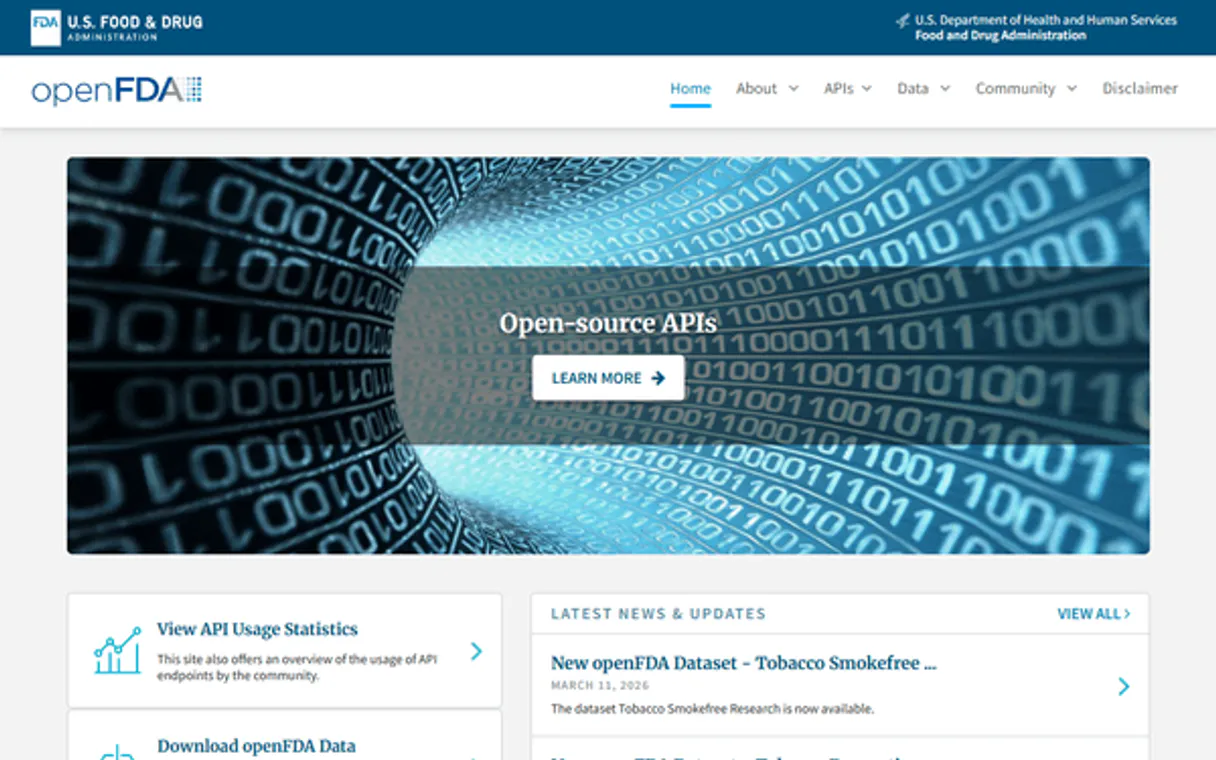
Independent Platform Disclaimer: Vinkius is an independent platform and is not affiliated with, endorsed by, sponsored by, verified by, or otherwise authorized by OpenFDA. All third-party trademarks, logos, and brand names are the property of their respective owners. Their use on this website is strictly for informational purposes to identify service compatibility and interoperability.
VINKIUS INFRASTRUCTURE
Cloud Hosted
Managed infra
V8 Isolated
Sandboxed per request
Zero-Trust Proxy
No stored credentials
DLP Enforced
Policy on every call
GDPR Compliant
EU data residency
Token Compression
~60% cost reduction
Works with Claude, ChatGPT, Cursor, and more
The Model Context Protocol standardizes how applications expose capabilities to LLMs. Instead of operating in isolation, your AI gains direct access to external platforms, live data, and real-world actions through secure, standardized connections.
This server provides 8 capabilities that interface natively with Claude, ChatGPT, Cursor, and any MCP client. No middleware. No custom integration required.
Available Capabilities
Finding full product safety histories shouldn't require checking five different government websites.
Today, if you need a complete picture—say, for a new medical implant—you have to open the device database, then separately check the drug label rules, and finally pull recall data. You copy product codes from one tab and paste them into three others. It's slow, error-prone, and takes hours.
With OpenFDA Alternative MCP Server, you ask your agent: 'What is the full safety profile for this device?' The server runs `search_device_events`, checks `search_drug_labels` for any associated drug warnings, and pulls relevant recalls (`search_device_recalls`)—all in one go. You get a single, consolidated report.
OpenFDA Alternative MCP Server: Full Safety Audits Across Domains
Manual auditing today means checking drug adverse reports (`search_drug_events`), then running a separate check for food contaminants (`search_food_recalls`). You have to manually compare the product names and dates across both data sets to see if they overlap.
Now, you tell your agent: 'Cross-reference recent food recalls with reported drug side effects.' The server links the two datasets automatically. It finds potential cross-contamination risks that no human would notice by running two separate searches.
Common Questions About OpenFDA Alternative MCP
How does search_device_events work? +
It returns reports of device malfunctions, injuries, and deaths. You can narrow the search using specific syntax like device.brand_name="pacemaker" or filtering by reported problem text.
Can I use search_drug_events to check for food safety issues? +
No. The search_drug_events tool focuses only on drug adverse events submitted by professionals and consumers. For food contamination, you must use the dedicated search_food_recalls tool.
Is an API key needed for OpenFDA Alternative MCP Server? +
No. You don't need to manage or enter any API keys. The server handles all connections internally, letting your AI client start querying immediately upon subscription.
Which tool should I use to find approved drug applications? +
Use search_drugsfda. This tool specifically queries the FDA database for full drug applications, returning sponsor names and official approval dates. It's distinct from finding adverse events.
How do I search device clearances with search_device_clearance? +
You provide a query that specifies the type of clearance or product code you are investigating. The tool returns technical data like 510(k) numbers, applicant names, and decision dates.
How do I handle large result sets when using search_drug_events? +
The tool supports pagination with limit and skip parameters. You can retrieve up to 1000 records per request by adjusting these parameters. This allows you to process massive amounts of adverse event data without hitting single-query limits.
What search syntax must I use with search_animal_events? +
You combine criteria using specific field syntax, like animal.species="dog" or drug.active_ingredient="ivermectin". This structure lets you narrow down reports by both the animal type and the drug involved.
How do I interpret the classifications returned by search_food_recalls? +
The recall classification tells you the risk level. Class I indicates a reasonable probability of serious adverse health consequences or deaths (highest risk). Class II and III suggest less severe, but still important, risks.
Do I need an API key? +
No! OpenFDA data is completely free and open. No authentication required. Just subscribe and start searching. Rate limit is 240 requests/minute for unauthenticated access.
What search syntax should I use? +
Use Lucene query syntax: openfda.brand_name:"Advil" for brand names, patient.reaction.reactionmeddrapt:"headache" for reactions, event_type:"Injury" for device events. Combine with AND/OR operators.
What are drug adverse events? +
Drug adverse events are safety reports submitted to the FDA about potential side effects from medications. Reports come from healthcare professionals, consumers and manufacturers. They do NOT prove the drug caused the event — just that the event was reported while the patient was taking the drug.
Use it with your favorite AI tools
Connect this server to Cursor, Claude, VS Code, and more.
More in this category

World Bank Climate & Energy
Track CO2 emissions, renewable energy usage, deforestation, and electrification rates using official World Bank data.

NASA Open Data
Universal space intelligence — access NASA APOD, Mars photos, and NEO feed via AI.
NASA APOD — Astronomy Picture of the Day
Access NASA's most popular service: the Astronomy Picture of the Day. Browse today's image, explore the 30-year archive back to 1995, retrieve images by date range, or discover random astronomical treasures — each with expert explanations from professional astronomers.
You might also like

Meld
Unified API for digital assets via Meld — track blockchain networks, assets, and exchange rates.

DecileHub
Segment your customers by value and behavior with predictive analytics that reveal your most profitable audience segments.

Twitch
Manage your Twitch channel — audit streams, followers, and clips via AI.