
DNV Renewables MCP. Assess resource potential and estimate energy yields.
 Gemini
 Works with every AI agent you already use
…and any MCP-compatible client









Just plug in your AI agents and start using Vinkius.
DNV Renewables connects your AI client to global energy resource data. Get wind and solar resource assessments, estimate annual energy production (AEP), and retrieve mesoscale climate data for project planning.
The server manages data orders and tracks resource availability for onshore and offshore sites worldwide.
What your AI agents can do
Check data availability
Checks which datasets, time periods, and variables are available for wind or solar at a specific location.
Download order data
Downloads the completed data file for a data order that has reached 'success' status.
Get energy yield estimate
Calculates the predicted annual energy production (AEP) for a wind turbine at a specific location.
Retrieves wind speed, direction, and temperature data for a specific global site.
Gathers solar irradiance data (GHI, DNI, DHI) and temperature readings necessary for PV site design.
Calculates the predicted annual energy production (AEP) for wind turbines based on site data and turbine specs.
Fetches long-term mesoscale climate model data for deep resource analysis.
Handles the entire process: checking data availability, placing orders, tracking status, and downloading completed files.
Ask AI about this MCP
Supported MCP Clients
Gemini Waiting for input…
DNV Renewables MCP Server: 11 Tools for Resource Assessment
These tools allow your AI agent to assess wind, solar, and climate potential, calculate energy yields, and manage the full data ordering lifecycle.
019d7587check data availability
Checks which datasets, time periods, and variables are available for wind or solar at a specific location.
019d7587download order data
Downloads the completed data file for a data order that has reached 'success' status.
019d7587get energy yield estimate
Calculates the predicted annual energy production (AEP) for a wind turbine at a specific location.
019d7587get mesoscale climate data
Retrieves long-term climate model data for detailed resource analysis of a location.
019d7587get order status
Checks the current status of a data order, providing a download URL once the job is finished.
019d7587get solar resource data
Gathers specific solar resource data required for designing PV systems at a given location.
019d7587get wind resource data
Retrieves specific wind resource data essential for modeling wind farms at a given location.
019d7587list all orders
Lists every data order currently stored in your account.
019d7587list available datasets
Lists all over 40 available climate and renewable energy datasets available through the API.
019d7587locate data nodes
Finds the geographic coverage areas and data nodes for a specific dataset.
019d7587place data order
Submits a request to the API to process and generate a downloadable file for climate data extraction.
Choose How to Get Started
Build a custom MCP for your own tools, or connect a ready-made integration from our catalog.
Build Your Own
Turn any API into an MCP. Import a spec, define Agent Skills, or deploy with MCPFusion.
- Import from OpenAPI, Swagger, or YAML specs
- Create Agent Skills with progressive disclosure
- Deploy to edge with MCPFusion framework
- Built in DLP, auth, and compliance on every call
- Real time usage dashboard and cost metering
- Publish to catalog or keep private
Make Your AI Do More
Start with DNV Renewables, then connect any of our 4,700+ other servers whenever your AI needs more. One click, no limits.
- Use this MCP plus 4,700+ others, all in one place
- Add new capabilities to your AI anytime you want
- Every connection is secured and compliant automatically
- Track usage and costs across all your servers
- Works with Claude, ChatGPT, Cursor, and more
- New servers added to the catalog every week
What you can do with this MCP connector
You're connecting your AI client to DNV Renewables. It gives you access to global energy resource data for wind and solar projects. You can get wind and solar assessments, estimate annual energy production (AEP), and pull mesoscale climate data for planning. The server handles the whole data order process—from checking availability to downloading the final files.
Assess Wind Potential
To check wind potential, you can use get_wind_resource_data to pull wind speed, direction, and temperature data for any global site. get_solar_resource_data gathers the specific solar resource data—GHI, DNI, DHI, and temperature—you need for designing PV systems at a location. You can also use get_mesoscale_climate_data to pull long-term climate model data for deep resource analysis of a specific area.
Estimate Energy Output
Need to know how much power a wind turbine will make? Run get_energy_yield_estimate to calculate the predicted annual energy production (AEP) for a wind turbine at a specific location. The server keeps track of all your data needs.
Manage Data Requests
When you need a big chunk of data, you don't just get it. You place an order. You start by checking if the data is even available using check_data_availability, or you can see every order you've ever placed with list_all_orders and list_available_datasets to see what datasets are ready. You submit a request using place_data_order to get a file generated for climate data extraction.
You check on the progress with get_order_status until the job finishes, then you download the file using download_order_data. You can also figure out the coverage areas for any dataset with locate_data_nodes.
This whole setup lets your AI client manage complex data workflows. You're not just reading numbers; you're running a full, professional assessment process that covers onshore and offshore sites worldwide. You've got access to over 40 different climate and renewable energy datasets, and the server manages data orders and tracks resource availability for you.
How DNV Renewables MCP Works
- 1 First, use
check_data_availabilityto verify what datasets and variables exist for your target coordinates and date range. - 2 Next, use
place_data_orderto request the necessary data extraction. Then, check progress usingget_order_statusuntil the status is 'success'. - 3 Finally, call
download_order_datato retrieve the completed time series file.
The bottom line is, the server guides you from checking data needs to obtaining the final, usable file.
Who Is DNV Renewables MCP For?
This server is built for professionals who need to quantify energy potential. Think wind developers assessing a new site, solar consultants planning large PV arrays, or energy researchers needing validated climate models. If your job involves calculating energy output from natural resources, this is your toolset.
Assesses wind resource potential and calculates estimated energy yields for new project sites.
Evaluates solar irradiance and resource quality for large-scale PV site selection and planning.
Provides clients with professional-grade resource assessments by integrating wind, solar, and climate data.
Accesses validated mesoscale climate data for academic or long-term climate studies.
What Changes When You Connect
- Calculate AEP estimates directly. Instead of running manual calculations in Excel, use
get_energy_yield_estimateto predict annual energy production for wind turbines based on site-specific data. - Plan PV sites accurately. Use
get_solar_resource_datato gather critical solar irradiance data (GHI, DNI, DHI) needed for reliable PV system design. - Handle complex data flow. Don't manually check statuses. The server manages the full workflow:
check_data_availability→place_data_order→get_order_status→download_order_data. - Model long-term climate effects. Use
get_mesoscale_climate_datato pull historical, mesoscale climate models for research that goes beyond simple resource measurements. - Broad global coverage. Assess wind and solar data for onshore and offshore locations worldwide, eliminating the need for regional data providers.
- Streamline data management.
list_available_datasetsshows you the full catalog of 40+ climate datasets, so you never have to guess what data exists.
Real-World Use Cases
Initial Site Screening
A developer needs to know if a proposed wind farm site is viable. They prompt their agent to first run check_data_availability for the coordinates. The agent confirms wind data is available, then calls get_wind_resource_data to pull the necessary speed and direction metrics for the initial feasibility report.
Optimizing PV Array Size
A solar consultant needs to size a PV array in New Mexico. The agent uses get_solar_resource_data to confirm the GHI and DNI values, then uses get_mesoscale_climate_data to factor in temperature variability over the year, ensuring the final design is robust.
Generating a Full Report
An energy analyst needs a comprehensive report. The agent first calls get_energy_yield_estimate with the turbine specs and site data. Then, it uses place_data_order to pull historical time series data, finally using download_order_data to compile the full evidence package.
Inventorying Data Needs
A researcher needs to know what climate datasets exist for a study. They run list_available_datasets to browse the 40+ options, then use locate_data_nodes to confirm the spatial resolution for the specific datasets they choose.
The Tradeoffs
Assuming all data is instant
Asking the agent to run 'Get the full 20-year time series for Site X' and expecting an immediate answer. This will fail and timeout because large data sets require processing.
→
You must plan the data extraction. First, run check_data_availability. Then, use place_data_order to queue the request. Check the status later using get_order_status before attempting to use download_order_data.
Using the wrong resource tool
Trying to calculate solar yield using get_wind_resource_data, or vice versa. The tools are highly specialized for their resource type.
→
Always use the specific tool: get_solar_resource_data for PV projects, and get_wind_resource_data for wind farm assessments. Never mix them.
Forgetting the catalog
Assuming a needed climate variable (like specific aerosol data) exists because it's common knowledge. You won't know what's available.
→
Start with list_available_datasets to see the full catalog. If you need to check specific data for a location, use locate_data_nodes to confirm coverage.
When It Fits, When It Doesn't
Use this server if your project requires validated, long-term climate and energy resource data. You need to calculate AEP, assess global wind/solar potential, or manage complex, multi-step data orders. Don't use this if you just need simple, real-time data (like current local temperature); you'll need a live weather API. If you only need to check if a dataset exists, use check_data_availability. If you already know the exact data you need and just want to start the download process, use place_data_order directly. Never try to skip the status check (get_order_status) before downloading.
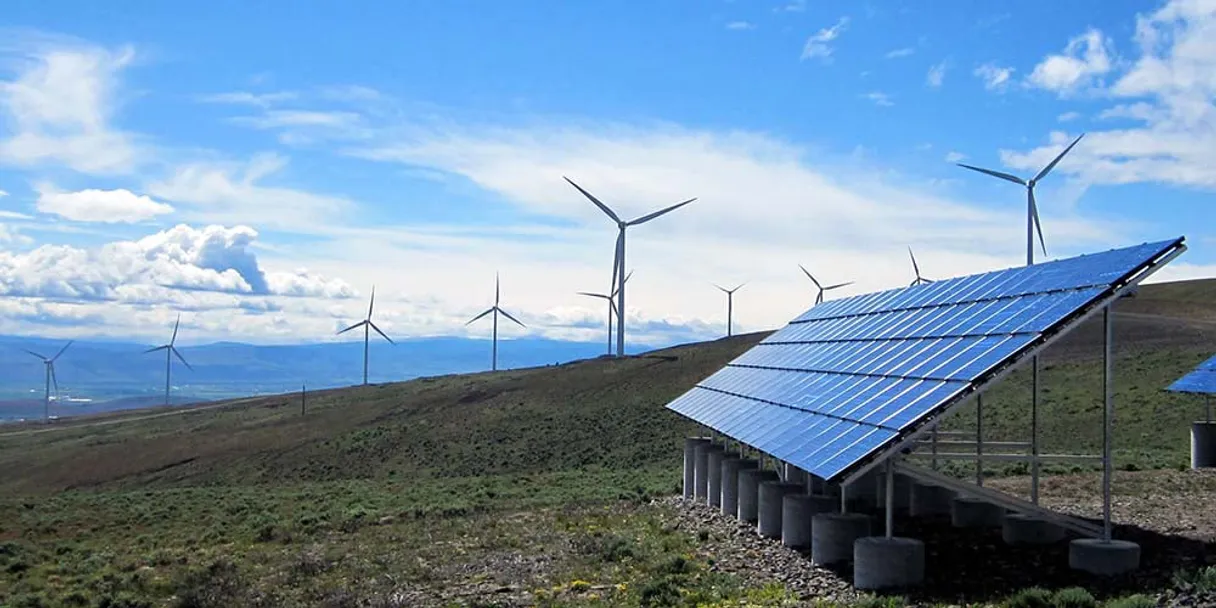
Independent Platform Disclaimer: Vinkius is an independent platform and is not affiliated with, endorsed by, sponsored by, verified by, or otherwise authorized by DNV Renewables. All third-party trademarks, logos, and brand names are the property of their respective owners. Their use on this website is strictly for informational purposes to identify service compatibility and interoperability.
VINKIUS INFRASTRUCTURE
Cloud Hosted
Managed infra
V8 Isolated
Sandboxed per request
Zero-Trust Proxy
No stored credentials
DLP Enforced
Policy on every call
GDPR Compliant
EU data residency
Token Compression
~60% cost reduction
Works with Claude, ChatGPT, Cursor, and more
The Model Context Protocol standardizes how applications expose capabilities to LLMs. Instead of operating in isolation, your AI gains direct access to external platforms, live data, and real-world actions through secure, standardized connections.
This server provides 11 capabilities that interface natively with Claude, ChatGPT, Cursor, and any MCP client. No middleware. No custom integration required.
Available Capabilities
The manual data pipeline is a nightmare of tabs and wait times.
Today, assessing a potential site means juggling multiple dashboards: checking wind speed on one tab, GHI on another, and then manually requesting historical data from a third portal. You end up downloading CSVs, renaming them, and pasting them into a spreadsheet just to start the calculation. It's slow, and you're always guessing if you got the right time range or the right data node.
With the DNV Renewables MCP Server, your agent handles the whole sequence. It first confirms data availability via `check_data_availability`. Then, it uses `get_solar_resource_data` and `get_wind_resource_data` to pull current metrics, and it can calculate the full yield using `get_energy_yield_estimate`—all in a single conversation.
DNV Renewables MCP Server: Estimate energy yield and run resource checks.
You no longer have to manually track data orders. Instead of submitting a form, waiting for an email, and then logging back in to check a status page, you just ask your agent to run the data request. The agent submits the order using `place_data_order` and continuously monitors the status via `get_order_status` until the download link is ready.
The process is fully automated. You just tell the AI what you want, and it manages the entire backend workflow, delivering the final data file via `download_order_data`.
Common Questions About DNV Renewables MCP
What types of wind and solar data are available? +
DNV Renewables provides over 40 climate datasets including: Mesoscale wind data (global and regional), Solar irradiance (GHI, DNI, DHI), Reanalysis datasets (ERA5, MERRA-2), Global wind energy atlas, Temperature, pressure, humidity, and more. Data covers onshore and offshore locations worldwide with time series from 1980s to present.
How do I get an API token for DNV Renewables? +
Visit the DNV Renewables platform and contact your DNV account manager or visit the EMD/DNV Renewables website to request API access. Once your account is provisioned, you'll receive an API access token from your account dashboard. This token authenticates your requests and is linked to your subscription plan.
How does the data ordering process work? +
The data ordering process is: 1) Check availability for your location, 2) Place an order with dataset, coordinates, and time period, 3) Wait ~30 seconds for processing, 4) Check order status until 'success', 5) Download the generated time series file. Note: Download links expire after 12 hours, so download promptly. Rate limit is 10 orders per 10 minutes.
What is mesoscale climate data and why is it useful? +
Mesoscale climate data comes from numerical weather prediction models that simulate atmospheric conditions at regional scales (typically 1-50 km resolution). Unlike single-point measurements, mesoscale data provides spatially consistent, long-term time series essential for renewable energy resource assessment. It's used for wind farm siting, solar project planning, and long-term energy yield analysis because it captures multi-decadal climate patterns that short-term measurements miss.
How do I use the `check_data_availability` tool to plan a project? +
The check_data_availability tool shows exactly what data exists for your site. You enter coordinates and a time frame, and it returns available datasets, variables, and time periods before you commit to an order.
What should I do if my `download_order_data` file doesn't work? +
If the file fails, first check the status using get_order_status. If the status is 'Success' and the download link is provided, try downloading again. Remember, the files auto-delete after 12 hours.
Can I use `get_wind_resource_data` for offshore projects? +
Yes, the system supports global coverage for both onshore and offshore locations. You simply provide the geographic coordinates for the site you're assessing.
How does `get_mesoscale_climate_data` help with long-term planning? +
It provides long-term climate model data, which is key for assessing resource changes over decades. This data helps you model resource potential beyond typical annual variations.
Use it with your favorite AI tools
Connect this server to Cursor, Claude, VS Code, and more.
More in this category

Wolfram Alpha
Solve math, science, and engineering queries with computational intelligence.

Semantic Scholar
Search 200M+ academic papers with AI-powered TLDR summaries, influential citation tracking, and researcher profiles from the Allen Institute for AI.
FDA (openFDA)
Access public health data via openFDA — search drug labeling, monitor adverse events, and track food recalls directly through your AI agent.
You might also like

Klaviyo
Drive revenue with email and SMS marketing powered by customer data that personalizes every message to increase lifetime value.

Langflow (Visual Multi-agent Orchestrator)
Orchestrate multi-agent AI workflows visually — execute flows, manage projects, and trigger webhooks directly from any AI agent.

Decodo (Smartproxy)
Manage your Decodo (formerly Smartproxy) network infrastructure — list proxy endpoints, monitor bandwidth, and fetch residential proxy configurations with your AI.