
OptimoRoute MCP. Manage the entire delivery cycle from order creation to POD.
 Gemini
 Works with every AI agent you already use
…and any MCP-compatible client









Just plug in your AI agents and start using Vinkius.
OptimoRoute connects your AI client directly to an enterprise logistics system. You use this server to manage every step of delivery operations: creating orders with specific time windows, queueing route optimizations for fleets, tracking driver GPS in real-time, and pulling final proof of delivery signatures—all from a single chat prompt.
It handles the entire dispatch workflow.
What your AI agents can do
Abort route planning
Immediately cancels a running route optimization job that is stuck or needs to be manually overridden.
Check planning status
Checks the current state of any queued route planning job, telling you if it's running, finished, or failed.
Create route order
Creates a new delivery order within the system, defining its location and required service window.
The agent identifies new routes by generating a structured order with address details and time constraints.
You submit parameters—dates, drivers, and pending orders—to start the complex calculation of optimal travel paths.
It pulls the current GPS coordinates and speed for any vehicle currently on the road.
Retrieves immutable records, including digital signatures and photos, confirming that a stop was completed successfully.
The agent modifies driver profiles by setting new working hours or adjusting vehicle load capacities.
Ask AI about this MCP
Supported MCP Clients
Gemini Waiting for input…
OptimoRoute MCP Server: 10 Tools for Logistics Management
Use these ten tools to orchestrate every phase of delivery logistics—from creating the initial order to verifying final proof of delivery.
019d75eaabort route planning
Immediately cancels a running route optimization job that is stuck or needs to be manually overridden.
019d75eacheck planning status
Checks the current state of any queued route planning job, telling you if it's running, finished, or failed.
019d75eacreate route order
Creates a new delivery order within the system, defining its location and required service window.
019d75eadelete stale order
Removes orders that are no longer active or relevant from the queue to keep data clean.
019d75eadownload manifest routes
Downloads a final, structured list of all assigned stops and optimized routes for multiple drivers.
019d75eaget live driver gps
Retrieves the current GPS coordinates, speed, and timestamp for any specified driver or vehicle ID.
019d75eaget order pod
Pulls the official Proof of Delivery record for an order, including signatures, photos, and completion notes.
019d75eaget order scheduling
Determines the exact planned time and location where a specific order fits into the overall route schedule.
019d75eaqueue route optimization
Starts a complex, background calculation to find the most efficient sequence of stops for multiple drivers and dates.
019d75eaupdate driver shifts
Modifies core driver data, such as their working hours or vehicle load limits, before planning runs.
Choose How to Get Started
Build a custom MCP for your own tools, or connect a ready-made integration from our catalog.
Build Your Own
Turn any API into an MCP. Import a spec, define Agent Skills, or deploy with MCPFusion.
- Import from OpenAPI, Swagger, or YAML specs
- Create Agent Skills with progressive disclosure
- Deploy to edge with MCPFusion framework
- Built in DLP, auth, and compliance on every call
- Real time usage dashboard and cost metering
- Publish to catalog or keep private
Make Your AI Do More
Start with OptimoRoute, then connect any of our 4,700+ other servers whenever your AI needs more. One click, no limits.
- Use this MCP plus 4,700+ others, all in one place
- Add new capabilities to your AI anytime you want
- Every connection is secured and compliant automatically
- Track usage and costs across all your servers
- Works with Claude, ChatGPT, Cursor, and more
- New servers added to the catalog every week
What you can do with this MCP connector
You connect your AI client directly to OptimoRoute. This server lets you manage every single part of a delivery operation without ever opening a dashboard or touching a complicated web portal. You run the whole dispatch workflow from one chat conversation.
When you need to prep for a day's deliveries, start by updating worker data. The update_driver_shifts tool modifies core driver profiles—you can set new working hours or adjust vehicle load limits before any planning even begins. If an order is old and shouldn't be in the system anymore, use delete_stale_order to clear out irrelevant records and keep your queue clean.
To get started with the routes, you use create_route_order. This tool generates a brand-new delivery order in the system. You define its exact location and specify any required service windows for that stop. Once those orders are set up, it's time to plan. You kick off the heavy lifting using queue_route_optimization, sending over parameters like dates, which drivers you need, and all pending orders.
This starts a complex background calculation designed to find the absolute most efficient sequence of stops for your whole fleet.
Since route planning takes time, you'll need status checks. Use check_planning_status whenever you wanna know if that job is running, finished, or if it failed entirely. If the optimization gets stuck and you gotta override it manually, abort_route_planning immediately cancels that running job. Once the system confirms the routes are solid, you download everything with download_manifest_routes.
This gives you a final, structured list of every single optimized stop assigned to each driver for multiple vehicles.
While the drivers are out there doing the work, you track them in real time using get_live_driver_gps. It pulls the current GPS coordinates, speed, and timestamp for any vehicle or driver ID you specify. This gives you constant visibility into where your fleet is right now. If you need to know exactly how an order fits into that optimized plan, get_order_scheduling determines the precise planned time and location for a specific stop within the overall route schedule.
When a delivery is done, you gotta prove it. Use get_order_pod to pull the official Proof of Delivery record. This gets you immutable details—digital signatures, photos taken at the site, and completion notes—confirming that a stop was handled successfully for auditing purposes. You'll never have to manually collect those receipts again.
How OptimoRoute MCP Works
- 1 First, you subscribe to the server and provide your OptimoRoute API Key.
- 2 Next, you ask your AI agent to perform an action—for example, 'Create a new order for 123 Main St with a 9 AM to 11 AM window.'
- 3 The tool executes the request on the back end and returns confirmation details: whether the job was queued, if the order was created, or the real-time GPS coordinates.
The bottom line is: you talk to your agent like a dispatcher talks over the radio, and it handles all the API calls needed to move the physical plan forward.
Who Is OptimoRoute MCP For?
This is for the logistics manager who's tired of jumping between web portals—the one who needs to create a new order, check if the route planning worked, and then pull the POD report, all before their morning coffee. It’s built for operational continuity.
They use this tool constantly: creating orders on the fly, checking driver positions live, and adjusting shifts when delays happen.
They run audits by pulling Proof of Delivery reports or running historical scheduling checks for compliance reporting.
They use it to queue complex route optimizations for the next quarter, validating constraints before any physical resources are moved.
What Changes When You Connect
- Stop manually checking dashboards. By using
get_live_driver_gps, your agent gets real-time coordinates and speed for any vehicle, letting you know exactly where they are without opening a map view. - Cut down on data cleanup time. Instead of sifting through old records, use
delete_stale_orderto automatically remove inactive orders that clog up the system, keeping your planning focus tight. - Validate plans before committing resources. Before running a full route optimization, check the parameters using
get_order_scheduling. This tells you exactly where and when an order fits into the existing schedule. - Get immediate proof of work. When the delivery is done, call
get_order_pod. You get the final record instantly—signatures, photos, everything needed for audit, without manual data entry. - Control the planning process. Need to stop a calculation? Use
abort_route_planningto kill a runaway job that's wasting compute time, then runcheck_planning_statusto confirm it’s cleared.
Real-World Use Cases
The late-running package
A customer calls and needs to know where their shipment is. Instead of checking the website, your agent runs get_live_driver_gps, tells you the current coordinates, and even estimates the ETA based on speed. Done.
Optimizing for a holiday rush
The planner needs to schedule 500 orders next week with new capacity constraints. They first run update_driver_shifts to set the new hours, then use queue_route_optimization. Finally, they download the whole plan using download_manifest_routes.
Auditing a delivery failure
The operations analyst needs to verify if a package was marked delivered correctly. They call get_order_pod, which pulls up the required photos and signatures instantly, providing an indisputable record for compliance.
Cleaning up old orders
A team member noticed dozens of abandoned delivery requests from last month clogging the system. Running delete_stale_order cleans out the backlog immediately, making sure only current jobs are visible to the dispatcher.
The Tradeoffs
Relying on single tools
Asking the agent just to 'plan the routes' is too vague. It doesn't know if you have new orders or updated drivers.
→
You need a workflow: First, use create_route_order for any pending stops. Then, run queue_route_optimization. Finally, download the results with download_manifest_routes.
Ignoring driver constraints
The plan fails because the routes assigned exceed legal working hours or vehicle capacity.
→
Always start by calling update_driver_shifts to set accurate work limits. This data feeds directly into the queue_route_optimization job, preventing over-scheduling errors.
Assuming instant results
Asking for a complex optimization and assuming it will finish in seconds.
→
Optimization takes time. Run the job via queue_route_optimization, then use check_planning_status to poll the status until it reports 'Complete'.
When It Fits, When It Doesn't
Use this server if your operational need is managing physical movement: creating, planning, or tracking deliveries. You need to know where a driver is right now (get_live_driver_gps), or you need to generate an optimized sequence of stops based on complex inputs (time windows, capacity). Don't use it if you just need to send a simple internal message—that’s for messaging servers. Also, don't use this server if you only need basic inventory tracking; that requires a specialized WMS tool. This server is for the movement of goods, not just counting them.

Independent Platform Disclaimer: Vinkius is an independent platform and is not affiliated with, endorsed by, sponsored by, verified by, or otherwise authorized by OptimoRoute. All third-party trademarks, logos, and brand names are the property of their respective owners. Their use on this website is strictly for informational purposes to identify service compatibility and interoperability.
VINKIUS INFRASTRUCTURE
Cloud Hosted
Managed infra
V8 Isolated
Sandboxed per request
Zero-Trust Proxy
No stored credentials
DLP Enforced
Policy on every call
GDPR Compliant
EU data residency
Token Compression
~60% cost reduction
Works with Claude, ChatGPT, Cursor, and more
The Model Context Protocol standardizes how applications expose capabilities to LLMs. Instead of operating in isolation, your AI gains direct access to external platforms, live data, and real-world actions through secure, standardized connections.
This server provides 10 capabilities that interface natively with Claude, ChatGPT, Cursor, and any MCP client. No middleware. No custom integration required.
Available Capabilities
Tracking deliveries shouldn't require opening four different portals.
Right now, if you want to know where a truck is and if it can make its next stop, you have to check the TMS dashboard for location, then open the order management system to confirm the time window, and finally jump into the driver portal just to get the POD photo. It's clicks, copies, and context switching.
With OptimoRoute, your agent handles it all. You ask: 'Where is D2? Can they make stop 4?' The server runs `get_live_driver_gps` and cross-references that with the schedule using `get_order_scheduling`. It gives you a single, actionable answer—the location, the ETA, and the constraint status.
OptimoRoute MCP Server: Pulling proof of delivery data.
Manually collecting POD requires dispatchers to log into multiple systems (CRM, GPS, Order Mgmt) and manually confirm the signature/photo against the order ID. It's a huge compliance risk every time someone misses a step.
Now? Your agent calls `get_order_pod` with just the order ID. The server pulls the complete record—the photo, the signature, the timestamp—and hands it back to you instantly. You get audit-ready data without touching a dashboard.
Common Questions About OptimoRoute MCP
How do I check if my route optimization job is actually running using OptimoRoute? +
You run the check_planning_status tool. This tells you whether your queueing job is still active, has finished successfully, or encountered an error. It’s crucial to use this before assuming the plan is ready.
Can I delete old orders using OptimoRoute? +
Yes, run delete_stale_order. This tool removes inactive records from your system, keeping the active order queue clean and preventing unnecessary planning cycles on obsolete jobs.
Is getting live GPS data with OptimoRoute accurate? +
The get_live_driver_gps tool pulls real-time telemetry directly. It provides coordinates, current speed, and the last ping timestamp so you can judge how fresh the location data is.
What if I need to change a driver's hours mid-week? +
Use update_driver_shifts. This tool lets you modify the working hour constraints or load capacity for any specific driver, which must be done before running new route optimization jobs.
How do I download all optimized routes after planning using OptimoRoute? +
You call the download_manifest_routes tool. This enumerates and exports a structured list of all assigned drivers and their final stop sequences. You get a full, organized manifest showing every required delivery stop.
What if I need to stop a long-running route optimization job in OptimoRoute? +
You use the abort_route_planning tool. This immediately cancels an active planning job that is taking too long or was set up with outdated constraints, freeing up solver resources.
How do I verify proof of delivery details using OptimoRoute? +
The get_order_pod tool retrieves the final completion record for a specific order. It pulls required data like driver signatures, photos taken at the site, and any notes left during verification.
How do I create an initial delivery job in OptimoRoute? +
You start by calling create_route_order. This identifies a bounded routing space within the system, allowing you to input specific addresses and parameters before any optimization runs.
How long does route optimization take to complete? +
It depends on the number of orders and drivers. Small batches (under 100 stops) typically finish in under 30 seconds. Large-scale plans can take several minutes. The agent checks the planning status endpoint so you can monitor progress, and you can abort and capture the best partial solution at any time.
Can I verify if a delivery was actually completed with proof? +
Yes. The get_order_pod tool pulls completion details including driver-captured signatures, photos, and timestamped notes. This data comes directly from the OptimoRoute driver app and provides auditable proof of delivery for dispute resolution and compliance.
Can I update a driver's working hours and vehicle capacity on the fly? +
Yes. The update_driver_shifts tool lets you change working hours, speed profiles, and load capacities for any driver. Changes take effect on the next optimization run. Useful for adjusting schedules when a driver calls in sick or a vehicle needs to be swapped.
Use it with your favorite AI tools
Connect this server to Cursor, Claude, VS Code, and more.
More in this category

McLeod Software
Transportation management via McLeod Software — manage orders, dispatches, and carriers.
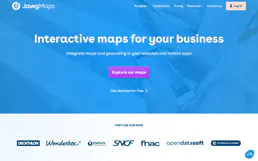
Jawg Maps (Location & Routing)
Build with location data via Jawg Maps — search places, calculate routes, compute distance matrices, and get elevation data.

OptimoRoute
Optimize delivery routes via OptimoRoute — create orders, track driver locations, and manage route planning directly from any AI agent.
You might also like

Health XML Export Parser
Parse massive Apple Health or Google Fit XML exports safely without blowing up your AI's context window. Extracts actionable health metrics instantly.

Duoplane
Equip your AI agent to manage multi-vendor orders, track purchase orders, and monitor vendor inventory via the Duoplane API.

Ometria Intelligence
Analyze customer data and retail marketing via Ometria — track contacts, orders, and segments directly from your AI agent.