
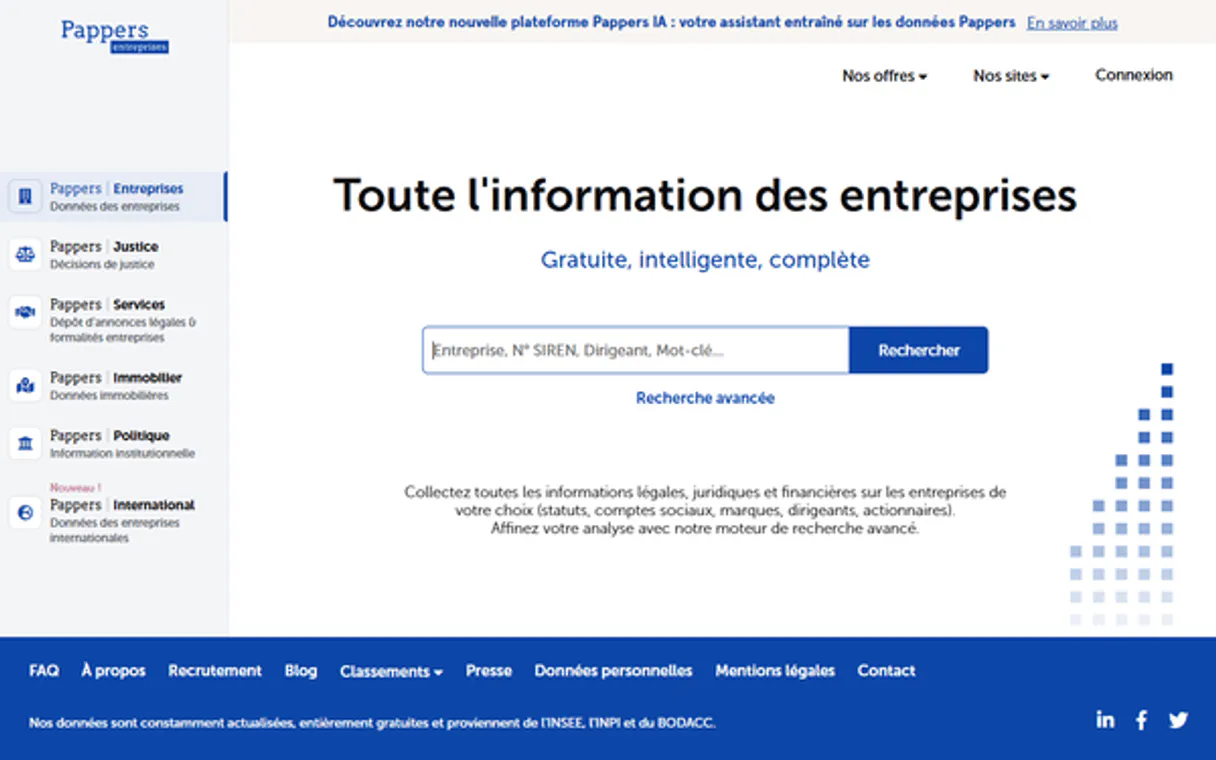
Pappers MCP for AI. Get French corporate data in natural chat.
 Gemini
 Works with every AI agent you already use
…and any MCP-compatible client









How this MCP server connects to your AI agent
Pappers MCP Server gives your agent direct access to French corporate records. Need due diligence? Use this server to pull legal documents, financial filings, and official company details (SIREN/SIRET) from France's business registries.
You can search by name, track officer changes, monitor Ultimate Beneficial Owners (UBOs), and get key metrics like turnover—all through natural chat commands.
What AI agents can do with Pappers Automation
Check api health
Verifies the current operational status of the Pappers API service.
Get api account info
Retrieves general details about your connected Pappers account.
Get french company details
Gets comprehensive, high-level data for a French corporate entity.
The agent finds a company's core identity by running search_french_companies using criteria like name, location, or NAF code.
You pull specific financial data—turnover, net income, etc.—by calling the get_company_financials tool.
The agent executes search_ultimate_beneficial_owners to find and list individuals who ultimately own or control a target company.
You get the current leadership structure by using search_company_officers, listing all registered directors and managers.
The agent pulls official corporate records, such as Articles of Association, via the get_company_document tool.
You maintain lists and check status updates using tools like list_monitored_companies or checking API health with check_api_health.
Ask an AI about this
Waiting for input…
What AI agents can do with Pappers MCP Server: 12 Tools for Corporate Intelligence
These tools allow your AI client to run specific functions against French corporate registries, ranging from searching by NAF code to retrieving Ultimate Beneficial Owners.
Make your AI actually useful.
Add this MCP to Claude, Cursor, or Windsurf and your AI stops guessing. It gets real tools to look things up, take action, and handle the stuff you keep doing by hand.
Start using Pappers on VinkiusCheck Api Health
Verifies the current operational status of the Pappers API service.
Get Api Account Info
Retrieves general details about your connected Pappers account.
Get French Company Details
Gets comprehensive, high-level data for a French corporate entity.
Get Company Document
Accesses specific legal documents, like Articles of Association, for a company.
Get Establishment Details
Retrieves specific operational details about one of a company's registered physical...
Get Company Financials
Pulls key financial data points (turnover, net income) for a specified French company.
Get Search Suggestions
Provides autocomplete suggestions as you type names or criteria into the search query.
List Bodacc Publications
Searches and lists official publications from BODACC, keeping you current on...
List Monitored Companies
Displays the list of companies that your account is actively monitoring for status...
Search French Companies
Performs broad searches to find French companies using criteria like name, NAF code...
Search Company Officers
Searches and lists all current or former directors and managers associated with a...
Search Ultimate Beneficial Owners
Searches for and identifies the ultimate beneficial owners linked to a company.
Security and governance baked right in.
Pick your AI client below to get set up. Just create a Vinkius account, subscribe, and you're instantly up and running. We handle the entire backend infrastructure, delivering out-of-the-box support for HTTPS Streamable, SSE, and OAuth2—zero messy routing required.
Claude AI
Open Claude Settings
Go to claude.ai, click your profile icon, then navigate to Customize → Connectors.
Add Custom Connector
Click the "+" button and select Add custom connector. Paste your Vinkius endpoint URL:
https://edge.vinkius.com/[YOUR_TOKEN_HERE]/mcp
Replace [YOUR_TOKEN_HERE] with your token
from cloud.vinkius.com. For OAuth-protected servers, expand
Advanced settings to add credentials.
Start a conversation
Open a new chat. The Pappers integration is available immediately — no restart needed.
Choose How to Get Started
Build a custom MCP for your own tools, or connect a ready-made integration from our catalog.
Build Your Own
Turn any API into an MCP. Import a spec, define Agent Skills, or deploy with MCPFusion.
- Import from OpenAPI, Swagger, or YAML specs
- Create Agent Skills with progressive disclosure
- Deploy to edge with MCPFusion framework
- Built in DLP, auth, and compliance on every call
- Real time usage dashboard and cost metering
- Publish to catalog or keep private
Make Your AI Do More
Start with Pappers, then connect any of our 5,100+ other servers whenever your AI needs more. One click, no limits.
- Use this MCP plus 5,100+ others, all in one place
- Add new capabilities to your AI anytime you want
- Every connection is secured and compliant automatically
- Track usage and costs across all your servers
- Works with Claude, ChatGPT, Cursor, and more
- New servers added to the catalog every week
Independent Platform Disclaimer: Vinkius is an independent platform and is not affiliated with, endorsed by, sponsored by, verified by, or otherwise authorized by Pappers. All third-party trademarks, logos, and brand names are the property of their respective owners. Their use on this website is strictly for informational purposes to identify service compatibility and interoperability.
VINKIUS INFRASTRUCTURE
Cloud Hosted
Managed infra
V8 Isolated
Sandboxed per request
Zero-Trust Proxy
No stored credentials
DLP Enforced
Policy on every call
GDPR Compliant
EU data residency
Token Compression
~60% cost reduction
Built on the Model Context Protocol (MCP) for Claude, ChatGPT, Cursor, and more
The Model Context Protocol standardizes how applications expose capabilities to LLMs. Instead of operating in isolation, your AI gains direct access to external platforms, live data, and real-world actions through secure, standardized connections.
This connection provides 12 powerful capabilities that interface natively with Claude, ChatGPT, Cursor, and other compatible AI platforms. No middleware. No custom integration required.
Manual due diligence is slow and messy., Solved with Vinkius AI Gateway
Right now, checking a single company's status means jumping between Pappers, the French corporate registry website, and maybe a tax filing PDF. You copy one SIREN number into the first portal, then you have to manually download the financial report from another site just to check turnover. If you need UBO details, that’s a third login, often requiring different credentials entirely. It's fragmentation by design.
With this MCP server, your agent handles the entire workflow in one chat window. You ask: 'What is the current ownership and financial status of Company X?' The agent automatically orchestrates calls to `get_company_financials` and `search_ultimate_beneficial_owners`, stitching all the official data into a coherent answer for you.
Pappers MCP Server: Get official corporate documents via chat.
Previously, accessing legal records meant navigating complex directories and paying fees just to download a PDF of the Articles of Association. You'd then have to manually parse that dense text file to find specific governance clauses or capital amounts. It was time-consuming reading work.
Now, you just ask your agent: 'Show me the company's founding documents.' The server runs `get_company_document` and hands you the official legal data directly in a structured format—no messy PDFs, no manual parsing required.
What your AI can actually do with this
This server gives your agent direct access to French corporate records via Pappers' APIs. Don't switch tabs between government websites and spreadsheets; you get all the legal structure, financial metrics, and compliance data right in your chat window.
Finding a company starts with broad searches. You run search_french_companies using criteria like name, NAF code, or location to pinpoint a target entity. As you type, the agent provides suggestions through get_search_suggestions, helping you nail down the exact search parameters. Once you have the core identity, you can pull comprehensive, high-level data for that French corporate entity by calling get_french_company_details.
If you need to know about a specific branch or registered physical location, run get_establishment_details.
To understand who runs and owns the company, you check leadership records. Use search_ultimate_beneficial_owners to identify all individuals who ultimately own or control the entity. To map out the entire management structure, call search_company_officers; this lists every registered director and manager, current or former.
When it comes to finance and legal standing, you have specific tools at your disposal. You pull hard financial numbers—like turnover and net income—by calling get_company_financials. To access official corporate records, such as Articles of Association, the agent uses get_company_document to retrieve them. For staying current on regulatory changes, you list recent publications from BODACC using list_bodacc_publications.
For tracking status and monitoring key players, you can use list_monitored_companies to see which companies your account is actively watching for changes. You'll also get general details about your connected Pappers account with get_api_account_info, and you can verify the service's operational health anytime by running check_api_health. This server handles all that tedious research grunt work so you don't have to.
019dd135-e710-70ee-a604-8e4cd60b8735 
Here's how it actually works
The bottom line is, you get to treat Pappers' complex database like a single, natural conversation with your agent.
1. Subscribe to the Pappers MCP Server and provide your unique Pappers API Key in the client settings.
2. Prompt your agent (Claude, Cursor, etc.) with a specific query: 'Get financials for company X.'
3. The server runs the necessary tool(s) (e.g., get_company_financials) and returns structured data that your AI client interprets and presents in plain language.
Who is this actually for?
Compliance analysts who hate manually cross-referencing UBO data against corporate registries. Business Development teams that need fast B2B lead qualification on French prospects. Legal counsel needing to track changes in company governance or legal status instantly.
They use search_ultimate_beneficial_owners and list_bodacc_publications to automate due diligence, ensuring every required party is accounted for without manual lookups.
When qualifying a French lead, they immediately call get_company_financials and search_french_companies to check revenue health and market fit in seconds.
They use the server to track officer changes via search_company_officers or retrieve legal documents using get_company_document, maintaining a precise record of corporate history.
What Changes When You Connect
Check Financial Health Instantly: Instead of navigating separate financial portals, you call get_company_financials and pull key metrics—like last published revenue or turnover—directly into your conversation thread. This is critical for quick B2B lead qualification.
Full Ownership Trail: You eliminate the ambiguity of ownership by using search_ultimate_beneficial_owners. The agent runs this tool to pinpoint who actually controls a company, skipping layers of shell corporations.
Governance Monitoring: Keep track of leadership changes with search_company_officers. This tool lists all directors and managers, letting you monitor corporate governance shifts without manually checking multiple registries.
Document Access on Demand: Need the legal structure? Call get_company_document to access Articles of Association. It pulls the exact legal text you need, saving hours of manual PDF downloading and reading.
Deep Search Capability: Don't just search by name. Use search_french_companies with NAF codes or specific locations to narrow down your market research to exactly what you need.
Stay Compliant: Monitor official corporate changes using list_bodacc_publications. This tool ensures you see mandatory, real-time public filings that affect due diligence.
See it in action
Vetting a new B2B prospect.
A sales analyst needs to vet a French target. They prompt the agent: 'What's their money situation and who runs it?' The agent first uses get_company_financials for turnover, then runs search_ultimate_beneficial_owners. In seconds, they know if the company is financially stable and who actually signs the checks.
Investigating a corporate change.
A compliance officer notices a key executive left. They ask the agent to check leadership changes for SIREN 123456789. The agent uses search_company_officers and can immediately pull up the full list of current directors, confirming who is in charge now.
Building a market map.
A researcher needs to find all software developers near Lyon. They use search_french_companies, filtering by location and NAF code 6201Z. The agent returns the list, along with average company age data, allowing them to build a targeted outreach list.
Reviewing legal structure.
A law firm client needs to confirm the exact founding documents of a target entity. They prompt for 'the Articles of Association' and the agent uses get_company_document to retrieve the official filing, eliminating guesswork about corporate history.
The honest tradeoffs
Treating it like Google Search
Asking the agent: 'Tell me everything about French companies.' This is too broad and will fail because you didn't specify criteria.
Always narrow your scope. Use search_french_companies and provide at least two parameters—like a name AND an NAF code, or a location AND a minimum turnover threshold.
Missing the UBO link
Only calling get_french_company_details. This gives you corporate info but leaves out who actually owns the company.
You must run search_ultimate_beneficial_owners after getting basic details. That tool connects the corporate structure to the actual people at the top.
Ignoring established records
Assuming a company's current leadership is listed on their website and skipping official checks.
Always use search_company_officers or check the list_bodacc_publications. These tools pull data from official registries, which are always more accurate than self-reported web data.
When It Fits, When It Doesn't
Use this server if your job requires structured due diligence on French companies. Specifically, if you need to correlate financial metrics (get_company_financials) with ownership structure (search_ultimate_beneficial_owners) or legal standing (get_company_document).
Don't use it if you just need general market commentary about France or global company data (that requires a different server). If your query is purely conceptual ('How does French tax law work?'), the agent can answer that, but it won't run any tools. You must have a specific SIREN/SIRET or search criteria to trigger a tool call. The system excels at retrieval of facts, not general analysis.
Questions you might have
How do I search for all companies in France with Pappers MCP Server? +
You use search_french_companies. You can narrow the results by name, location (like Lyon), or NAF code to get a highly targeted list of businesses.
What is the difference between `get_company_details` and `get_establishment_details`? +
get_french_company_details gives you the macro view—the overall corporate entity. get_establishment_details focuses on a physical branch or specific operational site connected to that main company.
Can I find out who owns a company using search_ultimate_beneficial_owners? +
Yes, that's the tool for it. search_ultimate_beneficial_owners pulls the names of the people or entities that ultimately control the corporate structure.
What if I need to monitor changes in a company's legal filings? +
Use list_bodacc_publications. This tool searches official BODACC records, so you don’t miss any mandatory public announcements about the company's status.
Does Pappers MCP Server handle financial data retrieval? (get_company_financials) +
Yes. get_company_financials pulls key metrics like turnover and net income, which is essential for quickly assessing a prospect's financial health.
Before I start querying, how do I validate my setup using `get_api_account_info`? +
This tool confirms your subscription status and provides core account details. It's the first step to ensure your AI client has valid credentials before making any corporate data calls.
What specific kind of personnel information does `search_company_officers` retrieve? +
It finds current company directors and managers, providing their names and roles. This tool focuses on operational leadership within the firm, distinguishing it from UBOs.
Does calling `get_search_suggestions` help improve overall search performance for companies? +
Yes, using this tool gives you autocomplete suggestions based on partial input. It helps narrow down your query scope quickly and improves the accuracy of your initial company identification.
Can my AI automatically find the financial details for a company by its SIREN? +
Yes! Use the get_company_financials tool with the 9-digit SIREN. Your agent will respond with complete metadata, including turnover, profit, and debt ratios in seconds.
How do I find my Pappers API Key? +
Log in to your Pappers account, navigate to the API Subscription page, and you will find your unique secret token there.
Does this work for international companies? +
This MCP server specifically targets the Pappers France API. For international European company data, Pappers provides a separate API (pappers.in).
We've already built the connector for Pappers. Just plug in your AI agents and start using Vinkius.
No hosting. No infrastructure. No complex setup.
All 12 tools are live and waiting.
You're up and running in seconds.
Gemini Vinkius gives your AI agents access to the full catalog of app connectors, all fully managed, secure, and enterprise-ready. One subscription, every tool you need.
Built, hosted, and secured by Vinkius. You just connect and go.