
Parkopedia MCP. Get real-time parking status & EV charger details.
 Gemini
 Works with every AI agent you already use
…and any MCP-compatible client









Just plug in your AI agents and start using Vinkius.
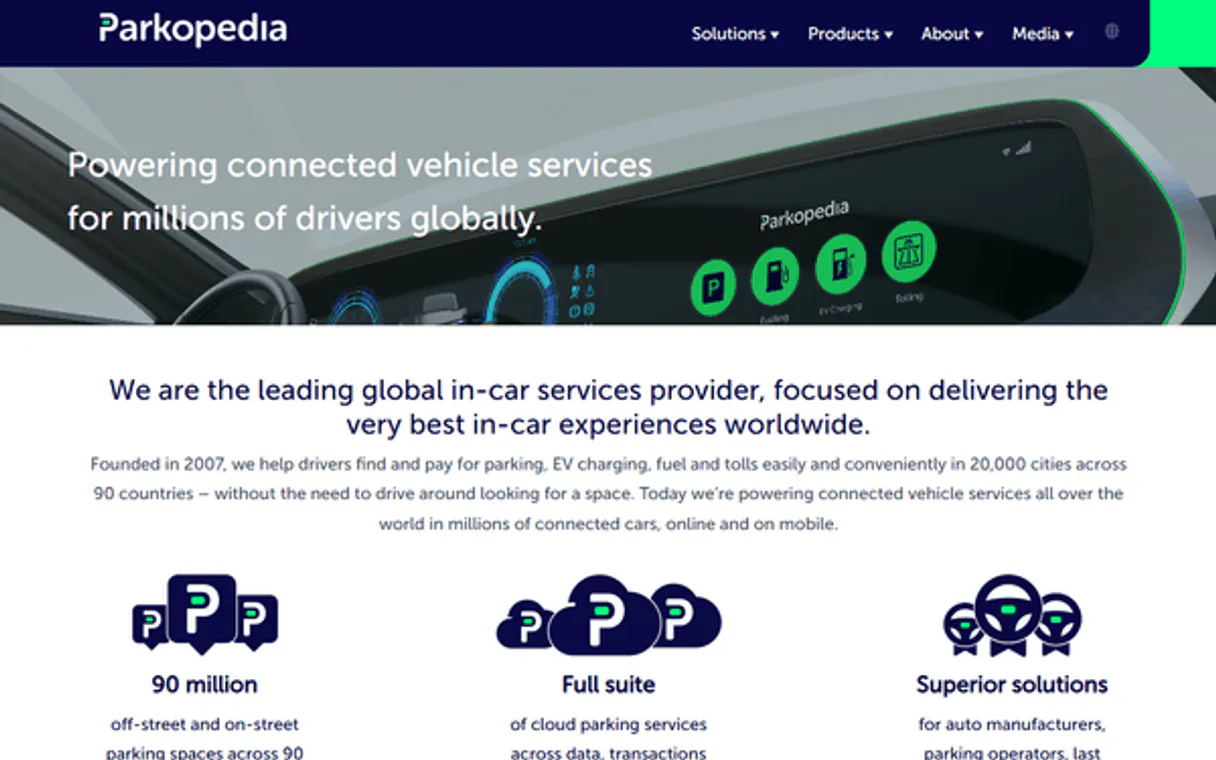
Parkopedia gives your AI client global access to parking logistics data. You can search for spots, find EV chargers, read real-time occupancy, check pricing, and view local restrictions across 75+ countries.
It’s everything you need to map urban movement.
What your AI agents can do
Get analytics
Fetches historical data and trends about parking patterns for a specific location.
Get ev charger details
Retrieves detailed specifications, including connector types and operator info, for a single EV charging station.
Get occupancy
Reports the current real-time availability count for a specific parking spot or garage.
Search for parking spots (search_parking), find EV charging stations (search_ev_charging), or look for nearby amenities (search_amenities) using location coordinates.
Get real-time occupancy rates for a spot (get_occupancy), check specific pricing structures (get_pricing), or view current legal parking restrictions (get_parking_restrictions).
Retrieve detailed information about any spot (get_spot_details) or get specifics on an EV charger model (get_ev_charger_details).
Pull historical data and trends for a given area using get_analytics to inform long-term planning.
Ask AI about this MCP
Supported MCP Clients
Gemini Waiting for input…
Parkopedia MCP Server: 10 Tools for Urban Mobility
These tools let your agent search, check status, analyze trends, and get deep details on parking spots and electric vehicle charging infrastructure globally.
019d75efget analytics
Fetches historical data and trends about parking patterns for a specific location.
019d75efget ev charger details
Retrieves detailed specifications, including connector types and operator info, for a single EV charging station.
019d75efget occupancy
Reports the current real-time availability count for a specific parking spot or garage.
019d75efget parking restrictions
Checks and returns all local legal rules, time limits, and permit requirements for a given area.
019d75efget pricing
Looks up the cost structure—hourly rates, daily maximums—for a designated parking spot.
019d75efget spot details
Gets comprehensive information about any individual parking spot, including size and features.
019d75efsearch amenities
Finds nearby facilities related to parking, such as restrooms or covered access points.
019d75efsearch by bounds
Searches for all available parking spots within a defined geographic rectangular area (bounding box).
019d75efsearch ev charging
Finds and lists all EV charging stations located near a specific address or coordinates.
019d75efsearch parking
Performs a general search to find parking spots near an address, considering multiple variables like type and availability.
Choose How to Get Started
Build a custom MCP for your own tools, or connect a ready-made integration from our catalog.
Build Your Own
Turn any API into an MCP. Import a spec, define Agent Skills, or deploy with MCPFusion.
- Import from OpenAPI, Swagger, or YAML specs
- Create Agent Skills with progressive disclosure
- Deploy to edge with MCPFusion framework
- Built in DLP, auth, and compliance on every call
- Real time usage dashboard and cost metering
- Publish to catalog or keep private
Make Your AI Do More
Start with Parkopedia, then connect any of our 4,700+ other servers whenever your AI needs more. One click, no limits.
- Use this MCP plus 4,700+ others, all in one place
- Add new capabilities to your AI anytime you want
- Every connection is secured and compliant automatically
- Track usage and costs across all your servers
- Works with Claude, ChatGPT, Cursor, and more
- New servers added to the catalog every week
What you can do with this MCP connector
You're hooking your AI client up to Parkopedia—it gives you global access to parking logistics data. You can map out urban movement across 75+ countries with this server. It handles everything from finding street spots to figuring out EV charging details and reading real-time availability.
Finding Location Data
You need to know where the spots are, right? Use search_parking for a general search near an address, letting you filter by spot type or if it's currently available. If you have coordinates, you can use search_by_bounds to find every parking spot within a specific rectangular area. You can also locate charging stations specifically with search_ev_charging, which lists all EV chargers near given coordinates or an address.
Need something else nearby—like a restroom or covered entrance? Run search_amenities to pull up those nearby facilities using location data.
Checking Status and Rules
Once you find the area, you gotta know if it's usable. Use get_occupancy to get the current count of available spots in a garage or lot—it’s real-time availability. Don't assume parking is free; run get_pricing to check out the cost structure for a spot, giving you hourly rates and daily maximums.
You can always confirm local legal limits by calling get_parking_restrictions, which returns all time limits, permit needs, and local rules for that exact area.
Getting Deep Details
You want specifics on what you found? If you have the ID of a spot, get_spot_details pulls up comprehensive info about it, including its size and specific features. For electric vehicles, use get_ev_charger_details to get deep specs for a single charging station—you'll know the connector types and who the operator is.
You can also run search_amenities if you need more facility details.
Analyzing Trends and Patterns
For long-term planning, skip guesswork and use hard data. Run get_analytics to fetch historical trends about parking patterns for a location. This gives you the big picture of usage over time. You can combine this with spot searches to tell clients exactly what they're getting into.
How Your Agent Uses These Tools
Your agent performs these lookups by calling specific tools and passing parameters like addresses, coordinates, or bounding boxes. For example, it runs search_parking using a location, then takes the resulting spot IDs and feeds them into get_occupancy to get immediate availability counts. If you find an EV charger via search_ev_charging, your agent can immediately pass that ID to get_ev_charger_details to validate the connector type before recommending it to a user.
It's all structured data going into your workflow, giving you everything you need to map out any urban movement. You don’t have to deal with messy spreadsheets or calling up city hall; this server gives you clean access to global parking logistics.
How Parkopedia MCP Works
- 1 First, your agent calls the appropriate search tool (e.g.,
search_parking) and passes the target coordinates or bounding box. - 2 The server processes the request against its global data sources to filter results based on criteria like EV charging, amenities, or time constraints.
- 3 It returns a structured JSON object containing all relevant details: availability counts, current pricing, restrictions, or charger types.
The bottom line is that your agent treats the entire Parkopedia API as one coherent set of tools, eliminating the need for multiple, separate calls to different map services.
Who Is Parkopedia MCP For?
This is built for mobility tech developers and logistics engineers. If you're building anything that needs to know where a car can legally or practically park—whether it’s in an app, a fleet dashboard, or a route planner—you need this. It stops the guesswork.
You use search_parking and get_occupancy to build predictive routing that avoids full lots and tells the user exactly how many spots are open right now.
You run agents against get_pricing and search_by_bounds to calculate optimal, cost-effective parking routes for service vehicles across a whole city block.
You use get_analytics and get_parking_restrictions to model traffic flow and suggest permanent changes to urban zoning or charging station placements.
What Changes When You Connect
- Avoid dead ends. Use
get_occupancyto check if a lot has available spaces before the user drives there, saving time and frustration. - Know the rules instantly. Running
get_parking_restrictionsprevents users from accidentally parking in a no-metered or permit-only zone. - Calculate trips accurately. Combine
search_parking,get_pricing, andget_spot_detailsto give the user a total estimated cost for their journey. - Handle EV logistics cleanly. Use
search_ev_chargingto filter by connector type (e.g., CCS) and get detailed specs withget_ev_charger_detailsin one flow. - Build smart city models. Pass location data into
get_analyticsto provide historical context, moving beyond simple point-in-time availability.
Real-World Use Cases
The Last-Minute Commute
A user asks their agent: 'Where can I park near the theater that accepts my car?' The agent runs search_parking using coordinates, then calls get_occupancy on the top three results. It reports back: 'The garage at 123 Main St has 45 spots available and costs $20/day.' Problem solved.
Electric Vehicle Trip Planning
An EV owner needs to plan a cross-town trip. The agent uses search_ev_charging around the destination, checks required plug types, and then calls get_ev_charger_details to confirm if the charging rate meets their expected speed.
Optimizing Delivery Routes
A fleet manager needs a route for 10 deliveries. The agent uses search_by_bounds to map out all potential stops, then calls get_pricing and get_parking_restrictions for every single stop to factor cost and legality into the final manifest.
Urban Development Analysis
A city planner asks: 'What is the parking pressure in this district?' The agent uses search_by_bounds to define the area, then runs get_analytics to see historical trends and identifies zones needing more charging infrastructure.
The Tradeoffs
Missing Geographic Context
Calling search_parking with no coordinates or a vague address. The tool fails because it needs precise boundaries to work.
→
Always use coordinates or, if the area is large, define a bounding box and pass that into search_by_bounds first.
Assuming Availability
Simply calling get_spot_details to check availability. The spot details usually won't include real-time occupancy.
→
You must use the dedicated tool: get_occupancy. This call provides the live count of available spaces.
Ignoring Local Law
Assuming a spot is free because it looks open. A sign might be required, or time restrictions might apply.
→
Always run get_parking_restrictions first. This validates the legal status before you rely on any availability data.
When It Fits, When It Doesn't
Use this server if your primary concern is geospatial mobility logistics: finding a spot, knowing its cost, or checking its power source (EV). You need it when location isn't enough—you also need to know the rules and current status.
Don't use it if you just need general mapping data without parking context. For simple directions between two points with no concern for local regulations or charging options, a basic map service suffices. If you only care about finding nearby restrooms, search_amenities is better than trying to shoehorn it into a full search.
If your task requires knowing why the parking rules changed last month, that's where get_analytics comes in. But if you just need today's rate, stick with get_pricing.
Independent Platform Disclaimer: Vinkius is an independent platform and is not affiliated with, endorsed by, sponsored by, verified by, or otherwise authorized by Parkopedia. All third-party trademarks, logos, and brand names are the property of their respective owners. Their use on this website is strictly for informational purposes to identify service compatibility and interoperability.
VINKIUS INFRASTRUCTURE
Cloud Hosted
Managed infra
V8 Isolated
Sandboxed per request
Zero-Trust Proxy
No stored credentials
DLP Enforced
Policy on every call
GDPR Compliant
EU data residency
Token Compression
~60% cost reduction
Works with Claude, ChatGPT, Cursor, and more
The Model Context Protocol standardizes how applications expose capabilities to LLMs. Instead of operating in isolation, your AI gains direct access to external platforms, live data, and real-world actions through secure, standardized connections.
This server provides 10 capabilities that interface natively with Claude, ChatGPT, Cursor, and any MCP client. No middleware. No custom integration required.
Available Capabilities
Checking city maps for parking availability is a mess of tabs and guesswork.
Today, figuring out where to park means opening three different services: one map provider for general directions, another site for EV chargers (which might not even be linked), and then manually checking local signs or calling the city's parking hotline. You end up with half-data, making your trip planning slow and stressful.
With Parkopedia MCP, you run a single query through your agent: 'Find me parking that fits my EV.' The server runs `search_ev_charging` and simultaneously checks `get_occupancy`, filtering out spots that are full or don't support CCS. You get one clean answer with all the necessary data.
The `get_pricing` tool shows you the cost upfront.
Before, developers had to call a pricing API, then another for time limits, and finally maybe a third service just to confirm if payment was needed. This chain of calls introduced latency and complexity into simple agent workflows.
Now, calling `get_pricing` handles the entire structured rate lookup—hourly rates, daily caps, permit costs—in one go. Your agent gets the final number directly, making your application faster and more reliable.
Common Questions About Parkopedia MCP
How do I find chargers near me using search_ev_charging? +
You pass the coordinates or address to search_ev_charging. The tool returns a list of nearby stations. You then use get_ev_charger_details on any specific result ID to confirm plug types (CCS, CHAdeMO) and operator info.
Can I check the current cost using get_pricing? +
Yes, you run get_pricing for a specific spot. This tool returns structured rate data, including hourly fees and maximum daily charges. It doesn't tell you if it's currently open, though.
What is the difference between search_parking and search_by_bounds? +
search_parking handles general queries near an address, taking into account user intent. search_by_bounds requires you to provide a precise geographic bounding box, making it ideal for analyzing entire quadrants of a map.
How do I know if a spot is full using get_occupancy? +
You call get_occupancy and pass the specific spot ID. The response gives you the live count: total available spaces out of the garage's capacity.
When I use `get_parking_restrictions`, how reliable is the data for local laws? +
The restrictions reflect compiled legal limits. However, the API isn't always aware of temporary signs or immediate construction closures. Always verify critical rules with physical signage.
What kind of usage patterns can I pull using `get_analytics`? +
You access historical data and trends for a location. This lets you calculate average occupancy rates or determine peak demand times, which is useful for planning logistics.
How do I confirm the specific connector types when running `get_ev_charger_details`? +
The tool provides explicit details on supported standards. It lists all compatible connectors—like CCS or CHAdeMO—so you know exactly which plugs will work at that station.
If I search for features using `search_amenities`, does it cover covered parking and restrooms? +
Yes, this tool finds general convenience infrastructure near a spot. It covers things like available restrooms, covered areas, or valet services, not just the parking stall itself.
Does Parkopedia cover EV charging stations? +
Yes! The search_ev_charging tool finds EV chargers globally. Use get_ev_charger_details to see connector types (CCS, CHAdeMO, Tesla, etc.) and power output.
Can I check parking restrictions before parking? +
Yes! Use get_parking_restrictions with coordinates to see legal limits, time bans, and resident-only rules. Essential for avoiding tickets.
Is real-time occupancy data available? +
Where supported by the operator, get_occupancy returns the number of available vs total spaces in real-time. Availability varies by location.
Use it with your favorite AI tools
Connect this server to Cursor, Claude, VS Code, and more.
More in this category

Renfe Data
Access real-time train positions, trip updates, and open datasets from Renfe, Spain's national railway operator.

Home Assistant
Control smart home devices and automations via Home Assistant REST API — lights, climate, media, covers, sensors, and more.
myDevices
IoT device management — monitor telemetry and control assets via myDevices Cayenne.
You might also like

DPD
Streamline your logistics and shipping with DPD.

BLS Wages — OEWS Occupational Employment
The holy grail of HR data. Use Occupational Employment and Wage Statistics (OEWS) to extract exact median earnings broken down by detailed professions and states.

3Scribe
Automated audio and video transcription — create jobs, monitor progress, and retrieve text via AI.