
Dexatel MCP. Send SMS messages and manage global contacts via chat.
 Gemini
 Works with every AI agent you already use
…and any MCP-compatible client









Just plug in your AI agents and start using Vinkius.
Dexatel MCP Server handles all your cloud communications. Use it to send SMS messages globally, track message delivery, and manage your entire contact database via natural language chat.
It lets your AI agent send messages using authorized Sender IDs and virtual numbers, monitor logs, and access contact profiles—all without touching a dashboard.
What your AI agents can do
Get account balance metadata
Retrieves your current account credit balance and usage metadata for Dexatel.
Get contact profile
Gets the full profile and entire message history for a specific contact.
Get sms message details
Retrieves detailed information and status for a single, specific SMS message.
Sends new SMS messages to a specific number and allows you to search for message content across your history.
Retrieves your current account credit balance and metadata.
Lists all contacts in your address book or pulls the full profile and message history for a single contact.
Gets detailed information about a specific SMS message, including its delivery status.
Retrieves lists of all sent/received messages, all contacts, or even identifies messages that failed to deliver.
Retrieves authorized Sender IDs, virtual numbers, and approved message templates.
Ask AI about this MCP
Supported MCP Clients
Gemini Waiting for input…
Dexatel MCP Server: 10 Tools for Messaging and Contact Ops
These tools let your AI client send SMS messages, track delivery status, and manage contacts directly from natural conversation.
019d7584get account balance metadata
Retrieves your current account credit balance and usage metadata for Dexatel.
019d7584get contact profile
Gets the full profile and entire message history for a specific contact.
019d7584get sms message details
Retrieves detailed information and status for a single, specific SMS message.
019d7584list authorized sender ids
Lists every authorized Sender ID and virtual number you have set up.
019d7584list failed sms deliveries
Identifies and lists SMS messages that failed to deliver to a recipient.
019d7584list messaging contacts
Retrieves a list of all contacts stored in your Dexatel address book.
019d7584list sms messages
Lists all sent and received SMS messages in your account, with filtering options.
019d7584list sms templates
Lists all the message templates that are approved for use.
019d7584search sms by content
Searches through all message records for specific keywords or numbers.
019d7584send sms message
Sends a brand new SMS message to a specified phone number.
Choose How to Get Started
Build a custom MCP for your own tools, or connect a ready-made integration from our catalog.
Build Your Own
Turn any API into an MCP. Import a spec, define Agent Skills, or deploy with MCPFusion.
- Import from OpenAPI, Swagger, or YAML specs
- Create Agent Skills with progressive disclosure
- Deploy to edge with MCPFusion framework
- Built in DLP, auth, and compliance on every call
- Real time usage dashboard and cost metering
- Publish to catalog or keep private
Make Your AI Do More
Start with Dexatel, then connect any of our 4,700+ other servers whenever your AI needs more. One click, no limits.
- Use this MCP plus 4,700+ others, all in one place
- Add new capabilities to your AI anytime you want
- Every connection is secured and compliant automatically
- Track usage and costs across all your servers
- Works with Claude, ChatGPT, Cursor, and more
- New servers added to the catalog every week
What you can do with this MCP connector
Dexatel MCP Server - Send and Track SMS Messages lets your AI agent handle all your cloud communications. You'll send SMS messages globally, track delivery status, and manage your contacts—all just by chatting with your agent. You never gotta touch a dashboard to get things done.
Sending and Managing Messages
send_sms_message sends a new SMS message to a specified phone number. search_sms_by_content searches through all message records for specific keywords or numbers. list_sms_messages lists all sent and received SMS messages, and you can filter that list. get_sms_message_details pulls detailed information and the status for one specific SMS message. list_failed_sms_deliveries identifies and lists messages that failed to deliver to a recipient. list_sms_templates lists all message templates approved for use.
Contact and Account Management
list_messaging_contacts pulls a list of every contact in your Dexatel address book. get_contact_profile gets the full profile and the entire message history for a single contact. get_account_balance_metadata retrieves your current account credit balance and usage metadata. list_authorized_sender_ids lists every authorized Sender ID and virtual number you've set up.
How It Works
Your AI client uses these tools to act on your behalf. You just tell your agent what you need—like, 'Send a message to 555-1234' or 'What was the status of message 1234?'—and it handles the API calls and data retrieval. It's all done through natural chat, meaning you don't gotta jump between apps or deal with complex UIs.
You'll use your authorized Sender IDs and virtual numbers to send messages, and you'll always know your account status and where your contacts are kept.
How Dexatel MCP Works
- 1 Connect the Dexatel integration to your AI client and authorize it with your API key.
- 2 Tell your agent the action you want (e.g., 'Check my balance' or 'Send an SMS to 123-456-7890').
- 3 The agent executes the necessary tool calls, pulling the data and reporting the result back to you in plain language.
The bottom line is you use natural conversation to manage complex, multi-step communication tasks.
Who Is Dexatel MCP For?
Marketing managers who need to check campaign delivery status on the fly. Support agents who need to pull a customer's full message history without opening a dashboard. Business owners who need to monitor credit balances or send notifications instantly.
Pulls a customer's full profile and messages history during a live chat session. Needs to know if the last message was delivered and when.
Checks campaign delivery statuses and message logs instantly to confirm if a bulk send was successful or if specific messages failed.
Monitors the account credit balance and sends urgent notifications programmatically, without logging into the web portal.
What Changes When You Connect
- You immediately know your account status. Use
get_account_balance_metadatato check your credit balance and API usage without navigating to a separate billing page. - Service agents get full context. With
get_contact_profile, the agent pulls not just the contact's name, but their entire message history right into the conversation. - Campaign failure tracking is instant. The
list_failed_sms_deliveriestool identifies exactly which bulk messages failed and why, letting you fix the problem immediately. - You can search message history quickly. Instead of scrolling through hundreds of records,
search_sms_by_contentfinds all messages containing a specific keyword or number. - Sending is simple. The
send_sms_messagetool lets you send a new message to any number with a single instruction, eliminating multi-step form filling. - You gain control over assets.
list_authorized_sender_idsshows every virtual number and Sender ID you're allowed to use, preventing mistakes.
Real-World Use Cases
Need to follow up on a customer complaint.
A support agent needs to know the full scope of a customer's communication history. They ask their agent to run get_contact_profile for the client's number. The agent retrieves the profile, shows all past messages, and can then use the information to draft and send a targeted apology via send_sms_message.
Finished a campaign and need the results.
The marketing manager needs to validate a bulk message send. They ask the agent to run list_sms_messages and then search_sms_by_content for a specific campaign code. This provides a verifiable log of sent messages and confirms the campaign's reach.
Client moved and needs an alert.
A business owner needs to send an immediate notification. They ask the agent to check the balance using get_account_balance_metadata first, and if credits are available, use send_sms_message to alert the client.
Need to audit message failures.
The ops engineer runs into issues with delivery rates. They instruct the agent to run list_failed_sms_deliveries to immediately pinpoint all messages that failed, along with the reason for the failure.
The Tradeoffs
Manual API calls for status checks
Logging into the Dexatel dashboard, navigating to 'Reports,' filtering by date, downloading the CSV, and then opening Excel to find the failure rate. This takes 10 minutes.
→
Just ask your agent: 'What was the failure rate for last week?' The agent runs list_sms_messages and summarizes the failures using list_failed_sms_deliveries.
Sending messages in batches manually
Trying to manually loop through 100 contacts and calling the send API endpoint 100 times in a script, which is slow and error-prone.
→
Let the agent handle the flow. First, run list_messaging_contacts to get the list, then instruct the agent to use send_sms_message for the whole group. The agent manages the sequence.
Ignoring message history context
Sending a generic follow-up message to a client without knowing what they talked about last week, leading to a poor customer experience.
→
Always start by asking the agent to run get_contact_profile. This gives you the full history, so your follow-up message is specific and relevant.
When It Fits, When It Doesn't
Use this if your primary need is real-time communication management. You need to send SMS messages, track their delivery status, or manage contact records without opening a web browser. The tools are best for tasks that require immediate data access, like checking the balance (get_account_balance_metadata) or finding a specific message (search_sms_by_content). Don't use it if you need to build complex, multi-stage workflows that involve external systems (like updating a CRM record based on a message). For that, you need a dedicated integration layer. If you just need to list contacts, list_messaging_contacts is enough; if you need the history, use get_contact_profile.
Independent Platform Disclaimer: Vinkius is an independent platform and is not affiliated with, endorsed by, sponsored by, verified by, or otherwise authorized by Dexatel. All third-party trademarks, logos, and brand names are the property of their respective owners. Their use on this website is strictly for informational purposes to identify service compatibility and interoperability.
VINKIUS INFRASTRUCTURE
Cloud Hosted
Managed infra
V8 Isolated
Sandboxed per request
Zero-Trust Proxy
No stored credentials
DLP Enforced
Policy on every call
GDPR Compliant
EU data residency
Token Compression
~60% cost reduction
Works with Claude, ChatGPT, Cursor, and more
The Model Context Protocol standardizes how applications expose capabilities to LLMs. Instead of operating in isolation, your AI gains direct access to external platforms, live data, and real-world actions through secure, standardized connections.
This server provides 10 capabilities that interface natively with Claude, ChatGPT, Cursor, and any MCP client. No middleware. No custom integration required.
Available Capabilities
Checking delivery status and contact history shouldn't involve logging into a dashboard.
Today, checking a customer's message history means logging into the platform, finding their profile, and clicking through multiple tabs. You scroll past months of data just to confirm the delivery status of one critical message.
With the Dexatel MCP Server, you simply ask your agent. The agent runs `get_contact_profile` and immediately delivers the full, contextual history—including the delivery status of the last message—right in your chat window.
Dexatel MCP Server: Send messages and manage contacts via chat.
Before this, sending a message meant filling out a web form, selecting a sender ID, and hitting 'Send.' If you needed to send a follow-up, you had to manually check the balance first.
Now, you tell your agent: 'Send a reminder to 555-1234.' The agent runs the check (`get_account_balance_metadata`) and executes the send (`send_sms_message`) in one go. It's faster, and you get immediate confirmation.
Common Questions About Dexatel MCP
How do I use the `send_sms_message` tool? +
You tell your agent the recipient number and the message content. The agent handles the API call, and you get immediate confirmation of the send action.
Can I check the history of a specific message using `get_sms_message_details`? +
Yes. You provide the message ID, and the agent returns all technical details about that single message, like its exact delivery status and carrier information.
What is the difference between `list_sms_messages` and `search_sms_by_content`? +
list_sms_messages gives you a chronological list of everything sent and received. search_sms_by_content lets you filter that list down to only messages containing specific keywords or numbers.
How do I get a contact's full history using `get_contact_profile`? +
You provide the contact's identifier. The agent then retrieves the complete profile, which includes all stored contact details and the full messaging history.
Can I see my remaining SMS credits with `get_account_balance_metadata`? +
Yes. This tool fetches your current account balance and usage metadata, letting you know exactly how many credits you have left.
How do I check for failed deliveries using `list_failed_sms_deliveries`? +
This tool identifies SMS messages that failed to send. It provides details on why the delivery failed, which helps you troubleshoot connectivity issues or invalid recipient numbers.
What can I do with `list_authorized_sender_ids`? +
This tool retrieves all the Sender IDs and virtual numbers currently approved for your account. It's useful for confirming which identifiers your AI client can use to send messages.
How do I list all contacts in my address book using `list_messaging_contacts`? +
This tool pulls a list of every contact stored in your Dexatel address book. You can then use the contact's name or ID to pull their specific profile using get_contact_profile.
How do I get a Dexatel API Key? +
Log in to your Dexatel account, navigate to Settings > API, and you can retrieve your unique API Key from that section.
Can the agent receive SMS messages? +
Yes, you can use the list_sms_messages tool to view both sent and received messages in your account history.
Does the integration show real-time delivery status? +
Yes, when retrieving message details, the agent provides the latest status (e.g., delivered, pending, failed) as reported by the Dexatel platform.
Use it with your favorite AI tools
Connect this server to Cursor, Claude, VS Code, and more.
More in this category

LiveKit
Manage real-time video, audio, and data sessions via LiveKit — create rooms, manage participants, and trigger recordings directly from your AI agent.

Gupshup Messaging
Send WhatsApp messages, templates, media, and reactions via Gupshup API.
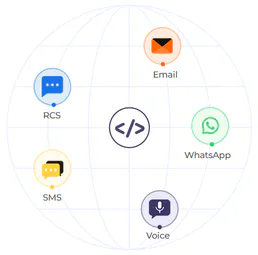
Authkey
Send transactional SMS, voice OTPs, and WhatsApp messages through a unified communication gateway for user verification.
You might also like

LLM ROUGE & BLEU Evaluator
Evaluate AI text generation quality. Compute exact mathematical BLEU and ROUGE scores comparing generated text to reference documents.

Cohere (AI Platform)
Power enterprise AI via Cohere — generate text, perform chat completions, reorder documents, and manage embeddings directly from any AI agent.

ZoomInfo
Equip your AI agent with direct access to ZoomInfo — search company and contact records, enrich lead data, and build prospect lists without opening the ZoomInfo platform.