
Paylocity MCP. Get HR and payroll records without logging into Paylocity.
 Gemini
 Works with every AI agent you already use
…and any MCP-compatible client









Just plug in your AI agents and start using Vinkius.
Paylocity connects your AI client directly to your HR and payroll data. Use Paylocity to list employees, check benefit setups, audit tax configurations, or pull detailed earning records—all without opening the portal.
What your AI agents can do
Get employee
Gets basic details (contact info, job metadata) for one specific employee ID.
Get employee benefit setup
Retrieves the benefit configuration details for a specified employee.
Get employee custom fields
Pulls values from custom, user-defined fields associated with an employee record.
Retrieve a full roster of every active employee record in your company.
Pull specific earning codes, deductions, and direct deposit details for one or more employees.
Get the current benefit configuration setup (like 401k or health plans) assigned to an individual employee.
List all employees who have been added but haven't fully finished their onboarding workflow.
Retrieve specific, non-standard data fields defined within your Paylocity environment for reporting.
Ask AI about this MCP
Supported MCP Clients
Gemini Waiting for input…
Paylocity MCP Server: 10 Tools for HR/Payroll Audit
These tools let your AI client interact with Paylocity. You can get employee profiles, check tax setups, and audit all pay components.
019d75f0get employee
Gets basic details (contact info, job metadata) for one specific employee ID.
019d75f0get employee benefit setup
Retrieves the benefit configuration details for a specified employee.
019d75f0get employee custom fields
Pulls values from custom, user-defined fields associated with an employee record.
019d75f0get employee deductions
Gets a list of all deductions (like insurance or 401k) set up for the employee.
019d75f0get employee direct deposit
Retrieves the direct deposit banking setup details for an employee.
019d75f0get employee earnings
Gets a detailed breakdown of all earning codes and amounts paid to the employee.
019d75f0get employee emergency contacts
Retrieves the emergency contact information listed for an employee.
019d75f0get employee local taxes
Gets the specific local tax configurations required and set up for the employee's location.
019d75f0list employees
Lists all employees currently active in the company database.
019d75f0list onboarding employees
Returns a list of employee IDs who are still marked as being in the onboarding process.
Choose How to Get Started
Build a custom MCP for your own tools, or connect a ready-made integration from our catalog.
Build Your Own
Turn any API into an MCP. Import a spec, define Agent Skills, or deploy with MCPFusion.
- Import from OpenAPI, Swagger, or YAML specs
- Create Agent Skills with progressive disclosure
- Deploy to edge with MCPFusion framework
- Built in DLP, auth, and compliance on every call
- Real time usage dashboard and cost metering
- Publish to catalog or keep private
Make Your AI Do More
Start with Paylocity, then connect any of our 4,700+ other servers whenever your AI needs more. One click, no limits.
- Use this MCP plus 4,700+ others, all in one place
- Add new capabilities to your AI anytime you want
- Every connection is secured and compliant automatically
- Track usage and costs across all your servers
- Works with Claude, ChatGPT, Cursor, and more
- New servers added to the catalog every week
What you can do with this MCP connector
Paylocity connects your AI client straight into your payroll and HR data. You'll use this server to handle employee records—like listing staff, checking benefit setups, auditing tax rules, or pulling detailed pay stubs—without ever opening the actual portal.
Listing Workforce Status
You can pull a full roster of every active person in the company using list_employees. You'll also get a list of employee IDs for anyone who’s been added but still hasn't finished their onboarding process, which you access via list_onboarding_employees.
Gathering Basic Employee Details
When you need specific info on one person, you use get_employee to pull basic details like contact information and job metadata. You can also check the emergency contacts list with get_employee_emergency_contacts, or get values from custom fields defined in your Paylocity system using get_employee_custom_fields.
Auditing Payroll and Finance Components
To audit pay, you pull a detailed breakdown of all earning codes and the amounts paid to an employee through get_employee_earnings. You can check what deductions—like insurance or 401k contributions—are set up for that person using get_employee_deductions. For banking setup, you retrieve direct deposit details with get_employee_direct_deposit.
Checking Compliance and Benefit Setup
You'll verify payroll compliance by getting the specific local tax configurations required for an employee’s location via get_employee_local_taxes. To see what benefits are in place, you pull the benefit configuration details for a specified worker using get_employee_benefit_setup.
How Paylocity MCP Works
- 1 Subscribe to the server and provide your Paylocity Client ID, Secret, and Company ID.
- 2 Ask your AI client to run a specific tool (e.g., 'What are the local taxes for employee 456?').
- 3 The agent calls the API, fetches the data, and presents it back in plain English.
The bottom line is: you chat with your AI client instead of navigating through multiple HR web portals to get payroll answers.
Who Is Paylocity MCP For?
HR Administrators who spend too much time clicking between benefit and personnel tabs. Payroll Managers needing instant verification of direct deposit or tax settings before a pay run. Finance Teams that need to audit complex earning/deduction structures quickly.
Verifies the correct local tax setup or checks if an employee's direct deposit information matches records before payroll runs.
Looks up benefit enrollment status for a new hire or tracks which employees are still waiting to complete onboarding tasks.
Audits the total deductions and earnings codes across multiple employee records for month-end reconciliation.
What Changes When You Connect
- Check specific employee details (like contact info or job title) instantly with
get_employee. You don't need to navigate 5 different tabs just to confirm a name or phone number. - Audit pay stubs efficiently. Need to know if an employee is set up for the right taxes? Use
get_employee_local_taxesand get confirmation immediately, no manual lookups required. - Track new hires without confusion. Instead of guessing who's pending setup, use
list_onboarding_employees. You get a clean list of people needing attention. - Verify financial setups quickly. Check direct deposit details with
get_employee_direct_depositor review deductions usingget_employee_deductions, saving minutes per employee check. - Build better reports by accessing custom data. Use
get_employee_custom_fieldsto grab unique, specific company metrics that aren't standard payroll fields.
Real-World Use Cases
New Hire Setup Verification
A manager needs to confirm if the three new hires (Liam, Chloe, and Marcus) have completed their setup. They ask their agent: 'Who's still in onboarding?' The agent runs list_onboarding_employees and returns a list with status updates, letting the manager know exactly who is next.
Payroll Tax Audit
The finance team suspects an employee's local tax rate might be wrong. They prompt: 'Check the local taxes for Employee 9001.' The agent runs get_employee_local_taxes and provides the exact configuration, preventing a pay error.
Understanding Pay Deductions
An employee asks their chatbot, 'Why was my paycheck lower this month?' The bot runs get_employee_deductions, listing out items like 'Dental Premium' and 'Wellness Fee,' giving the user a clear breakdown.
Finding Employee Contact Info
HR needs to call an employee but can't remember their extension. They ask: 'What is John Smith's phone number?' The agent uses get_employee and returns the full contact record instantly.
The Tradeoffs
Trying to get all data in one go
Asking 'Give me everything about employee 123.' This prompt is too vague, causing the agent to fail because it doesn't know if you mean benefits, taxes, or earnings.
→
Be specific. Say: 'Run get_employee for ID 123 first, and then run get_employee_benefit_setup for ID 123.' This guarantees the agent runs exactly what you need.
Assuming data exists
Asking 'What are the emergency contacts?' when the employee record is incomplete. The request fails because the tool needs an ID and assumes completeness.
→
Always provide the target ID first, then use get_employee_emergency_contacts to pull only that specific piece of data for a known employee.
Over-relying on vague summaries
Accepting a simple summary like 'Employee data is available.' This doesn't solve the problem; you still need the numbers.
→
Demand metrics. Ask: 'What are the earnings and deductions for employee 123?' The agent must use get_employee_earnings AND get_employee_deductions to give a full answer.
When It Fits, When It Doesn't
Use this server if you need to read, check, or list specific HR/Payroll data points for employees. Think: 'I need to verify X number' or 'List all Y people.' Don't use it if you want to change anything—this is a read-only access tool. If your goal is to update an employee record or approve benefits, this server won't help; you still have to go into Paylocity. Use get_employee when you just need basic profile data. Use list_employees only when you need the total count or a roster of people.
Independent Platform Disclaimer: Vinkius is an independent platform and is not affiliated with, endorsed by, sponsored by, verified by, or otherwise authorized by Paylocity. All third-party trademarks, logos, and brand names are the property of their respective owners. Their use on this website is strictly for informational purposes to identify service compatibility and interoperability.
VINKIUS INFRASTRUCTURE
Cloud Hosted
Managed infra
V8 Isolated
Sandboxed per request
Zero-Trust Proxy
No stored credentials
DLP Enforced
Policy on every call
GDPR Compliant
EU data residency
Token Compression
~60% cost reduction
Works with Claude, ChatGPT, Cursor, and more
The Model Context Protocol standardizes how applications expose capabilities to LLMs. Instead of operating in isolation, your AI gains direct access to external platforms, live data, and real-world actions through secure, standardized connections.
This server provides 10 capabilities that interface natively with Claude, ChatGPT, Cursor, and any MCP client. No middleware. No custom integration required.
Available Capabilities
Manually checking compliance across payroll tabs shouldn't take 20 clicks.
Today, auditing employee benefits means logging into Paylocity. You navigate to 'People,' then click the specific employee profile. Next, you hunt through tabs for 'Benefits Setup,' and maybe another tab for local tax info. If you're checking 50 people, that's fifty separate logins and twenty minutes of clicking.
With this MCP server, you simply tell your agent: 'Audit benefit setup and local taxes for employees 1-5.' The AI runs the necessary tools (`get_employee_benefit_setup` and `get_employee_local_taxes`) and presents a clean, merged report. You get the answers instantly.
Paylocity MCP Server: Get precise payroll data retrieval.
Before this server, getting an employee's full pay history required running multiple reports: one for earnings codes, another for deductions, and a third for direct deposit details. Each report was a separate CSV file you had to manually cross-reference.
Now, ask the agent about payroll components. It calls `get_employee_earnings` and `get_employee_deductions`, giving you one integrated answer that links all the necessary figures together. The data speaks for itself.
Common Questions About Paylocity MCP
How do I list all employees with Paylocity using the MCP Server? +
You run list_employees. This tool immediately returns a roster of every active employee ID and basic status, letting you know exactly who is in the system.
Can I check an employee's benefit setup using get_employee_benefit_setup? +
Yes. Running get_employee_benefit_setup pulls the current details for that person’s benefits, including which plans they are enrolled in.
What is the difference between get_employee and list_employees? +
list_employees gives you a general roster of everyone. get_employee requires you to name a specific employee ID so it can fetch their detailed profile information.
Do I need multiple tools for earnings and deductions? +
Yes, they are separate calls: use get_employee_earnings for pay amounts and get_employee_deductions for the list of things being taken out.
How do I authenticate before calling `list_employees`? +
You must provide your Paylocity Client ID, Secret, and Company ID in the initial connection setup. Without these credentials, any call—including listing employees—will fail with an authorization error.
If the employee ID provided to `get_employee` is incorrect or inactive, what should my AI client expect? +
The server returns a specific 404 status code and details indicating 'Employee Not Found.' Your agent can then use this error message to prompt the user for a corrected ID.
Can I use `get_employee_local_taxes` on employees returned by `list_onboarding_employees`? +
Yes, you can. While some data fields might be blank for new hires, the tax configuration tool will still validate against your company's defined local tax rules.
Does running `list_employees` for a company with thousands of workers hit rate limits? +
The API supports pagination. For very large workforces, you should iterate through the results using page tokens rather than requesting all records in a single call to prevent hitting usage caps.
How do I find my Client ID and Secret? +
You must contact your Paylocity Account Manager or the Paylocity Web Services team to request API credentials. They will provide the Client ID and Client Secret for the WebLink API.
Where do I get the Company ID? +
Your Company ID is the unique identifier for your organization in Paylocity, typically a 5 or 6 digit number used when logging into the Paylocity portal.
Can I see an employee's direct deposit setup? +
Yes! Use the get_employee_direct_deposit tool with an Employee ID to retrieve the configured bank accounts and distribution settings.
Use it with your favorite AI tools
Connect this server to Cursor, Claude, VS Code, and more.
More in this category

Google Sheets
Interact with Google Sheets to read, write, and manipulate data via AI.
Sage Accounting
Automate business finances via Sage Accounting — manage invoices, banking, and contacts directly from any AI agent.

Postscript
Drive Shopify revenue with SMS and MMS marketing that feels personal, converts browsers into buyers, and builds lasting loyalty.
You might also like

Structured
Connect your AI to Structured. Programmatically manage your daily planner, tasks, and routines seamlessly directly from your terminal.
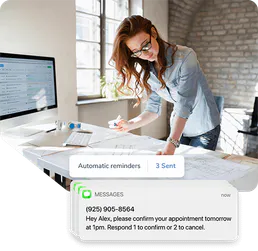
Apptoto
Reduce no-shows with smart appointment reminders, automated confirmations, and two-way messaging for every booking.

ConfigCat
Manage feature flags and remote configurations via ConfigCat — list environments, create settings, and toggle features directly from your AI agent.