
Paymo MCP. Manage billing, tasks, and time entries directly from your agent.
 Gemini
 Works with every AI agent you already use
…and any MCP-compatible client









Just plug in your AI agents and start using Vinkius.
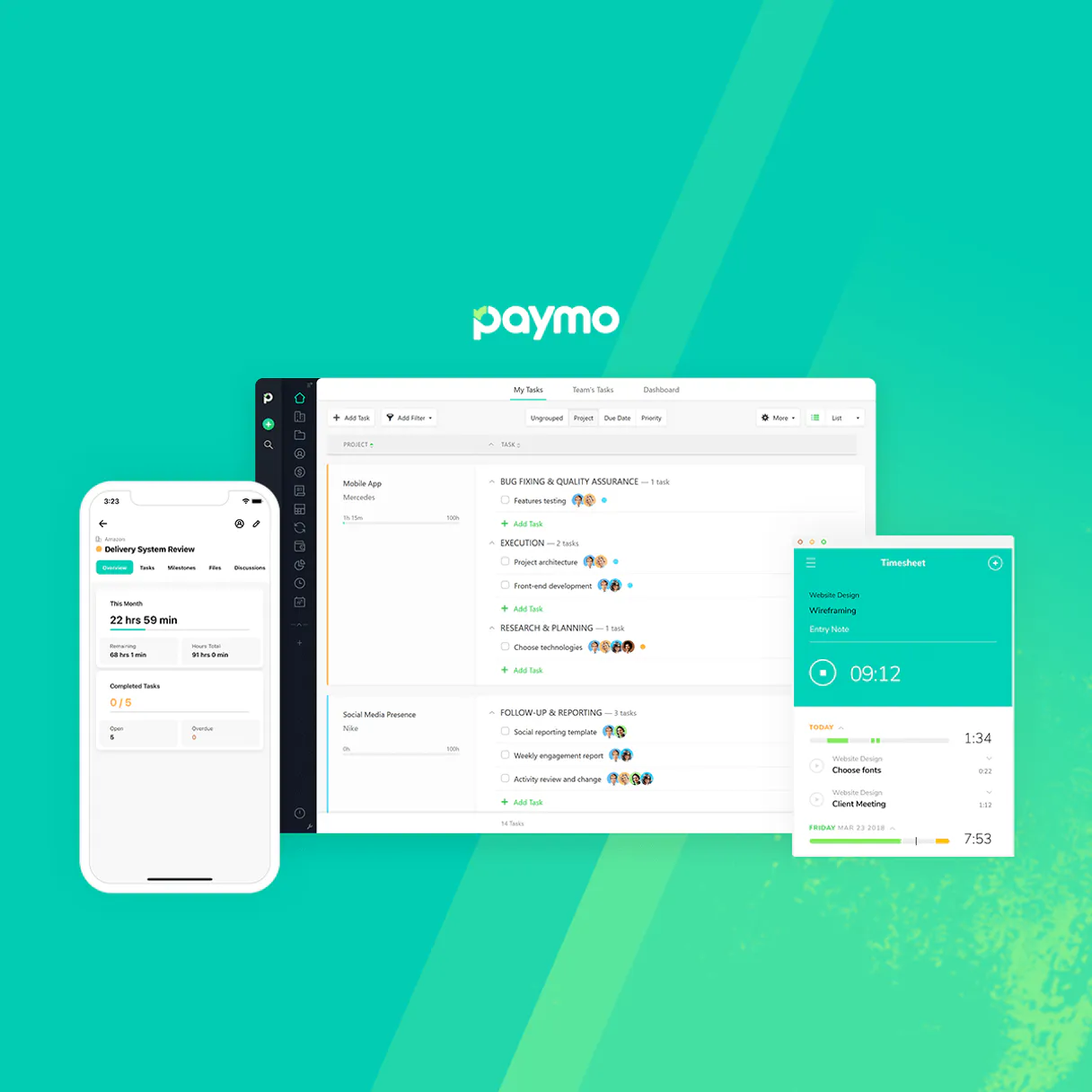
Paymo connects your AI client to the Paymo Project Platform, giving you one central place for managing agency workflows. You can use it to trace tasks, log time entries against specific clients, list project milestones, and fetch secure invoice data using structured prompts.
It handles everything from initial task creation via `create_task` to detailed billing extraction with `list_invoices`. This is the single endpoint you need to keep your client's operational data current.
What your AI agents can do
Create task
Sends a new task to the system after validating all necessary project bounds are present.
Create time entry
Logs time by accepting parameters and assigning hours against an existing task or client ledger.
Get project details
Retrieves deep, specific information about a single project ID, including its associated clients and boundaries.
The server accepts specific inputs to record hours worked, verifying the assignment against defined project and user boundaries.
It performs a structured query that returns active billing records, including due dates and current status parameters for multiple invoices.
The server runs against the native CRM to return an array of all currently active client identities used in your agency's projects.
It inspects deep internal arrays, providing a list of existing project configurations and their associated IDs within Paymo.
The server accepts parameters to dispatch a new task instance, assigning it explicit boundaries and owners mapped across the platform.
Ask AI about this MCP
Supported MCP Clients
Gemini Waiting for input…
Paymo MCP Server: 10 Tools for Agency Workflow
Use these tools to programmatically handle tasks, time tracking, client identification, and invoice retrieval within the Paymo ecosystem.
019d75f0create task
Sends a new task to the system after validating all necessary project bounds are present.
019d75f0create time entry
Logs time by accepting parameters and assigning hours against an existing task or client ledger.
019d75f0get project details
Retrieves deep, specific information about a single project ID, including its associated clients and boundaries.
019d75f0list clients
Returns an array listing all active client IDs used within the Paymo system.
019d75f0list invoices
Pulls structural data for billing records, showing status and amounts due across multiple invoices.
019d75f0list milestones
Inspects predefined project targets to show when key deliverables are scheduled or completed.
019d75f0list projects
Returns a list of all active projects, including their primary IDs and associated client bindings.
019d75f0list tasks
Retrieves an explicit log of existing tasks by listing them against a specific project or client ID.
019d75f0list time entries
Generates a full list of recorded time entries, detailing who logged hours and when the work occurred.
019d75f0list users
Returns an array listing every user identity associated with your agency's accounts.
Choose How to Get Started
Build a custom MCP for your own tools, or connect a ready-made integration from our catalog.
Build Your Own
Turn any API into an MCP. Import a spec, define Agent Skills, or deploy with MCPFusion.
- Import from OpenAPI, Swagger, or YAML specs
- Create Agent Skills with progressive disclosure
- Deploy to edge with MCPFusion framework
- Built in DLP, auth, and compliance on every call
- Real time usage dashboard and cost metering
- Publish to catalog or keep private
Make Your AI Do More
Start with Paymo, then connect any of our 4,700+ other servers whenever your AI needs more. One click, no limits.
- Use this MCP plus 4,700+ others, all in one place
- Add new capabilities to your AI anytime you want
- Every connection is secured and compliant automatically
- Track usage and costs across all your servers
- Works with Claude, ChatGPT, Cursor, and more
- New servers added to the catalog every week
What you can do with this MCP connector
Paymo gives your AI client a direct line into the Paymo Project Platform. You don't gotta mess with some clunky web portal; you just run commands, and we spit out structured data—JSON arrays—that your workflow can use right away. This single endpoint handles everything from tracking down who works on what to pulling current invoice numbers.
CORE PROJECT SCOPE AND SETUP
You start by mapping out the client's whole setup. You'll run list_clients to grab an array of every active client ID in your agency. To see which projects are running, call list_projects; that returns a list of all current project IDs and their associated client bindings. If you need deep details on one specific job, use get_project_details.
It pulls deep info about a single project ID, including its boundaries and every client attached to it. You can also run list_users to get an array listing every user identity tied to your agency's accounts.
TASK AND MILESTONE MANAGEMENT
When you need to track work or set goals, these tools are what you use. To see a full log of existing tasks against a specific client or project ID, run list_tasks. If you gotta kick off a new job, create_task accepts parameters and dispatches that new task instance, validating its boundaries and owners across the platform.
You can also check on predefined targets by calling list_milestones; this shows when key deliverables are scheduled or marked as complete. Remember to use list_projects and list_clients together if you're trying to trace which tasks or milestones belong where.
LOGGING TIME AND BILLING DATA
This is where the money comes in, so pay attention. To track hours worked, you first grab a complete list of recorded time entries by running list_time_entries. If you need to log new time, use create_time_entry; it takes specific parameters and assigns those hours against an existing task or client ledger while confirming the assignment against project and user boundaries.
For billing, you pull structural data for active records using list_invoices, which shows amounts due and current status across multiple invoices. You're always keeping track of who logged time and when by checking that full history list.
SUMMARY OF WORKFLOWS
- To verify the whole scope, run
list_clientsthen use the resulting IDs inlist_projects. - Need to start a new piece of work? You validate boundaries first with
get_project_details, then you dispatch it usingcreate_task. - When someone finishes hours, they log it via
create_time_entry, and you check the full history usinglist_time_entries. - To make sure you get paid, run
list_invoices; that gives you all the status updates and amounts due across your active billing records. It's a straight shot from operational data to financial reality.
How Paymo MCP Works
- 1 First, your AI client sends a structured request specifying which data you need (e.g., 'Show me all active invoices for Client ID 123').
- 2 The Paymo MCP Server validates the request against its internal logic and executes the corresponding API tool call.
- 3 You receive a clean, JSON-formatted response containing only the requested data points, ready for your agent to act on.
The bottom line is, you don't write code; you just ask questions through your AI client, and we give you the structured answers from Paymo.
Who Is Paymo MCP For?
This server is for agency founders and account managers who are tired of juggling multiple dashboards to track project health. If you spend more time manually confirming task status or chasing invoice details than actually doing the work, this is for you. You need one reliable source that speaks structured data to your automation agents.
Uses list_clients and list_invoices to pull client status reports and confirm milestone boundaries before renewal calls.
Runs cross-tool queries (e.g., running list_time_entries against a specific project ID) to identify missing revenue streams or unbilled work hours across the agency.
Directly calls create_task and create_time_entry via command prompt, logging daily assignments and required tasks without opening the main Paymo UI.
What Changes When You Connect
- Billing Visibility: Never manually hunt for invoices again. Call
list_invoicesto get a structured array of all active bills and their status in one API call. - Audit Trail: Track exactly where the hours went. Use
list_time_entriescombined withget_project_detailsto build a comprehensive, auditable log of work for any client period. - Task Coordination: Don't forget critical steps. Call
create_taskto assign a follow-up item or uselist_tasksto confirm all necessary project tasks are logged against the current milestone. - Client Mapping: Stop guessing which client ID belongs where. Run
list_clientsfirst; this gives you a clean, definitive list of every active account in your system. - Project Health Check: Quickly assess overall project status.
list_projectsprovides an immediate overview of all configured work streams and their associated clients.
Real-World Use Cases
End-of-Month Billing Review
The Account Manager needs to know if a client is overdue. They ask their agent: 'Get me all invoices for Client X.' The agent runs list_invoices, which returns the JSON payload, instantly showing the status and due dates without visiting the billing section of Paymo.
Onboarding New Consultant
A new consultant needs to start tracking time. Instead of logging into a separate portal, they tell their agent: 'Log 8 hours for Project Alpha.' The agent executes create_time_entry, passing the necessary task and user IDs directly from the chat interface.
Checking Deliverables Status
The Founder needs to know if Milestone 3 is ready. They prompt: 'What are the current project milestones for Client Y?' The agent runs list_milestones, providing a clean list of status checkpoints, ensuring nothing was missed before billing starts.
Project Scope Definition
The team needs to scope out new work. They ask the agent to check project limits: 'List all active projects and their clients.' The agent runs list_projects and then cross-references it with list_clients, giving a complete map of current boundaries.
The Tradeoffs
Manually linking time to tasks
A user logs 10 hours but forgets to update the task ID in Paymo, leaving the data orphaned and unbillable.
→
Always use create_time_entry. Make sure your prompt includes a valid Project ID and Task ID so the server correctly records the time against defined boundaries.
Confusing client vs. project IDs
A user calls an endpoint with a Client ID but expects it to return task details, causing the call to fail or return unrelated data.
→
Check your source first. Use list_clients to get the correct client identifier, then use that output when querying specific projects via list_projects.
Assuming a project exists
A user tries to view details on a project ID they only heard about, resulting in an empty or generic error payload.
→
Never assume. Always run list_projects first to confirm the exact, active Project ID before attempting to run get_project_details.
When It Fits, When It Doesn't
Use this server if your primary job involves moving structured data between Paymo and an external workflow (like ticketing or accounting). You need to programmatically create records (create_task), read structured reports (list_invoices, get_project_details), or update status. Don't use it if you just want a general overview of the platform—you still need the main Paymo UI for that. If your goal is simply data viewing, run the relevant 'list' tool first (e.g., list_tasks before looking at individual tasks). Never try to guess an ID; always call a 'list' function first to get validated identifiers.
Independent Platform Disclaimer: Vinkius is an independent platform and is not affiliated with, endorsed by, sponsored by, verified by, or otherwise authorized by Paymo. All third-party trademarks, logos, and brand names are the property of their respective owners. Their use on this website is strictly for informational purposes to identify service compatibility and interoperability.
VINKIUS INFRASTRUCTURE
Cloud Hosted
Managed infra
V8 Isolated
Sandboxed per request
Zero-Trust Proxy
No stored credentials
DLP Enforced
Policy on every call
GDPR Compliant
EU data residency
Token Compression
~60% cost reduction
Works with Claude, ChatGPT, Cursor, and more
The Model Context Protocol standardizes how applications expose capabilities to LLMs. Instead of operating in isolation, your AI gains direct access to external platforms, live data, and real-world actions through secure, standardized connections.
This server provides 10 capabilities that interface natively with Claude, ChatGPT, Cursor, and any MCP client. No middleware. No custom integration required.
Available Capabilities
Finding project status and client billing shouldn't take 15 clicks.
Right now, if you need to know the current status of an invoice or check a milestone, you have to jump between the Billing tab, the Project Dashboard, and sometimes the Client records. You click through multiple dropdowns, copy IDs from one screen into another, and finally export a spreadsheet just to confirm who owes money.
With Paymo MCP Server, that entire process disappears. Your AI agent runs `list_invoices` in seconds. It pulls all necessary billing data—the status, the amount, and the due date—into a single, structured payload you can immediately act on.
Paymo MCP Server: Task & Billing Management
The biggest time sink is validating work. You have to manually reconcile the hours logged (from one system) against the tasks created (in another), just to make sure everything ties back to an active client boundary.
Now, your agent runs `list_time_entries` and cross-references it with `get_project_details`. It validates every hour logged against a confirmed task and project ID in one go. You get the truth, instantly.
Common Questions About Paymo MCP
How do I use create_task to start tracking new work? +
You call create_task with the necessary parameters: the Project ID, Client ID, and target User IDs. The server validates these bounds before logging the task into Paymo.
What is the best tool for checking all active client accounts? list_clients? +
list_clients runs a query against your CRM to return an array of every single active Client ID. This is the definitive source you use before running any other client-specific function.
Does list_invoices show me only paid bills or all bills? +
It pulls structural data for active billing records, meaning it shows everything from draft status through pending payments. It’s your full financial picture.
Can I use get_project_details to find out who worked on the project? +
While get_project_details gives you the overall scope, you should run list_time_entries for a definitive list of workers and hours logged against that specific project.
What authentication requirements does running list_projects need? +
You must supply a valid Paymo API token. If your token lacks read permissions, the call fails immediately and returns an HTTP 401 error code. Always validate your token scope before running any listing commands.
When I use list_time_entries, can I limit the results by a specific date range? +
Yes, you pass optional start and end date parameters to narrow the payload. The tool limits fetching to 100 entries per call by default; always expect pagination for large data sets.
If I use create_task but the task ID already exists, does it fail? +
No, running create_task with an existing unique identifier triggers a soft validation. The API returns success and simply reports that the record is already present.
Does list_tasks provide enough context to link tasks back to a specific client? +
The task objects contain explicit foreign keys for both Project ID and Client ID. This lets your agent cross-reference the data without needing separate calls to list_clients.
How exactly does the AI log time tracking entries to a task? +
Through explicit invocation by pushing bounds mapped securely over create_time_entry. You instruct exactly 'Add 2 hours for task XY', and the node bridges those limits pushing explicitly into the structural API.
Are milestone objects connected to project extractions natively? +
Yes. When extracting specific metadata loops using list queries, milestones return explicit JSON bounds resolving the connected project parent limits gracefully revealing dates strictly.
Can it trace users and identify the ID mapped over each collaborator logically? +
Absolutely, dispatching list_users isolates parameters matching team structures natively to evaluate specific user metadata IDs reliably required by other explicit creation blocks.
Use it with your favorite AI tools
Connect this server to Cursor, Claude, VS Code, and more.
More in this category

Luma
Host and manage events beautifully with registration pages, attendee communication, and analytics for in-person and virtual gatherings.

Fathom
Manage AI meeting notes via Fathom — list and search meetings, retrieve transcripts and summaries, and track action items directly from any AI agent.

edX Alternative
Manage Open edX courses, enrollments, and user profiles — list learning paths, track student grades, and handle registrations via AI.
You might also like

MailerLite Alternative
Automate email marketing via MailerLite — manage subscribers, organize groups, and track campaign activity directly from any AI agent.

OPM Operating Status
Get real-time Washington, DC federal government operating status and dismissal procedures directly from the U.S. Office of Personnel Management.

Salesforce Sales Cloud
Manage leads, opportunities, accounts, contacts, and your entire sales pipeline through natural conversation with your Salesforce CRM.