
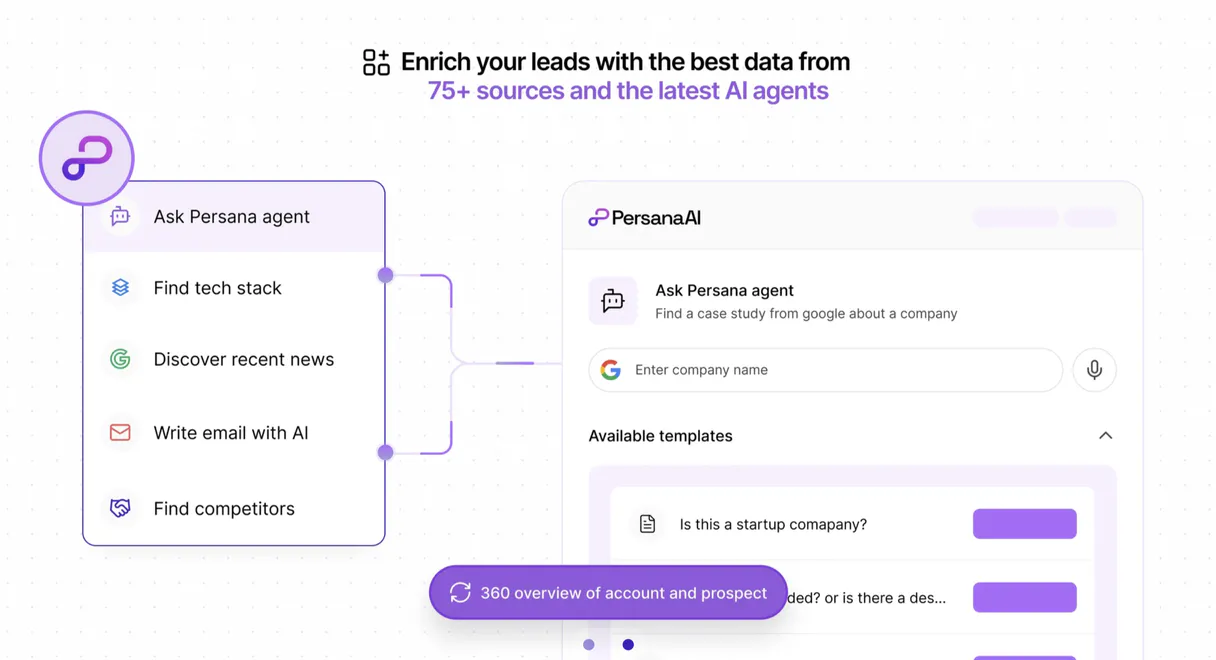
Persana AI MCP. Automate lead research, from data points to buying signals.
 Gemini
 Works with every AI agent you already use
…and any MCP-compatible client









Just plug in your AI agents and start using Vinkius.
Persana AI connects your agent to deep B2B lead intelligence. It researches prospects, tracks buying signals, and verifies emails so you can automate outreach without manual research.
Use it to enrich company data with 100+ firmographic points, find job changes in target accounts, or build organized lead lists automatically.
What your AI agents can do
Create lead list
Generates a new, empty lead list structure for tracking prospects.
Delete lead list
Removes an existing lead list when the data is no longer needed.
Enrich company
Pulls and updates detailed firmographic information for a given company.
Pass a company identifier or JSON string to pull over 100 firmographic data points and background information.
Submit an individual's data (like email or name) to retrieve professional backgrounds, job history, and company details.
Get a summary of current sales intent signals for your target accounts, prioritizing who needs outreach now.
Detect recent job changes or promotions within specific target accounts to find new decision-makers.
Validate an email address for deliverability or perform a full lookup to confirm its status.
Create, read, update, and delete structured lead lists using simple AI commands.
Ask AI about this MCP
Supported MCP Clients
OAuth 2.0 Compatible Gemini Waiting for input…
Persana AI MCP Server: 11 Tools for Lead Data Operations
Use these tools to gather lead lists, enrich company data points, check professional profiles, and verify email addresses with your agent.
Make your AI actually useful.
Add this MCP to Claude, Cursor, or Windsurf and your AI stops guessing. It gets real tools to look things up, take action, and handle the stuff you keep doing by hand.
Start using Persana AI on Vinkius019dd13acreate lead list
Generates a new, empty lead list structure for tracking prospects.
019dd13adelete lead list
Removes an existing lead list when the data is no longer needed.
019dd13aenrich company
Pulls and updates detailed firmographic information for a given company.
019dd13aenrich person
Gathers professional details, job history, and background data for an individual person.
019dd13afind job changes
Scans target accounts to find recent changes in employee roles or positions.
019dd13aget lead list
Retrieves the full details and current contents of a specific lead list by name.
019dd13aget signals
Pulls immediate, quantifiable sales intent signals for your target accounts.
019dd13alist lead lists
Returns a list of all lead lists currently maintained in the system.
019dd13alookup email
Performs comprehensive verification and lookup on an email address.
019dd13asearch people
Finds specific individuals within a company or target group using defined criteria.
019dd13averify email
Checks if an email address is active and deliverable right now.
Choose How to Get Started
Build a custom MCP for your own tools, or connect a ready-made integration from our catalog.
Build Your Own
Turn any API into an MCP. Import a spec, define Agent Skills, or deploy with MCPFusion.
- Import from OpenAPI, Swagger, or YAML specs
- Create Agent Skills with progressive disclosure
- Deploy to edge with MCPFusion framework
- Built in DLP, auth, and compliance on every call
- Real time usage dashboard and cost metering
- Publish to catalog or keep private
Make Your AI Do More
Start with Persana AI, then connect any of our 4,800+ other servers whenever your AI needs more. One click, no limits.
- Use this MCP plus 4,800+ others, all in one place
- Add new capabilities to your AI anytime you want
- Every connection is secured and compliant automatically
- Track usage and costs across all your servers
- Works with Claude, ChatGPT, Cursor, and more
- New servers added to the catalog every week
Independent Platform Disclaimer: Vinkius is an independent platform and is not affiliated with, endorsed by, sponsored by, verified by, or otherwise authorized by Persana AI. All third-party trademarks, logos, and brand names are the property of their respective owners. Their use on this website is strictly for informational purposes to identify service compatibility and interoperability.
VINKIUS INFRASTRUCTURE
Cloud Hosted
Managed infra
V8 Isolated
Sandboxed per request
Zero-Trust Proxy
No stored credentials
DLP Enforced
Policy on every call
GDPR Compliant
EU data residency
Token Compression
~60% cost reduction
Works with Claude, ChatGPT, Cursor, and more
The Model Context Protocol standardizes how applications expose capabilities to LLMs. Instead of operating in isolation, your AI gains direct access to external platforms, live data, and real-world actions through secure, standardized connections.
This server provides 11 capabilities that interface natively with Claude, ChatGPT, Cursor, and any MCP client. No middleware. No custom integration required.
Data collection used to be messy. You had to jump between LinkedIn Sales Navigator, Google Maps, and your CRM just to get a name's email.
Today, gathering a complete prospect profile means copy-pasting names into one sheet, then manually visiting each company website for revenue details, cross-referencing job titles on LinkedIn, and finally running separate searches just to validate an email. It takes hours of low-value clicking.
With Persana AI, you tell your agent what you need—say, 'Profile the VP at CloudScale.' The server runs `enrich_company` and `search_people`. You get back a complete profile with verified emails and recent buying signals in one response. Period.
Persana AI MCP Server: Get structured lead data, not just text.
Before, tracking changes meant manually setting up alerts or running complex queries across multiple databases—a process that was slow and often missed a key hire. You were stuck in reactive mode.
Now, you simply ask the agent to run `find_job_changes`. The server finds all recent moves in your target accounts and presents them as a clear list of opportunities. It makes your sales intelligence proactive.
What you can do with this MCP connector
Persana AI gives your agent total control over deep B2B lead intelligence and outreach orchestration. You stop copying data from a dozen different tabs and start talking to your agent; it pulls all the tough, detailed insights you need directly into your workflow.
It's built around managing your entire prospect lifecycle: enriching company details, profiling individuals, verifying contact info, tracking buying intent, and keeping organized lead lists. You use this server when you need to automate research so your pipeline stays high-fidelity and always current.
Company Intelligence & Lead Enrichment
You can pass a company identifier or JSON string to the agent; it uses enrich_company to pull over 100 firmographic data points and background info. You'll get detailed corporate information, giving you a full view of where the business stands. If you need to find specific people within that company or target group, search_people finds them using defined criteria.
For deep dives into an individual, submitting their data (like email or name) triggers enrich_person, which gathers professional backgrounds, job history, and corporate details for that person.
Buying Signals & Job Tracking
You want to know who needs talking to now? The agent runs the get_signals tool, pulling immediate, quantifiable sales intent signals for your target accounts. This prioritizes exactly which accounts need outreach today. Furthermore, you can use find_job_changes to scan those same target accounts and detect any recent job moves or promotions within specific employee roles, helping you find new decision-makers.
Contact Validation & Lookups
Before you send a single email, you gotta make sure the contact info is good. You can run verify_email to check if an address is active and deliverable right now. For deeper confirmation, lookup_email performs comprehensive verification on an address to confirm its full status. This ensures your outreach doesn't bounce back.
Managing Structured Lead Lists
The agent keeps track of all your prospects in structured lead lists. You can start by generating a brand new, empty list structure using create_lead_list. If you need to see what’s already there, running get_lead_list retrieves the full details and current contents of a specific list by its name. You can check out all the lists currently maintained in the system with list_lead_lists, or when a project wraps up, you can use delete_lead_list to wipe an existing list clean.
How It Works With Your Agent
Your AI client sends a request—say, "Enrich the company at Acme Corp and find their VP of Marketing." The MCP Server routes this through the appropriate tool calls (enrich_company, search_people). You get back structured, verified data that's ready for your next step, whether that’s building out an organized lead list using get_lead_list or verifying a contact with lookup_email.
This whole process happens without you having to manually cross-reference data points across multiple sources.
019dd13a-ceec-7081-9166-8ac472a01851 
How Persana AI MCP Works
- 1 Subscribe to the server and enter your Persana AI key into your client's settings.
- 2 Ask your agent to perform a task—for example, "Find all job changes at my top 10 accounts."
- 3 The agent calls
find_job_changes, gets the list of updates, and presents the actionable insights directly in the chat.
The bottom line is you get instant, structured sales intelligence without having to switch between multiple research platforms.
Who Is Persana AI MCP For?
Anyone who needs high-quality data for outbound outreach. This isn't just for the SDR; it’s for the Ops Engineer tired of manually cleaning lead lists, and the AE who can't afford to waste time on cold leads that don't work.
Uses search_people or get_signals to quickly pull prospect summaries and confirm buying intent without leaving the chat interface.
Runs checks for key account changes using find_job_changes to identify new decision-makers and adjust outreach priority immediately.
Manages the data flow by calling create_lead_list or running batch verification checks with verify_email across entire prospect pools.
What Changes When You Connect
- Stop guessing who's hot. By running
get_signals, you get immediate intent intelligence on your targets, letting you prioritize outreach based on actual company activity. - Never send an email that bounces again. Use
verify_emailorlookup_emailto validate every address before your campaign starts, guaranteeing high deliverability rates. - Build and maintain structured data without spreadsheets. You can use
create_lead_listandget_lead_listto keep all your enriched contacts in one place for easy tracking. - Stay ahead of the curve by knowing who moved where. The
find_job_changestool alerts you to new decision-makers or key personnel departures instantly. - Speed up profiling with
enrich_company. You pass a JSON string, and it returns 100+ data points—the equivalent of hours of manual research. - Find people fast. Instead of browsing LinkedIn manually, use
search_peopleto pull targeted contacts based on job title or company size.
Real-World Use Cases
The Cold Email List is Stale
A sales team bought a list, but half the emails are dead. They ask their agent: "Run verify_email on this batch of 50 names." The agent runs the tool and returns only the deliverable addresses, instantly cleaning up the source data before any outreach.
Need to Know Who's New
An AE is targeting a competitor. Instead of watching LinkedIn daily, they ask: "What job changes happened at Company X in the last month?" The agent uses find_job_changes and alerts them that a new VP was hired—a perfect warm lead to target.
Profiling an Unknown Target
A marketer needs deep insights on a potential client. They prompt the agent: "Enrich this company's data." The agent uses enrich_company, returning not just revenue stats, but tech stacks and employee backgrounds, giving context for personalized outreach.
Organizing Campaign Data
After manually researching 20 prospects, the SDR asks: "Create a lead list called 'Q3-Target' and add these three profiles." The agent uses create_lead_list and populates it, keeping all metadata in one managed source.
The Tradeoffs
Manual Data Scraping
The rep spends an hour clicking through Google search results and LinkedIn profiles, trying to find a person's verified email address.
→
Use the agent to run search_people first. Then pass that result into enrich_person or lookup_email. This automates the entire process.
Over-relying on single tools
The user runs get_signals but doesn't know which contacts are actually relevant for an email.
→
Combine tools. Run get_signals to identify the target department, then use search_people to pull specific names from that department, and finally run enrich_person on those results.
Ignoring list management
The team keeps collecting data in various chat histories, making it impossible to track which leads were contacted or what signals were found.
→
Always use the list tools. Call create_lead_list first, then pass all enriched contacts into it. This makes your entire pipeline traceable with get_lead_list.
When It Fits, When It Doesn't
Use this server if you need to move beyond basic contact info and require actionable, verified intelligence for outbound sales. Specifically, if your workflow involves: 1) Validating email addresses (verify_email); 2) Understanding the company's financial status or tech stack (enrich_company); or 3) Identifying a change in decision-making power (find_job_changes).
Don't use this server if all you need is simple data retrieval (e.g., 'What is the CEO of Company X?'). For that, a basic search tool will suffice. If your goal is merely to store contacts without validation, stick to spreadsheet software. This tool requires AI orchestration because it combines multiple steps—search, validate, enrich—into one command.
Common Questions About Persana AI MCP
How do I use `enrich_company` with Persana AI? +
enrich_company requires you to pass the company data, usually as a JSON string. You just need to tell your agent which key identifier (like a company name or URL) it should focus on.
Is `verify_email` different from `lookup_email`? +
They are distinct. Use verify_email when you only need to confirm if an address is currently active and deliverable. Use lookup_email for a deeper check that includes more contextual data.
Can I build a whole list using the tools? +
Yes. You can use search_people to find candidates, then pass those results into enrich_person, and finally call create_lead_list to store them all in one managed collection.
What are the best tools for finding new contacts? +
You should run find_job_changes first. This flags people who just moved or were promoted, making them high-priority targets before you even use search_people.
If I use `enrich_company`, what format must my input data be in? +
You must pass company data as a valid JSON string. The server requires structured key-value pairs to map the information correctly. Always check the specific schema requirements before calling it; otherwise, the enrichment will fail.
Are there rate limits when I run `get_signals` repeatedly? +
Yes, the server enforces rate limits to maintain stability and performance. If your AI client exceeds the allowed number of calls per minute or hour, you'll receive an explicit error message telling you how long to wait.
How do I properly clean up old lists using `delete_lead_list`? +
First, run list_lead_lists to get the exact name or ID of the list you want gone. Then, use delete_lead_list with that specific identifier to permanently remove it from your workspace.
Can I run tools like `search_people` across different AI clients? +
Absolutely. The MCP Server runs independently of the client you're using. As long as your agent supports the Model Context Protocol, you can use any tool—like searching people or finding job changes—from Claude or Cursor.
Can my AI automatically find the verified email for a prospect by their LinkedIn URL? +
Yes! Use the enrich_person tool. Provide the LinkedIn URL, and your agent will respond with complete metadata, including firmographics and waterfall-verified email addresses in seconds.
How do I find my Persana AI Key? +
Log in to your Persana AI dashboard, navigate to Settings > API Keys, and you will find your unique secret token there.
What are 'Intent Signals'? +
Intent signals are real-time alerts about key account activities, such as a company raising a new funding round or a decision-maker starting a new role, allowing for perfectly timed outreach.
Use it with your favorite AI tools
Connect this server to Cursor, Claude, VS Code, and more.