
Pipedrive Admin & Settings MCP. Manage user data and system settings without leaving your agent.
 Gemini
 Works with every AI agent you already use
…and any MCP-compatible client









Just plug in your AI agents and start using Vinkius.
Pipedrive Admin & Settings MCP Server connects your AI client directly to Pipedrive's core administrative functions. Manage users, define sales goals, check file metadata, and configure webhooks without ever leaving your chat window.
Use this server to read user details via pd_get_user, list custom fields with pd_list_deal_fields, or view recent files using pd_list_files—all through natural conversation.
What your AI agents can do
Pd deal files
Gets the file attachments linked to a specific deal ID.
Pd get user
Retrieves detailed information for a specified Pipedrive user account.
Pd list currencies
Returns a list of all currencies configured in the Pipedrive account.
The server fetches specific information about a Pipedrive user account using pd_get_user.
It pulls lists of system assets, including currencies (pd_list_currencies), webhooks (pd_list_webhooks), and sales goals (pd_list_goals).
The server reads the available custom fields on deals via pd_list_deal_fields, giving you a map of all possible data points.
You can list recent files across your account (pd_list_files) or retrieve the specific documents attached to one deal (pd_deal_files).
It provides a full roster of Pipedrive users through pd_list_users.
Ask AI about this MCP
Supported MCP Clients
Gemini Waiting for input…
Pipedrive Admin & Settings MCP Server: 8 Tools for CRM Data Access
Use these tools to manage Pipedrive's core settings. They let your AI client read user details, list goals, check webhooks, and inspect custom deal fields.
019d75f4pd deal files
Gets the file attachments linked to a specific deal ID.
019d75f4pd get user
Retrieves detailed information for a specified Pipedrive user account.
019d75f4pd list currencies
Returns a list of all currencies configured in the Pipedrive account.
019d75f4pd list deal fields
Lists and describes the custom fields available on deals for data tracking.
019d75f4pd list files
Provides a list of recent files uploaded or accessed within the system.
019d75f4pd list goals
Retrieves the current sales goals and targets defined in Pipedrive.
019d75f4pd list users
Lists all user accounts associated with the Pipedrive instance.
019d75f4pd list webhooks
Provides a list of configured webhooks, showing what external systems are connected.
Choose How to Get Started
Build a custom MCP for your own tools, or connect a ready-made integration from our catalog.
Build Your Own
Turn any API into an MCP. Import a spec, define Agent Skills, or deploy with MCPFusion.
- Import from OpenAPI, Swagger, or YAML specs
- Create Agent Skills with progressive disclosure
- Deploy to edge with MCPFusion framework
- Built in DLP, auth, and compliance on every call
- Real time usage dashboard and cost metering
- Publish to catalog or keep private
Make Your AI Do More
Start with Pipedrive Admin & Settings, then connect any of our 4,700+ other servers whenever your AI needs more. One click, no limits.
- Use this MCP plus 4,700+ others, all in one place
- Add new capabilities to your AI anytime you want
- Every connection is secured and compliant automatically
- Track usage and costs across all your servers
- Works with Claude, ChatGPT, Cursor, and more
- New servers added to the catalog every week
What you can do with this MCP connector
You don't wanna log into Pipedrive just to check some settings or pull user data, right? This server connects your AI client straight to Pipedrive’s backend. You use it to handle the messy admin stuff—user management, setting checks, file metadata, and webhook configuration—all without leaving your chat window. Your agent handles all the complex lookups, so you can just focus on closing deals.
User Management & Auditing:
You need an overview of who's using the system? You'll use pd_list_users to get a full roster of every account linked to your Pipedrive instance. If you need details on one specific person, you call pd_get_user, and it pulls up all the detailed information for that user account.
System Configuration & Targets:
Want to know what's running in the background? You can check system assets with pd_list_currencies, which returns a complete list of every currency configured in your Pipedrive account. To audit external connections, you use pd_list_webhooks to see exactly which systems are hooked up and communicating externally. When it comes to setting expectations, the server reads current sales goals and targets using pd_list_goals, letting you know what your team is aiming for right now.
Data Structure Inspection:
Before you write a report or build an automation, you need to know what data fields are available. You use pd_list_deal_fields to list and describe all the custom fields set up on deals, giving you a complete map of every possible data point your team tracks. This helps your agent know exactly what context it can pull from a deal record.
File Tracking & Assets:
You don't have to click through folders to find documents. You use pd_list_files to get a list of recent files that were uploaded or accessed anywhere in the system. If you need something tied to a specific opportunity, you call pd_deal_files, and it pulls up all the file attachments linked directly to that single deal ID.
This lets your agent know what documents are relevant right away.
Putting It All Together:
Your AI client uses these tools together. You're checking user permissions by listing accounts via pd_list_users and then immediately pulling up specific details for an underperforming employee using pd_get_user. If you need to know why a deal stalled, your agent checks the custom fields with pd_list_deal_fields, reviews the goals set in place using pd_list_goals, and finally retrieves all associated documents by calling pd_deal_files for that specific deal ID.
You can check if any external system needs an update by running through the connected webhooks via pd_list_webhooks or verifying your currency setup with pd_list_currencies. The entire process runs conversationally, giving you full visibility into Pipedrive's structure and data without ever touching a dashboard.
How Pipedrive Admin & Settings MCP Works
- 1 You prompt your agent with a request, like 'Show me all active webhooks.'
- 2 The agent recognizes the need for system configuration data and calls the
pd_list_webhookstool. - 3 The server executes the call and sends back a clean list of webhook details, which the agent then formats into plain text.
The bottom line is you get Pipedrive's backend administrative data exposed as simple functions your AI client can run on demand.
Who Is Pipedrive Admin & Settings MCP For?
This server is for platform administrators and sales operations roles. It solves the problem of context switching—you don’t need to open 5 tabs (User, Goals, Files, Webhooks) just to answer a question about data governance. You get full visibility without leaving your AI workspace.
Auditing user roles and listing webhooks to ensure compliance or check integration status.
Using pd_list_currencies and pd_list_deal_fields to map out system limits and available data points for new integrations.
Retrieving deal files (pd_deal_files) or listing goals (pd_list_goals) to build reports on historical performance patterns.
What Changes When You Connect
- Audit permissions fast. Instead of navigating to the Users tab, you simply ask for a list using
pd_list_users. The server gives you the roster instantly. - Check your revenue goals immediately. You can call
pd_list_goalsand get an overview of sales targets right in your chat, perfect for quick board reads. - Map custom data points easily. Need to know what fields a user can track? Run
pd_list_deal_fieldsto see every available input type without clicking around. - Manage integrations visibility. Use
pd_list_webhooksto confirm which external services are firing events, saving you from hunting through complex settings menus. - Track document history. You can list recent files using
pd_list_filesor deep-dive into the documents attached to one deal withpd_deal_files.
Real-World Use Cases
The New User Setup
A new SDR starts. Instead of asking an admin, they ask their agent: 'What users exist and what goals do we have?' The agent uses pd_list_users and pd_list_goals, giving the SDR a full understanding of who's on the team and what the revenue targets are—all in one chat.
Debugging Integrations
A webhook fails. You prompt your agent: 'Show me all webhooks and tell me which ones point to Salesforce.' The agent runs pd_list_webhooks, immediately exposing the endpoint details, allowing you to fix it without logging into Pipedrive's settings.
Understanding Deal Data
A deal looks odd. You ask: 'What custom fields can we track on deals?' The agent uses pd_list_deal_fields to return a structured list of every available field, letting you verify if the data point you're missing is even possible.
Reviewing Client Assets
A manager needs context on a deal. They prompt: 'What files are attached to Acme Corp's proposal?' The agent runs pd_deal_files, pulling the metadata for all associated documents instantly.
The Tradeoffs
Trying to guess system settings
A user tries to figure out if a field exists by reading documentation, spending 30 minutes, and then guessing the API path. This is slow and inaccurate.
→
Just ask your agent: 'What are the custom fields available on deals?' The agent runs pd_list_deal_fields and gives you the definitive list in seconds.
Copying/pasting user data
A manager needs to compare three users' roles. They have to open User 1, copy Role A; open User 2, copy Role B; and so on.
→
Ask your agent: 'List all Pipedrive users.' The agent runs pd_list_users and dumps the structured list directly into the chat.
Checking webhooks manually
A team member needs to confirm if a new integration (e.g., accounting software) is set up, forcing them to navigate deep into settings menus.
→
Run pd_list_webhooks and ask the agent to filter for 'accounting.' You get an immediate list of active integrations.
When It Fits, When It Doesn't
Use this server if your job requires frequent, varied reads across Pipedrive’s backend configuration or data structure. Think: auditing, reporting on system limits, onboarding documentation, or debugging connections. If you need to know what fields exist (pd_list_deal_fields) before writing a script, use this. If you only ever need to read the basic details of one single deal (e.g., title and value), the core Pipedrive API might be fine, but if that task requires cross-referencing user roles or checking active webhooks, this server is necessary.
Don't use this if your primary goal is writing or updating data—this server is read-only for administration. If you need to change a deal status or update a contact email, stick to the core Pipedrive interface or an agent designed specifically for mutations. This toolset focuses on giving context and visibility into the system's plumbing.
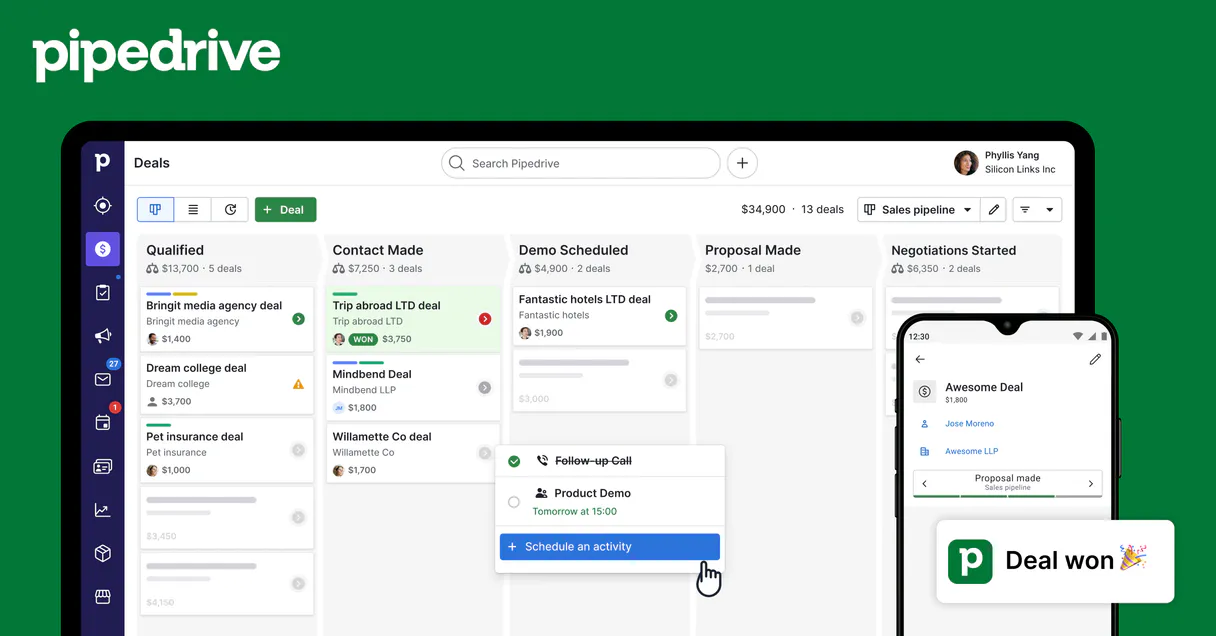
Independent Platform Disclaimer: Vinkius is an independent platform and is not affiliated with, endorsed by, sponsored by, verified by, or otherwise authorized by Pipedrive. All third-party trademarks, logos, and brand names are the property of their respective owners. Their use on this website is strictly for informational purposes to identify service compatibility and interoperability.
VINKIUS INFRASTRUCTURE
Cloud Hosted
Managed infra
V8 Isolated
Sandboxed per request
Zero-Trust Proxy
No stored credentials
DLP Enforced
Policy on every call
GDPR Compliant
EU data residency
Token Compression
~60% cost reduction
Works with Claude, ChatGPT, Cursor, and more
The Model Context Protocol standardizes how applications expose capabilities to LLMs. Instead of operating in isolation, your AI gains direct access to external platforms, live data, and real-world actions through secure, standardized connections.
This server provides 8 capabilities that interface natively with Claude, ChatGPT, Cursor, and any MCP client. No middleware. No custom integration required.
Available Capabilities
Navigating Pipedrive settings feels like opening 50 tabs.
Today, if you need to audit a sales deal, you have to jump between Deal View (to see files), Settings (to check currencies and goals), Users list (to verify who owns the record), and finally, Notes/Activity sections. It's click-heavy, tedious, and easy to miss something.
With this MCP server, you just tell your agent: 'Show me everything I need to know about Acme Corp.' The agent runs multiple tools—like pulling `pd_list_files` and referencing the deal ID—and presents a single, consolidated report. You get the answer without leaving the chat.
Pipedrive Admin & Settings MCP Server: Get configuration data instantly.
Gone are the days of having to remember if you need to check a user's role, the current sales goal structure, or which webhooks are active. You don't have to guess where the information lives in the app.
Now, everything is accessible via natural language commands. The server treats Pipedrive's complex backend as simple data points your AI client can read and organize.
Common Questions About Pipedrive Admin & Settings MCP
How do I check if my deal has custom fields using pd_list_deal_fields? +
Run pd_list_deal_fields. This tool reads the metadata from Pipedrive and lists every available custom field name and type. It's a quick way to audit your data structure before building reports.
What is the difference between pd_list_files and pd_deal_files? +
pd_list_files shows you all recent files across the entire Pipedrive account. pd_deal_files, however, limits the results to only those documents attached directly to a specific deal ID.
Can I list all users and check their goals using pd_list_users and pd_list_goals? +
Yes. You can run pd_list_users to get the roster, and then use pd_list_goals separately to see what organizational targets are set. The agent helps combine this context for you.
Does pd_list_webhooks help me debug a broken integration? +
It lists all configured webhooks, giving you the URL and status of external connections. This lets you confirm if the endpoint is active or pointing to an old service.
If I use pd_list_currencies, how do I get a full list of supported currency codes? +
It returns all valid currency codes used in Pipedrive. Your agent uses this data to validate any currency input before creating deals or calculating totals, preventing errors.
What happens if I call pd_get_user for a user who isn't in Pipedrive? +
The system handles it gracefully. Instead of failing, the agent returns an explicit error code and null data, letting your workflow stop cleanly instead of crashing.
When I run pd_list_deal_fields, how do I tell if a custom field is mandatory? +
The tool output provides schema details for each field, including whether the value is required. This lets your agent build accurate forms that match Pipedrive's data rules.
When listing many files using pd_list_files, how do I limit the scope of results? +
You pass parameters to filter or paginate the list. This stops your agent from pulling massive amounts of data and ensures it only retrieves recent or specific file types.
What Pipedrive data can I access? +
Deals, Persons, Organizations, Activities, Notes, and Pipelines. All data respects your Pipedrive permissions.
Can I create and update records? +
Yes! Create and update deals, contacts, activities, and notes — all through natural conversation.
How does authentication work? +
Uses your personal Pipedrive API token. Find it in Settings > Personal preferences > API. No OAuth flow needed.
Use it with your favorite AI tools
Connect this server to Cursor, Claude, VS Code, and more.
More in this category

Finch
Connect Finch to automate HRIS and Payroll integration — list employees, retrieve employment data, and manage pay statements directly from your AI agent.

CNJ (Datajud API Pública)
Access the Brazilian National Council of Justice (CNJ) Datajud API to query judicial processes, procedural classes, and court organs across Brazil.

YAML Parser Engine
Convert YAML to JSON and JSON to YAML with absolute precision — including anchors, aliases, and multi-document support. The engine behind Kubernetes, GitHub Actions, and Docker Compose config processing. 30M+ weekly downloads.
You might also like

BrasilAPI
Access Brazilian institutional data — audit CEP, CNPJ, and banks via AI.

AfterShip Tracking
Shipment tracking and logistics — track packages, manage couriers, and monitor deliveries via AI.

Neon (Serverless PostgreSQL)
Manage serverless database infrastructure via Neon — spawn zero-copy branches, audit projects, and monitor compute endpoints.