
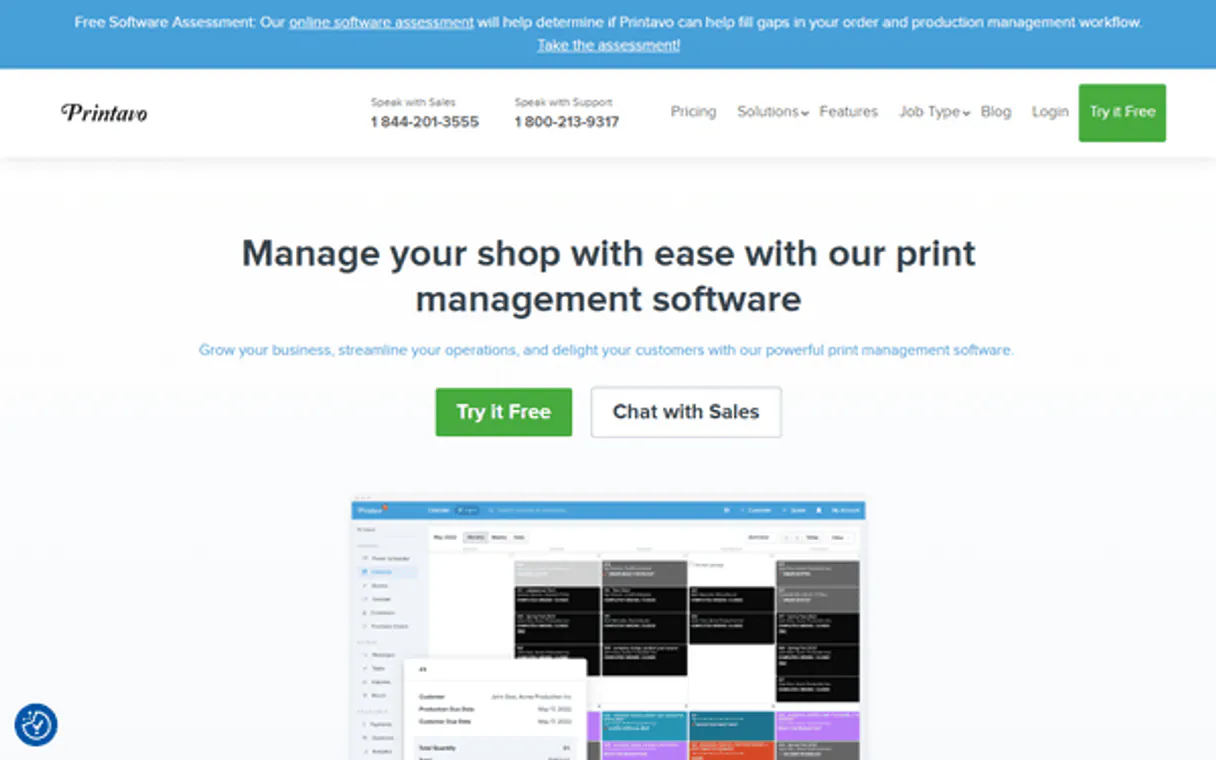
Printavo MCP for AI. Manage orders and production flow from chat.
 Gemini
 Works with every AI agent you already use
…and any MCP-compatible client









How this MCP server connects to your AI agent
Printavo lets your AI agent manage your entire custom apparel shop. You connect Printavo to any client—Claude, Cursor, or another MCP-compatible app—and control everything from customer records to production schedules.
Use natural language commands to list orders, create new quotes, check status updates, and build out detailed billing information without ever switching apps.
What AI agents can do with Printavo Automation
Create customer
Adds a new customer record into your shop's database.
Create order
Creates a brand-new job or quote based on the data you provide.
Get order details
Pulls every piece of data associated with a single job number.
Your agent retrieves a list of every current job in the print shop.
The AI adds a brand-new organization or contact into your central customer database.
You pull granular details for one job, including line items and billing components.
The agent lists all configured statuses so you know where a job stands in the workflow.
You pull a list of recent contact requests or questions from your customers.
Ask an AI about this
Waiting for input…
What AI agents can do with Printavo: 11 Tools for Shop Management
These tools let your AI client interact with Printavo's core database to manage everything from customer records to complex production scheduling.
Make your AI actually useful.
Add this MCP to Claude, Cursor, or Windsurf and your AI stops guessing. It gets real tools to look things up, take action, and handle the stuff you keep doing by hand.
Start using Printavo on VinkiusCreate Customer
Adds a new customer record into your shop's database.
Create Order
Creates a brand-new job or quote based on the data you provide.
Get Order Details
Pulls every piece of data associated with a single job number.
List Customers
Lists all customers currently in your Printavo account.
List Orders
Retrieves a summary list of every print shop order.
List Order Statuses
Gets a list of all official job statuses configured in your shop (e.g., In Progress, Awaiting Approval).
Get Customer Details
Retrieves all stored information for one specific customer.
List Inquiries
Shows you a list of recent questions or requests from customers.
List Line Items
Breaks down every product item listed under a specific order.
List Payments
Shows all payment records associated with an existing order.
Update Order
Changes details for a job that is already in the system, like updating the status or...
Security and governance baked right in.
Pick your AI client below to get set up. Just create a Vinkius account, subscribe, and you're instantly up and running. We handle the entire backend infrastructure, delivering out-of-the-box support for HTTPS Streamable, SSE, and OAuth2—zero messy routing required.
Claude AI
Open Claude Settings
Go to claude.ai, click your profile icon, then navigate to Customize → Connectors.
Add Custom Connector
Click the "+" button and select Add custom connector. Paste your Vinkius endpoint URL:
https://edge.vinkius.com/[YOUR_TOKEN_HERE]/mcp
Replace [YOUR_TOKEN_HERE] with your token
from cloud.vinkius.com. For OAuth-protected servers, expand
Advanced settings to add credentials.
Start a conversation
Open a new chat. The Printavo integration is available immediately — no restart needed.
Choose How to Get Started
Build a custom MCP for your own tools, or connect a ready-made integration from our catalog.
Build Your Own
Turn any API into an MCP. Import a spec, define Agent Skills, or deploy with MCPFusion.
- Import from OpenAPI, Swagger, or YAML specs
- Create Agent Skills with progressive disclosure
- Deploy to edge with MCPFusion framework
- Built in DLP, auth, and compliance on every call
- Real time usage dashboard and cost metering
- Publish to catalog or keep private
Make Your AI Do More
Start with Printavo, then connect any of our 5,100+ other servers whenever your AI needs more. One click, no limits.
- Use this MCP plus 5,100+ others, all in one place
- Add new capabilities to your AI anytime you want
- Every connection is secured and compliant automatically
- Track usage and costs across all your servers
- Works with Claude, ChatGPT, Cursor, and more
- New servers added to the catalog every week
Independent Platform Disclaimer: Vinkius is an independent platform and is not affiliated with, endorsed by, sponsored by, verified by, or otherwise authorized by Printavo. All third-party trademarks, logos, and brand names are the property of their respective owners. Their use on this website is strictly for informational purposes to identify service compatibility and interoperability.
VINKIUS INFRASTRUCTURE
Cloud Hosted
Managed infra
V8 Isolated
Sandboxed per request
Zero-Trust Proxy
No stored credentials
DLP Enforced
Policy on every call
GDPR Compliant
EU data residency
Token Compression
~60% cost reduction
Built on the Model Context Protocol (MCP) for Claude, ChatGPT, Cursor, and more
The Model Context Protocol standardizes how applications expose capabilities to LLMs. Instead of operating in isolation, your AI gains direct access to external platforms, live data, and real-world actions through secure, standardized connections.
This connection provides 11 powerful capabilities that interface natively with Claude, ChatGPT, Cursor, and other compatible AI platforms. No middleware. No custom integration required.
Checking on job status shouldn't require jumping between tabs., Solved with Vinkius AI Gateway
Right now, tracking down one simple piece of info means opening the main dashboard, clicking into 'Orders,' finding the job ID, then maybe switching to a 'Payments' tab just to confirm payment. It’s clicks, it’s copy-pasting, and it takes up valuable time.
With this MCP server, you skip all that. You simply talk to your agent: 'What is the status of order #123?' The agent runs `get_order_details` and gives you the answer instantly in chat. Done.
Printavo MCP Server lets you manage orders, quotes, and customers from chat.
Before this server, creating a new quote involved gathering customer info manually, making sure the line items matched an existing product catalog, and then finally submitting it through a separate form. It was messy.
Now, you tell your agent to 'Create a quote for 500 shirts.' The agent uses `create_order` with all the required data points—customer info, products, quantities—and generates a full draft order in one step. Period.
What your AI can actually do with this
When you connect Printavo to your AI agent, you get complete control over your custom apparel shop's workflow using plain English commands. You don't gotta jump between dashboards; your agent handles everything from customer intake to production billing right in the chat window.
Customer Management Tools
The list_customers tool lets you pull a list of every person or company that’s ever used your shop. Need more info on one client? You use get_customer_details to retrieve all stored information for a specific customer record. If you have a brand-new organization, the create_customer tool adds them right into your central database.
When customers reach out with questions or requests, the list_inquiries tool shows you a list of their recent contact messages.
Order Creation and Retrieval Tools
The list_orders tool pulls a summary rundown of every single job currently in the shop. If you need to build a brand-new quote or start a new job, the create_order tool generates it based on the data you provide. To get everything about an existing job—down to the minute detail—you pull granular information with get_order_details.
For maximum visibility into what was ordered, list_line_items breaks down every individual product item associated with that specific order number. You'll also find payment history; run list_payments to see all recorded transactions linked to an existing job.
Production and Status Tracking Tools
The list_order_statuses tool gives you a definitive list of every official status configured in your shop—like 'In Progress' or 'Awaiting Approval'—so you know the exact workflow stages. You track production movement using update_order, which lets you change details for any job already in the system, whether it’s moving its status forward or adding necessary notes to the file.
To keep tabs on current work, your agent can retrieve a simple summary of all jobs via list_orders. If a client needs a specific update, you use get_order_details again. You can also check out how many people are waiting for updates by calling list_customers and then checking the status history with list_inquiries.
Putting It Together: The Workflow
Your AI agent acts like an embedded production manager, handling complex data interactions without you touching a dashboard. You can list all current shop orders using list_orders. Need to know where that order stands? Check the job status with list_order_statuses, then pull the specific details for it via get_order_details. If you need to change something—say, moving it from 'Printed' to 'Shipped'—you just run update_order.
You can check out who paid for that whole shebang using list_payments. To keep your records clean, when a new client walks in, you use create_customer and then immediately generate their first job with create_order. If they have questions before the order is done, run list_inquiries to see what they're asking about.
You can pull all customer info using get_customer_details or get a whole rundown of every client using list_customers. The entire process—from inquiry logging via list_inquiries to final billing data checks through list_line_items and payment verification with list_payments—is controlled by conversation.
019dd141-dfe8-73c9-9bde-acf7710c01bb 
Here's how it actually works
The bottom line is: you talk to your AI client, and it uses Printavo's tools to get the data you need, keeping you in one chat window.
Subscribe to the Printavo MCP Server and provide your API Key and login email.
Connect the server to your preferred client (Claude, Cursor, etc.).
Tell your agent what you need—for instance, 'List all orders due next week.' The agent translates that into a tool call (list_orders) and gives you the answer.
Who is this actually for?
This tool is for shop owners and operations managers who spend too much time clicking through different tabs just to know where a job stands. If your team loses hours every week manually checking order statuses or chasing down customer details, this server saves the day.
You use the agent to get an instant summary of all active jobs and track total production value without leaving your desk.
You handle customer requests by using get_customer_details or listing past orders, making conversations faster and more accurate.
You check the workflow status with list_order_statuses to ensure jobs move along the line without bottlenecks.
What Changes When You Connect
Track job progress instantly. Instead of logging into the dashboard, ask your agent to list_orders or check specific statuses using list_order_statuses. You see bottlenecks immediately.
Never lose customer data again. Use create_customer and get_customer_details to manage contacts directly through conversation. No copying names between systems.
Automate quoting. The agent can use create_order to generate a complete quote, including line item totals and estimated production time, saving you manual calculation time.
Full visibility into billing. Need to know if an order is paid? Use list_payments for a clear record of every payment against that specific job.
Handle complex updates easily. If a customer changes their mind or a status moves, use update_order. It's direct and requires less context switching than navigating forms.
See it in action
Checking on multiple jobs at once
A manager needs to know which orders are stuck. They ask the agent, 'What is the status of all Tech Summit and Meridian Corp orders?' The agent runs list_orders and provides a summary, identifying stalled jobs that need attention.
New client onboarding
A CSR gets a call from a new client. They ask the agent to create them: 'Add Tech Summit Events as a customer.' The agent uses create_customer, instantly adding the record so the team can start quoting.
Processing an initial quote
An employee needs to give a quick price estimate. They prompt, 'Create an order for 500 shirts.' The agent uses create_order, generating a draft quote and setting the status to 'Pending Approval' in one command.
Billing follow-up
The team needs to verify if the last payment went through. They ask, 'What payments are linked to order #ORD-4892?' The agent calls list_payments and gives a clear report on transactions.
The honest tradeoffs
Assuming everything is visible
The user assumes they know the exact status name, so they type 'Show me jobs that are almost done.' This vague request fails because it doesn't match a defined workflow status.
First, run list_order_statuses to see all official statuses. Then, ask your agent: 'List orders with status: In Review.' You use the system’s language, not yours.
Updating without context
The user tries to update an order by just typing 'Mark it finished,' which lacks the necessary job ID or specific details for the update_order tool.
You must first retrieve the full data using get_order_details. Once you have the Order ID, then prompt: 'Update order [ID] to status: Completed.' Always verify the IDs.
Mixing list and create
The user tries to combine tasks: 'List all customers and add a new one,' which forces the agent to run two separate, disconnected API calls without clear separation.
Keep it focused. If you need the list first, ask: 'list_customers.' Once done with that, start fresh: 'Now, use create_customer for Acme Corp.'
When It Fits, When It Doesn't
Use this server if your primary pain point is juggling multiple systems to manage print jobs. Specifically, you need to perform CRUD operations (Create, Read, Update) on order and customer data within a single chat interface.
Don't use it just because you want to view reports—use dedicated analytics software for that. If all you need is a read-only summary of sales history, simply calling list_orders might be enough. But if you also need the ability to submit new quotes or change statuses (i.e., write data back into Printavo), this server has the tools (create_order, update_order) for that transactional work.
If your workflow is linear (Customer -> Order -> Payment), use it. If your workflow requires complex, external logic—like routing a payment failure to an entirely different accounting platform—you'll need middleware or another type of integration.
Questions you might have
How do I list my customers using Printavo MCP Server? +
Run list_customers. This tool pulls all the names and contact info for every organization saved in your shop, giving you a quick overview of your client base.
Can I update an order status with the Printavo MCP Server? +
Yes, use the update_order tool. You must provide the specific Order ID and the new status or details; it won't change anything without that information.
What is the difference between `create_order` and `get_order_details`? +
create_order builds a brand-new job or quote. get_order_details reads all existing information from an order that's already been created in Printavo.
Do I need to run list_payments before running get_order_details? +
No. They are separate tools for different data types. Use get_order_details first to see the general job info, then use list_payments if you specifically need payment history.
How do I use `list_line_items` to break down a specific order's contents? +
It returns every product line item associated with an order. This lets you confirm exact SKUs, quantities, and decoration methods without needing the full details from get_order_details. It’s perfect for auditing job components.
When should I use `list_inquiries` instead of `get_customer_details`? +
Use this tool to see the history of communication, not just static profile data. It tracks specific customer questions or requests submitted through Printavo’s portal, giving you a full service interaction log.
Does `create_order` require any special JSON formatting? +
Yes, it expects structured data inputs. You must pass all required fields—including product codes, quantities, and client names—in the correct JSON format for the order creation to succeed.
How do I check what production statuses are available using `list_order_statuses`? +
This tool retrieves every defined status within your shop. You use this list to confirm the precise terminology before attempting any updates or reports, ensuring you don't misspell a workflow stage.
Can my AI automatically find the details for a specific order by providing its ID? +
Yes! Use the get_order_details tool with the Order ID. Your agent will respond with complete metadata, including totals, line items, and current production status in seconds.
How do I find my Printavo API Key? +
Log in to your Printavo account, navigate to My Account, and you will find or generate your unique secret API key there.
Can I create a new customer via the AI? +
Yes, use the create_customer tool. Provide the customer name and other metadata, and the agent will add the record to your Printavo CRM immediately.
We've already built the connector for Printavo. Just plug in your AI agents and start using Vinkius.
No hosting. No infrastructure. No complex setup.
All 11 tools are live and waiting.
You're up and running in seconds.
Gemini Vinkius gives your AI agents access to the full catalog of app connectors, all fully managed, secure, and enterprise-ready. One subscription, every tool you need.
Built, hosted, and secured by Vinkius. You just connect and go.