
Productive MCP. Get a full financial and operational status check instantly.
 Gemini
 Works with every AI agent you already use
…and any MCP-compatible client









Just plug in your AI agents and start using Vinkius.
Productive MCP Server connects your entire agency management platform to any AI agent. You can run complex workflows—fetch project budgets, analyze team time entries, review open deals, and check invoice payment statuses—all without leaving your chat window.
What your AI agents can do
Get project
Fetches all detailed information for one specific project using its unique ID.
List activities
Provides a timeline of recent system events and audit logs across the agency.
List boards
Lists every task board available in your organization for quick navigation.
Get a list of all defined project budgets to check burn rates against allocated funds.
List recorded time entries or audit task progress across different boards for the whole organization.
See all open deals, review their current stages, and check client details in the CRM.
List all generated invoices to determine which ones are unpaid or overdue.
Retrieve specific data points for a single, active project by its unique ID.
Ask AI about this MCP
Supported MCP Clients
Gemini Waiting for input…
Productive MCP Server: 12 Tools for Project Management
Use these tools to pull detailed project data, track team hours, review financial records, and analyze the entire client pipeline from Productive.
019d75faget project
Fetches all detailed information for one specific project using its unique ID.
019d75falist activities
Provides a timeline of recent system events and audit logs across the agency.
019d75falist boards
Lists every task board available in your organization for quick navigation.
019d75falist budgets
Generates a list of all active project budgets, showing how much is allocated vs. spent.
019d75falist companies
Provides a full directory of every client and partner company in the CRM.
019d75falist deals
Lists all sales opportunities, showing their current stage in the pipeline.
019d75falist invoices
Shows a summary of generated invoices and their specific payment status (paid, pending, overdue).
019d75falist people
Lists every employee and external contact associated with the agency.
019d75falist projects
Retrieves a list of all active and archived projects for scoping purposes.
019d75falist services
Displays all services defined in your organization that can be billed to clients.
019d75falist tasks
Retrieves a comprehensive list of every task assigned across the entire organization.
019d75falist time entries
Lists all time records logged by team members for billing or tracking purposes.
Choose How to Get Started
Build a custom MCP for your own tools, or connect a ready-made integration from our catalog.
Build Your Own
Turn any API into an MCP. Import a spec, define Agent Skills, or deploy with MCPFusion.
- Import from OpenAPI, Swagger, or YAML specs
- Create Agent Skills with progressive disclosure
- Deploy to edge with MCPFusion framework
- Built in DLP, auth, and compliance on every call
- Real time usage dashboard and cost metering
- Publish to catalog or keep private
Make Your AI Do More
Start with Productive, then connect any of our 4,700+ other servers whenever your AI needs more. One click, no limits.
- Use this MCP plus 4,700+ others, all in one place
- Add new capabilities to your AI anytime you want
- Every connection is secured and compliant automatically
- Track usage and costs across all your servers
- Works with Claude, ChatGPT, Cursor, and more
- New servers added to the catalog every week
What you can do with this MCP connector
Yo, check it. This server hooks up your entire agency management platform to whatever AI client you're running—Claude, Cursor, don't even worry about it. It brings all the juice from your system right into the chat window so you can run complex workflows without ever hitting refresh or switching tabs.
You’ll manage everything right here.
Financial Deep Dive: Handling the Money Stuff
You need to know where the cash is going, stat. Use list_budgets to get a list of every active project budget; it'll show you exactly how much money was allocated versus what's actually been spent, letting you spot burn rates fast. If you wanna dig into one specific job's financials, use get_project and feed it the unique ID for detailed info.
For receivables, run list_invoices to get a summary of all generated invoices; you can instantly tell if something’s paid up, pending, or way overdue. When you need an audit trail of what happened with the money side—like checking out past activity—you'll use list_activities. You also gotta track down every service you offer; list_services displays all the services defined in your organization that clients can actually be billed for.
Client Pipeline & Sales Tracking
Keep an eye on those deals, 'cause cash doesn't print itself. Running list_deals gives you a rundown of every open sales opportunity and what stage they’re sitting at in the pipeline. Want to know who these clients or partners are? Use list_companies for a full directory of every client and partner company that exists in the CRM.
You can also check out all the people involved—employees, contacts, everyone—using list_people. To get a big-picture view of your work history, you'll use list_projects, which grabs a list of all active and archived projects. For scoping purposes or just seeing what was done before, that’s your go-to.
Team Operations: Time, Tasks, & Workflows
This is where the rubber meets the road. You can audit how much time people are logging by running list_time_entries, which lists all recorded time entries for billing or just tracking hours. If you want to see what everybody’s doing across the company—every single task assigned, no matter where it lives—you'll use list_tasks.
To get a quick view of general work progress, run list_boards to list every available task board in your whole organization for fast navigation. When you need a master log of everything that’s been done and what needs doing across the company, check out list_activities again; it gives you the full system event timeline.
How It Works
You connect your Productive account to this server via Vinkius. Your agent then uses these tools to pull data into conversation flow using natural language queries. You don't need to jump between tabs or run reports; just ask, and the system spits out the actionable data you need.
How Productive MCP Works
- 1 Subscribe to the Productive server and provide your API Token and Organization ID.
- 2 Ask your AI agent a question about your operations (e.g., 'Which projects are over budget?').
- 3 The agent calls tools like
list_budgetsandget_project, consolidating the data into one conversational answer.
The bottom line is you treat your entire agency dashboard—projects, finances, time sheets—like a single chat conversation.
Who Is Productive MCP For?
Agency Founders and Operations Leads. You're tired of jumping between the CRM, the finance tool, and the project board just to answer one question about profitability. This is for people who need an instant financial pulse on their business without opening another browser tab.
Uses list_tasks and get_project to check team progress, identify scope creep, or find out if a project is hitting its time limit.
Runs reports on unpaid invoices (list_invoices) and overall budget status (list_budgets) to gauge immediate cash flow and profitability.
Pulls client records using list_companies and reviews the current deal stage (list_deals) right before a major sales call.
What Changes When You Connect
- Stop juggling tabs. Instead of opening separate views for time logs, budgets, and tasks, the agent runs
list_time_entriesandlist_budgetstogether to give you an immediate burn rate report. - Know your cash flow immediately. By calling
list_invoices, you get a clear breakdown of which invoices are unpaid or past due—no more manually checking payment portals. - Stay on top of scope creep. You can correlate the project goals found by
get_projectdirectly against logged time entries fromlist_time_entriesto see if work is drifting outside the original plan. - Accelerate sales prep. Pulling up a client's full record with
list_companiesand then cross-referencing their open deals (list_deals) gives your sales team all talking points before they even dial. - Keep track of capacity. Running
list_peoplelets you see who's available, while checkinglist_tasksshows which teams are currently overloaded—all in one prompt.
Real-World Use Cases
The Finance Audit
An owner needs to know the current cash situation. They ask their agent: 'What's our unpaid revenue?' The agent runs list_invoices and reports back on all overdue amounts, immediately identifying who needs a follow-up call.
The Scope Check
A PM suspects a project is going over budget. They prompt the agent to compare the allocated funds from list_budgets against the hours logged via list_time_entries. The AI flags the specific project and shows the exact shortfall.
The Client Deep Dive
A sales rep needs context for a call. They ask: 'What's Acme Corp’s history?' The agent uses list_companies to pull up contact data, then runs list_deals to show the current opportunity stage.
The Team Handover
A PM needs to brief a replacement. They ask: 'What's happening with Project X?' The agent calls get_project, then runs list_tasks and list_activities to provide a full overview of recent work and upcoming milestones.
The Tradeoffs
Guessing the project status
Asking 'Is Project X okay?' and getting vague, unquantifiable answers from different tabs.
→
Don't ask if it's 'okay.' Use specific tools. Run get_project to get the scope details, then run list_budgets and compare that data against actual logged hours via list_time_entries. This gives you a number.
Forgetting about invoices
Only checking time entries, assuming payment is handled because the work was done.
→
Work isn't paid until it's invoiced. Always run list_invoices to confirm payment status before closing out a project or reporting revenue.
Mixing up client data
Trying to pull deal information without first verifying the company details, leading to mismatched records.
→
Always start with list_companies to confirm you're working with the correct entity. Then use that ID when running list_deals or checking related contacts using list_people.
When It Fits, When It Doesn't
Use this server if your job requires correlating data from three or more distinct operational areas—specifically finance, resource allocation, and CRM status. You need to answer questions like, 'Given the current budget on Project X (list_budgets), how much time can we afford for Deal Y (list_deals)?'
Don't use this if your goal is just one simple lookup (e.g., 'What are today's tasks?'). For that, a simpler task management integration works fine. You only need Productive when you must cross-reference: Are the payments (list_invoices) aligned with the time logged (list_time_entries) for the right client (list_companies)?
If your core pain point is siloed data across different functional departments, this is mandatory.
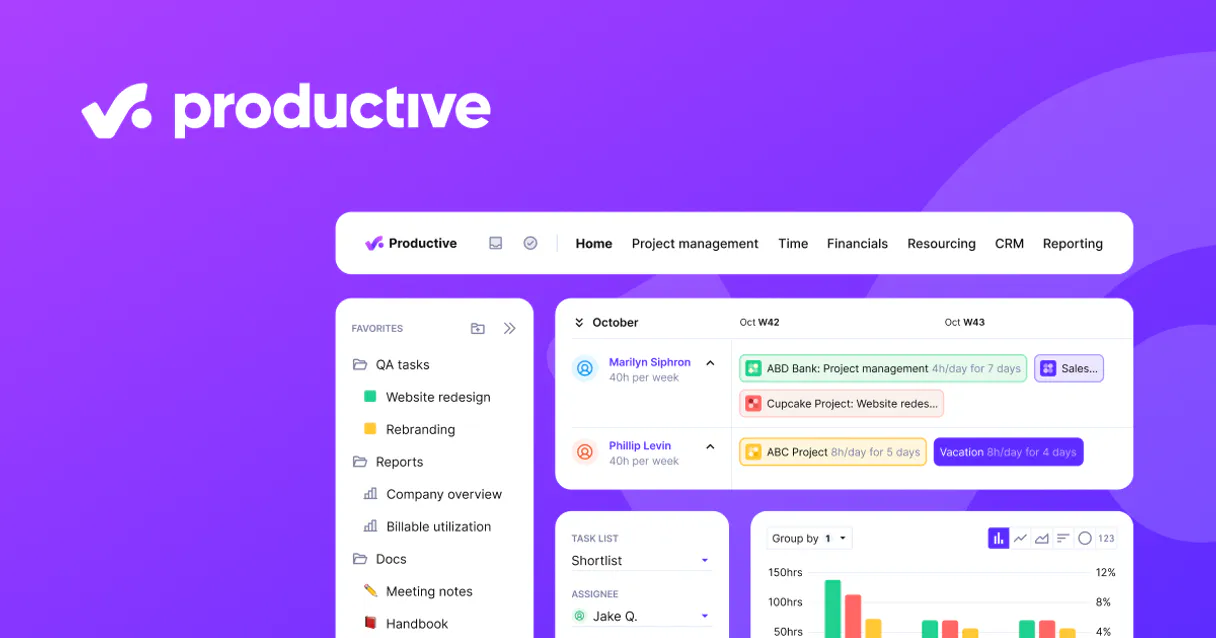
Independent Platform Disclaimer: Vinkius is an independent platform and is not affiliated with, endorsed by, sponsored by, verified by, or otherwise authorized by Productive. All third-party trademarks, logos, and brand names are the property of their respective owners. Their use on this website is strictly for informational purposes to identify service compatibility and interoperability.
VINKIUS INFRASTRUCTURE
Cloud Hosted
Managed infra
V8 Isolated
Sandboxed per request
Zero-Trust Proxy
No stored credentials
DLP Enforced
Policy on every call
GDPR Compliant
EU data residency
Token Compression
~60% cost reduction
Works with Claude, ChatGPT, Cursor, and more
The Model Context Protocol standardizes how applications expose capabilities to LLMs. Instead of operating in isolation, your AI gains direct access to external platforms, live data, and real-world actions through secure, standardized connections.
This server provides 12 capabilities that interface natively with Claude, ChatGPT, Cursor, and any MCP client. No middleware. No custom integration required.
Available Capabilities
Tracking project health used to be a nightmare of tab switching and cross-referencing spreadsheets.
Today, figuring out if a client's project is actually profitable means opening the CRM for deal status. Then you jump to the PM board to see task progress. You switch again to the time tracking sheet just to check hours. Finally, you have to open your accounting software to find the invoice status—and then copy all that data into one document just so an executive can look at it.
With this MCP server, those five different views are gone. Your AI agent handles the complexity. You ask: 'Is Project Alpha profitable?' The agent runs `get_project`, cross-references `list_budgets` and `list_time_entries`, and reports back a single answer. It's immediate.
Productive MCP Server makes financial reporting simple.
Before, generating an end-of-month report meant gathering printouts of every invoice status and manually totaling the unpaid amounts. You'd spend hours chasing down which project was tied to which payment record, wasting time that could have been spent on actual client work.
Now, you tell your agent to 'Show me all outstanding payments from last month.' It runs `list_invoices` instantly. The result is a clean list, telling you exactly who owes what and when it was billed. Simple.
Common Questions About Productive MCP
How do I start managing my agency via AI? +
Subscribe, enter your API credentials (your Personal Access Token from Settings → API integrations, and your Organization ID found in your URL), and you're ready. No code, no SDK, no webhooks — just connect and start asking your agent for budget burn rates.
Can my AI agent flag budgets that are running low? +
Yes. Ask your agent to query all active budgets and run an analysis on hours tracked versus hours allocated. The agent reads the budget payloads securely and identifies any project that sits beyond 80% profitability burn rate before you even open a spreadsheet.
What happens when I need to verify timesheets for billing? +
Just tell your AI agent to fetch recent time entries. It compiles exactly who logged what task across which services, helping you spot unassigned hours or missing descriptions instantly, saving the operations team hours of manual monthly audits.
Is this capable of helping me track sales metrics? +
Absolutely. Ask your agent to list active deals and client companies. In a single prompt, you can see your entire sales pipeline, match deals to recent activities, and prepare for management syncs — perfectly suited for agency owners tracking rapid growth.
When I call `list_activities`, what happens if my Productive API Token expires? +
The agent will fail the request, returning an authentication error code. You'll need to refresh your token in the Vinkius setup panel and reconnect the server using a new key.
Does `list_companies` pull records for client or partner accounts that are archived? +
It lists all companies, but whether you see inactive accounts depends on your Productive organization settings. Always ask your agent to filter the results by 'active' status first.
If I run multiple tools quickly (e.g., `list_deals` then `get_project`), will I hit a rate limit? +
Vinkius handles connection throttling, but running complex chains too fast might fail. It's best to group related requests into single agent prompts for reliable results.
How do I calculate the total billable hours using `list_time_entries`? +
You ask your AI client to process the list. The agent sums up entries based on criteria you provide—like a specific project ID or date range—giving you an aggregate total.
Use it with your favorite AI tools
Connect this server to Cursor, Claude, VS Code, and more.
More in this category

Gripr
Manage safety compliance, inspections, and risk assessments for construction and industrial projects with mobile-first tools.

Towio
Coordinate towing and roadside assistance operations with dispatch management, GPS tracking, and job status updates.

Todoist
Manage tasks, organize projects, and streamline your personal or team workflows natively with your AI agent.
You might also like

HashiCorp Vault
Securely manage secrets, tokens, and encryption keys via HashiCorp Vault — read KV secrets, generate dynamic credentials, and monitor system health.

Salary.com API
Access salary benchmarks — audit compensation and jobs via AI.

PagePixels
Capture website screenshots and generate visual previews programmatically with an API that handles rendering at any resolution.