
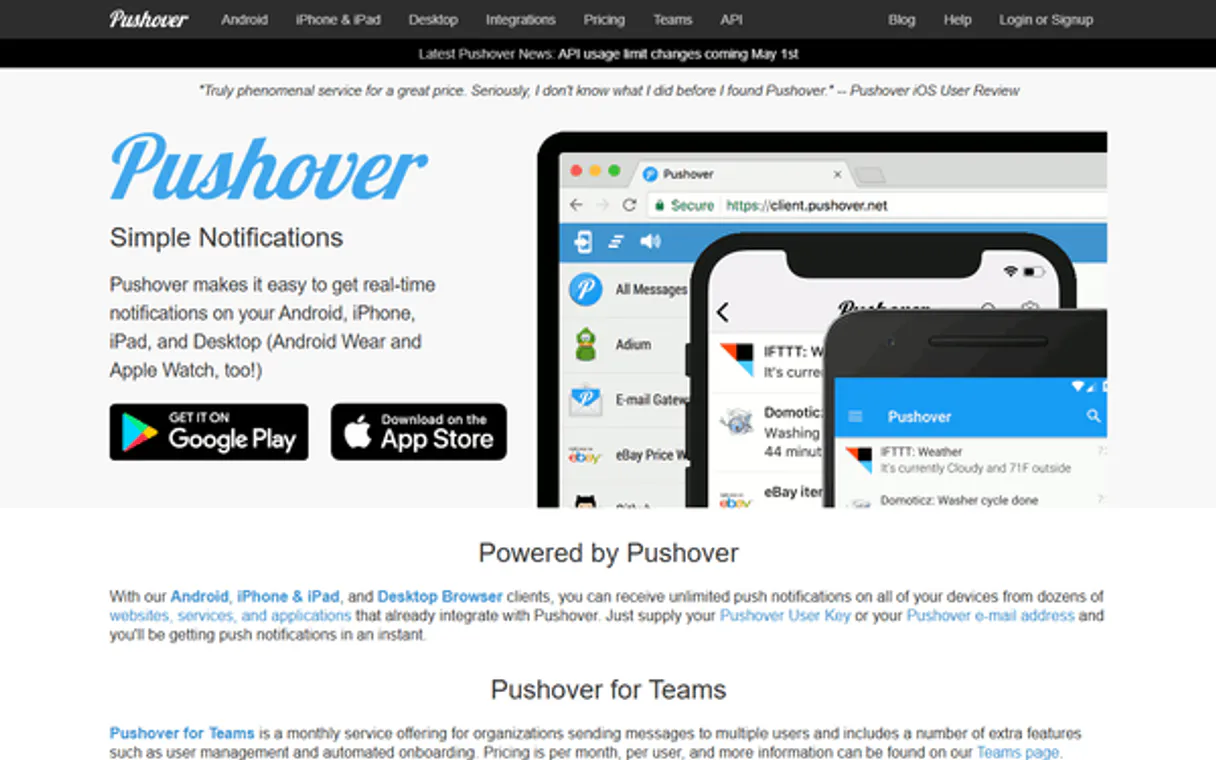
Pushover MCP Server with 12 Tools Ready for AI Agents
 GDPR Free for Subscribers
Automate instant push notifications via Pushover — send messages, manage devices, and track delivery with AI. Unlock 12 tools ready out of the box. Connect this App Connector to instantly empower AI agents like Claude Code, Cursor, or any MCP-compatible client with advanced capabilities.
Ask AI about this App Connector
Vinkius delivers Streamable HTTP and SSE to any MCP client
* Every MCP server runs on Vinkius-managed infrastructure inside AWS - a purpose-built runtime with per-request V8 isolates, Ed25519 signed audit chains, and sub-40ms cold starts optimized for native MCP execution. See our infrastructure
What is the Pushover MCP Server?
The Pushover MCP Server gives AI agents like Claude, ChatGPT, and Cursor direct access to Pushover via 12 tools. Automate instant push notifications via Pushover — send messages, manage devices, and track delivery with AI. Powered by the Vinkius - no API keys, no infrastructure, connect in under 2 minutes.
Built-in capabilities (12)
Tools for your AI Agents to operate Pushover
Ask your AI agent "Send a high-priority Pushover message: 'Server down in region US-EAST-1'." and get the answer without opening a single dashboard. With 12 tools connected to real Pushover data, your agents reason over live information, cross-reference it with other MCP servers, and deliver insights you would spend hours assembling manually.
Works with Claude, ChatGPT, Cursor, and any MCP-compatible client. Powered by the Vinkius - your credentials never touch the AI model, every request is auditable. Connect in under two minutes.
Why teams choose Vinkius
One subscription gives you access to thousands of MCP servers - and you can deploy your own to the Vinkius Edge. Your AI agents only access the data you authorize, with DLP that blocks sensitive information from ever reaching the model, kill switch for instant shutdown, and up to 60% token savings. Enterprise-grade infrastructure and security, zero maintenance.
Build your own MCP Server with our secure development framework →The Pushover App Connector works with every AI agent you already use
…and any MCP-compatible client









Use all 12 Pushover tools with your AI agents right now
Empower your AI agents to connect to Pushover and securely perform advanced actions on Vinkius infrastructure. Beyond a simple connection, you gain an advanced AI Gateway that provides complete visibility into agent activity, ensuring maximum governance and optimized token usage.
Check alert status
Check account quotas
Assign license to user
Get alert sound names
List user hardware
List active plans
Send urgent repeated alert
Send real-time alert
Cancel repeated retries
Check connection
Set watch glance info
Check user validity
What the Pushover MCP Server unlocks
Connect your Pushover account to any AI agent and take full control of your instant notification orchestration through natural conversation. Pushover provides a simple and robust API for sending real-time alerts to Android, iOS, and desktop devices, and this integration allows you to send messages, verify user tokens, and monitor delivery receipts directly from your chat interface.
What you can do
- Notification Orchestration — Send high-priority alerts with custom sounds, titles, and supplementary URLs programmatically.
- User & Group Intelligence — Verify user and group keys to ensure your alerts are always delivered to the correct recipients directly from the AI interface.
- Receipt & Acknowledgment Control — Access and monitor delivery receipts for emergency-priority messages to maintain a clear audit trail via natural language.
- Device & Subscription Oversight — List associated devices and monitor application limits to ensure your notification pipeline is always optimized.
- Operational Monitoring — Track system responses and manage glance data using simple AI commands.
How it works
1. Subscribe to this server
2. Enter your Pushover App Token and User Key from your dashboard
3. Start managing your instant alerts from Claude, Cursor, or any MCP-compatible client
No more manual dashboard testing or complex webhook setups for simple alerts. Your AI acts as a dedicated notification coordinator or operations supervisor.
Who is this for?
- DevOps & IT Teams — quickly send system alerts and monitor incident responses without switching apps.
- Operations Managers — automate the delivery of business notifications and track acknowledgments via natural conversation.
- Power Users — streamline the retrieval of account limits and monitor multi-device notifications directly within the chat.
Frequently asked questions about the Pushover MCP Server
Can my AI automatically send an emergency notification with a custom sound?
Yes! Use the send_message tool. Set priority: 2 for emergency, retry: 60, and expire: 3600. You can also specify a sound (e.g., 'alien', 'bugle') to ensure the alert is heard immediately.
How do I find my Pushover App Token and User Key?
Your User Key is displayed on your Pushover dashboard. To get an App Token, you must register an application on the dashboard first.
More in this category

Oracle NetSuite
9 toolsManage financials, sales orders, inventory, and customer records on Oracle NetSuite — the leading cloud ERP.

X Ads (Twitter)
8 toolsManage your X Ads campaigns — audit accounts, line items, and analytics via AI.
Skalin
12 toolsManage accounts, contacts, and customer health on Skalin with AI agents.
You might also like
Hologram.io
11 toolsAutomate IoT connectivity via Hologram.io — manage devices, SIM cards, and data usage directly from any AI agent.
Google Forms
2 toolsAnalyze datasets actively — list active Google Forms, query exact responses, and fetch metadata programmatically.
Drip
10 toolsAutomate e-commerce marketing via Drip — manage subscribers, trigger workflows, track custom events, and audit campaigns directly from any AI agent.