
Hologram.io MCP. Control your global IoT fleet status from chat.
 Gemini
 Works with every AI agent you already use
…and any MCP-compatible client









Just plug in your AI agents and start using Vinkius.
Hologram.io manages your entire global cellular IoT fleet. Use this server to list devices, check current billing usage, and monitor data overages instantly.
It lets you pause SIM data, get location coordinates, and retrieve device SMS history—all from your AI agent, without logging into a complex web dashboard.
What your AI agents can do
Get billing cycle usage
Checks the total data usage for the current billing cycle.
Get daily usage stats
Retrieves aggregated data usage statistics for a specific day.
Get device details
Gets detailed operational information for one specific IoT device.
List available SIM cards and use specific tools to pause or resume data services for any cellular link.
List all connected IoT devices, check their metadata, and retrieve approximate GPS coordinates for the entire fleet.
Retrieve current billing cycle usage, daily data stats, and recent data sessions for accurate cost monitoring.
Access the history of device-originated SMS messages and pull detailed data on specific devices.
Ask AI about this MCP
Supported MCP Clients
Gemini Waiting for input…
Hologram.io MCP Server: 11 Tools for IoT Monitoring
Use these 11 tools to monitor device status, retrieve usage stats, and manage SIM card states across your entire IoT infrastructure.
019d75b2get billing cycle usage
Checks the total data usage for the current billing cycle.
019d75b2get daily usage stats
Retrieves aggregated data usage statistics for a specific day.
019d75b2get device details
Gets detailed operational information for one specific IoT device.
019d75b2get device locations
Retrieves approximate GPS coordinates for all devices based on cell tower data.
019d75b2get recent data sessions
Pulls the records of the most recent data sessions for your entire device fleet.
019d75b2list available data plans
Lists all data plans available for activation within your account.
019d75b2list iot devices
Lists all connected IoT devices and their current status in your account.
019d75b2list sim cards
Lists all active SIM cards and their associated data plans.
019d75b2list sms messages
Retrieves the history of SMS messages sent by the devices.
019d75b2pause sim data
Temporarily suspends data services for a specific SIM card.
019d75b2unpause sim data
Resumes data services for a previously suspended SIM card.
Choose How to Get Started
Build a custom MCP for your own tools, or connect a ready-made integration from our catalog.
Build Your Own
Turn any API into an MCP. Import a spec, define Agent Skills, or deploy with MCPFusion.
- Import from OpenAPI, Swagger, or YAML specs
- Create Agent Skills with progressive disclosure
- Deploy to edge with MCPFusion framework
- Built in DLP, auth, and compliance on every call
- Real time usage dashboard and cost metering
- Publish to catalog or keep private
Make Your AI Do More
Start with Hologram.io, then connect any of our 4,700+ other servers whenever your AI needs more. One click, no limits.
- Use this MCP plus 4,700+ others, all in one place
- Add new capabilities to your AI anytime you want
- Every connection is secured and compliant automatically
- Track usage and costs across all your servers
- Works with Claude, ChatGPT, Cursor, and more
- New servers added to the catalog every week
What you can do with this MCP connector
Hologram.io manages your entire global cellular IoT fleet. Hook up your AI agent to this server, and it'll let you manage your whole device setup using natural chat. You don't gotta log into some complex web dashboard to get things done. You'll be able to list all your connected IoT devices and check their status.
You can also list all active SIM cards and the data plans they're on. You'll get detailed operational info for any single device, and you can pull up the approximate GPS coordinates for your entire fleet using cell tower data. To keep an eye on the money, your agent can check the total data usage for the current billing cycle, get aggregated data usage stats for any specific day, and pull records of the most recent data sessions.
You can also audit device comms history by pulling up all SMS messages sent by the devices and getting the full records of data sessions. Need to adjust connectivity? You can list all available data plans for activation, and you'll have tools to temporarily suspend data services for a specific SIM card or resume them later.
You can also get the history of SMS messages sent by the devices. These tools let your agent take control of your network state and device data right from your chat interface.
How Hologram.io MCP Works
- 1 Subscribe to the server and enter your Hologram API Key.
- 2 Your AI client invokes a specific tool (e.g.,
get_device_locations) by passing necessary identifiers. - 3 The server executes the request and returns structured data, which your agent then interprets and presents to you.
The bottom line is, your AI agent handles the complex API calls, so you just talk to it.
Who Is Hologram.io MCP For?
This is for the operations engineer who spends too much time clicking through multiple dashboards just to answer a simple question. If you manage fleets of devices globally, you need a single point of control that gives you real-time status, billing data, and location tracking without manual API calls or dashboard jumping.
Checks device connectivity, runs data session logs, and verifies device status during development and troubleshooting.
Automates the process of monitoring data overages, reviewing usage, and pausing inactive SIMs across a large number of remote devices.
Maintains a real-time overview of fleet location and billing usage, coordinating responses to connectivity issues.
What Changes When You Connect
- See the full device picture instantly. Use
list_iot_devicesto get a complete manifest of every device, andlist_sim_cardsto see which cellular links are active. - Stop worrying about data overages. Run
get_billing_cycle_usageto see your current consumption and how much allowance you have left. - Handle connectivity failures fast. If a device drops, use
pause_sim_dataorunpause_sim_datadirectly from the chat interface to fix it. - Know where your assets are.
get_device_locationspulls approximate GPS coordinates for your entire fleet using cell tower data. - Audit communication easily. Pull the
list_sms_messageshistory to check device-originated communications for logging or troubleshooting. - Check device health details.
get_device_detailsprovides deep metadata on a specific unit, letting you confirm if it's running the right firmware.
Real-World Use Cases
Investigating a high monthly bill
A fleet manager sees a usage spike and asks their agent: 'Why is the bill high this month?' The agent runs get_billing_cycle_usage and get_daily_usage_stats. It then checks get_recent_data_sessions to pinpoint which devices caused the spike, delivering an immediate root cause analysis.
Decommissioning a faulty device
An engineer finds a unit that never reports data. They run list_iot_devices to confirm the ID, then use get_device_details to check its metadata. Finally, they use pause_sim_data on that device's SIM card, stopping all data usage instantly.
Mapping a missing piece of equipment
An operations lead needs to confirm the location of a remote piece of equipment. They ask the agent to run get_device_locations. The agent maps the approximate GPS coordinates for the whole fleet, showing the last known position of the missing unit.
Pre-deployment readiness check
A technical lead needs to ensure all new devices are ready. They first run list_iot_devices to check IDs, then list_available_data_plans to confirm billing options, and finally list_sim_cards to confirm active cellular links are provisioned.
The Tradeoffs
Manually logging device status
Going to the Hologram web dashboard, clicking 'Devices', filtering by 'Status: Suspended', then running a separate report for usage logs. This takes 10 minutes and requires copy-pasting data into a spreadsheet.
→
Ask your agent to run list_iot_devices for a status overview, and then run get_billing_cycle_usage and get_recent_data_sessions in sequence. It gives you the report and the status summary in one chat interaction.
Trying to fix a connection manually
Finding a device ID and then having to navigate to a separate 'SIM Management' tab to toggle the data service status.
→
Tell your agent, 'Pause data for the XYZ device.' The agent uses the pause_sim_data tool, changing the state immediately via the chat without leaving your conversation.
Searching for billing data piecemeal
Checking the usage tab, getting the total MB used, then switching to the billing tab to see the allowance remaining, and finally running a separate report for daily usage.
→
Ask the agent to 'What is the current data status?' The agent runs get_billing_cycle_usage and get_daily_usage_stats together, giving you the total usage and remaining allowance in one response.
When It Fits, When It Doesn't
Use this server if your primary need is operational visibility across a large, distributed IoT fleet. You need to correlate location data (get_device_locations) with billing status (get_billing_cycle_usage) or device metadata (get_device_details) from a single prompt. Don't use this if you only need to view a simple list of device IDs; use a simple database query tool instead. If your goal is only to analyze historical, non-real-time data (e.g., year-over-year trend analysis), consider a dedicated data warehouse connection, as this tool focuses on immediate, actionable operational status.
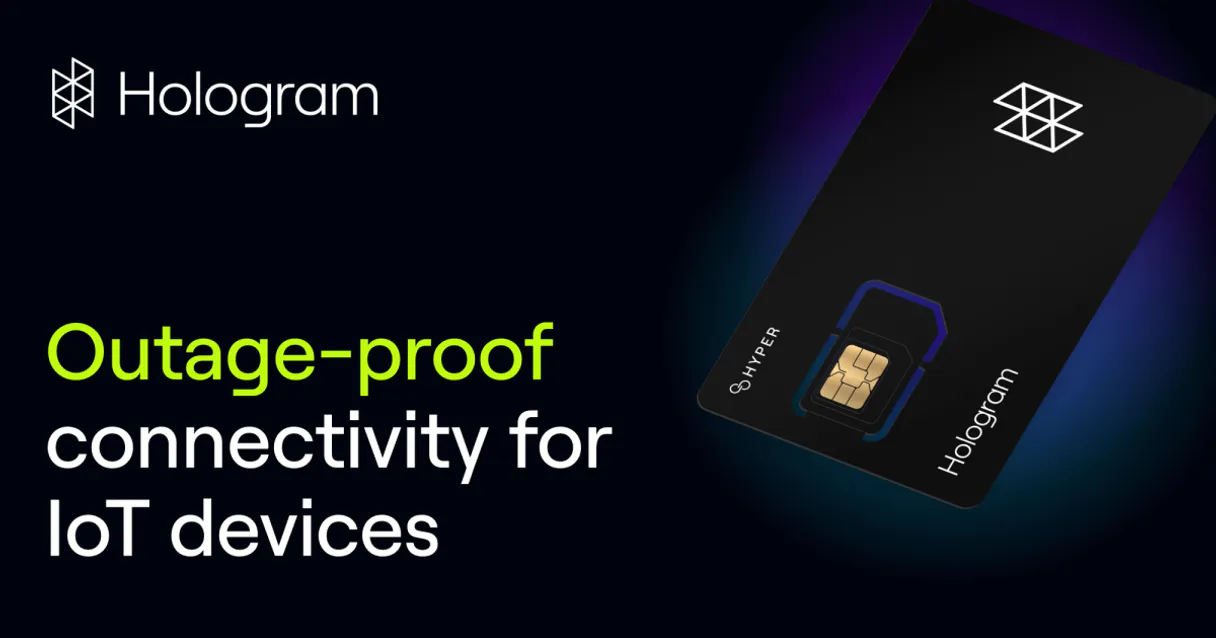
Independent Platform Disclaimer: Vinkius is an independent platform and is not affiliated with, endorsed by, sponsored by, verified by, or otherwise authorized by Hologram.io. All third-party trademarks, logos, and brand names are the property of their respective owners. Their use on this website is strictly for informational purposes to identify service compatibility and interoperability.
VINKIUS INFRASTRUCTURE
Cloud Hosted
Managed infra
V8 Isolated
Sandboxed per request
Zero-Trust Proxy
No stored credentials
DLP Enforced
Policy on every call
GDPR Compliant
EU data residency
Token Compression
~60% cost reduction
Works with Claude, ChatGPT, Cursor, and more
The Model Context Protocol standardizes how applications expose capabilities to LLMs. Instead of operating in isolation, your AI gains direct access to external platforms, live data, and real-world actions through secure, standardized connections.
This server provides 11 capabilities that interface natively with Claude, ChatGPT, Cursor, and any MCP client. No middleware. No custom integration required.
Available Capabilities
Checking fleet status shouldn't require jumping between dashboards.
Today, checking your IoT fleet status means opening the dashboard, clicking 'Devices', filtering by status, then opening a second tab for 'Billing' to see usage. If you need the location, you leave the dashboard entirely and go to a third portal. It's a painful, multi-system process that loses time and context.
With the Hologram.io MCP Server, you just ask your agent. It runs `list_iot_devices` and `get_billing_cycle_usage` simultaneously. You get the list, the status, and the usage figures—all in one clear chat response.
Hologram.io MCP Server: Control SIM data and device location.
You no longer have to manually toggle a data service status or copy coordinates into a spreadsheet. You simply tell your agent to 'Pause data for the sensor unit.' The agent uses `pause_sim_data` and updates the status immediately, confirming the change in the chat window.
It changes the entire workflow. You stop managing API endpoints and start managing conversations. The control is immediate, actionable, and fully integrated into your existing AI workflow.
Common Questions About Hologram.io MCP
How do I find my Hologram.io API Key? +
Log in to your Hologram dashboard, click on your profile/organization name, navigate to Settings, and select the API tab. You will find your unique API Key there.
Can I pause data for a specific device? +
Yes! Use the pause_sim_data tool by providing the unique cellular link ID for that device. This will change its state to 'suspended' and stop data usage immediately.
How accurate is the device location feature? +
The location data provided by get_device_locations is approximate and based on cell tower triangulation. It is generally accurate within a few hundred meters to a few miles depending on tower density.
Is the integration secure for managing my IoT fleet? +
Absolutely. The integration uses industry-standard Basic Authentication over HTTPS. Your credentials and connectivity data are encrypted and stored securely within the Vinkius Cloud infrastructure.
How do I use the `list_iot_devices` tool to check my entire device fleet status? +
The list_iot_devices tool lists all devices in your account, letting you monitor their current status and find specific device IDs. This helps you quickly audit your entire fleet without logging into the Hologram console.
What happens if I try to `pause_sim_data` with an incorrect SIM card ID? +
If you provide an incorrect ID, the system returns a specific error message, telling you exactly which cellular link ID is wrong. You'll need to check the correct ID using the list_sim_cards tool before retrying.
How often do I need to run `get_device_locations` to track my fleet effectively? +
The frequency depends on your need for real-time data. For routine monitoring, running it hourly is usually enough. If you need immediate incident response, you'll need to run it more often.
Can the Hologram.io MCP handle multiple API calls for usage reports, like `get_daily_usage_stats` and `get_billing_cycle_usage`? +
Yes, your AI agent can chain these calls together. You can ask it to run both the get_daily_usage_stats and get_billing_cycle_usage tools in sequence to build a complete usage picture.
Use it with your favorite AI tools
Connect this server to Cursor, Claude, VS Code, and more.
More in this category
Pipedream
Manage Pipedream serverless workflows, sources, webhooks, and raw event data natively via AI agents.

JD Cloud / 京东云
China's leading supply chain cloud platform — manage VMs, storage, and cloud infrastructure via AI.
Orkes Conductor
Orchestrate microservice workflows via Orkes Conductor — list definitions, track running executions, search workflow history, and inspect task states from any AI agent.
You might also like
Hyperswitch
Manage payments, customers, and refunds via Hyperswitch API.
Elasticsearch Vector
Empower vector search via Elasticsearch — perform dense vector kNN searches, handle index mappings, and index embedding documents directly from any AI agent.

Browserhub
Automate web scraping via Browserhub — run scrapers, manage jobs, and retrieve extracted data directly from any AI agent.