
Rebrickable LEGO MCP. Get full parts inventories for any set in seconds.
 Gemini
 Works with every AI agent you already use
…and any MCP-compatible client









Just plug in your AI agents and start using Vinkius.
Rebrickable LEGO MCP Server connects your AI agent to a full, structured catalog of LEGO data. You can search and pull details on sets, individual parts, minifigures, and themes directly through natural conversation.
This tool lets you build detailed parts inventories for complex builds (MOCs), check color availability across the entire catalog, or track specific set components without navigating dozens of product pages.
It's a deep data dive into LEGO history and mechanics.
What your AI agents can do
Get minifig
Gets specific details (theme, year, piece count) for a single LEGO minifigure using its ID.
Get part
Retrieves the name, category, and available colors for one specific LEGO part number.
Get part colors
Lists all color IDs and names that a given LEGO part is manufactured in, useful for MOC builders.
Provides a complete list of every part needed for a specific LEGO set, including quantities and identifying spare pieces.
Lists all available colors for any given LEGO part number, which is essential when building custom models (MOCs).
Retrieves a character's name, theme, year, and set association using their specific identifier.
Lists all major LEGO themes and sub-themes, showing how they relate to each other and the total number of sets in each category.
Allows you to search for specific parts or full sets using patterns or keywords across the whole database.
Ask AI about this MCP
Supported MCP Clients
Gemini Waiting for input…
Rebrickable LEGO: 11 Tools for Catalog Data Retrieval
These tools allow your AI client to pull structured data on sets, parts, minifigures, themes, and colors from the entire Rebrickable catalog.
019d8475get minifig
Gets specific details (theme, year, piece count) for a single LEGO minifigure using its ID.
019d8475get part
Retrieves the name, category, and available colors for one specific LEGO part number.
019d8475get part colors
Lists all color IDs and names that a given LEGO part is manufactured in, useful for MOC builders.
019d8475get set
Gets full details (theme, piece count, minifig count) for an entire specific LEGO set number.
019d8475get set parts
Lists the complete parts inventory for any given set, including required quantities and spare parts counts.
019d8475get theme
Returns details about a specific LEGO theme, including its parent theme and how many sets belong to it.
019d8475list colors
Provides a master list of every official LEGO color in the catalog, along with their IDs and RGB values.
019d8475list minifigs
Searches for LEGO minifigures by name or theme, returning numbers, years, and image URLs. Supports pagination.
019d8475list parts
Searches the entire parts catalog by pattern or keyword, listing names, categories, and images. Supports pagination.
019d8475list sets
Searches for LEGO sets using filters like theme ID, year, or part number. Returns set numbers and piece counts. Supports pagination.
019d8475list themes
Lists all major LEGO themes and sub-themes, showing their hierarchy (parent/child) and associated set count.
Choose How to Get Started
Build a custom MCP for your own tools, or connect a ready-made integration from our catalog.
Build Your Own
Turn any API into an MCP. Import a spec, define Agent Skills, or deploy with MCPFusion.
- Import from OpenAPI, Swagger, or YAML specs
- Create Agent Skills with progressive disclosure
- Deploy to edge with MCPFusion framework
- Built in DLP, auth, and compliance on every call
- Real time usage dashboard and cost metering
- Publish to catalog or keep private
Make Your AI Do More
Start with Rebrickable LEGO, then connect any of our 4,700+ other servers whenever your AI needs more. One click, no limits.
- Use this MCP plus 4,700+ others, all in one place
- Add new capabilities to your AI anytime you want
- Every connection is secured and compliant automatically
- Track usage and costs across all your servers
- Works with Claude, ChatGPT, Cursor, and more
- New servers added to the catalog every week
What you can do with this MCP connector
This MCP Server hooks up your AI agent directly to the whole Rebrickable catalog data. You don't gotta mess around opening a dozen tabs; your agent handles complex LEGO queries just by chatting with it. It treats every set, every brick, and every character like structured data you can actually use.
You want to build a massive custom model (MOC)? You can check the full parts inventory for any specific set number using get_set_parts, which lists every required piece along with quantities, and it even flags spare pieces so you know what's left over. If you need to plan out a MOC, you can use get_part_colors on any given part number to list all the color IDs and names that brick is manufactured in.
Need to find a specific minifigure? You can run list_minifigs to search for characters by name or theme, getting back their numbers, years, and image URLs. If you already know the figure's ID, get_minifig pulls all its details: the theme, year, and piece count associated with that single character.
When you’re deep into catalog research, you can use list_parts to search the entire parts database using patterns or keywords, getting back names, categories, and images for anything you throw at it. You also can pinpoint a specific part number using get_part, which retrieves its name, category, and available colors right away.
To plan big builds, list_sets lets you search for entire sets by filtering based on theme ID, year, or even a required part number, giving you the set numbers and total piece counts. For any given set number, get_set provides all its specs: the theme, the overall piece count, and how many minifigures it includes.
For mapping out big LEGO eras, your agent can use list_themes to list every major LEGO theme and sub-theme, showing you their parent/child relationship and exactly how many sets belong in each category. If you want details on a specific theme's structure, get_theme returns that info for one particular ID.
To manage color data across the board, list_colors provides a master list of every official LEGO color in the catalog, giving you their IDs and RGB values. When you need to pull details for an entire set, use get_set to get its theme, piece count, and minifig count.
It's all about data retrieval: you can search the full parts catalog with list_parts, or narrow your focus by checking a specific part number using get_part. You’ll find that list_themes details every major LEGO category, showing its hierarchy (parent/child) and associated set count. Your agent doesn't just check one thing; it can look up the complete parts inventory for any given set number, including required quantities and identifying spare pieces.
How Rebrickable LEGO MCP Works
- 1 Subscribe to this server and pass your Rebrickable API Key.
- 2 Prompt your AI client (Claude, Cursor, etc.) with a complex query, like 'What parts does set 10497 need?'
- 3 The agent calls the relevant tool (
get_set_parts) and returns structured data about the inventory.
The bottom line is you get accurate, machine-readable LEGO catalog data without ever leaving your chat window or writing complex API calls.
Who Is Rebrickable LEGO MCP For?
This tool targets serious hobbyists and developers. It's for the MOC Builder who needs to know if a specific part exists in multiple colors, or the collector tracking down rare sets by year. If you deal with LEGO parts data regularly—especially large inventories—you need this.
Needs to check if a specific part, like the 2x4 brick, is available in multiple colors or needs an exact parts count for a custom build.
Uses set numbers and years to track entire collections, cross-referencing which themes were active during specific decades.
Integrates structured LEGO data into a custom application; uses the API tools to pull type-safe lists of parts and minifigures for validation.
What Changes When You Connect
- Check a set's inventory instantly. Instead of visiting the website and hunting through pages, use
get_set_partsto get every single part number and quantity needed for a set like 10497-1. It includes spare parts too. - Verify color availability across the whole catalog. If you need a specific brick (like 3001), run
get_part_colorsto see if it exists in Black, Red, or any specialty shade—it's far better than guessing. - Map out your collection’s history. Use
list_themesto see the parent/sub-theme relationships (e.g., 'City' under 'Play Life') and how many sets belong to each group, giving you a clear overview of LEGO development. - Track minifigures efficiently. If you know a character's ID or theme, run
get_minifiginstead of searching the entire site. You immediately get their set numbers and year data. - Search large catalogs fast. Need parts from 2015? Use
list_setsto filter by year directly. Or uselist_partsto search for a generic brick type across all themes, all in one query.
Real-World Use Cases
Figuring out what's missing from an old set.
A collector wants to rebuild the original parts list for set 75192. They ask their agent: 'What are the exact parts needed for this?' The agent uses get_set_parts, which immediately returns a spreadsheet-ready breakdown of every part number, color ID, and how many pieces they need. No manual counting or guesswork required.
Designing a custom display case.
A MOC builder wants to know if the standard 2x4 brick (3001) is available in dark metallic gray for their model. They run get_part on part 3001, and it returns not just its name, but a comprehensive list of every color ID it's manufactured in, letting them choose the perfect match.
Researching LEGO theme evolution.
A developer is building an educational app. They ask the agent to map out all themes under 'Star Wars'. The tool calls list_themes, showing the hierarchy (parent: Star Wars -> sub-theme: UCS). This structure allows them to organize their database logically.
Quickly identifying a character's origin.
A user finds an old minifigure and isn't sure what set it came from. They feed the agent the figure's ID and ask for details. The agent uses get_minifig, which immediately provides the name, the theme, the year it was released, and its associated set numbers.
The Tradeoffs
Trying to search by image.
The user attempts to upload a picture of a brick and asks, 'What is this part?' The AI client fails because the API requires structured identifiers (part numbers or names), not visual input.
→
Always use list_parts if you don't know the number. If you know the name but not the ID, search by keyword using list_parts. Never rely on image recognition.
Asking for parts of a whole set without an ID.
The user says, 'Show me all the pieces in the big Millennium Falcon.' This is too vague. The system doesn't know which specific variant or year you mean.
→
Use list_sets first to narrow down the target set by its number (e.g., 75192-1). Once you have the ID, then use get_set_parts for a precise inventory.
Assuming all parts are available in standard colors.
The user assumes that because they see 'Red' listed on a set page, it means Red is the only color option. They might miss specialty colors or different IDs entirely.
→
Always follow up with get_part_colors when checking parts. This tool lists all official color IDs available for that specific part number, giving you the full picture.
When It Fits, When It Doesn't
Use this server if your goal is data integrity and deep catalog analysis. You need to know what a set contains, or how many colors a single brick comes in. If your task involves complex cross-referencing—like comparing the parts list of two different sets, or mapping out all themes under 'Star Wars'—this server is essential.
Don't use this if you just need to browse general inspiration. If you simply want to see what kind of bricks look good together without checking exact piece counts or color codes, a standard web browser works fine. Use list_themes for high-level browsing, but always default to the specific tools (get_set, get_part) when precision matters.
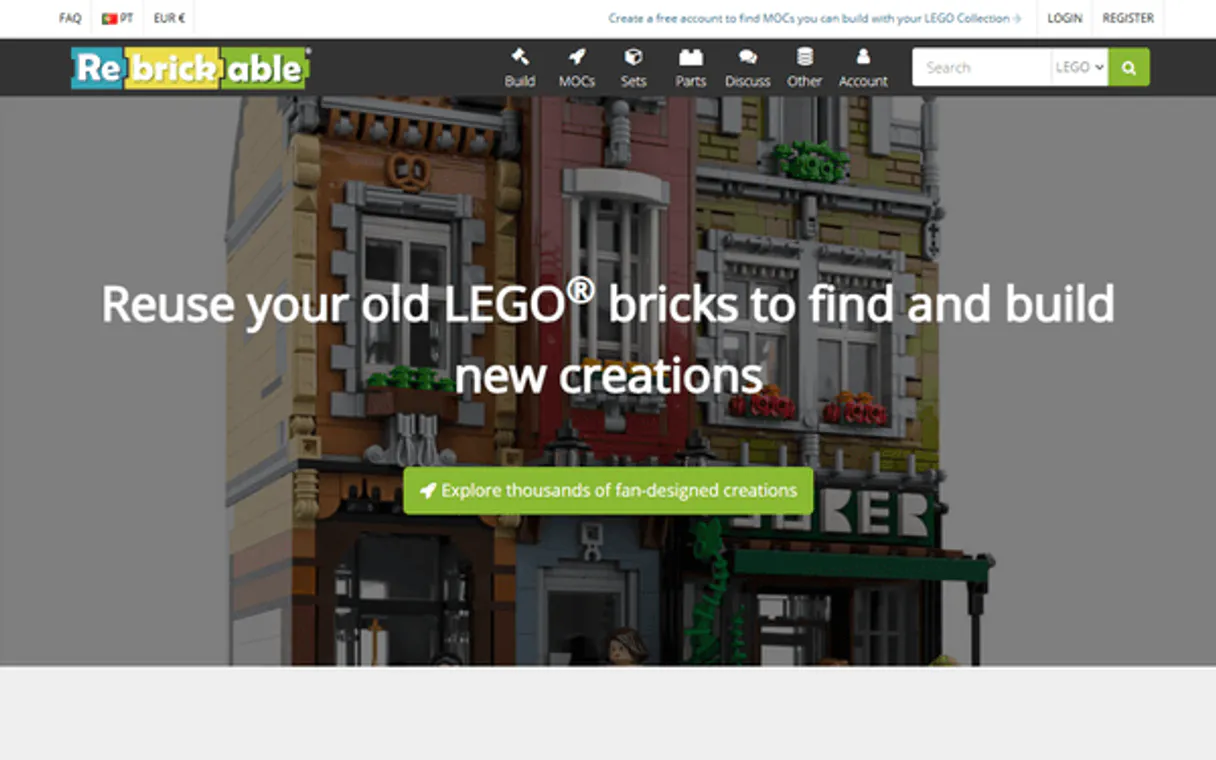
Independent Platform Disclaimer: Vinkius is an independent platform and is not affiliated with, endorsed by, sponsored by, verified by, or otherwise authorized by Rebrickable. All third-party trademarks, logos, and brand names are the property of their respective owners. Their use on this website is strictly for informational purposes to identify service compatibility and interoperability.
VINKIUS INFRASTRUCTURE
Cloud Hosted
Managed infra
V8 Isolated
Sandboxed per request
Zero-Trust Proxy
No stored credentials
DLP Enforced
Policy on every call
GDPR Compliant
EU data residency
Token Compression
~60% cost reduction
Works with Claude, ChatGPT, Cursor, and more
The Model Context Protocol standardizes how applications expose capabilities to LLMs. Instead of operating in isolation, your AI gains direct access to external platforms, live data, and real-world actions through secure, standardized connections.
This server provides 11 capabilities that interface natively with Claude, ChatGPT, Cursor, and any MCP client. No middleware. No custom integration required.
Available Capabilities
Figuring out LEGO inventory used to mean hours of clicking through websites.
Today, figuring out a set's full parts list or finding all the pieces required for a custom build is a nightmare. You open the website, you click 'parts,' you filter by year, then you copy-paste data into a spreadsheet, hoping nothing gets lost in the transition between pages and tabs.
With this MCP server, your agent handles it. You just ask: 'What parts does set 10497 need?' The agent runs `get_set_parts` and spits out a perfect, structured inventory list instantly. No more clicking; you get actionable data.
The Rebrickable LEGO MCP Server gives you total control over parts and colors.
You don't have to guess which color a brick is available in or if a set included spare pieces. You can use `get_part` to get the basic info, then immediately run `get_part_colors` to see every official color ID it exists in. And you always know how many extra parts are waiting via `get_set_parts`.
The system treats LEGO data like a database, not a website. That difference means your agent gives you absolute precision—a level of detail that was impossible just by browsing the site.
Common Questions About Rebrickable LEGO MCP
How do I get a Rebrickable API key? +
Visit rebrickable.com/api, sign in with your Rebrickable account, and your API key will be displayed on the page. Copy it — it's a long alphanumeric string.
Can I search for sets by theme? +
Yes! Use list_sets with theme_id to filter by theme. First use list_themes to find the theme ID (e.g. Star Wars = 170), then pass it to list_sets. You can also filter by year or part number.
Can I see the parts inventory for a set? +
Yes! Use get_set_parts with the set number (e.g. "75192-1" for the Millennium Falcon). Returns every part with its part number, color ID, quantity and whether it's a spare. Set inc_minifig_parts to true to include minifig parts.
How many results can I get at once? +
The API supports up to 1000 results per request. Use the page_size parameter (max 1000, default 100) and page for pagination. The total count and next/previous URLs are returned in each response.
How do I filter minifigures by year or theme using the `list_minifigs` tool? +
You can filter results directly when calling list_minifigs. The API allows you to specify parameters like a particular theme ID or year. This narrows down your search and helps you quickly locate specific characters.
What happens if I run `get_part_colors` for a part that doesn't have color data? +
If the tool returns no results, it means Rebrickable does not currently list available colors for that specific part number. You should try searching by category using list_parts or checking external databases.
What is the difference between running `list_parts` and using `get_set_parts`? +
list_parts searches the entire catalog for a part number, providing general details. Conversely, get_set_parts gives you an exact count of that specific part inside one particular set.
Can I find all sub-themes under a main theme using `list_themes`? +
Yes, the tool handles theme hierarchy. You pass the parent theme ID to the function, and it returns a list of associated sub-themes, including their name and set count.
Use it with your favorite AI tools
Connect this server to Cursor, Claude, VS Code, and more.
More in this category

ShipHero
Manage e-commerce logistics via ShipHero — track orders, monitor inventory levels, and handle warehouse movements directly from your AI agent.

Skydropx API
Ship effectively across LatAm with Skydropx. Compare real-time carrier quotes, track live parcels, and draft PDF labels via prompt.

WooCommerce
Manage products, orders, and store analytics on WooCommerce — the most customizable open-source eCommerce platform.
You might also like

Firecrawl
Turn any website into clean, LLM-ready Markdown with a single API call — scrape, crawl, search, and map the entire web for your AI agent.

Wistia
Manage video assets, projects, and engagement analytics on Wistia — the leading video marketing platform for business.

Google Pub/Sub Subscription
This MCP does exactly one thing: it pulls and acknowledges messages from a single Google Pub/Sub Subscription. That's its only function, and nothing else. Incredible for building secure AI workers.