
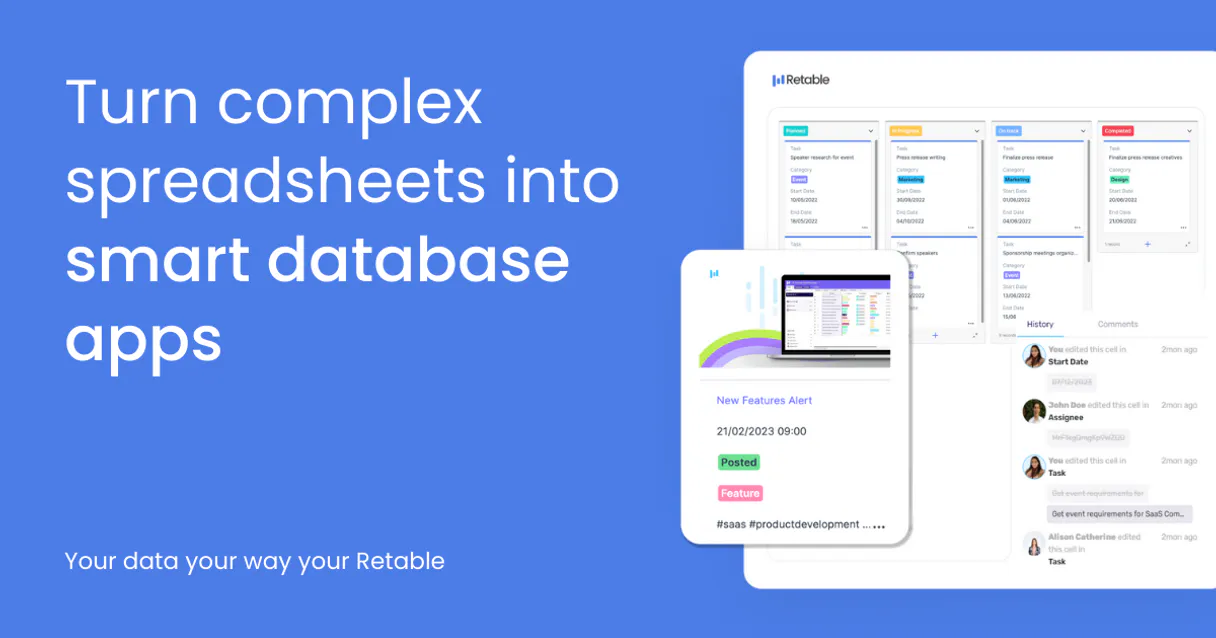
Retable MCP for AI. Manage structured spreadsheet data via natural language.
 Gemini
 Works with every AI agent you already use
…and any MCP-compatible client









How this MCP server connects to your AI agent
Retable MCP Server connects your AI agent directly to Retable's structured data environment. It lets you manage complex spreadsheet data using natural conversation, bypassing manual clicks and API calls.
You can list projects, view table schemas, read specific records, or create and update entire batches of data—all without writing code.
This is for teams that treat their spreadsheets like live databases.
What AI agents can do with Retable Automation
Check retable status
Verifies the API connection to Retable, telling you if the server is currently online and ready to use.
Create record
Adds a brand new data record into a specified table, requiring field names and values.
Delete record
Removes an entire data record from a table after you confirm the target ID.
Your agent finds all available projects, lists tables within a project, or retrieves specific table schemas.
You ask the agent for details on a single record using get_record, or retrieve multiple entries in a list using list_records.
The agent handles writing data by creating new records (create_record), changing existing ones (update_record), or removing them entirely (delete_record).
You can list all projects available via list_projects and grab deep details on a single project with get_project.
Ask an AI about this
Waiting for input…
What AI agents can do with Retable MCP Server: 10 Tools for Data Management
Use these tools to programmatically discover schemas, read specific record sets, or execute CRUD operations across your Retable projects using natural conversation.
Make your AI actually useful.
Add this MCP to Claude, Cursor, or Windsurf and your AI stops guessing. It gets real tools to look things up, take action, and handle the stuff you keep doing by hand.
Start using Retable on VinkiusCheck Retable Status
Verifies the API connection to Retable, telling you if the server is currently online and ready to use.
Create Record
Adds a brand new data record into a specified table, requiring field names and...
Delete Record
Removes an entire data record from a table after you confirm the target ID.
Get Project
Retrieves all detailed information about a single Retable project by its unique...
Get Record
Pulls the full details of one specific record, useful when you know the exact row ID.
Get Table
Displays the complete schema and column definitions for a given table within a project.
List Projects
Retrieves a list of every single project available under your Retable account.
List Records
Returns an array of records from a specified table, useful for getting a quick...
List Tables
Lists all the tables that exist within a single project scope.
Update Record
Changes one or more fields of an existing record, requiring both the ID and the new...
Security and governance baked right in.
Pick your AI client below to get set up. Just create a Vinkius account, subscribe, and you're instantly up and running. We handle the entire backend infrastructure, delivering out-of-the-box support for HTTPS Streamable, SSE, and OAuth2—zero messy routing required.
Claude AI
Open Claude Settings
Go to claude.ai, click your profile icon, then navigate to Customize → Connectors.
Add Custom Connector
Click the "+" button and select Add custom connector. Paste your Vinkius endpoint URL:
https://edge.vinkius.com/[YOUR_TOKEN_HERE]/mcp
Replace [YOUR_TOKEN_HERE] with your token
from cloud.vinkius.com. For OAuth-protected servers, expand
Advanced settings to add credentials.
Start a conversation
Open a new chat. The Retable integration is available immediately — no restart needed.
Choose How to Get Started
Build a custom MCP for your own tools, or connect a ready-made integration from our catalog.
Build Your Own
Turn any API into an MCP. Import a spec, define Agent Skills, or deploy with MCPFusion.
- Import from OpenAPI, Swagger, or YAML specs
- Create Agent Skills with progressive disclosure
- Deploy to edge with MCPFusion framework
- Built in DLP, auth, and compliance on every call
- Real time usage dashboard and cost metering
- Publish to catalog or keep private
Make Your AI Do More
Start with Retable, then connect any of our 5,100+ other servers whenever your AI needs more. One click, no limits.
- Use this MCP plus 5,100+ others, all in one place
- Add new capabilities to your AI anytime you want
- Every connection is secured and compliant automatically
- Track usage and costs across all your servers
- Works with Claude, ChatGPT, Cursor, and more
- New servers added to the catalog every week
Independent Platform Disclaimer: Vinkius is an independent platform and is not affiliated with, endorsed by, sponsored by, verified by, or otherwise authorized by Retable. All third-party trademarks, logos, and brand names are the property of their respective owners. Their use on this website is strictly for informational purposes to identify service compatibility and interoperability.
VINKIUS INFRASTRUCTURE
Cloud Hosted
Managed infra
V8 Isolated
Sandboxed per request
Zero-Trust Proxy
No stored credentials
DLP Enforced
Policy on every call
GDPR Compliant
EU data residency
Token Compression
~60% cost reduction
Built on the Model Context Protocol (MCP) for Claude, ChatGPT, Cursor, and more
The Model Context Protocol standardizes how applications expose capabilities to LLMs. Instead of operating in isolation, your AI gains direct access to external platforms, live data, and real-world actions through secure, standardized connections.
This connection provides 10 powerful capabilities that interface natively with Claude, ChatGPT, Cursor, and other compatible AI platforms. No middleware. No custom integration required.
Managing data across multiple sheets shouldn't feel like doing homework., Solved with Vinkius AI Gateway
Today, if you need to update status information for 30 clients spread across three different project tabs, you open the first sheet, manually copy and paste the new 'Complete' status. You repeat this process on the second tab, then the third. This is slow, tedious, and guarantees human error by the time you hit the last row.
With Retable MCP Server, your agent handles it in one prompt: 'Update all records in the Client Status table where Stage=Proposal to Status=Closed.' It runs the `update_record` tool across every relevant entry, confirms the count of changes, and moves on. You get accuracy without the manual labor.
Retable MCP Server: Write data using plain English.
Previously, writing new project data meant opening a JSON editor or building complex form submissions—a painful process that required knowing the exact field names and data types. You'd have to manually structure every single piece of information before sending it.
Now, you just tell your agent: 'Add a new lead for Acme Corp with $50k projected revenue.' The agent uses `create_record`, structuring the payload perfectly in the background. It handles the data mapping so you don't have to.
What your AI can actually do with this
Listen up. This Retable MCP Server hooks your agent straight into Retable's structured data environment. You can manage complex spreadsheet data using nothing but natural conversation; you skip the manual clicking and you don't gotta mess with API calls or write a single line of code. It treats your spreadsheets like they’re live databases, period.
First off, you gotta know if it works. Use check_retable_status to confirm that the API connection is up and running—it tells you right away if the server's online and ready for action. When you're deep in a project, your agent lets you explore the whole scope. You can run list_projects to see every single project sitting under your Retable account.
If you need the nuts and bolts of one specific spot, use get_project, which pulls all the detailed information about a single project using its unique ID.
To figure out what data structures are available, your agent lets you list all existing tables within a given project scope by calling list_tables. If you want to see exactly what columns and definitions make up a specific spreadsheet, run get_table for that table's full schema. You can also get an overview of every single record in a table using list_records, perfect for quick audits or seeing the whole picture.
When you just know the exact row ID, get_record pulls out all the detailed information for that one specific piece of data.
Modifying the content is where it gets real. You'll use create_record to add a brand new data entry into any specified table; you just gotta give it the field names and values. If something already exists but needs tweaking, run update_record, supplying both the ID of the record and all the new data points you want changed.
And if a record is dead or irrelevant, delete_record removes that entire entry from the table after your agent confirms the target ID.
Basically, your agent handles every piece of CRUD work—Create, Read, Update, Delete—without needing you to touch the web interface. You don't have to deal with complex query languages or figure out which endpoint is for what. Whether you need to find a project, list all available tables, check a schema, pull one record, view a batch of records, create new stuff, update old stuff, or trash it—the agent does the heavy lifting.
You just talk to your AI client, and it handles the database interaction.
019dd14e-e01c-725c-816b-37e406d8dd0d 
Here's how it actually works
The bottom line is you manage structured spreadsheet data using natural conversation commands instead of clicking through multiple tabs and writing JSON payloads.
First, your AI client runs check_retable_status. This confirms the connection to Retable is live before any actions.
Next, you tell the agent what data scope you need (e.g., 'Show me all records in the Inventory table'). The agent uses tools like list_tables and then calls list_records.
Finally, your agent processes the list of results or performs an action—like calling create_record with new data—and reports back a confirmation ID.
Who is this actually for?
Product Managers, Operations Analysts, and Data Coordinators. If your job involves manually cross-referencing spreadsheets or running repetitive CRUD tasks across multiple project sheets, this is for you. It’s built for the person who's tired of switching between their spreadsheet tool and their task management dashboard.
Uses get_table to validate if a new data field exists before building out a feature, ensuring schema alignment.
Runs batch updates using update_record across dozens of records (e.g., changing status from 'Pending' to 'Complete').
Needs to quickly audit data by running list_records on a table and then generating an exportable list for review.
What Changes When You Connect
Automated Data Audits: Instead of manually clicking through dozens of sheets, you can ask your agent to run list_records on an entire table, getting a quick overview of 47 entries instantly. This saves time and keystrokes.
Error-Proof Writes: Writing data is safer. By using create_record or update_record, you guide the agent to apply changes only when all required fields are present, minimizing missed steps that usually cause spreadsheet errors.
Zero Setup Discovery: You never have to guess if a table exists. Just ask your agent to run list_tables on the project, and it gives you a clean list of everything available for interaction.
Full Project Visibility: Need to know where data lives? Use list_projects first. If you need deep context, running get_project provides all necessary scope information upfront.
Fast Status Checks: Before building any complex workflow, run check_retable_status. This confirms the API link is active, preventing frustrating failures mid-process.
See it in action
Project Launch Data Dump
The PM needs to migrate data from old spreadsheets into a new 'Client Onboarding' table. Instead of opening the sheet and running 50 updates, they prompt their agent: 'Add records for these five clients in the Client Onboarding table.' The agent uses create_record five times, reporting back success IDs immediately.
Investigating Data Gaps
The Analyst notices some project data is missing status updates. They ask their agent to run a report: 'Show me all records in the Inventory table where Status is null.' The agent uses list_records and filters the results, pinpointing exactly which IDs need follow-up.
Cleaning Up Old Data
The Ops team needs to remove inactive projects. They prompt: 'List all projects that haven't been touched in 90 days.' The agent runs list_projects, identifies the stale ones, and uses delete_record on the appropriate tables.
Schema Validation Check
A developer is starting a new feature. Rather than reading complex documentation, they ask: 'What are the fields available in the Leads table?' The agent runs get_table, providing the exact schema so development can start immediately.
The honest tradeoffs
Over-reliance on visual browsing
The user opens Retable, manually clicks into a project, finds the table, then scrolls through records to find one ID. This takes several minutes of clicking and copying.
Don't click around. Tell your agent: 'Get me record details for Project Alpha.' The agent uses get_record directly, skipping all navigation.
Mixing up list vs. get
The user asks the agent to find a single client's data but doesn't know the exact record ID. They try to search via the interface and struggle with filters.
First, run list_records to see a filtered view of potential results (e.g., 'Show me all records from Acme Corp'). Once you have the target ID, use get_record for the guaranteed single source of truth.
Assuming data always exists
The user tells the agent to update a record but forgets which table or project it belongs to. The API call fails with an ambiguous error.
Always validate first. Use list_projects to narrow down the scope, then use get_table to confirm the target schema before attempting any write operation like update_record.
When It Fits, When It Doesn't
Use Retable MCP if your data lives in a structured spreadsheet format and your primary workflow involves reading, writing, or auditing that data. This is perfect for Project Management, CRM pipelines, or inventory tracking.
Don't use it if you are dealing with unstructured content (like PDFs, emails, or raw text documents); those require different types of connectors. Also, don't use it if your primary need is complex mathematical modeling spanning multiple tables in one go—while the tools help, they treat each operation as discrete steps.
Use this when you need to: 1) Discover what data exists (list_projects, list_tables); 2) Read specific pieces of data (get_record); or 3) Perform controlled changes (create_record, update_record). If your process is 'find X, then change Y,' this tool set works. If your process involves complex state machines or real-time event streaming, you'll need a different system.
Questions you might have
How do I find out what tables are available using list_tables? +
You first need a Project ID, then prompt your agent with list_tables. This command returns all table names within that specific project scope. It's the right starting point before you try to read any data.
Is there a way to list all my projects using list_projects? +
Yes, list_projects pulls every single Retable project name and ID available under your account. This is how you get an overview of your entire data footprint quickly.
Can I read a specific record without knowing its exact ID? (get_record) +
No, get_record requires the precise record ID to function. If you only know criteria like 'Project Alpha's lead', first use list_records or get_project to narrow down and find that specific ID.
What’s the difference between list_records and get_record? +
Use list_records when you need an overview, a filtered batch, or multiple related entries. Use get_record when you are certain you only want one single piece of data by its unique ID.
How do I confirm if the Retable API is working before writing data? (check_retable_status) +
You must run check_retable_status first. It’s a simple check that verifies the connection and confirms the server can communicate with Retable, preventing failed writes later.
When should I use `update_record` instead of calling `create_record`? +
Use it when you need to modify specific fields on an existing entry. This is the efficient way to change a status or add notes without creating duplicate data. You must provide the record's unique ID and the field key for the update.
How do I safely check what data will be lost when calling `delete_record`? +
The agent executes deletion immediately, so proceed with caution. Always call get_record first to verify you have the correct ID and that the record is ready for removal before triggering a delete operation.
When calling `list_records`, how do I restrict results by status or date range? +
You pass parameters like filters, grouping keys, or sort orders directly into the tool call. This prevents fetching massive datasets and keeps your workflow fast by only retrieving the data you need.
Can my AI create and update records in Retable? +
Yes. Use create_record to add new rows and update_record to modify existing ones. Both accept a JSON string with field values.
How do I query records from a specific table? +
Use list_records with the table ID. The agent returns all rows with their field values.
Can I delete records through the AI? +
Yes. The delete_record tool permanently removes a row from a table by table ID and record ID.
We've already built the connector for Retable. Just plug in your AI agents and start using Vinkius.
No hosting. No infrastructure. No complex setup.
All 10 tools are live and waiting.
You're up and running in seconds.
Gemini Vinkius gives your AI agents access to the full catalog of app connectors, all fully managed, secure, and enterprise-ready. One subscription, every tool you need.
Built, hosted, and secured by Vinkius. You just connect and go.