
Rows MCP for AI Agents. Manage and query data tables via chat.
Rows MCP connects your AI agent directly to your Rows.com account, treating your spreadsheets like an API endpoint. You can manage data tables, query live cell values, append new records, and organize folders using natural language commands. It turns complex spreadsheet maintenance—like updating project trackers or pulling quarterly metrics—into a simple chat conversation.
 Claude
  ChatGPT
  Cursor
  Gemini
  Windsurf
  VS Code
  JetBrains
  Vercel
 Give Claude and any AI agent real-world access
List, get details for, or create new spreadsheets, while also listing and retrieving information about your organized folders.
Pull real-time data from specific cells or entire ranges within any connected spreadsheet.
Overwrite existing cell values in a range, or add completely new rows of information to an active table.
Retrieve high-level details about your entire Rows workspace setup.
Ask an AI about this


Waiting for input…
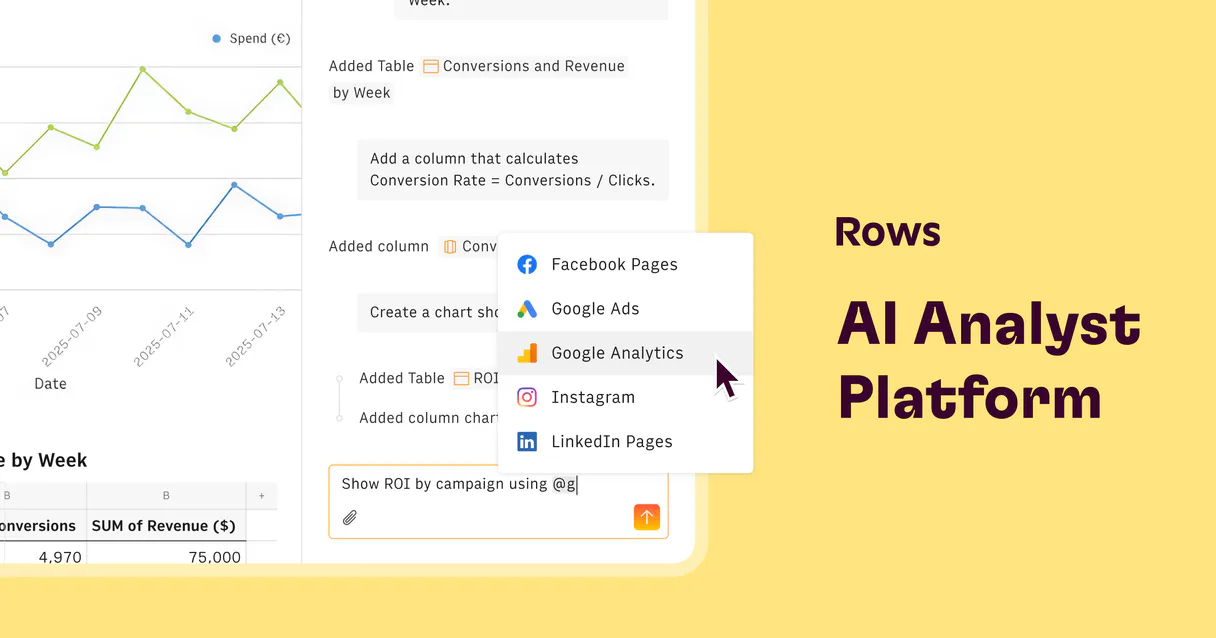
What AI agents can do with Rows: Manage data tables & files (12 tools)
Use these 12 specialized functions to control every aspect of your Rows workspace, from creating new sheets to reading granular cell details.
Make your AI actually useful.
Add this MCP to Claude, Cursor, or Windsurf and your AI stops guessing. It gets real tools to look things up, take action, and handle the stuff you keep doing by hand.
Start using Rows MCPCreate Spreadsheet
Generates a brand new, empty spreadsheet document in your Rows workspace.
Delete Spreadsheet
Permanently removes an existing spreadsheet from your account.
Get Folder
Retrieves detailed information about a specific folder within your workspace...
Append Values To Table
Adds one or more new rows of data to the bottom of an existing table.
Get Range Cells
Gets granular details about individual cells within a specified range, including...
Get Spreadsheet Details
Retrieves structural metadata for an entire spreadsheet, such as column names or sheet tabs.
Get Range Values
Pulls the actual content and values from a specified cell range (e.g., A1:B5).
Get Workspace Info
Retrieves general details about your entire Rows workspace account.
List Folders
Provides a list of all the main organizational folders in your workspace.
List Spreadsheets
Returns a comprehensive list of every spreadsheet file you manage in the workspace.
Update Range Values
Overwrites the content and values within a specific cell range.
Security and governance baked right in.
Pick your AI client below to get set up. Just create a Vinkius account, subscribe, and you're instantly up and running. We handle the entire backend infrastructure, delivering out-of-the-box support for HTTPS Streamable, SSE, and OAuth2—zero messy routing required.
Claude AI
Open Claude Settings
Go to claude.ai, click your profile icon, then navigate to Customize → Connectors.
Add Custom Connector
Click the "+" button and select Add custom connector. Paste your Vinkius endpoint URL:
https://edge.vinkius.com/[YOUR_TOKEN_HERE]/mcp
Replace [YOUR_TOKEN_HERE] with your token
from cloud.vinkius.com. For OAuth-protected servers, expand
Advanced settings to add credentials.
Start a conversation
Open a new chat. The Rows integration is available immediately — no restart needed.




Choose How to Get Started
Build a custom MCP for your own tools, or connect a ready-made integration from our catalog.
Build Your Own
Turn any API into an MCP. Import a spec, define Agent Skills, or deploy with MCPFusion.
- Import from OpenAPI, Swagger, or YAML specs
- Create Agent Skills with progressive disclosure
- Deploy to edge with MCPFusion framework
- Built in DLP, auth, and compliance on each call
- Real time usage dashboard and cost metering
- Publish to catalog or keep private
Make Your AI Do More
Start with Rows, then connect any of our 5,200+ other servers whenever your AI needs more. One click, no limits.
- Use this MCP plus 5,200+ others, all in one place
- Add new capabilities to your AI anytime you want
- Connections are secured and governed automatically
- Track usage and costs across all your servers
- Works with Claude, ChatGPT, Cursor, and more
- New servers added to the catalog weekly
Independent Platform Disclaimer: Vinkius is an independent platform and is not affiliated with, endorsed by, sponsored by, verified by, or otherwise authorized by Rows. All third-party trademarks, logos, and brand names are the property of their respective owners. Their use on this website is strictly for informational purposes to identify service compatibility and interoperability.
VINKIUS INFRASTRUCTURE
Cloud Hosted
Managed infra
V8 Isolated
Sandboxed per request
Zero-Trust Proxy
No stored credentials
DLP Enforced
Policy on each call
GDPR Compliant
EU data residency
Token Compression
~60% cost reduction
The Spreadsheets Problem: Too Many Clicks, Too Much Copying Solved with Vinkius AI Gateway
Right now, if you need to pull a figure from a project tracker, it's a multi-step ordeal. You have to open the sheet, navigate to the right tab, scroll down to find the correct row, and then select the cell. Repeat this process for three different metrics across five separate workbooks. It’s tedious, slow, and you always risk missing a step or selecting the wrong date.
With this MCP connected through Vinkius, that manual chore vanishes. You simply tell your agent what data you need—for instance, 'What was the total marketing spend in Q2?' The agent executes the necessary reads instantly, pulling the precise figure and delivering it back to you in plain text. Your AI client does the heavy lifting; you just talk.
Rows MCP: Data Querying Made Conversational
Before this, updating data required complex actions: opening a cell range, manually overwriting values, or using the 'append' function. Managing sheet structure meant going through menus to list spreadsheets or get folder details.
Now, your agent handles it all conversationally. You can ask it to create a new spreadsheet for Q4 planning or append an entire batch of test data in one prompt. It’s immediate, reliable, and keeps you focused on the analysis, not the mechanics.
What your AI can actually do with this
This MCP lets you talk to your entire Rows workspace. Instead of clicking through tabs or writing complicated formulas, you tell your agent what data you need, and it executes the command directly against your live sheets. You can list all your managed spreadsheets and retrieve detailed metadata just by asking.
Need new project data? Your agent can append values to a table or overwrite specific cell ranges instantly. The system also lets you manage the structure itself, allowing you to create brand-new spreadsheets or delete old ones. It’s like having an expert data analyst sitting next to you who never needs context switching—you just chat with it.
Connecting this through Vinkius means all these powerful data orchestration tools are accessible from any AI client you prefer.
019dd151-94c3-728d-83c4-34736452b14b 
Here's how it actually works
The bottom line is that your AI agent acts as a dedicated coordinator, running all spreadsheet operations without you touching the browser interface.
Subscribe to the Rows MCP and provide your unique API Key from your Rows.com workspace settings.
Connect this MCP key within your preferred AI client, giving your agent permission to interact with your data.
Use natural language prompts (e.g., 'What is the total budget for Q3?') to trigger the necessary actions on your spreadsheets.
Who is this actually for?
This MCP is for anyone whose job involves managing data housed in spreadsheets: Data Analysts who hate manual linking, Operations Managers juggling dozens of trackers, and Business Owners needing quick oversight into company metrics.
Automating the ingestion of new records or tracking aggregate values across multiple sheets via conversation.
Retrieving data summaries and updating project trackers without ever leaving their chat interface, eliminating tab switching.
Monitoring organizational health by checking spreadsheet metadata or viewing current resource allocations directly within the AI client.
What Changes When You Connect
Stop copy-pasting. Use the agent to read live values from a range, pulling real-time metrics directly into your conversation without needing to open the sheet.
Never manually update records again. The ability to append values to a table or overwrite specific cells means you can maintain data consistency using simple language commands.
Gain full visibility into your structure. You can list all spreadsheets and folders, giving you an immediate overview of every document in your workspace without clicking through menus.
Build files on the fly. Need a new tracker? Use the agent to create a spreadsheet or delete outdated ones, keeping your digital filing system clean and organized.
Automate complex reads. Instead of building complicated formulas like VLOOKUPs, ask the agent for specific metadata or values from a range; it delivers the answer immediately.
See it in action
Quarterly Performance Checkup
The Operations Manager needs to know if Q2 revenue hit its target. They simply ask their agent, 'What is the total Q2 revenue in the Sales Forecast 2024 sheet?' The agent executes the query and provides the exact figure instantly.
Project Tracker Update
A Data Analyst finishes a research phase. Instead of manually updating dozens of project status sheets, they instruct their agent to 'Append the final contact list for Project X' into the master tracker table.
Workspace Audit
The Business Owner is onboarding new team members and needs an overview. They ask the agent to list all folders and then retrieve details on one specific folder, giving them a complete map of the data structure.
Emergency Data Correction
A key metric in a live dashboard was accidentally overwritten. Instead of manually fixing it, the user tells their agent to 'Update the value in cell C10 of the Marketing Metrics sheet,' ensuring immediate correction.
The honest tradeoffs
What to watch out for, and the recommended way to handle each one.
Copying and Pasting Data
A user needs data from three different sheets for a report. They spend 15 minutes opening tabs, selecting ranges, and manually pasting the values into a master document.
Instead, ask your agent to use get_range_values across all necessary sheets, compiling the required metrics directly in the chat window.
Building Complex Formulas
Trying to calculate rolling averages or cross-reference data between multiple tables using nested VLOOKUPs and complex formulas.
Use the agent's conversational ability. Ask it a question like, 'What is the average budget variance across all departments?' The agent handles the logic for you.
Manual Sheet Management
Needing to know which spreadsheets exist or if an old project folder still contains necessary data.
First, use list_spreadsheets to see all available files. Then, use get_folder on the specific directory name you are concerned about.
When It Fits, When It Doesn't
Use this MCP when your core pain point is managing or querying structured data contained within a spreadsheet application like Rows. If 80% of your workflow involves looking at cells, updating ranges, listing tables, or retrieving metadata from Sheets, this is the perfect fit. Don't use it if you need to manage external systems—for example, if your primary need is reading emails (use a messaging MCP) or interacting with an accounting ledger (use a finance API MCP). This tool excels at spreadsheet orchestration and data manipulation within Rows; it doesn't handle tasks that exist entirely outside of the sheet structure.
Questions you might have
How do I list all spreadsheets using Rows MCP? +
You ask your agent to list all spreadsheets in your workspace. It uses the list_spreadsheets tool to return every file you manage, giving you an immediate inventory of your data assets.
Can Rows MCP update cell values? +
Yes, it can overwrite specific cells or ranges using the update_range_values tool. This is useful for correcting metrics or updating calculated fields across a sheet.
What if I need to add new rows of data? +
Use append_values_to_table; it adds entirely new records to the bottom of an existing table. This is the fastest way to log multiple entries without manual intervention.
Does Rows MCP handle file organization? +
It does. You can list folders and retrieve details for a specific folder using get_folder, helping you map out your workspace hierarchy.
What is the difference between reading values and getting metadata with Rows MCP? +
get_range_values pulls the actual content (e.g., '$50,000'). get_spreadsheet_details retrieves structural information about the file itself, like column titles or sheet names.