
Scoro MCP. Query projects, invoices, and time logs from chat.
 Gemini
 Works with every AI agent you already use
…and any MCP-compatible client









Just plug in your AI agents and start using Vinkius.
Scoro MCP Server connects your entire end-to-end work management platform to your AI agent. Query projects, retrieve client contact details, check invoices, and list team time logs without leaving your chat window.
It lets you run complex business queries—from checking overdue tasks to calculating total revenue—using only natural language.
What your AI agents can do
Get contact
Gets detailed information for one specific contact record.
List activities
Retrieves a chronological list of recent system activities and audit logs.
List calendar events
Lists all scheduled events from the Scoro team calendar.
List sales invoices and expenses to track current revenue and overhead costs.
Retrieve detailed contact information, history, and lists of all clients or vendors.
Query the full project portfolio and pull task statuses across multiple ongoing projects.
Access user rosters, recent activity logs, and team calendar events for operational oversight.
List time entries across the team to summarize logged hours against specific projects.
Ask AI about this MCP
Supported MCP Clients
Gemini Waiting for input…
Scoro MCP Server: 12 Tools for Work & Finance Management
These tools let you query every part of your Scoro workspace—from client records to project time logs—using natural language commands.
019d7604get contact
Gets detailed information for one specific contact record.
019d7604list activities
Retrieves a chronological list of recent system activities and audit logs.
019d7604list calendar events
Lists all scheduled events from the Scoro team calendar.
019d7604list contacts
Retrieves a list of all companies and people stored in the system.
019d7604list expenses
Lists every business expense recorded in the system.
019d7604list invoices
Retrieves a list of all generated sales invoices.
019d7604list products
Displays all products and services cataloged in the system.
019d7604list projects
Lists every project currently tracked in Scoro.
019d7604list quotes
Retrieves a list of all pending sales quotes.
019d7604list tasks
Displays all tasks across the organization's project portfolio.
019d7604list time entries
Lists detailed records of time logged by team members against projects.
019d7604list users
Retrieves a list of all user accounts within the Scoro organization.
Choose How to Get Started
Build a custom MCP for your own tools, or connect a ready-made integration from our catalog.
Build Your Own
Turn any API into an MCP. Import a spec, define Agent Skills, or deploy with MCPFusion.
- Import from OpenAPI, Swagger, or YAML specs
- Create Agent Skills with progressive disclosure
- Deploy to edge with MCPFusion framework
- Built in DLP, auth, and compliance on every call
- Real time usage dashboard and cost metering
- Publish to catalog or keep private
Make Your AI Do More
Start with Scoro, then connect any of our 4,700+ other servers whenever your AI needs more. One click, no limits.
- Use this MCP plus 4,700+ others, all in one place
- Add new capabilities to your AI anytime you want
- Every connection is secured and compliant automatically
- Track usage and costs across all your servers
- Works with Claude, ChatGPT, Cursor, and more
- New servers added to the catalog every week
What you can do with this MCP connector
You don't need to jump between your CRM, PM software, and accounting dashboards just to answer one question. The Scoro MCP Server lets your AI client talk directly to all the core data in Scoro, so you can get answers without leaving your chat window. You stop running manual reports and clicking through five different tabs; you just ask what you need, and your agent pulls live data right from the system.
Handling Client Records & Contacts
When you work with clients or vendors, you'll use list_contacts to pull a full rundown of every company and person in the system. If you only need details on one specific account, get_contact grabs all that detailed information for you. You can also see who's working at Scoro by running list_users, which gives you an official list of everyone's accounts within the organization.
Project Status and Time Tracking
Need a full view of what's going on? You start by listing every project currently tracked in Scoro using list_projects. To see exactly where things stand, you check task statuses across the board with list_tasks, giving you an overview of your entire project portfolio. When it comes time to know how much work got done, you run list_time_entries; this gives detailed records of every hour logged by team members against specific projects.
You'll also use list_products if you need to verify what services or products are cataloged in the system.
Financial Oversight and Auditing
Keeping tabs on cash flow is critical, so your agent handles that for you. To audit your financial health, you first gather a list of all generated sales invoices using list_invoices. You can check out any pending deals by reviewing all quotes with list_quotes, or get a full breakdown of every business expense recorded in the system via list_expenses.
These tools let you track profitability and overhead costs without ever running a manual report.
Team Activity and Scheduling
Want operational oversight? You can check out user rosters using list_users and see what's been going on by retrieving a chronological list of recent system activities and audit logs via list_activities. For scheduling, your agent lists all scheduled events from the Scoro team calendar whenever you run list_calendar_events. This lets you review every key date and operational checkpoint right in your chat environment.
This entire setup means that whether you need to calculate total revenue by pulling invoices and expenses, or check overdue tasks against project timelines, your AI client runs complex business queries using only natural language. You get the full picture—from resource utilization summaries based on time entries, to comprehensive contact history from get_contact—all without switching apps.
How Scoro MCP Works
- 1 Subscribe to this server and provide your Scoro company subdomain and API Key.
- 2 Connect your preferred AI client (Claude, Cursor, etc.) via the MCP protocol.
- 3 Ask the agent a question in natural language (e.g., 'What are all overdue tasks for Project X?'). The agent runs the necessary tools and returns the structured data.
The bottom line is you use your AI client to talk to Scoro; the server translates that request into API calls and gives you clean, actionable answers.
Who Is Scoro MCP For?
Agency founders and operational leads. You're tired of switching between a billing dashboard, a project management board, and a CRM just to get one answer: 'How much did we make last month?' This server puts the whole operation into your chat client.
Asks the agent to summarize all overdue tasks or compile total logged hours for a specific project using list_tasks and list_time_entries.
Pulls up pending quotes, client contact details (get_contact), and recent activity logs before an important client meeting.
Gets a quick view of unbilled invoices or total registered expenses by calling list_invoices and list_expenses, without navigating the full software suite.
What Changes When You Connect
- Instantly track profitability. Use
list_invoicesandlist_expensesto see total sales and overhead without running a manual accounting report. - Save hours on client prep. Run
get_contactorlist_contactsright before a meeting to pull up full history, metadata, and current status. - Get project overviews immediately. Ask the AI about 'Project X' and get statuses from
list_tasksand time entries fromlist_time_entriesin one go. - Stop losing track of team workload. Pull a roster (
list_users) and check recent activity logs vialist_activitiesto know who did what, when. - Never miss billing deadlines again. Check for pending revenue by calling
list_quotesor seeing unbilled invoices usinglist_invoices.
Real-World Use Cases
The end-of-month financial audit
The founder needs to know the total outstanding receivables. Instead of logging into the billing dashboard and exporting a CSV, they ask their agent: 'Show me all pending quotes and unbilled invoices.' The agent runs list_quotes and list_invoices, providing an immediate, aggregated status report.
The pre-meeting client check
An Account Executive has a meeting with 'TechCorp'. Instead of opening the CRM, searching by name, then checking project history, they ask their agent to pull up the contact details and all associated projects. The agent uses get_contact and list_projects, giving them context instantly.
The status update check-in
A Project Manager needs a quick burn-down report for a client call. They prompt the agent: 'List all tasks for Q3 Launch and show the hours logged.' The agent runs list_tasks and list_time_entries, giving them both the task list and accumulated effort.
The team resource bottleneck
A manager needs to see who is overloaded. They ask the AI to list all users, then check their recent activity logs (list_activities). This shows which team members have been working most recently and where bottlenecks are forming.
The Tradeoffs
Cross-referencing systems manually
Opening the CRM to check client details, then switching to Jira for task status, then opening QuickBooks for invoices. This takes 15 minutes of clicks and copy/pasting.
→
Use your agent. Ask it directly: 'What are the tasks and outstanding invoices for Acme Corp?' The agent uses get_contact (for context), list_tasks, and list_invoices to answer in one interaction.
Guessing data completeness
Assuming a client's current contact status is visible on the project dashboard, only to find out they haven't updated their role or phone number recently.
→
Always call get_contact first. This ensures you pull the most up-to-date metadata and full history for that specific individual.
Ignoring time tracking data
Thinking a project is done because all tasks are marked complete, but failing to account for the logged hours needed for billing.
→
After confirming task completion using list_tasks, immediately run list_time_entries to ensure the team has properly clocked their time before marking it finished.
When It Fits, When It Doesn't
Use this server if your primary need is connecting disparate operational data (CRM, PM, Accounting) into a single conversation thread. If you manage agencies or service businesses where billing and project status are intertwined, this toolset is essential.
Don't use it if you need to build complex, multi-step workflows that require external system interactions not covered here—for instance, sending an email via Gmail or updating records in a non-integrated database. For pure data retrieval and aggregation across Scoro’s core functions (Contacts, Projects, Time, Money), this is the right tool.
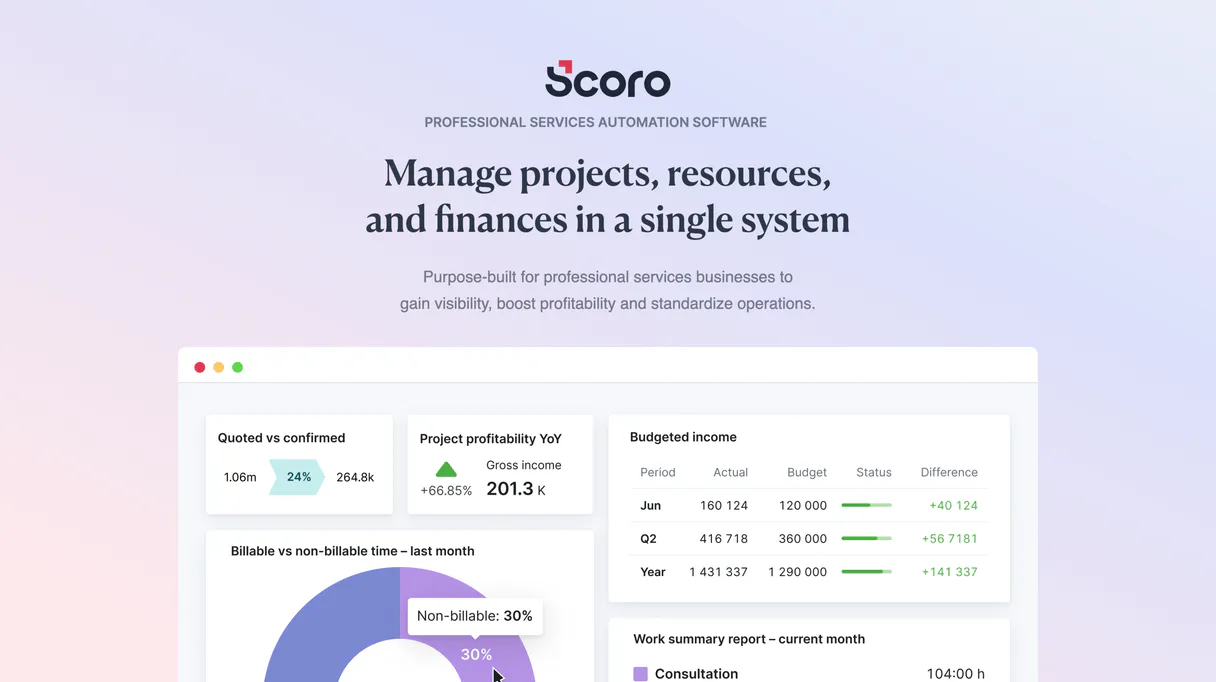
Independent Platform Disclaimer: Vinkius is an independent platform and is not affiliated with, endorsed by, sponsored by, verified by, or otherwise authorized by Scoro. All third-party trademarks, logos, and brand names are the property of their respective owners. Their use on this website is strictly for informational purposes to identify service compatibility and interoperability.
VINKIUS INFRASTRUCTURE
Cloud Hosted
Managed infra
V8 Isolated
Sandboxed per request
Zero-Trust Proxy
No stored credentials
DLP Enforced
Policy on every call
GDPR Compliant
EU data residency
Token Compression
~60% cost reduction
Works with Claude, ChatGPT, Cursor, and more
The Model Context Protocol standardizes how applications expose capabilities to LLMs. Instead of operating in isolation, your AI gains direct access to external platforms, live data, and real-world actions through secure, standardized connections.
This server provides 12 capabilities that interface natively with Claude, ChatGPT, Cursor, and any MCP client. No middleware. No custom integration required.
Available Capabilities
Juggling multiple dashboards to get one simple answer shouldn't take 20 clicks.
Today, if you need to know a client’s status and how much they owe, you open the CRM dashboard. You find their contact details, copy them into your PM tool to check project milestones, then switch to the billing portal just to see if an invoice is pending. It's slow, error-prone, and makes you feel bad about wasting time.
With this MCP server, you just ask your agent: 'What are Acme Corp’s current tasks and their outstanding quotes?' The system uses `get_contact`, `list_tasks`, and `list_quotes` to deliver a single, structured answer. You skip the clicks; you get the data.
Scoro MCP Server: See client financials, project status & time logs.
Gone are the manual steps of exporting invoice lists to review them alongside resource allocation. You no longer have to manually reconcile which billed hours map to which outstanding quote lines.
The server runs `list_time_entries` and `list_invoices` together, giving you a direct line between effort spent and revenue generated. It's the single source of truth for your agency’s cash flow.
Common Questions About Scoro MCP
How do I check all clients using list_contacts? +
You simply ask the agent to run list_contacts. It pulls a full list of every company and person in your Scoro database. You can then follow up by asking for details on any specific contact ID.
Can I check pending quotes using list_quotes? +
Yes, list_quotes retrieves all sales quotes that are currently open or awaiting customer approval. This is key for forecasting immediate revenue streams before an invoice is generated.
Does Scoro MCP Server track project tasks? Use list_tasks. +
The list_tasks tool pulls all active and completed tasks across every project in your portfolio. It’s useful for getting a quick status overview without diving into the full Project Management module.
How do I get time logs using list_time_entries? +
Use list_time_entries. This tool provides detailed records of hours logged by team members. You can then ask follow-up questions, such as 'List entries for Project Alpha last month,' to narrow down the data.
Can I see my business expenses with list_expenses? +
Yes, list_expenses pulls a record of every expense logged in your system. This helps you track overhead and calculate true project profitability accurately.
What kind of audit trail data can I retrieve using list_activities? +
The tool provides a chronological record of actions taken across your workspace. You get details on who updated which records, when they did it, and what the change was. This makes auditing team actions simple without jumping through different dashboards.
Does list_invoices track historical billing data beyond the current month? +
Yes, list_invoices pulls all sales invoices generated in your account history. You can review the total amount, the date of service, and the payment status for any past or pending bill. It’s essential for tracking full revenue cycles.
How do I check the complete team roster using list_users? +
list_users gives you a comprehensive view of every user in your Scoro organization. You can pull details like roles and last login dates to easily audit who has access to which resources.
Can the agent calculate how many hours were logged on a specific project? +
Yes. If you ask your agent 'How many hours were logged for project Alpha recently?', the agent will invoke list_time_entries and filter the returned data by that specific project, summing up the billable minutes natively.
Is it possible to track unpaid invoices directly from the chat? +
Absolutely. Just prompt the AI: 'List my recent sales invoices and flag any that haven't been paid'. The agent will make an API call to list_invoices and analyze the 'payment status' attributes for you.
Can I retrieve contact information before a meeting? +
Yes. You can use the agent to prepare yourself. Prompt: 'Search our contacts for Acme Corp and get me their full profile'. The agent relies on list_contacts and get_contact to pull in emails, phone numbers, and relational tags.
Use it with your favorite AI tools
Connect this server to Cursor, Claude, VS Code, and more.
More in this category

Poplar
Automate programmatic direct mail via Poplar — trigger mailers, standardize addresses, and manage audiences directly from any AI agent.

Tactile CRM
Connect your AI to Tactile CRM. Query companies, read contact details, and evaluate your sales opportunities and pipelines natively from the terminal.

SugarCRM
Intelligent CRM platform for sales and marketing.
You might also like

AirOps
AI workflow orchestration — execute models, manage agents, and query memory via AI.

Together AI Alternative
Access 100+ open-source models for chat, image generation, and fine-tuning. Power your AI agents with Llama 3.3, Flux, and more.
Diffbot
Extract structured data from any web page using AI that understands content like a human and builds knowledge graphs automatically.