
SEC EDGAR Full MCP. Analyze every public company filing in seconds.
 Gemini
 Works with every AI agent you already use
…and any MCP-compatible client









Just plug in your AI agents and start using Vinkius.
SEC EDGAR Full is a Mega-Server that gives your AI agent direct access to the U.S. Securities and Exchange Commission's entire public filing database.
It runs 13 tools covering company profiles, financial metrics (XBRL), annual reports (10-K), quarterly updates (10-Q), material event filings (8-K), and insider stock trades (Form 4).
You get deep corporate data dumps without needing to navigate the SEC website.
What your AI agents can do
Get 8k events
Retrieves current reports detailing material corporate events like earnings announcements or M&A activity.
Get all company facts
Downloads a massive, raw dataset of XBRL financial facts for deep, multi-year analysis.
Get annual reports
Fetches the full 10-K annual reports, including audited financials and management discussions.
Get a company's core details—SIC code, exchange listing, and history of filings—using its ticker or CIK.
Pull structured data points like Revenue, Assets, or R&D expenses for a company using standard accounting concepts.
Fetch 8-K reports detailing significant, time-sensitive changes, such as M&A activity or executive departures.
Retrieve the complete text and financials from annual (10-K) and quarterly (10-Q) filings for deep due diligence.
Get Form 4 data to see when officers and directors are buying or selling company stock.
Run a standardized metric (like revenue) across all companies in an entire sector for comparative analysis.
Perform full-text searches across every filed document to find specific risks, products, or topics.
Ask AI about this MCP
Supported MCP Clients
Gemini Waiting for input…
SEC EDGAR Full: 13 Tools for Corporate Intelligence
Run comprehensive financial analysis by accessing every SEC filing type—from quarterly earnings to executive stock movements.
019d7605get 8k events
Retrieves current reports detailing material corporate events like earnings announcements or M&A activity.
019d7605get all company facts
Downloads a massive, raw dataset of XBRL financial facts for deep, multi-year analysis.
019d7605get annual reports
Fetches the full 10-K annual reports, including audited financials and management discussions.
019d7605get company info
Retrieves a company's complete profile using its CIK number or stock ticker.
019d7605get financial metric
Gets a specific US-GAAP financial concept (e.g., Revenue, Debt) for a company in structured format.
019d7605get industry comparison
Compares the same financial metric across all companies within an entire industry sector.
019d7605get insider trades
Lists recent Form 4 filings, showing when company officers and directors buy or sell stock.
019d7605get key financials
Provides a quick summary of the most recent five reported financial values (Revenue, Net Income, etc.).
019d7605get quarterly reports
Retrieves 10-Q quarterly reports, including unaudited financials and interim management discussions.
019d7605get recent filings
Lists the most recent filings for a company, covering 10-K, 10-Q, 8-K, and other types.
019d7605lookup ticker
Converts a stock ticker symbol (like AAPL) into the unique SEC CIK number required for all queries.
019d7605search companies
Finds registered companies by name or partial ticker when you don't know the exact identifier.
019d7605search filings
Performs a full-text search across all SEC documents to locate specific keywords, risks, or products.
Choose How to Get Started
Build a custom MCP for your own tools, or connect a ready-made integration from our catalog.
Build Your Own
Turn any API into an MCP. Import a spec, define Agent Skills, or deploy with MCPFusion.
- Import from OpenAPI, Swagger, or YAML specs
- Create Agent Skills with progressive disclosure
- Deploy to edge with MCPFusion framework
- Built in DLP, auth, and compliance on every call
- Real time usage dashboard and cost metering
- Publish to catalog or keep private
Make Your AI Do More
Start with SEC EDGAR Full — The Ultimate Free Bloomberg Alternative for AI Agents, then connect any of our 4,700+ other servers whenever your AI needs more. One click, no limits.
- Use this MCP plus 4,700+ others, all in one place
- Add new capabilities to your AI anytime you want
- Every connection is secured and compliant automatically
- Track usage and costs across all your servers
- Works with Claude, ChatGPT, Cursor, and more
- New servers added to the catalog every week
What you can do with this MCP connector
SEC EDGAR Full is a mega-toolset that plugs your agent directly into the entire U.S. Securities and Exchange Commission filing database. You don't gotta waste time clicking through endless PDFs or building some messy API wrapper; you just ask for what you need, and it pulls structured data from the source.
It handles everything a major institutional investor needs to know about public companies.
Getting Started: Finding Your Target Company
You never wanna start an analysis without knowing exactly who you're looking at. If you only have the company name or a partial ticker, you use search_companies to pull up registered businesses by name or partial symbol. Once you find the right shell, if all you got is a stock ticker—say, AAPL—you run lookup_ticker first; that converts it into the unique CIK number needed for almost every other query.
Building Your Financial Profile
The data starts with basics. You can pull a company's entire profile using get_company_info, which grabs core details like their SIC code, exchange listing, and history of filings, all from just the ticker or CIK number. When you’re ready to drill into specific numbers, you use get_financial_metric to extract structured US-GAAP concepts—think Revenue, Assets, or R&D expenses—for any company.
Need a fast snapshot? Run get_key_financials; it gives you the most recent five reported values for things like Net Income and Revenue. For deep, multi-year historical analysis of every single financial fact recorded by the SEC, you hit up get_all_company_facts. This downloads massive, raw XBRL data sets that let your agent do complex cross-sectional modeling.
Tracking Regulatory Reports and Major Events
Companies file reports on a strict cycle, and this set covers every piece of paper. For the annual deep dive, you use get_annual_reports to pull the full 10-K package; that includes audited financials and the management's discussion section. When the quarter wraps up, you run get_quarterly_reports, which fetches the 10-Q, giving you unaudited numbers and interim discussions.
For sudden, material changes—like a massive merger or an unexpected earnings beat—you grab real-time data with get_8k_events. You can also check the most recent history for any company by running get_recent_filings, which lists everything from 10-K to 8-K. If you need to know what's going on with a specific industry, you don't gotta eyeball reports; run get_industry_comparison and it standardizes the same financial metric (like total revenue) across all companies in that sector so you can compare apples to apples.
Behavioral and Search Analysis
It’s not just about financials. You wanna know what the people running the show are doing? You use get_insider_trades to list recent Form 4 filings, showing exactly when company officers or directors buy or sell stock. This gives you a direct read on internal confidence. And if you're hunting for something specific—maybe a mention of 'supply chain risk' or a particular product line—you perform a full-text search across every single document filed by the SEC using search_filings.
It pulls keywords, risks, and topics from all available documents. Finally, remember that some filings are massive; if you wanna check which companies exist under certain criteria without knowing their exact identifier, you can run search_companies to find them by name or partial ticker symbol.
You just point your AI client at these tools, and it handles the whole data dump for you. It’s everything in one place.
How SEC EDGAR Full MCP Works
- 1 Start by identifying the necessary company using
lookup_ticker(by providing a stock ticker) orsearch_companies(if you only know the name). This gets the required CIK number. - 2 Specify your data need—for instance, 'I need last year's revenue and any recent 8-K filings.' Your agent then runs specific tools like
get_financial_metricandget_8k_eventssequentially. - 3 The server returns clean, structured JSON output containing the requested financial numbers, filing dates, or text snippets. You get immediate, actionable data for synthesis.
The bottom line is: you tell your agent what kind of corporate intelligence you need, and it runs the specific SEC tool to pull the raw data directly.
Who Is SEC EDGAR Full MCP For?
Anyone who spends time reviewing company health or market trends needs this. It’s built for analysts tired of switching between Bloomberg terminals, PDF readers, and separate financial databases. If your job involves comparing companies or tracking material corporate changes, you need this.
Runs get_industry_comparison to benchmark a target company's revenue against its peers, and uses get_insider_trades to check for immediate behavioral signals.
Uses search_filings across multiple companies to track how frequently competitors mention specific risk factors (e.g., supply chain issues) in their 10-K reports.
Checks for material corporate changes by calling get_8k_events immediately after a major company announcement, ensuring timely adherence to regulations.
What Changes When You Connect
- Go beyond simple summaries. Instead of relying only on
get_key_financials, you can useget_all_company_factsto grab the complete, raw XBRL data dump for deep-dive analysis into any specific financial concept. - Track corporate risk in real time. When a major event happens (M&A, earnings), immediately check
get_8k_events. This is faster than waiting for management to update their full 10-Q filing. - Identify executive sentiment instantly. Use
get_insider_tradesto see if C-suite executives are buying or dumping stock. Insider buys often signal confidence, which is a crucial data point that manual research misses. - Benchmark across the sector. Don't just look at one company. Run
get_industry_comparisonto compare Revenue or Assets for all companies in an entire industry frame simultaneously. - Pinpoint specific risks anywhere. If you suspect a competitor is hiding something, use
search_filingswith keywords like 'litigation' or 'supply chain bottleneck.' It scans the text of every document. - Build a complete historical view. By combining
get_annual_reportsandget_quarterly_reports, your agent builds a verifiable timeline of financial performance, from audited annual statements to unaudited quarterly updates.
Real-World Use Cases
Evaluating sector risk for a new investment thesis
An analyst needs to know if 'AI infrastructure' is becoming a major risk factor. They run search_filings across the top 50 companies, filtering by 'risk factors.' The agent compiles all mentions of AI and identifies which industries are leading the conversation, solving the problem in minutes.
Comparing two rival tech giants' balance sheets
A strategy team needs a side-by-side view of total assets for Microsoft and Apple. They use get_industry_comparison to compare 'Assets, Total' for CY2025 across both companies, providing immediate financial context.
Investigating a sudden stock sell-off
A researcher notices heavy selling of shares. They first use lookup_ticker to confirm the CIK, then run get_insider_trades to see who sold and when. This quickly confirms if it was an executive or a general market dump.
Getting a full picture of a company's recent actions
You need the latest update on Pharma Corp. You first use get_recent_filings to see what forms were filed in the last month, then call get_8k_events if an event occurred, and finally check get_quarterly_reports for financial details.
The Tradeoffs
Asking for 'Financials'
Prompting the agent with: 'Give me the financials.' This is too vague and forces the server to guess, leading to incomplete or generic responses.
→
Be specific. Instead of 'Give me the financials,' ask the agent to use get_financial_metric for 'Revenue' OR call get_key_financials for a recent summary.
Missing the CIK number
Trying to run any query like get_annual_reports without first knowing the company’s unique identifier. The tool fails immediately.
→
Always start by using lookup_ticker with the stock symbol (e.g., MSFT) to reliably get the required CIK number before running any other data calls.
Mixing up reports
Assuming that 10-Q always contains audited statements, or mixing historical general facts with recent filings.
→
Remember: get_quarterly_reports provides unaudited data. For official, audited numbers, use the comprehensive tool: get_annual_reports (10-K).
When It Fits, When It Doesn't
Use this server if your task requires structured financial metrics, regulatory compliance checks, or cross-industry comparisons. Specifically, if you need to know when a company changed its risk profile (search_filings) or who is buying/selling stock (get_insider_trades), this toolset handles it. Don't use it if your goal is simply to get the current real-time price of a single stock—that requires a dedicated market data feed, not an SEC filing archive. If you just need basic company contact details and don’t care about filings history, get_company_info is enough, but for everything else, this Mega-Server is necessary.
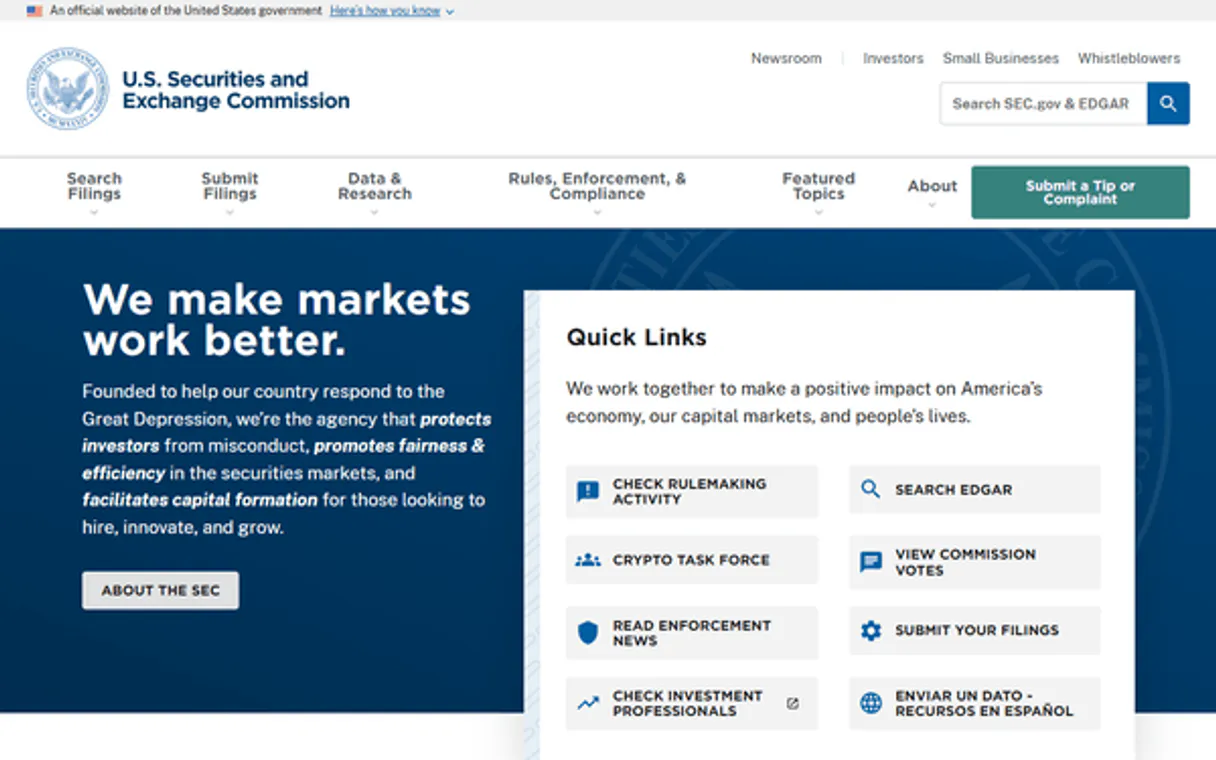
Independent Platform Disclaimer: Vinkius is an independent platform and is not affiliated with, endorsed by, sponsored by, verified by, or otherwise authorized by U.S. Securities and Exchange Commission (SEC). All third-party trademarks, logos, and brand names are the property of their respective owners. Their use on this website is strictly for informational purposes to identify service compatibility and interoperability.
VINKIUS INFRASTRUCTURE
Cloud Hosted
Managed infra
V8 Isolated
Sandboxed per request
Zero-Trust Proxy
No stored credentials
DLP Enforced
Policy on every call
GDPR Compliant
EU data residency
Token Compression
~60% cost reduction
Works with Claude, ChatGPT, Cursor, and more
The Model Context Protocol standardizes how applications expose capabilities to LLMs. Instead of operating in isolation, your AI gains direct access to external platforms, live data, and real-world actions through secure, standardized connections.
This server provides 13 capabilities that interface natively with Claude, ChatGPT, Cursor, and any MCP client. No middleware. No custom integration required.
Available Capabilities
Sifting through thousands of PDF filings takes days.
Today, pulling a comprehensive picture of one company means downloading the 10-K, then finding the latest 8-K on a different page, cross-referencing it with quarterly statements, and manually copying key figures into a spreadsheet. You spend hours just managing the data source, not analyzing it.
With SEC EDGAR Full MCP Server, your agent runs `get_recent_filings` to map out all available documents—10-K, 8-K, etc.—and then executes targeted tools like `get_financial_metric`. The result is structured JSON data in seconds. You skip the PDF management and go straight to analysis.
The get_industry_comparison tool delivers market context instantly.
Before, comparing a metric—say, total revenue—across 15 competitors required you to visit 15 different investor relations websites and manually find the right year's number for each one. It was tedious, error-prone work that slowed down any investment pitch.
Now, calling `get_industry_comparison` sends a single command. The server handles the complexity of sourcing the metric across all relevant companies in the sector, giving you an instant, clean table view. That’s a massive time saver.
Common Questions About SEC EDGAR Full MCP
How do I use get_financial_metric? +
You specify the company (via CIK or ticker) and the exact US-GAAP concept you want, like 'Revenue' or 'LongTermDebt.' It returns that specific data point across multiple years.
What is the difference between get_annual_reports and get_quarterly_reports? +
Annual reports (get_annual_reports / 10-K) are the full, audited yearly statements. Quarterly reports (get_quarterly_reports / 10-Q) are unaudited updates filed three times a year.
Can get_insider_trades tell me if an executive is dumping stock? +
Yes. You run get_insider_trades to see Form 4 filings, which track officer and director transactions. A high volume of sales flags potential risk.
How do I get the CIK number for a company? +
You use the lookup_ticker tool by providing any known stock ticker symbol (e.g., AMZN). It returns the unique SEC CIK ID required for all other queries.
How do I use `search_filings` if I need to track a specific regulatory risk factor across multiple years? +
You must filter the search using both form type (e.g., 10-K) and date range parameters. This limits results to relevant filings, preventing noise from unrelated documents.
When should I use `get_all_company_facts` instead of `get_key_financials`? +
Use get_all_company_facts when you need the complete, raw XBRL dataset for deep analysis. get_key_financials provides a curated summary—it's faster but sacrifices data depth.
Does `get_8k_events` only show M&A activity, or what other mandatory material events does it capture? +
No, it captures all major changes. This includes earnings announcements, executive departures, bankruptcy filings, and delistings, providing a full picture of corporate shifts.
What parameters are required for `get_industry_comparison` to compare metrics across many companies? +
You must specify three things: the financial metric (e.g., Revenue), the time period (e.g., CY2024), and a list of company tickers or CIK numbers.
How does this compare to Bloomberg Terminal? +
Bloomberg Terminal costs $24,000/year. This MCP server provides free, direct access to the same SEC EDGAR data that Bloomberg uses as a primary source. While Bloomberg offers real-time market data, charting, and news, this server covers the fundamental financial data: company filings (10-K, 10-Q, 8-K), XBRL financial statements, insider trading, and full-text search — all for free through the SEC's official APIs.
Is this server rate-limited? +
The SEC limits API traffic to 10 requests per second. The MCP server honors these requirements by acting transparently and using a respectful User-Agent.
Is all data strictly accurate? +
Yes, the data is pulled unaltered straight from the SEC's government endpoints. Be mindful that company financial reporting itself may occasionally be updated or reclassified by the companies themselves.
Use it with your favorite AI tools
Connect this server to Cursor, Claude, VS Code, and more.
More in this category
Elasticsearch Vector
Empower vector search via Elasticsearch — perform dense vector kNN searches, handle index mappings, and index embedding documents directly from any AI agent.

CMS.gov Data
Access public healthcare data from the Centers for Medicare & Medicaid Services, including provider information.

Confluence
Empower your AI agent to search, read, and create Confluence wiki pages directly from chat.
You might also like

Bloomerang
Manage donors and donations via Bloomerang — list constituents, transactions, and campaigns directly from any AI agent.
Salesloft
Automate sales engagement via Salesloft — manage cadences, people, and accounts directly from any AI agent.

Zealy
Automate community growth and engagement on Zealy — manage quests, track leaderboards, and reward users directly from your AI agent.