
ShipEngine Alternative MCP. Full fulfillment control, from address check to tracking.
 Gemini
 Works with every AI agent you already use
…and any MCP-compatible client









Just plug in your AI agents and start using Vinkius.
ShipEngine Alternative lets your AI client handle every step of shipping logistics through natural chat commands. You validate addresses, compare real-time rates across multiple carriers, generate labels, and track packages—all without leaving your agent interface.
It's the full fulfillment workflow: from initial address check to final tracking update.
What your AI agents can do
Add funds
Adds money to a specific carrier account balance.
Connect carrier
Connects and authenticates an entire shipping carrier account.
Create label
Generates and purchases a standard shipping label for a package.
The tool checks if a shipping address is formatted correctly and deliverable, preventing costly failed shipments.
It calculates real-time shipping rates from multiple carriers so you can pick the cheapest or fastest option for any package size.
The system generates, purchases, and manages physical shipping labels using specific rate shopping strategies (cheapest, fastest, etc.).
You monitor packages by running track_label or track_package using either a label ID or the carrier's tracking number.
It allows you to list connected carriers, connect new accounts, and add funds when balances run low.
Ask AI about this MCP
Supported MCP Clients
Gemini Waiting for input…
ShipEngine Alternative MCP Server: 13 Tools for Logistics
Use these tools to manage the entire lifecycle of a package shipment, from address validation to final tracking updates.
019e5d55add funds
Adds money to a specific carrier account balance.
019e5d55connect carrier
Connects and authenticates an entire shipping carrier account.
019e5d55create label
Generates and purchases a standard shipping label for a package.
019e5d55create label rate shopper
Creates a shipping label by running rate comparison strategies (cheapest, fastest).
019e5d55create manifest
Generates necessary carrier documents like USPS SCAN forms for pickups.
019e5d55create shipment
Creates a new shipment record using specific origin and destination details.
019e5d55get rates
Calculates multiple shipping rates for different carriers based on package dimensions and zones.
019e5d55list carriers
Retrieves a list of all carrier accounts currently connected to the server.
019e5d55list labels
Shows a record of previously generated shipping labels.
019e5d55track label
Checks the current status of a package using its specific label ID.
019e5d55track package
Tracks a package using a carrier code and tracking number combination.
019e5d55validate addresses
Checks up to 250 shipping addresses to confirm they are valid for delivery.
019e5d55void label
Cancels and invalidates an existing shipping label before it's used.
Choose How to Get Started
Build a custom MCP for your own tools, or connect a ready-made integration from our catalog.
Build Your Own
Turn any API into an MCP. Import a spec, define Agent Skills, or deploy with MCPFusion.
- Import from OpenAPI, Swagger, or YAML specs
- Create Agent Skills with progressive disclosure
- Deploy to edge with MCPFusion framework
- Built in DLP, auth, and compliance on every call
- Real time usage dashboard and cost metering
- Publish to catalog or keep private
Make Your AI Do More
Start with ShipEngine Alternative, then connect any of our 4,700+ other servers whenever your AI needs more. One click, no limits.
- Use this MCP plus 4,700+ others, all in one place
- Add new capabilities to your AI anytime you want
- Every connection is secured and compliant automatically
- Track usage and costs across all your servers
- Works with Claude, ChatGPT, Cursor, and more
- New servers added to the catalog every week
What you can do with this MCP connector
This MCP Server handles your entire shipping logistics chain, letting you run complex operations through simple chat commands. Your AI client acts like an ops engineer, managing carrier accounts and fulfillment tasks without forcing you to jump between websites.
Carrier Account Management
You'll start by listing every connected account using list_carriers. If you need to connect a new provider or confirm authentication details, run connect_carrier. When you know your balances are low, you can top up funds for specific carriers with add_funds.
Address Validation and Rate Shopping
Before anything else, you've got to make sure the address is real. You validate up to 250 shipping addresses at once using validate_addresses, which confirms if the location is formatted right and deliverable. To figure out costs, you use get_rates to calculate multiple shipping quotes from different carriers based on the package size and destination zone.
For label creation that requires shopping around for deals, run create_label_rate_shopper; this tool executes rate comparison strategies so you can pick the absolute cheapest or fastest option available.
Fulfillment and Label Generation
When it's time to ship, first, you use create_shipment to generate a new shipment record using specific origin and destination details. To get the actual label purchased and generated for that package, run create_label. If you change your mind before printing, don't sweat it; void_label cancels and invalidates an existing shipping label immediately.
For large pickups, you can generate necessary carrier documents like USPS SCAN forms using create_manifest. You can also view a history of labels already generated by running list_labels.
Tracking and Status Updates
To track where the package is, you use two tools: track_package handles tracking when you provide a specific carrier code and a tracking number combination. If you only have the label ID, run track_label to check its current status in the system.
How ShipEngine Alternative MCP Works
- 1 Subscribe to the server and enter your ShipEngine API Key.
- 2 Connect the MCP Server to your preferred AI client (Claude, Cursor, etc.).
- 3 Ask your agent a logistics question—for example, 'Get rates for this address.' The agent executes the necessary tools in the background.
The bottom line is you get full fulfillment control via natural language commands, treating the entire shipping stack like one chat interface.
Who Is ShipEngine Alternative MCP For?
E-commerce Managers and Operations Leads who are tired of toggling between Carrier websites, USPS tools, and rate comparison spreadsheets. The Logistics Developer who needs to test fulfillment workflows without writing complex boilerplate API code. If your job involves shipping anything more than once a week, you need this.
Uses the tool to compare rates for new products and generates labels in batches without manual data entry.
Manages daily shipments, validating customer addresses immediately upon receipt and tracking multiple packages simultaneously from a single chat window.
Tests complex shipping flows (e.g., rate shopping vs. fixed-rate labeling) by calling the required tools via natural language prompts instead of writing boilerplate API code.
What Changes When You Connect
- You stop switching between carrier sites. The agent handles validation (
validate_addresses) and rate fetching (get_rates) in one sequence before you even commit to a label. - Rate comparison is instant. Instead of checking FedEx rates on Monday and USPS rates on Tuesday, the
create_label_rate_shoppertool gets all options at once, letting you choose based on price or speed. - Labeling and tracking are streamlined. You can generate labels (
create_label) and immediately track them (track_package), closing out the loop without manual copy-pasting of numbers. - Account management is centralized. Use
list_carriersto see what you have access to, or useadd_fundsright from the chat when a balance gets low—no more forgetting payments. - Data integrity stays high. Before anything else happens, running
validate_addressesensures your customer's input won't cause a costly delivery failure later on.
Real-World Use Cases
The new product launch fulfillment queue
A manager receives 50 addresses for an upcoming sale. Instead of manually entering them into multiple forms, they tell their agent: 'Validate these 50 addresses and then get the best rate for a standard box.' The agent runs validate_addresses, filters the good inputs, executes get_rates on the valid set, and gives you a manifest plan.
The last-minute shipment failure
A customer calls with an old label ID. Instead of guessing if it's right, the agent runs track_label. If that fails, the manager can run void_label to clear up old records before creating a new one using create_shipment.
The billing cleanup task
You need to check your available carrier accounts. You ask the agent: 'Show me all connected carriers and check the balances.' The tool runs list_carriers, letting you see if you need to use add_funds before shipping.
The complex manifest creation
Your warehouse needs a pickup form for 20 packages. You prompt: 'Create the carrier manifest for these 20 items.' The agent uses create_manifest, generating the necessary SCAN forms directly, saving you from printing and manually filing paperwork.
The Tradeoffs
Shipping without checking addresses first
A developer assumes an address is correct because it looks right. They run create_shipment immediately, only to fail the API call later when a carrier rejects the zip code.
→
Always start with validate_addresses. Run this tool on the raw customer input first. It provides the necessary guardrails before you calculate rates or create anything.
Using an outdated tracking number
A user tries to track a package using a manually copied tracking number that is missing the carrier prefix, leading to 'Invalid Number' errors.
→
Use track_package and provide both the specific carrier code (e.g., UPS) AND the tracking number. The tool requires both pieces of data for accurate lookup.
Ignoring label cancellation
A shipment was processed, but the customer changed their mind before pickup. The developer just deletes the record instead of calling an API function.
→
Use void_label. This tool correctly interacts with the carrier's system to officially void the label and prevent billing issues down the line.
When It Fits, When It Doesn't
You should use this server if your process requires multiple, sequential steps involving physical shipment: (1) Address verification (validate_addresses), (2) Cost calculation (get_rates), (3) Label generation/purchase (create_label or create_shipment), and (4) Tracking status updates. It's built for the whole pipeline.
Don't use this if you just need to store data in a spreadsheet; it is not a database tool. Also, don't use it if your primary goal is only internal communication—it’s purely focused on external carrier APIs. If you only ever validate addresses and never ship, you might be over-investing, but the full workflow capability makes it worth it.

Independent Platform Disclaimer: Vinkius is an independent platform and is not affiliated with, endorsed by, sponsored by, verified by, or otherwise authorized by ShipEngine. All third-party trademarks, logos, and brand names are the property of their respective owners. Their use on this website is strictly for informational purposes to identify service compatibility and interoperability.
VINKIUS INFRASTRUCTURE
Cloud Hosted
Managed infra
V8 Isolated
Sandboxed per request
Zero-Trust Proxy
No stored credentials
DLP Enforced
Policy on every call
GDPR Compliant
EU data residency
Token Compression
~60% cost reduction
Works with Claude, ChatGPT, Cursor, and more
The Model Context Protocol standardizes how applications expose capabilities to LLMs. Instead of operating in isolation, your AI gains direct access to external platforms, live data, and real-world actions through secure, standardized connections.
This server provides 13 capabilities that interface natively with Claude, ChatGPT, Cursor, and any MCP client. No middleware. No custom integration required.
Available Capabilities
Dealing with shipping means switching between apps all day long.
Right now, to get a quote for a package, you open Carrier A's site. You get rates. Then, if you want the cheapest option, you copy that data into a spreadsheet. If your customer gives a bad address, you have to leave the rate tool and go somewhere else just to check the zip code format. It’s manual, it takes half an hour per shipment, and you're always fighting API version changes.
With this MCP server, all that friction disappears. You tell your agent: 'Check these 10 addresses and give me the best rate for a small box.' The agent runs `validate_addresses` then `get_rates`. It gives you one clean answer, right in chat. No tabs open, no copying data—just results.
ShipEngine Alternative MCP Server: Get labels and track packages from your agent.
Before this, creating a shipment meant gathering the origin zip, destination zip, package weight, dimensions, and then manually selecting service levels to ensure you got both the rate *and* the actual label purchased. If any single parameter was wrong, the whole thing failed.
Now, you just ask your agent to 'Create a label for this shipment.' The tool handles the complex sequence: checking funds (`add_funds`), getting rates (`get_rates`), selecting the best option, and finally calling `create_label`—all in one go. It's seamless because it knows the whole workflow.
Common Questions About ShipEngine Alternative MCP
How do I validate addresses using the validate_addresses tool? +
You pass up to 250 addresses directly to the validate_addresses tool. It checks formatting and deliverability against carrier standards, telling you which ones are good to go.
Can I use get_rates to compare FedEx vs USPS rates? +
Yes. You provide the package details (dimensions, weight) and the destination zip code, and get_rates returns a comparison table of available options from multiple connected carriers.
What's the difference between create_shipment and create_label? +
Use create_shipment when you are defining the parameters for an upcoming shipment record. Use create_label when you are ready to finalize, purchase, and generate the actual physical label.
How do I track a package with track_package? +
You run track_package by providing two key pieces of info: the carrier's specific code (like UPS) and the full tracking number. This ensures accurate status retrieval.
How do I check which shipping carriers are available using the list_carriers tool? +
You first connect your API key to the server. Then, running list_carriers immediately displays all linked carrier accounts and their current status. This lets you confirm connectivity before building anything.
What is the proper procedure for voiding a label using the void_label tool? +
You must use void_label if a paid label needs to be canceled before carrier pickup. You simply supply the unique label ID, and the tool handles the cancellation request with the respective shipping provider.
What data does the create_manifest tool handle, and why is it necessary? +
The create_manifest tool requires a list of labels or shipments. Its purpose is to bundle multiple packages into carrier-specific documents (like USPS SCAN forms), making bulk pickup efficient for your logistics team.
Does the create_label_rate_shopper tool guarantee the absolute best shipping deal? +
The rate shopper compares options across multiple carriers and services in real-time. You specify what you prioritize—like 'cheapest' or 'fastest'—and it generates a label based on that optimized selection.
Can I validate multiple addresses at once to avoid shipping surcharges? +
Yes! Use the validate_addresses tool. You can provide an array of address objects, and the agent will return validation results for up to 250 addresses in a single request.
How does the AI choose the best shipping rate for me? +
You can use the create_label_rate_shopper tool with a specific strategy: 'cheapest', 'fastest', or 'best_value'. The agent will automatically compare rates across your carriers and purchase the label that fits your criteria.
Can I track a package if I only have the tracking number and carrier code? +
Absolutely. Use the track_package tool by providing the carrier_code (e.g., 'ups', 'fedex') and the tracking_number. The agent will retrieve the latest status and location updates.
Use it with your favorite AI tools
Connect this server to Cursor, Claude, VS Code, and more.
More in this category

Fomo
Manage social proof notifications, push real-time events, and oversee templates via AI agents with Fomo.
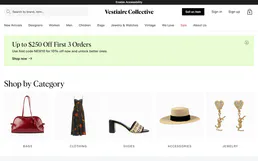
Vestiaire Collective
Search, analyze, and manage luxury resale items on Vestiaire Collective — the global community for pre-loved fashion.

Reverb
Manage your Reverb shop — create listings, track orders, handle payouts, and communicate with buyers directly via AI.
You might also like

LibraryThing
Look up books by ISBN, explore works, and check library coverage — a bibliographic intelligence tool for AI agents.

Zoho Inventory
Manage inventory, orders, and contacts on Zoho Inventory with AI agents.

Rick and Morty
Explore characters, locations, and episodes from the Rick and Morty universe via AI.