4,500+ servers built on MCP Fusion
Vinkius

Shodan MCP. Scan exposed services & map attack surfaces.

Claude Claude
ChatGPT ChatGPT
Cursor Cursor
Gemini Gemini
Windsurf Windsurf
VS Code VS Code
JetBrains JetBrains
Vercel Vercel
See Vinkius in Action

Works with every AI agent you already use

…and any MCP-compatible client

Shodan MCP on Cursor AI Code Editor MCP Client Shodan MCP on Claude Desktop App MCP Integration Shodan MCP on OpenAI Agents SDK MCP Compatible Shodan MCP on Visual Studio Code MCP Extension Client Shodan MCP on GitHub Copilot AI Agent MCP Integration Shodan MCP on Google Gemini AI MCP Integration Shodan MCP on Lovable AI Development MCP Client Shodan MCP on Mistral AI Agents MCP Compatible Shodan MCP on Amazon AWS Bedrock MCP Support

Just plug in your AI agents and start using Vinkius.

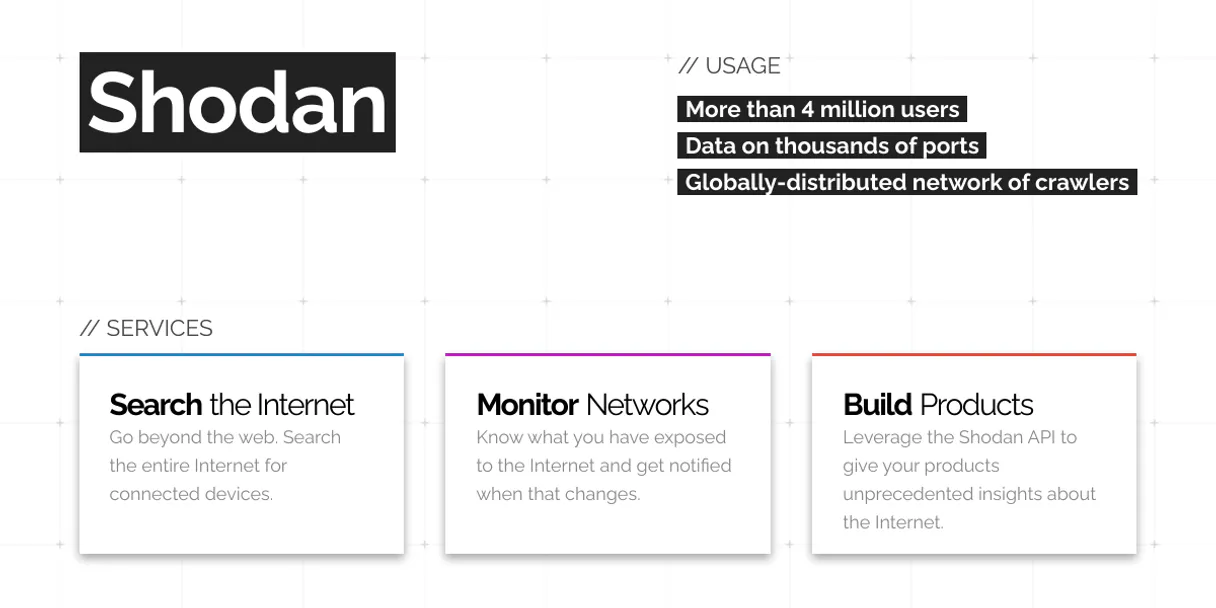
Shodan lets you query a search engine built for internet-connected devices. It finds exposed services, maps open ports, and analyzes device banners across vast IP ranges.

Use it to discover misconfigurations, map potential attack surfaces, or just see what hardware is talking to the public internet.

What your AI agents can do

Dns resolve

Takes one or more domain names and returns the corresponding IP address mapping.

Get account info

Checks your remaining usage credits and overall account status for Shodan.

Get api info

Retrieves specific details about the API plan you are using, useful for monitoring limits.

+ 7 more capabilities included
Search by Device Parameters

Finds internet-connected devices using powerful filters like product name (e.g., 'apache'), operating system ('Linux'), port number, or country code.

Analyze a Single Host IP

Retrieves the full service profile for an IP address, listing all open ports, associated services, banners, and potential vulnerabilities.

Resolve Hostnames to IPs

Maps one or more domain names (hostnames) directly to their corresponding numerical IP addresses.

Identify External IP Address

Checks your own current public-facing IP address, useful for firewall setup or access control logging.

Check Search Limits and Credits

Provides status on your account usage, showing remaining query credits and API plan details to prevent run-time failures.

Supported MCP Clients

Claude Claude
ChatGPT ChatGPT
Cursor Cursor
Gemini Gemini
Windsurf Windsurf
VS Code VS Code
JetBrains JetBrains
Vercel Vercel
+ other MCP clients
Free for Subscribers

Waiting for input…

AI Agent

Shodan MCP Server: 10 Tools for Network Scanning

Use these dedicated tools to perform advanced tasks like IP resolution, host detailing, searching by product/OS, and monitoring your API usage.

dns019d847f

dns resolve

Takes one or more domain names and returns the corresponding IP address mapping.

get019d847f

get account info

Checks your remaining usage credits and overall account status for Shodan.

get019d847f

get api info

Retrieves specific details about the API plan you are using, useful for monitoring limits.

get019d847f

get facets

Lists all available search filters (like country or OS) so you know how to build advanced queries.

get019d847f

get host count

Calculates the total number of devices that match a specific filter before running the full, expensive search query.

get019d847f

get host info

Pulls every available detail for a single IP address: ports, banners, location, and OS type. This is your deep-dive tool.

get019d847f

get my ip

Returns the current external IP address of the machine running the agent.

get019d847f

get ports

Lists all ports that Shodan actively scans across the internet for reference.

reverse019d847f

reverse dns

Takes one or more IP addresses and returns any associated domain names (hostnames).

search019d847f

search hosts

Runs a broad scan against the Shodan database, allowing you to filter results by product, port, OS, country, and vulnerability.

Choose How to Get Started

Build a custom MCP for your own tools, or connect a ready-made integration from our catalog.

Build Your Own

Turn any API into an MCP. Import a spec, define Agent Skills, or deploy with MCPFusion.

  • Import from OpenAPI, Swagger, or YAML specs
  • Create Agent Skills with progressive disclosure
  • Deploy to edge with MCPFusion framework
  • Built in DLP, auth, and compliance on every call
  • Real time usage dashboard and cost metering
  • Publish to catalog or keep private
Start building

Make Your AI Do More

Start with Shodan, then connect any of our 4,700+ other servers whenever your AI needs more. One click, no limits.

  • Use this MCP plus 4,700+ others, all in one place
  • Add new capabilities to your AI anytime you want
  • Every connection is secured and compliant automatically
  • Track usage and costs across all your servers
  • Works with Claude, ChatGPT, Cursor, and more
  • New servers added to the catalog every week

What you can do with this MCP connector

Shodan isn't your average search engine. It’s a scanner built to find exposed services across the internet—the kind of stuff people forget to lock down. You use this server to map out digital infrastructure, spot misconfigurations, or just figure out what hardware is talking to the outside world. Your AI client runs these tools for you; you just tell it where to look.

Scanning and Discovery
You want to know what's running on a specific IP range? Use search_hosts. This tool runs a broad scan against Shodan’s massive database, letting you filter results by product name (like 'apache'), operating system ('Linux'), country code, port number, or even known vulnerabilities. It finds internet-connected devices using powerful parameters so you can zero in on targets.

To get an idea of how big the haystack is before running an expensive search, run get_host_count; this calculates the total number of devices matching your filter without doing the full scan. For advanced planning, check out get_facets, which lists every available search filter—you'll know exactly what you can build into a complex query.

Resolving Network Addresses
You often start with names, not numbers. Use dns_resolve to take one or more domain names (hostnames) and get the corresponding IP address mapping. If you only have an IP and need to know what name it belongs to, run reverse_dns. This tool takes those IP addresses and returns any associated domain names.

To see the full range of ports Shodan tracks globally for reference, use get_ports.

Deep Dive Analysis on Specific Hosts
When you zero in on a specific IP address, you need more than just confirmation it exists. You'll run get_host_info. This is your deep-dive tool; it pulls every available detail for one single IP, listing all open ports, the service banners running there, the geographical location, and the detected OS type.

If you only know your own public-facing address, use get_my_ip to check your agent’s current external IP. For a complete picture of an IP's potential attack surface, this single tool gives you everything.

Account Management and Utility Checks
Before running any major scan, you gotta know if you've got credits left or if the API plan is gonna trip up. Run get_account_info to check your remaining usage credits and overall account status for Shodan. You can also use get_api_info to retrieve specific details about the current API plan, which helps you monitor limits and prevents run-time failures.

Finally, if you need a simple name-to-IP lookup without complex filtering, you can still rely on dns_resolve or reverse_dns.

How Shodan MCP Works

  1. 1 Subscribe to the Shodan MCP Server. You'll need a Shodan API Key.
  2. 2 Input your API key into the client settings. The server validates the credentials and sets up access layers.
  3. 3 Tell your AI agent what you want to find—for example, 'Search for all SSH ports in France.' The agent calls search_hosts.

The bottom line is: You provide the query; the server runs the network scan via tools and returns structured data directly to your chat.

Who Is Shodan MCP For?

This is for people who live by IP addresses, not usernames. If your job involves figuring out what's exposed on a company's perimeter or mapping attack vectors, you need this. Stop guessing; start scanning.

Security Researcher

Runs broad scans to discover forgotten services, analyze network topology for potential entry points, and identify misconfigured IoT devices.

System Administrator (Sysadmin)

Monitors the company's exposed perimeter by checking if new ports opened accidentally or if old services are running with outdated banners.

Threat Intelligence Analyst

Gathers intelligence on adversary infrastructure, tracking unusual service banners or identifying device types associated with specific threat actors.

What Changes When You Connect

  • Pinpoint Misconfigurations: Instead of guessing, use search_hosts to filter for specific products (e.g., 'nginx') or ports (e.g., 'port:23'). This lets you find exactly what's exposed on the public internet.
  • Deep Host Analysis: The get_host_info tool gives you everything about a single IP—open ports, banners, OS type, and geo-location. It’s better than just checking an online port scanner.
  • Efficient Querying: Don't waste credits running big searches blind. Use get_host_count first to see how many devices match your criteria before executing the full scan via search_hosts.
  • IP Mapping & Validation: Need to know what a domain points to? Run dns_resolve or reverse_dns. You get instant IP-to-hostname (and vice versa) mapping, critical for asset tracking.
  • Operational Awareness: Use get_account_info and get_api_info to keep tabs on your usage limits. This prevents the agent from failing mid-workflow because you hit a quota wall.

Real-World Use Cases

01

Investigating Suspicious IPs

You get an IP address from a threat feed. Instead of manually logging into a dozen dashboards, your agent runs get_host_info on the IP. You immediately see all open ports (e.g., 21/FTP, 80/HTTP) and the banner details, telling you exactly what service is running and if it's outdated.

02

Mapping an Organization’s Perimeter

A client asks to check their exposed services. You use search_hosts by filtering on 'country:US' and a high-risk port like 3389 (RDP). The results give you a list of IPs, allowing the client to patch misconfigured machines instantly.

03

Verifying Domain Ownership

You only have a domain name. You run dns_resolve first to get the IP. Then, you use get_host_info on that IP to verify if it's running the expected services and check for unusual banners or unexpected open ports.

04

Pre-scanning Scope Check

Before launching a massive scan across an entire subnet, you run get_host_count with your desired filters. This tells you if the query is worth running and saves API credits by confirming match volume first.

The Tradeoffs

Assuming Internal Services Are Safe

Thinking that because an IP isn't listed in a company directory, it can’t be scanned. You only check public-facing assets and miss the rogue IoT device.

Always use search_hosts with specific product filters (like 'cctv' or 'printer') to find devices that might not be on the main network map but are still exposed.

Running Full Scans Without Limits

Launching a huge search_hosts query without checking your usage first. The agent hits the API limit and fails, leaving you with no data.

Always run get_account_info before any major scan job to ensure you have enough credits for the full search.

Over-relying on Domain Names Only

Only using a domain name and ignoring potential IP changes or complex routing issues. The data you get is stale.

Use dns_resolve to confirm the current IP, then run get_host_info on that specific IP for the most accurate banner and port data.

When It Fits, When It Doesn't

Use this server if your problem involves scanning external network boundaries or finding what's exposed on the public internet. You need broad visibility across IPs, ports, and banners.

Don't use it if you are trying to map a private internal corporate network (e.g., behind a VPN). Shodan only sees what’s out there. If your task requires analyzing traffic inside a protected firewall or running live penetration testing against a known asset, this tool won't help—you need an on-premise scanner instead.

If you just need to check if a single website is up, use a simple HTTP request. But if you need to know what services are running on that website’s IP (like FTP, SSH, or specific vendor banners), then get_host_info is the right call.

Independent Platform Disclaimer: Vinkius is an independent platform and is not affiliated with, endorsed by, sponsored by, verified by, or otherwise authorized by Shodan. All third-party trademarks, logos, and brand names are the property of their respective owners. Their use on this website is strictly for informational purposes to identify service compatibility and interoperability.

VINKIUS INFRASTRUCTURE

Cloud Hosted

Managed infra

V8 Isolated

Sandboxed per request

Zero-Trust Proxy

No stored credentials

DLP Enforced

Policy on every call

GDPR Compliant

EU data residency

Token Compression

~60% cost reduction

How we secure it →

Works with Claude, ChatGPT, Cursor, and more

The Model Context Protocol standardizes how applications expose capabilities to LLMs. Instead of operating in isolation, your AI gains direct access to external platforms, live data, and real-world actions through secure, standardized connections.

This server provides 10 capabilities that interface natively with Claude, ChatGPT, Cursor, and any MCP client. No middleware. No custom integration required.

Available Capabilities

dns_resolve get_account_info get_api_info get_facets get_host_count get_host_info get_my_ip get_ports reverse_dns search_hosts

Finding exposed ports and misconfigurations shouldn't require jumping between five different security dashboards.

Right now, finding out what an organization has unintentionally exposed means logging into one service to check DNS records, another for open ports, a third for vendor banners, and then checking a fourth dashboard just to see if the IP is in a specific region. It's slow, it’s manual, and you always miss something.

With Shodan MCP Server, your agent handles the whole sequence. You ask, 'What services are running on 192.0.2.1?' The agent calls `get_host_info`, pulls all the banner data, lists open ports, and drops it right into your chat—structured, clean, and actionable.

Shodan MCP Server: Get a complete view of network assets.

Manual scanning is limited to what you can see on one screen. You're restricted by the UI—you have to manually filter by country, then product, then vulnerability. The server lets your AI client run these filters automatically in a single command via `search_hosts`. It doesn't care how many parameters you throw at it; it just finds and lists every match.

It’s the difference between building a query step-by-step and asking for the final, complete data set immediately.

Common Questions About Shodan MCP

How do I get a Shodan API key? +

Sign up for a free account at shodan.io. Your API key is displayed on your account dashboard. Free accounts get limited query credits per month.

What kind of devices can I find? +

Shodan indexes web servers, routers, smart TVs, webcams, IoT devices, industrial control systems (ICS/SCADA), databases, Docker instances, cloud services and virtually any internet-connected device with an open port.

How do I search for vulnerabilities? +

Use the vuln: filter in your search query. For example: 'vuln:CVE-2021-44228' for Log4Shell, 'vuln:CVE-2024-3094' for XZ backdoor. Requires a paid Shodan membership for vulnerability search.

What are some useful search queries? +

Popular queries: 'nginx' (all nginx servers), 'port:3389 country:US' (RDP servers in US), 'apache os:Windows', 'product:"MongoDB" has_screenshot:true', 'port:21' (FTP servers), 'city:"São Paulo" port:80'.

How do I check my remaining usage limits using the `get_account_info` tool? +

The get_account_info tool provides your current usage metrics. It tells you how many queries or credits remain on your plan, letting you avoid service interruptions when running large searches.

What is the difference between using `search_hosts` and `get_host_info`? +

Use search_hosts to filter thousands of devices based on criteria like OS or product. Use get_host_info for a deep dive into all open ports, services, and banners for one specific IP address.

How do I find my own external IP using the `get_my_ip` tool? +

The get_my_ip tool returns your current public, external IP address. This is useful for configuring firewalls or ensuring network access control rules target the correct location.

How can I build advanced search queries using `get_facets`? +

The get_facets tool lists all available filters, such as country, product, and OS. You use these specific facets to narrow down your results in the main search_hosts query for highly targeted intelligence.

You might also like

Built & Managed by Vinkius 30s setup 10 tools

We've already built the connector for Shodan. Just plug in your AI agents and start using Vinkius.

No hosting. No infrastructure. No complex setup.
All 10 tools are live and waiting. You're up and running in seconds.

Claude Claude
ChatGPT ChatGPT
Cursor Cursor
Gemini Gemini
Windsurf Windsurf
VS Code VS Code
JetBrains JetBrains
Vercel Vercel
+ other MCP clients

Vinkius gives your AI agents access to the full catalog of app connectors, all fully managed, secure, and enterprise-ready. One subscription, every tool you need.

Zero hosting required Full MCP catalog included Enterprise-grade security Auto-updated by Vinkius

Built, hosted, and secured by Vinkius. You just connect and go.