
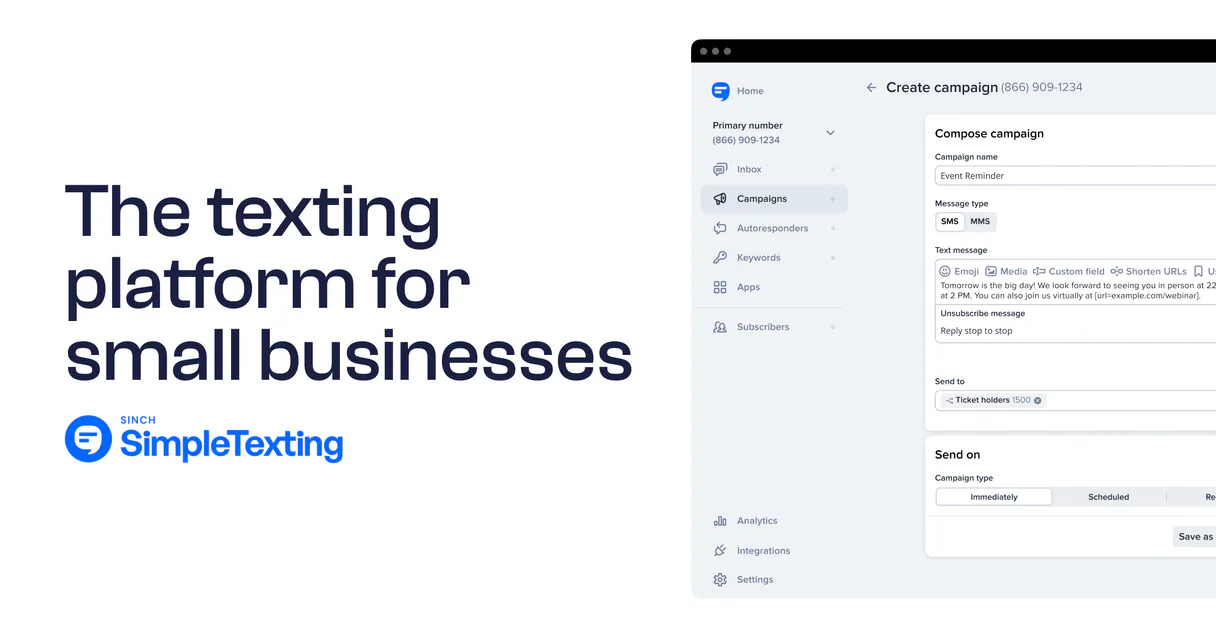
SimpleTexting MCP for AI. Manage bulk SMS and customer conversations through natural chat.
 Gemini
 Works with every AI agent you already use
…and any MCP-compatible client









Connect to your AI in seconds.
SimpleTexting connects your text messaging platform to any AI client, letting you run SMS campaigns and manage customer conversations entirely through natural language chat.
Forget manual exports or switching tabs; this server lets you send broadcasts, segment lists, and track two-way history using simple commands.
What your AI can do
Create subscriber
Adds a new contact record into your system using a phone number or email address.
Remove subscriber
Deletes a specified contact record from your SimpleTexting database.
Get api status
Checks the current connection status and metadata for the SimpleTexting account.
Sends immediate text messages to a defined group of contacts, or sets up texts for delivery at a future date.
Adds new subscribers (create_subscriber), modifies existing phone numbers and details (update_subscriber_info), or removes users from your system.
Retrieves dynamic groups of contacts (segments) or static mailing lists, allowing you to target specific subsets of your subscriber base.
Fetches the full log of messages between your business and a customer using list_chat_conversations.
Confirms the connection health or pulls general account information via get_api_status.
Ask an AI about this
Waiting for input…
SimpleTexting MCP Server: 12 Tools for Messaging & Lists
Use these tools to programmatically create, update, segment, schedule, and send messages across your entire subscriber base.
Make your AI actually useful.
Add this MCP to Claude, Cursor, or Windsurf and your AI stops guessing. It gets real tools to look things up, take action, and handle the stuff you keep doing by hand.
Start using SimpleTexting on VinkiusCreate Subscriber
Adds a new contact record into your system using a phone number or email address.
Remove Subscriber
Deletes a specified contact record from your SimpleTexting database.
Get Api Status
Checks the current connection status and metadata for the SimpleTexting account.
Get Subscriber Details
Retrieves specific information about a single contact, including their name or list...
List Subscribers
Pulls a comprehensive list of all current phone numbers and contact records.
List Chat Conversations
Gets the full message history between your company and a specific customer phone number.
List Contact Lists
Lists static, manually defined groups of contacts you maintain (e.g., 'Fall 2024 Leads').
List Audience Segments
Retrieves a list of dynamic, rule-based groups (segments) you have created for...
List Active Webhooks
Shows the current event configurations for webhooks linked to your account.
Schedule Sms Delivery
Schedules a text message to be sent automatically at a specific date and time in the...
Send Sms Message
Sends an immediate, single-recipient or broadcast text message right now.
Update Subscriber Info
Modifies data for an existing contact record, like changing their phone number or name.
Security and governance baked right in.
Pick your AI client below to get set up. Just create a Vinkius account, subscribe, and you're instantly up and running. We handle the entire backend infrastructure, delivering out-of-the-box support for HTTPS Streamable, SSE, and OAuth2—zero messy routing required.
Claude AI
Open Claude Settings
Go to claude.ai, click your profile icon, then navigate to Customize → Connectors.
Add Custom Connector
Click the "+" button and select Add custom connector. Paste your Vinkius endpoint URL:
https://edge.vinkius.com/[YOUR_TOKEN_HERE]/mcp
Replace [YOUR_TOKEN_HERE] with your token
from cloud.vinkius.com. For OAuth-protected servers, expand
Advanced settings to add credentials.
Start a conversation
Open a new chat. The SimpleTexting integration is available immediately — no restart needed.
Choose How to Get Started
Build a custom MCP for your own tools, or connect a ready-made integration from our catalog.
Build Your Own
Turn any API into an MCP. Import a spec, define Agent Skills, or deploy with MCPFusion.
- Import from OpenAPI, Swagger, or YAML specs
- Create Agent Skills with progressive disclosure
- Deploy to edge with MCPFusion framework
- Built in DLP, auth, and compliance on every call
- Real time usage dashboard and cost metering
- Publish to catalog or keep private
Make Your AI Do More
Start with SimpleTexting, then connect any of our 5,100+ other servers whenever your AI needs more. One click, no limits.
- Use this MCP plus 5,100+ others, all in one place
- Add new capabilities to your AI anytime you want
- Every connection is secured and compliant automatically
- Track usage and costs across all your servers
- Works with Claude, ChatGPT, Cursor, and more
- New servers added to the catalog every week
Independent Platform Disclaimer: Vinkius is an independent platform and is not affiliated with, endorsed by, sponsored by, verified by, or otherwise authorized by SimpleTexting. All third-party trademarks, logos, and brand names are the property of their respective owners. Their use on this website is strictly for informational purposes to identify service compatibility and interoperability.
VINKIUS INFRASTRUCTURE
Cloud Hosted
Managed infra
V8 Isolated
Sandboxed per request
Zero-Trust Proxy
No stored credentials
DLP Enforced
Policy on every call
GDPR Compliant
EU data residency
Token Compression
~60% cost reduction
Works with Claude, ChatGPT, Cursor, and more
The Model Context Protocol standardizes how applications expose capabilities to LLMs. Instead of operating in isolation, your AI gains direct access to external platforms, live data, and real-world actions through secure, standardized connections.
This connection provides 12 powerful capabilities that interface natively with Claude, ChatGPT, Cursor, and other compatible AI platforms. No middleware. No custom integration required.
Managing campaign lists shouldn't feel like juggling tabs and spreadsheets.
Today, sending a segmented blast means logging into the SimpleTexting dashboard. You have to find the right group, confirm it’s accurate, then manually copy or select recipients before you can even type out the message content. It's tedious and slow.
With this MCP server, your AI client handles the entire process. You just tell your agent: 'Send the new promotion text to all contacts in the 'Fall Sale' segment.' The agent uses `list_audience_segments` behind the scenes, executes the send via `send_sms_message`, and confirms the count—all without you touching a dashboard.
SimpleTexting MCP Server: Control your contact data directly.
Manually adding new users or updating phone numbers usually means navigating deep into separate account settings. If one field is wrong, the whole campaign fails. It's a disjointed process that requires constant switching between systems.
Now, you use the chat interface. You tell your agent to 'Add Jane Doe at 555-1234.' The tool runs `create_subscriber`. When she moves, you run `update_subscriber_info` and it handles the change immediately. Everything stays in one flow.
What your AI can actually do with this
Yo, listen up. This SimpleTexting MCP Server connects your text messaging platform straight into whatever AI client you're running—your agent, Claude, Cursor, whoever. You get full control over handling mass SMS campaigns and managing customer conversations right in the chat window. Forget juggling dashboards or doing manual exports; this thing lets you send broadcasts, segment lists, and track two-way conversation history using plain natural language commands.
Sending Messages and Scheduling Campaigns
You can fire off texts immediately with send_sms_message, whether it's a single person or an entire group. Need to reach a whole list? You don't gotta use the general subscriber list; you tell your agent to target specific groups using list_audience_segments for dynamic, rule-based segments, or by referencing static mailing lists pulled from list_contact_lists.
If you want that message out at 9 AM tomorrow, you don't send it now. Instead, you use schedule_sms_delivery to set the text message for a specific future date and time.
Managing Contacts in Your Database
Dealing with contacts is straightforward. If someone new signs up, your agent can add them immediately using create_subscriber, needing just their phone number or email address. Need to tweak an existing lead's info? You use update_subscriber_info to change details like a phone number or name for any record. Sometimes you gotta clean house.
If a contact leaves, you simply tell the agent to run remove_subscriber, deleting that specified record from your system.
To see who's in the books, you can pull a full roster of every current number and record by calling list_subscribers. And if you only care about one person—maybe you need to know their name or what lists they belong to—you run get_subscriber_details on that single contact.
Tracking Conversations and System Health
Customer service is all about history. When a customer texts your business, the agent pulls the complete message log between you two using list_chat_conversations, needing only their phone number to pull up the full thread. You also need to know what's going on behind the scenes. To check if everything's connected right, run get_api_status; this confirms the connection health and pulls general account metadata.
If you're setting up automated triggers or webhooks, you can view all current event configurations using list_active_webhooks.
The Mechanics of Targeting
This server doesn't just send texts; it helps you organize your audience first. You pull a list of all groups—both the dynamically generated segments via list_audience_segments and the manually defined lists from list_contact_lists—so you know exactly who you're talking to before you hit send. The agent also lets you verify that your current webhook setup is correct by showing you what list_active_webhooks has configured.
Basically, you talk to your agent like you're talking to a teammate who knows the system inside and out. You tell it: 'Send this message now to everyone in the Fall Leads segment.' It handles the API calls, manages the data transfer between your chat and SimpleTexting, and gives you clear confirmation of what happened every single time.
You don't touch a dashboard; you just talk to your agent.
019dd15e-ab83-7056-bc19-09828bc90c3b 
Here's how it actually works
The bottom line is that your AI client becomes a command center, managing complex messaging tasks via simple chat prompts.
First, subscribe to this server on Vinkius and input your SimpleTexting API v2 Token.
Next, prompt your AI client (Claude, Cursor, etc.) with a direct command, like 'Send an SMS broadcast to the VIP list: Sale ends today.'
The agent executes the necessary tools—calling send_sms_message and targeting the specified list—and returns confirmation of delivery count.
Who is this actually for?
This is for the Marketing Ops Specialist who gets paid to manage campaigns but hates exporting data into spreadsheets. It's also for the Customer Support Agent drowning in history tabs and the Digital Campaign Manager who needs to schedule hundreds of messages without logging into a separate web dashboard.
Manages large-scale campaigns. They use list_audience_segments to define target groups and then run bulk sends using send_sms_message without leaving their primary chat tool.
Needs immediate context on a client. They ask the agent to retrieve interaction history using list_chat_conversations so they can respond accurately, even if the conversation spans weeks.
Plans outreach sequences. They use schedule_sms_delivery to set up promotional texts for future dates and monitor delivery status with get_api_status.
What Changes When You Connect
Target the right people instantly. Use list_audience_segments or list_contact_lists to pull specific, predefined groups of contacts before running a mass blast with send_sms_message. No more guessing which list to use.
Maintain context on every interaction. Instead of jumping to a separate CRM tab, just ask your agent to run list_chat_conversations and get the full message thread instantly for any client.
Plan outreach months ahead. Use schedule_sms_delivery to set up promotional texts or follow-ups that fire automatically on specific dates. You write the plan once; the system handles the timing.
Keep your database clean. Easily add new users with create_subscriber and correct bad data by running update_subscriber_info, all without leaving your primary workspace.
Get real-time visibility into your account health. Use get_api_status to confirm connectivity or check the delivery status of a recent campaign, ensuring reliable outreach every time.
See it in action
Post-purchase follow-up sequence
A customer bought an item last week. The agent asks: 'Send a reminder text to the entire 'New Buyers' segment in two days.' The AI runs list_audience_segments (to find the right group) and then uses schedule_sms_delivery, confirming the exact date and time for the follow-up.
Handling a PR crisis response
A key client calls with an issue. The support agent asks: 'Show me everything we talked about with +1987654321.' The AI runs list_chat_conversations, providing the full, chronological history immediately so the agent can respond accurately and professionally.
Cleaning up old contact data
The marketing team realizes a few contacts are out of date. They ask: 'List all subscribers and find anyone whose details need updating.' The AI runs list_subscribers, identifies the necessary records, and then uses update_subscriber_info to correct phone numbers or names in bulk.
Launching a time-sensitive promotion
The campaign manager needs to hit three different lists (VIP, Bronze, New). They prompt: 'Send the sale notice now to all contacts who are in the 'VIP' list.' The AI executes send_sms_message and limits the scope only to that segment.
The honest tradeoffs
Spreadsheet data management
Exporting a contact list, cleaning it in Excel, then manually uploading it into SimpleTexting via their web interface.
Use the AI to manage contacts. First, run list_subscribers for a comprehensive view. Then, use create_subscriber or update_subscriber_info directly through your agent chat.
Forgetting message history
A customer calls and says, 'This is the second time I'm asking.' The support rep has to manually search old emails or call records to figure out what was previously discussed.
The agent runs list_chat_conversations for that number. You get the full text history immediately, so you can reference past conversations and avoid making the customer repeat themselves.
Ad-hoc single sends
Needing to send a message tomorrow but forgetting to log in and schedule it through the web portal.
Use schedule_sms_delivery. You tell your agent, 'Schedule this text for Tuesday at 2 pm,' and it handles the API call, saving you the login hassle.
When It Fits, When It Doesn't
Use this server if your core need is two-way SMS communication management (sending messages and reading history) without leaving your agent chat. This toolset excels at operationalizing marketing tasks: list segmentation (list_audience_segments), bulk sending (send_sms_message), and historical data retrieval (list_chat_conversations). Don't use this if you need to manage email campaigns, or if your primary goal is complex CRM workflow building (for that, look into dedicated CRM connectors). If you only need to send a single text message occasionally, using the send_sms_message tool directly is fine. But if you are doing anything that involves lists, history, scheduling, or multiple steps—you need this full suite of tools.
Questions you might have
How do I get a list of my current subscribers using SimpleTexting? (list_subscribers) +
You run list_subscribers through your agent. It pulls all active phone numbers and basic contact info from your system, giving you a complete overview of who's in the database right now.
Can I schedule an SMS with SimpleTexting? (schedule_sms_delivery) +
Yes. You instruct the agent to use schedule_sms_delivery, specifying the exact date and time, and it sets up the message for future automated sending.
What does list_chat_conversations do with SimpleTexting? (list_chat_conversations) +
It fetches the full message history between your company and a specific phone number. This is crucial for agents who need context on past customer interactions.
How do I send a mass text using SimpleTexting? (send_sms_message) +
You use send_sms_message and specify the target list or segment. The agent handles the broadcast mechanism, ensuring the message goes out to all recipients simultaneously.
How do I verify that my SimpleTexting connection works correctly using the `get_api_status` tool? +
It immediately checks your API credentials and access rights. Running this tool confirms that your AI client has active permission to send messages and manage contacts through SimpleTexting.
If a contact moves or changes their number, how do I update them? Does `update_subscriber_info` work? +
Yes, you use the update_subscriber_info tool to modify existing records. You can change phone numbers, names, and other data points for a subscriber without having to create a whole new contact.
I need to know what kind of events SimpleTexting is tracking. How do I use `list_active_webhooks`? +
This tool retrieves a list of all active webhooks configured on your account. It shows which external services or endpoints listen for specific actions, like message delivery or contact creation.
How do I permanently delete a subscriber record using the `remove_subscriber` tool? +
The remove_subscriber tool deletes the specified contact from your database. Use this command carefully, as it is a permanent action and cannot be undone.
Can my AI automatically send an SMS broadcast to a specific contact list? +
Yes! Use the send_message tool with the mode set to 'BROADCAST'. Provide the list name or destination, and your agent will trigger the mass SMS instantly.
How do I schedule a text message for a future date using the AI? +
Simply ask the agent to run the schedule_message action. Provide the phone number, message text, and the target ISO date/time for the delivery.
How do I find my SimpleTexting API v2 Token? +
Log in to your SimpleTexting account, navigate to Settings > API, and you will find your unique secret API v2 Token there.
We've already built the connector for SimpleTexting. Just plug in your AI agents and start using Vinkius.
No hosting. No infrastructure. No complex setup.
All 12 tools are live and waiting.
You're up and running in seconds.
Gemini Vinkius gives your AI agents access to the full catalog of app connectors, all fully managed, secure, and enterprise-ready. One subscription, every tool you need.
Built, hosted, and secured by Vinkius. You just connect and go.