
Snipcart MCP. Check orders, inventory, and customer data from your code editor.
 Gemini
 Works with every AI agent you already use
…and any MCP-compatible client









Just plug in your AI agents and start using Vinkius.
Snipcart MCP Server connects your headless e-commerce backend directly to your AI agent. It lets you list orders, check inventory, track customer history, and update fulfillment statuses—all without leaving your code editor or dashboard.
Manage the entire back office using natural language prompts.
What your AI agents can do
Get customer details
Pulls all stored details for a single customer account.
Get order details
Retrieves the complete breakdown and data for one specific order token.
Get subscription details
Gets detailed information about a single recurring subscription.
Fetch all available data points for one specific customer using get_customer_details.
Pull a full list of every registered buyer in the store via list_customers.
Retrieve detailed information for one or multiple orders using get_order_details and list_orders.
Change the status of an existing order (e.g., from 'Processed' to 'Shipped') using update_order_status.
Get a full list of products available for sale or check recurring billing cycles with list_products and list_subscriptions.
See all active discount codes, promotions, and their status using list_discounts.
Ask AI about this MCP
Supported MCP Clients
Gemini Waiting for input…
Snipcart MCP Server: 9 Tools for E-Commerce Data
Use these tools to pull every piece of data—from customer records to product lists—and execute backend actions like updating order statuses.
019d760aget customer details
Pulls all stored details for a single customer account.
019d760aget order details
Retrieves the complete breakdown and data for one specific order token.
019d760aget subscription details
Gets detailed information about a single recurring subscription.
019d760alist customers
Provides an exhaustive list of all customers who have purchased from the store.
019d760alist discounts
Shows a record of every active discount code and marketing promotion.
019d760alist orders
Generates a list containing all e-commerce orders placed in Snipcart.
019d760alist products
Lists every product configured and available for sale in the catalog.
019d760alist subscriptions
Outputs a list of all active and inactive recurring subscriptions.
019d760aupdate order status
Changes the status (e.g., 'Shipped') for an existing order token.
Choose How to Get Started
Build a custom MCP for your own tools, or connect a ready-made integration from our catalog.
Build Your Own
Turn any API into an MCP. Import a spec, define Agent Skills, or deploy with MCPFusion.
- Import from OpenAPI, Swagger, or YAML specs
- Create Agent Skills with progressive disclosure
- Deploy to edge with MCPFusion framework
- Built in DLP, auth, and compliance on every call
- Real time usage dashboard and cost metering
- Publish to catalog or keep private
Make Your AI Do More
Start with Snipcart, then connect any of our 4,700+ other servers whenever your AI needs more. One click, no limits.
- Use this MCP plus 4,700+ others, all in one place
- Add new capabilities to your AI anytime you want
- Every connection is secured and compliant automatically
- Track usage and costs across all your servers
- Works with Claude, ChatGPT, Cursor, and more
- New servers added to the catalog every week
What you can do with this MCP connector
You're gonna connect your whole Snipcart back end straight into your agent via MCP. This means you can manage everything that happens on your storefront—from checking stock levels to changing an order status—without ever leaving your code editor or dashboard. You handle the entire back office using natural language prompts, period.
Customer History and Details
Need to know who bought what? First off, you can run list_customers to pull a full list of every single buyer in the store. If you zero in on one account, get_customer_details grabs all their stored info. This lets your agent verify purchase history or check contact data for any specific user.
Order and Fulfillment Management
When an order comes through, you don't wanna wait for a dashboard update. You can use list_orders to get a list of every e-commerce order Snipcart processed. If you need the deep dive on one purchase—the item breakdown, the total cost, everything—you run get_order_details. Once that order is ready to ship, you don't have to manually click anything; you use update_order_status to change its status instantly, like moving it from 'Processed' straight to 'Shipped'.
Catalog and Recurring Billing
For inventory, you can get a full list of every product configured for sale using list_products. This gives your agent the current catalog view. For recurring revenue, things are just as clean. You run list_subscriptions to see all active and inactive billing cycles. If you need specific details on one subscription—like when it renews or what plan they're on—you call get_subscription_details.
This keeps your billing visible right where your code runs.
Promotions, Discounts, and Inventory Checks
Want to check if a coupon is legit? You use list_discounts to see every active discount code or marketing promotion available. It spits out a record of what's running in the store. Combining these tools lets you validate product availability while simultaneously checking promotions. For example, you can ask your agent to list all products and verify if 'FALLSALE20' is an approved coupon.
This setup eliminates context switching. You don't jump from your code editor over to a separate admin dashboard just to check if a discount script worked or confirm a customer address. Everything happens in place. Your AI client uses these tools to read data, create records, and make changes across the entire Snipcart ecosystem based on what you prompt it with.
How Snipcart MCP Works
- 1 Supply your Snipcart Secret API Key (use a Test key first).
- 2 Prompt your AI client to execute a task, like 'Show the details for order SNIP-123' using the appropriate tool.
- 3 The agent runs the query and returns structured data directly into your code editor or chat window.
The bottom line is you get access to your e-commerce back office from anywhere, without needing to log into a separate dashboard.
Who Is Snipcart MCP For?
This server is for full-stack developers building headless storefronts and operations teams who hate context switching. If your job involves checking order status or validating inventory levels outside of the main checkout flow, this saves serious time.
Testing 'Live' or 'Test' mode transactions when building a new storefront (Next.js, Nuxt) by calling tools like list_products.
Instantly asking for specific order statuses without opening an entire web browser window or navigating complex menus.
Giving the agent a customer’s email and having it pull the complete, total order history using list_customers and get_customer_details.
What Changes When You Connect
- Automate fulfillment tracking. You can call
list_ordersto pull a list of recent purchases, then useget_order_detailsto find the specific items bought for a single client. - Handle complex inventory checks. Running
list_productsgives you immediate visibility into all SKUs and their current prices without visiting the admin panel. - Manage customer data fast. Instead of navigating forms, simply run
get_customer_detailswith an email to pull entire account histories. - Control order flow directly. Use
update_order_statuswhen an item ships or is processed; this action triggers backend updates automatically. - Track revenue streams. Run
list_discountsandlist_subscriptionstogether to audit how many promotions are active and what recurring billing cycles are running.
Real-World Use Cases
Validating a New Headless Checkout
A developer needs to test the full checkout flow. They use list_products to confirm pricing, then simulate an order using the 'Test' key, and finally call get_order_details to ensure all line items show up correctly before committing code.
Handling a High-Priority Customer Inquiry
A support agent receives an email from a user. They use the agent to run list_customers to verify the account exists, then call get_customer_details and list_orders simultaneously to compile a full purchase history for the client.
Processing Outbound Shipments
A fulfillment worker receives a batch of items ready to ship. Instead of manually updating statuses, they prompt the agent to find the relevant order token via list_orders, then execute update_order_status to mark it as 'Shipped'.
Auditing Marketing Campaigns
A founder needs to know if a new coupon code is working. They call list_discounts to check the status of all promotions, and then use get_subscription_details to see how many customers are currently using that specific discount.
The Tradeoffs
Assuming context is always available
Prompting the agent: 'Show me the details for the last order.' The agent fails because it doesn't know which order you mean, and get_order_details requires a token.
→
Always provide the necessary identifier. For instance: 'Run list_orders, then use the resulting Token to call get_order_details. This ensures we target the right record.'
Trying to update status without confirmation
Simply telling the agent: 'Mark this order as shipped.' The system rejects it because there's no proof of transaction or token ID.
→
First, confirm the order exists using list_orders, get the correct Token, and then explicitly call update_order_status with that specific token.
Confusing product list with inventory
Asking for 'available stock' when you only use list_products. This tool provides catalog items, not real-time warehouse counts.
→
If checking availability, confirm the product exists via list_products, but remember that physical stock levels require a separate inventory system check.
When It Fits, When It Doesn't
Use this server if your workflow requires aggregating data from multiple e-commerce sources (orders, users, products) or changing state (updating status). It's ideal for advanced developer tools and operations automation. Don't use it if you only need one static piece of information—for example, just listing all product names can be done with a simpler API call. If your goal is to write complex transactional logic involving multiple steps (e.g., 'List orders -> Find customer -> Update status'), this is the right tool because it gives your agent access to all required tools.
If you only need basic, non-state-changing data retrieval (like fetching a simple list of product IDs), consider if a dedicated read-only endpoint might suffice. But for anything that involves 'knowing' or 'doing,' this is necessary.
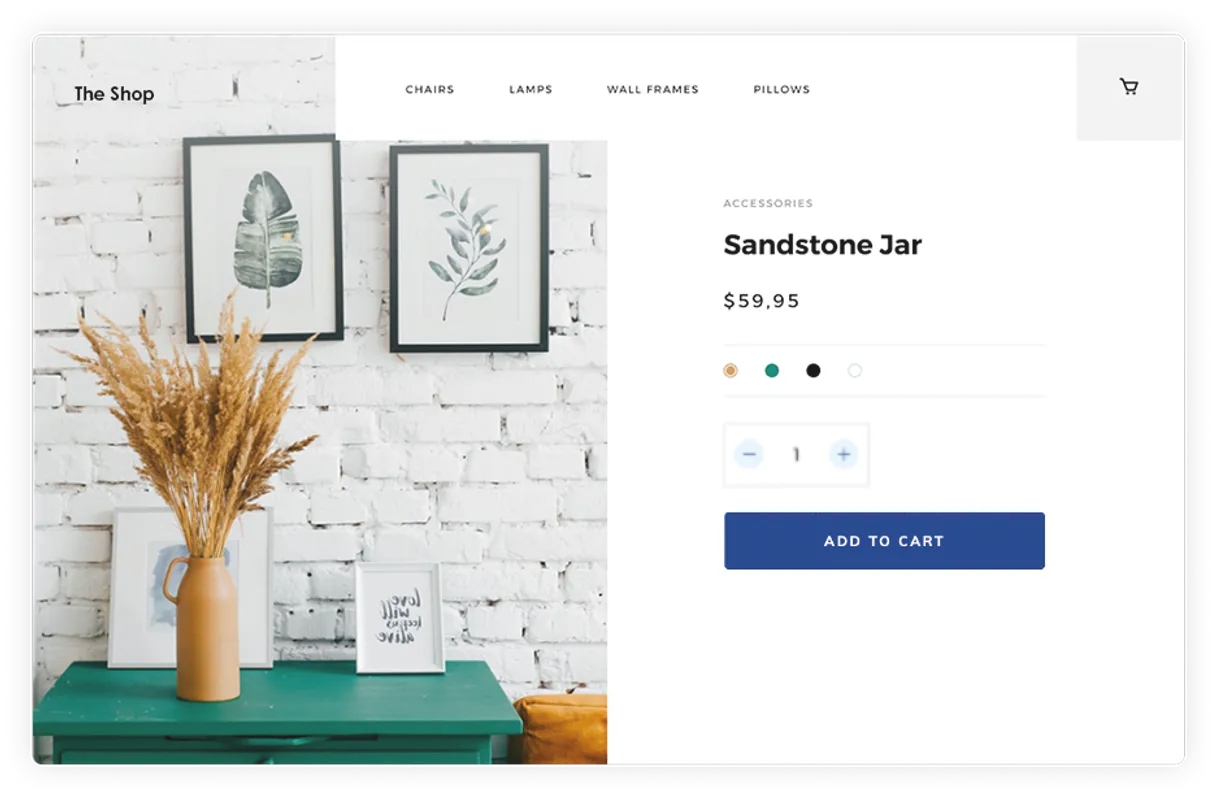
Independent Platform Disclaimer: Vinkius is an independent platform and is not affiliated with, endorsed by, sponsored by, verified by, or otherwise authorized by Snipcart. All third-party trademarks, logos, and brand names are the property of their respective owners. Their use on this website is strictly for informational purposes to identify service compatibility and interoperability.
VINKIUS INFRASTRUCTURE
Cloud Hosted
Managed infra
V8 Isolated
Sandboxed per request
Zero-Trust Proxy
No stored credentials
DLP Enforced
Policy on every call
GDPR Compliant
EU data residency
Token Compression
~60% cost reduction
Works with Claude, ChatGPT, Cursor, and more
The Model Context Protocol standardizes how applications expose capabilities to LLMs. Instead of operating in isolation, your AI gains direct access to external platforms, live data, and real-world actions through secure, standardized connections.
This server provides 9 capabilities that interface natively with Claude, ChatGPT, Cursor, and any MCP client. No middleware. No custom integration required.
Available Capabilities
Having to leave your IDE just to check an order status sucks.
Right now, if you’re coding a new headless storefront and need to validate a checkout scenario, you have to stop what you're doing. You switch tabs, navigate to the admin dashboard, find the customer ID, manually check the order status, and copy that data back into your console logs. It breaks flow.
With Snipcart MCP Server, you keep your focus where it belongs—in your code. Your agent handles the context switching for you. You simply prompt: 'What's the history on customer X?' and get a structured response containing everything needed to continue coding.
Snipcart MCP Server lets you manage orders & customers from natural language.
Manual tasks that disappear: Checking discount codes requires navigating to the promotions tab, running through different API calls just to confirm status. Updating an order means finding the token, then hitting a separate 'Update Status' button and selecting from a dropdown. It's tedious.
Now, you talk to your agent. You tell it what needs fixing—like: 'Mark SNIP-8910 as Shipped.' The server executes `update_order_status` instantly, validating the action and giving you confirmation in one prompt.
Common Questions About Snipcart MCP
How does list_orders work with Snipcart? +
It pulls a comprehensive list of all e-commerce orders placed through your store. This is useful for getting an overview or finding the token ID needed to run get_order_details on a specific transaction.
Can I use get_customer_details for more than just name and email? +
Yes, it pulls all stored customer data. You can retrieve total order history alongside basic profile info, making it useful for support agents needing a full client view.
What is the difference between list_products and get_product_details? +
list_products gives you an index of all available items in your catalog. You use get_product_details only if you already know a specific product ID and need its full data record.
How do I change an order status using update_order_status? +
You must first identify the order token via list_orders, then provide that token, along with the desired new status (like 'Shipped'), to the agent.
When using `list_orders`, how do I ensure my API calls are running in a test environment? +
You must specify the 'Test' mode when supplying your Snipcart Secret API Key. The tool will then pull dummy data, allowing you to practice order workflows without touching live transactions.
What information does `get_subscription_details` provide about billing cycles? +
It gives the full breakdown of recurring payments for a user's subscription. You get details like the current plan ID, the next renewal date, and the total cost associated with the cycle.
If I run `list_customers` and no users match my criteria, what response should I expect? +
The tool returns an empty array or a standardized 'no results' message. This means there are no customers matching your search parameters; it doesn't indicate an error.
How can I use `list_discounts` to validate if a coupon code is still active? +
Run the list_discounts tool first. The output gives you all currently live codes and their expiration dates, confirming which promotions are available for checkout.
Can I progress an order to 'Shipped' natively inside Cursor? +
Yes! Provide the order token context to the AI (or ask it to fetch recent orders) and instruct: 'Mark order SNIP-1234 as Shipped'. The agent will call the update_order_status endpoint, and your Snipcart dashboard will instantly sync up the new status.
Can the AI distinguish my test vs live orders? +
The distinction entirely relies on which Secret API Key you supply. Snipcart has dedicated keys for 'Live' mode and 'Test' mode. Whichever key is saved in your credential injection config governs the space the AI operates within.
How do I check a customer's total spending history using LLMs? +
Tell your AI to 'Look up the customer John Doe in Snipcart and fetch their details'. The agent first polls list_customers for the user directory ID, and then passes the match to get_customer_details to return their detailed transaction history completely synthesized for you.
Use it with your favorite AI tools
Connect this server to Cursor, Claude, VS Code, and more.
More in this category

Hightouch (Reverse ETL)
Synchronize data via Hightouch — list syncs, monitor runs, and manage data models.

Transloadit
Versatile file uploading and processing API.

Random User Generator
Generate high-quality random user data for testing and prototyping — names, emails, and profile photos directly via AI.
You might also like
Open-Meteo Air Quality
Monitor the air your users breathe: PM2.5, PM10, ozone, pollen counts, and official AQI indexes (European & US) — real-time pollutant intelligence for health-conscious AI agents.
Tray.io
Equip your AI agent to orchestrate automations, track active workflows, and monitor data execution flows across Tray.io natively.
Eventee
Equip your AI agent to manage events, track speakers, and monitor attendee engagement via the Eventee API.