
SportDB MCP. Get live scores, standings, and player stats for any sport.
 Gemini
 Works with every AI agent you already use
…and any MCP-compatible client









Just plug in your AI agents and start using Vinkius.
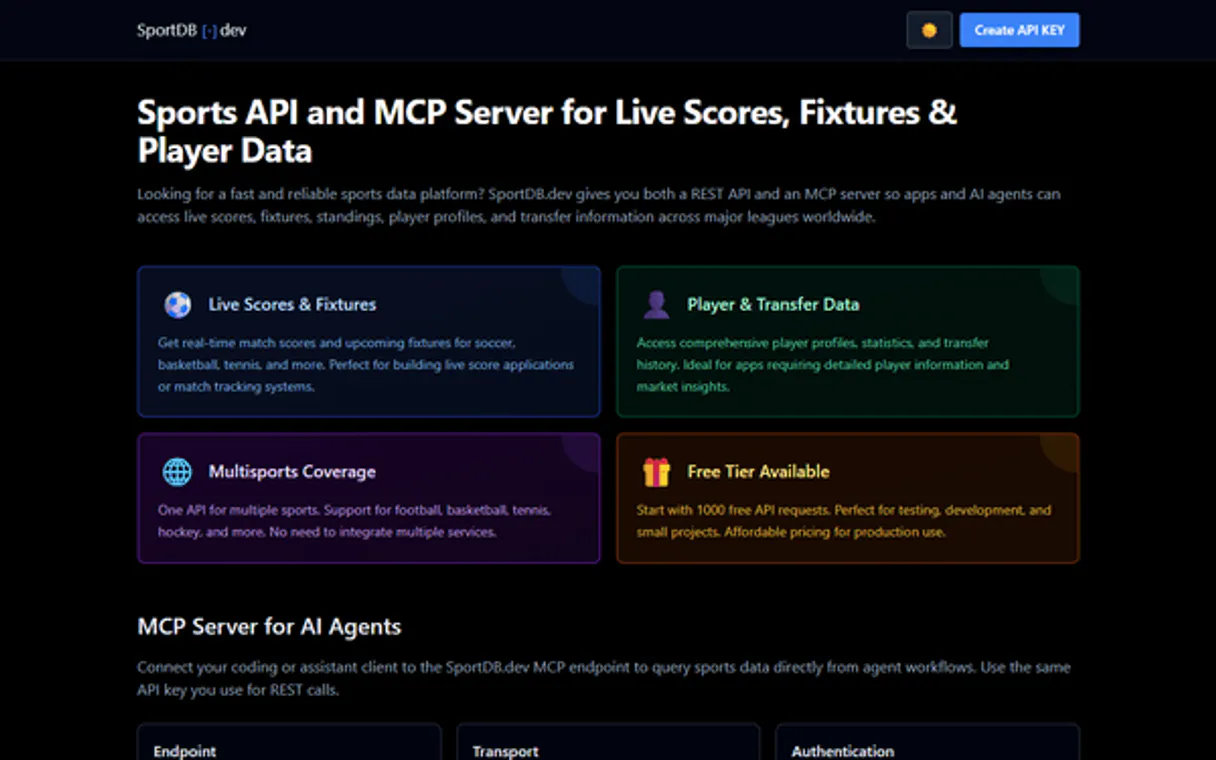
SportDB accesses live scores, standings, fixtures, and player data across football, basketball, hockey, and tennis. Your AI agent can pull detailed league tables, track real-time scores as they happen, or build a complete profile of any professional athlete.
It's your single source for structured multi-sport sports data.
What your AI agents can do
Get club players
Lists all players currently registered with a club, requiring only the club's numeric ID.
Get club profile
Retrieves the full profile details for any specific club using its unique numeric ID.
Get competition seasons
Lists all available seasons (e.g., 2023-2024) for a given sport competition slug.
Retrieves current, real-time results for ongoing matches in football, basketball, or hockey.
Pulls the full league table—including points, wins, losses, and goal difference—for any specific season.
Uses name keywords to locate a specific player ID or club ID required for detailed queries.
Gathers comprehensive information about one game, including the starting XI, substitutions, and formations.
Retrieves a player's complete record of seasonal metrics, performance history, and transfer movements.
Ask AI about this MCP
Supported MCP Clients
Gemini Waiting for input…
SportDB: 18 Tools for Sports Data Retrieval
Use these tools in sequence—from searching clubs to fetching match stats—to build complex data reports on demand.
019d8483get club players
Lists all players currently registered with a club, requiring only the club's numeric ID.
019d8483get club profile
Retrieves the full profile details for any specific club using its unique numeric ID.
019d8483get competition seasons
Lists all available seasons (e.g., 2023-2024) for a given sport competition slug.
019d8483get country competitions
Finds every league or cup tournament running in a country and sport, giving you the necessary slugs to drill down.
019d8483get fixtures
Gets the schedule and scores for completed or upcoming matches based on sport, country, competition, and season.
019d8483get live basketball
Fetches real-time scores for basketball games that are currently active (e.g., NBA/EuroLeague).
019d8483get live football
Provides live, up-to-the-minute scores and status updates for ongoing soccer matches.
019d8483get live hockey
Gets the current match scores for active ice hockey games (e.g., NHL/KHL).
019d8483get match
Retrieves comprehensive data about a single match using its unique ID, including basic details.
019d8483get match lineups
Gets the starting players and substitutes for a specific game by providing the match ID.
019d8483get match stats
Pulls detailed, in-game statistics (shots, fouls, etc.) for a specific match using its ID.
019d8483get player profile
Retrieves the full personal and career profile of any player by providing their numeric ID.
019d8483get player stats
Gets a player’s seasonal and career performance statistics, requiring only their numeric player ID.
019d8483get player transfers
Lists every club transfer history for a specific athlete using their numeric ID.
019d8483get standings
Calculates and returns the official league table standings (points, W/D/L) for a defined season and competition.
019d8483list countries
Lists all countries available within a chosen sport slug, serving as the starting point for data queries.
019d8483search clubs
Finds clubs or teams by name keyword and returns their unique IDs needed for subsequent profile calls.
019d8483search players
Locates players using a name keyword, giving you the numeric ID required to pull detailed stats or profiles.
Choose How to Get Started
Build a custom MCP for your own tools, or connect a ready-made integration from our catalog.
Build Your Own
Turn any API into an MCP. Import a spec, define Agent Skills, or deploy with MCPFusion.
- Import from OpenAPI, Swagger, or YAML specs
- Create Agent Skills with progressive disclosure
- Deploy to edge with MCPFusion framework
- Built in DLP, auth, and compliance on every call
- Real time usage dashboard and cost metering
- Publish to catalog or keep private
Make Your AI Do More
Start with SportDB, then connect any of our 4,700+ other servers whenever your AI needs more. One click, no limits.
- Use this MCP plus 4,700+ others, all in one place
- Add new capabilities to your AI anytime you want
- Every connection is secured and compliant automatically
- Track usage and costs across all your servers
- Works with Claude, ChatGPT, Cursor, and more
- New servers added to the catalog every week
What you can do with this MCP connector
You've got a data problem. Instead of crawling multiple sports websites for stats, you let your agent hit SportDB directly. This server gives you structured access to multi-sport data—football, basketball, hockey, and tennis. You can pull everything from live scores on the field to deep dives into an athlete's career history.
To start anywhere, you use list_countries to get a list of available countries for any sport slug. From there, your agent runs get_country_competitions to find every league or cup tournament running in that country and specific sport; those results give you the necessary competition slugs needed to drill down.
Finding Teams and Players
You'll need IDs to pull details. If you know a team name, you run search_clubs to locate it by keyword, which returns its unique numeric ID. You then use that club ID with get_club_profile to grab the full profile for any specific club, or run get_club_players, requiring only the club's numeric ID, to list all players registered there.
If you're looking for a player, search_players lets you locate them by name keyword, returning their necessary numeric ID. Once you have that ID, your agent can pull the full personal and career details using get_player_profile. For deep performance metrics, run get_player_stats, which requires only the player's numeric ID to get seasonal and overall career numbers.
You can also track an athlete’s entire history by running get_player_transfers with their unique ID.
Tracking Live Action and Schedules
For any sport, you first need a schedule or score. If you want the full slate of upcoming or completed games, use get_fixtures, specifying the sport, country, competition, and season details. For real-time action, your agent pulls live scores instantly: run get_live_football for ongoing soccer matches; use get_live_basketball for active court games; or call get_live_hockey for current ice hockey scores.
When you need comprehensive data on a single game—like its basic details, who played, and what happened—you run get_match with the match's unique ID. You can also get the starting players, substitutes, and formations by calling get_match_lineups, or pull detailed in-game statistics like shots and fouls using get_match_stats. The match data is always tied to a specific Match ID.
Analyzing League Context
To understand league status, your agent first checks all available seasons for a competition slug using get_competition_seasons. To see how teams stack up, you run get_standings with the season and competition details; this calculates and returns the official league table—showing points, wins, losses, and goal difference. Finally, if you just need to know which leagues are running in a specific country for a sport, use get_country_competitions.
How SportDB MCP Works
- 1 First, let your AI agent use
list_countriesorget_country_competitionsto define the sport and league you care about. - 2 Next, run a specific tool like
get_fixtures(for upcoming games) orget_live_football(for active matches) using the identified slugs and seasons. - 3 Finally, your agent uses the resulting IDs (e.g., a match ID or player ID) to pull deep data via tools like
get_match_statsorget_player_profile.
The bottom line is: Your AI client chains multiple calls together—search, identify scope, retrieve core data, then drill down into specifics—to build a single, comprehensive answer.
Who Is SportDB MCP For?
Sports journalists who need to quickly verify stats for an article; Fantasy League managers tracking player form across multiple leagues; and Data Engineers building applications that require multi-sport data streams. If your job involves synthesizing sports performance metrics, this is for you.
Uses get_live_football and get_standings to instantly verify scores and league positions when writing breaking news stories.
Runs sequences like search_players -> get_player_stats -> get_player_transfers to model long-term player value or performance trends for clients.
Queries the current roster and upcoming matches using get_club_players and get_fixtures to make informed weekly team decisions.
What Changes When You Connect
- Stop clicking across multiple sites.
get_standingspulls a complete league table instantly, consolidating points, wins, draws, and losses into one structured output. - Get real-time data without waiting. Use tools like
get_live_footballorget_live_basketballto pull scores that are happening right now, making your reports current. -
search_playersandsearch_clubseliminate the guesswork of IDs. You just type a name, and you get the ID needed for deeper analysis with tools likeget_player_profile. - Understand player value fully. Instead of just knowing goals scored, use
get_player_statsandget_player_transfersto build a full career performance model. - Streamline complex searches. By first calling
list_countriesorget_country_competitions, your agent builds the precise path needed before querying fixtures withget_fixtures.
Real-World Use Cases
Drafting a halftime report
A journalist needs to write an article about a matchup. They ask their agent: 'Get everything on the Manchester Derby.' The agent first uses search_clubs to confirm IDs, then runs get_fixtures for the match details, and finally pulls both get_match_lineups and get_match_stats to write out who played where and how many shots were taken.
Tracking a player's career arc
A scout wants to evaluate a prospect. They ask the agent for 'Player X's full history.' The agent runs search_players to get the ID, then calls get_player_stats (for performance) and get_player_transfers (for market value), giving the scout a complete picture.
Checking league dominance
A user wants to know who's leading in Italy. They prompt: 'What are the current Serie A standings for 2024?' The agent uses list_countries to find Italy, then get_country_competitions to find Serie A's slug, and finally calls get_standings with the correct season identifier.
Comparing two rival squads
A manager wants a tactical comparison. They tell their agent: 'Compare the current starting lineup of Club A vs Club B.' The agent uses search_clubs, gets both club IDs, and then calls get_club_players to pull the roster for both sides.
The Tradeoffs
Searching by name only
The user tries to get stats for 'Haaland' but doesn't know if they need his current season or transfer history, and the agent fails without specific ID inputs.
→
Always start with search_players using the name keyword. This returns the correct numeric player ID, which you must then feed into get_player_stats or get_player_transfers for accurate results.
Assuming match context
The user asks 'What happened in the game last night?' The agent can't answer because it needs a specific date, competition, and season slug to use get_fixtures or get_match.
→
Always scope your query. Use get_country_competitions first to narrow down the league/cup, then use that result in get_fixtures to define the match window.
Confusing rosters and players
A user asks for all 'players' at a club but doesn't specify if they mean the current squad or historical records, leading to incomplete data.
→
To get the current roster, use search_clubs first to find the ID, then run get_club_players. If you need player details, make sure you call get_player_profile using the individual player's ID.
When It Fits, When It Doesn't
Use SportDB if your goal is structured, multi-sport data retrieval (e.g., 'Give me the full league table for NBA basketball in 2024'). It's built for verifiable stats and sequential querying.
Don't use this server if you just need general sports commentary or a summary of a sport's culture. For that, stick to a general-purpose LLM. Also, don't try to get data on an unlisted league; the tools require slugs found via get_country_competitions.
When in doubt about scope: Always start your agent workflow by using list_countries or get_country_competitions. This ensures you have the correct context (the 'slugs') needed for all subsequent calls like get_fixtures and get_standings.
Independent Platform Disclaimer: Vinkius is an independent platform and is not affiliated with, endorsed by, sponsored by, verified by, or otherwise authorized by SportDB. All third-party trademarks, logos, and brand names are the property of their respective owners. Their use on this website is strictly for informational purposes to identify service compatibility and interoperability.
VINKIUS INFRASTRUCTURE
Cloud Hosted
Managed infra
V8 Isolated
Sandboxed per request
Zero-Trust Proxy
No stored credentials
DLP Enforced
Policy on every call
GDPR Compliant
EU data residency
Token Compression
~60% cost reduction
Works with Claude, ChatGPT, Cursor, and more
The Model Context Protocol standardizes how applications expose capabilities to LLMs. Instead of operating in isolation, your AI gains direct access to external platforms, live data, and real-world actions through secure, standardized connections.
This server provides 18 capabilities that interface natively with Claude, ChatGPT, Cursor, and any MCP client. No middleware. No custom integration required.
Available Capabilities
Manually cross-referencing sports stats takes forever.
Think about it. You want to track a player's performance across three different leagues. What do you do? Open the league site, check their season standings. Then open the second site for their transfer history. Copy and paste that ID. Repeat for the third sport. It’s a nightmare of tabs, manual data entry, and half-finished reports.
With this MCP server, your agent does all of that in one go. You ask: 'Give me Player X's stats across the last three years.' The agent runs `get_player_stats` and `get_player_transfers`, synthesizes it, and gives you a clean report. No clicking through dashboards necessary.
SportDB MCP Server: Get every player's career stats in one go.
You used to have to visit dedicated statistical sites, look up the league season by season, and manually record goals scored, assists provided, and clean sheets kept. It was slow, fragmented work that required a full-time data entry person.
Now, you run `search_players` to find the athlete, then hit `get_player_stats`. The agent hands you every single seasonal metric in one structured JSON response. You get perfect data immediately.
Common Questions About SportDB MCP
How do I use SportDB for live scores using `get_live_football`? +
Just ask your agent to run get_live_football. It returns an array of currently active matches, including the teams and the minute status. You can then follow up by asking for match stats on a specific game.
What is the first step when I want league standings using `get_standings`? +
You must use list_countries or get_country_competitions to find the correct country slug and competition slug. Then, you pass those slugs along with the season identifier to get_standings.
`search_players` returns what information? +
It finds players by name keyword and provides their unique numeric player ID along with basic profile data. You need this ID to call any detailed tool like get_player_stats or get_player_profile.
Can I get the roster of a team using `get_club_players`? +
Yes, but first you need the club's ID. Use search_clubs to find the club name and get its numeric ID. Then pass that ID into get_club_players.
Before I use `get_club_profile`, how do I find the required club ID? +
You must run search_clubs first. This tool returns a list of matching clubs, providing their unique IDs and basic metadata. Use one of these returned IDs when calling get_club_profile to fetch the full team profile.
What inputs does `get_fixtures` require? +
The tool requires four key inputs: sport, country slug, competition slug, and a season. The combination of these parameters tells the agent exactly which matches to pull—whether they are upcoming schedules or scores from completed games.
How do I get standings data for different historical years using `get_competition_seasons`? +
Run get_competition_seasons with the competition slug to list all available season identifiers. You must then use one of those specific season slugs in your subsequent calls to the get_standings tool.
What information does `get_match_lineups` provide? +
It returns detailed starting lineups and substitutions for both teams within a single match. You must pass a valid match ID, which you can get from the live score tools or the general get_fixtures query.
Can my AI agent show me live football scores while I work? +
Yes! Simply ask your agent to run the get_live_football tool and it will instantly retrieve all ongoing matches with real-time scores, minute markers, and status updates. You can also use get_live_basketball or get_live_hockey for other sports.
How do I find the Premier League standings for the current season? +
Navigate the hierarchy: first use list_countries with sport 'football', then get_country_competitions for 'england', then get_competition_seasons for 'premier-league', and finally get_standings with the season slug. Your agent can chain these steps automatically from a simple question like 'Show me the Premier League table'.
Can the integration modify any data on SportDB, or is it strictly read-only? +
All 18 tools are strictly read-only query operations. The integration cannot create, update, or delete any data on SportDB. Your API key is used solely for authenticated reads, ensuring your account remains safe from any destructive operations.
Use it with your favorite AI tools
Connect this server to Cursor, Claude, VS Code, and more.
More in this category

Metabase (Business Intelligence & Analytics)
Manage your BI environment via Metabase — list dashboards, retrieve visual questions (cards), and search data entities.

Pinterest Ads
Equip your AI agent with direct access to Pinterest Ads — manage campaigns, track pin performance, and optimize shopping ad spend without opening Pinterest Ads Manager.

FBI Crime Data Explorer
Access official FBI crime statistics, including national estimates, state-level summaries, and agency-specific data via AI.
You might also like

RisingWave (Streaming Database)
Manage your RisingWave streaming database — execute SQL, ingest events, and monitor tables, materialized views, sources, and sinks directly from any AI agent.

Checkout Champ
Manage CRM and order workflows via Checkout Champ — track leads, monitor orders, and analyze transactions directly from any AI agent.

Attio
Manage your CRM data with Attio — track objects, records, and relationships via AI.