
Strava Alternative MCP. Pull raw metrics and analyze performance without the mobile app.
 Gemini
 Works with every AI agent you already use
…and any MCP-compatible client









Just plug in your AI agents and start using Vinkius.
Strava Alternative MCP Server connects your athletic data to your AI agent. Use it to retrieve performance stats, analyze heart rate zones, manage segments, or export raw activity and route data—all without opening the mobile app.
What your AI agents can do
Create activity
Manually creates a new activity record in your profile.
Explore segments
Searches and lists segments based on geographic boundaries (bounds).
Export route gpx
Exports a specified route's data in the GPX file format.
Pull detailed profile stats and zone information (heart rate/power) about yourself or other athletes.
List, get details for, update metadata on activities, or retrieve specific laps from a run or ride.
Find segments by location, list your favorite ones, and export complete route data in GPX or TCX formats.
List club members, admins, activities, or view comments/kudos attached to your activities.
Ask AI about this MCP
Supported MCP Clients
Gemini Waiting for input…
Strava Alternative: 31 Tools for Fitness Analysis
These tools let you interact with all your Strava data—from listing laps to exporting raw GPX files. Use them in natural conversation.
019e5d5acreate activity
Manually creates a new activity record in your profile.
019e5d5aexplore segments
Searches and lists segments based on geographic boundaries (bounds).
019e5d5aexport route gpx
Exports a specified route's data in the GPX file format.
019e5d5aexport route tcx
Exports a specified route's data in the TCX file format.
019e5d5aget activity
Retrieves the main details for a single activity by ID.
019e5d5aget activity streams
Fetches raw, high-resolution data streams for an entire activity session.
019e5d5aget activity zones
Retrieves the specific heart rate or power zones recorded during a particular activity.
019e5d5aget athlete stats
Pulls overall performance statistics and profile details for the authenticated athlete.
019e5d5aget athlete zones
Retrieves defined heart rate and power zones specific to your personal athletic profile.
019e5d5aget authenticated athlete
Gets basic details about the athlete currently linked to the server.
019e5d5aget club
Retrieves detailed information for a specific club.
019e5d5aget route
Gets core details about a specified route, including start/end points and distance.
019e5d5aget route streams
Retrieves raw data streams for an entire route path.
019e5d5aget segment
Gets detailed information about a specific segment (e.g., 'Main Street Climb').
019e5d5aget segment effort
Retrieves effort-specific details for a particular segment over time.
019e5d5aget segment effort streams
Fetches raw data streams detailing the effort made on a specific segment.
019e5d5aget segment streams
Retrieves general performance data streams for any given segment.
019e5d5alist activity comments
Lists all comments left by other users on a specific activity.
019e5d5alist activity kudos
Lists the usernames of people who gave kudos to an activity.
019e5d5alist activity laps
Retrieves a detailed list of measured laps from any recorded activity.
019e5d5alist athlete activities
Lists recent activities for the athlete, allowing you to select which one to analyze.
019e5d5alist athlete clubs
Retrieves a list of clubs that the authenticated athlete is a member of.
019e5d5alist athlete routes
Lists all saved or recorded routes associated with the athlete.
019e5d5alist club activities
Retrieves a list of activities posted by members within a specific club.
019e5d5alist club admins
Lists the administrative users for a given club.
019e5d5alist club members
Retrieves the full roster of members belonging to a specified club.
019e5d5alist segment efforts
Lists all recorded efforts made by any athlete on a segment.
019e5d5alist starred segments
Retrieves a list of segments that you have marked as favorites (starred).
019e5d5astar segment
Marks or unmarks a specific segment to add it to your favorites.
019e5d5aupdate activity
Modifies metadata, like the title or description, for an existing activity.
019e5d5aupdate athlete
Updates basic profile information for your authenticated athlete account.
Choose How to Get Started
Build a custom MCP for your own tools, or connect a ready-made integration from our catalog.
Build Your Own
Turn any API into an MCP. Import a spec, define Agent Skills, or deploy with MCPFusion.
- Import from OpenAPI, Swagger, or YAML specs
- Create Agent Skills with progressive disclosure
- Deploy to edge with MCPFusion framework
- Built in DLP, auth, and compliance on every call
- Real time usage dashboard and cost metering
- Publish to catalog or keep private
Make Your AI Do More
Start with Strava Alternative, then connect any of our 4,700+ other servers whenever your AI needs more. One click, no limits.
- Use this MCP plus 4,700+ others, all in one place
- Add new capabilities to your AI anytime you want
- Every connection is secured and compliant automatically
- Track usage and costs across all your servers
- Works with Claude, ChatGPT, Cursor, and more
- New servers added to the catalog every week
What you can do with this MCP connector
You connect this server to your AI agent and treat every single run, ride, and segment you've done like pure data. You don't gotta dig through dashboards or mess with a mobile app; your agent pulls exactly what you need from your training history.
Analyzing Your Performance Metrics
You can pull detailed profile stats using get_athlete_stats to get an overview of your performance and profile details. For specific zone analysis, you've got get_activity_zones, which pulls the exact heart rate or power zones recorded during one activity. You can also check out your personal definition of zones with get_athlete_zones.
If you wanna keep basic tabs on yourself, get_authenticated_athlete grabs core details about the account linked to the server. To manage your profile info itself, use update_athlete; it lets you update basic details for your authenticated athlete account.
Managing Activities and Laps
To start analyzing, you'll first need a list of activities; list_athlete_activities shows you recent sessions so you can pick one up. Once you select an activity ID, get_activity pulls the main details for that specific session. If you want to change something about it—maybe fix a title or update the description—you use update_activity.
For deep-dive data, get_activity_streams fetches raw, high-resolution data streams for the entire activity session. Need to know exactly how often you stopped? list_activity_laps gives you a detailed list of measured laps from any recorded run or ride.
Community engagement is right there too. You can use list_activity_comments to see every comment someone left on an activity, and list_activity_kudos tells you which usernames gave kudos to it. You'll also find that if your agent needs to analyze the raw data for a whole route path, get_activity_streams does the heavy lifting.
Exploring Routes, Segments, and Efforts
Finding specific parts of your training is key. To search for segments based on where you are, use explore_segments, passing in geographic boundaries (bounds) to narrow down results. Once you find a segment, get_segment gives you all the detailed info about it (like 'Main Street Climb'). You can also check out every recorded effort made by any athlete on that segment using list_segment_efforts.
If you want raw data streams for a specific segment's effort over time, use get_segment_effort_streams; for general performance tracking on any segment, run get_segment_streams. To get the core details of a full route—the start/end points and distance—use get_route. You can also list all saved routes associated with you using list_athlete_routes, or if you've got favorites, list_starred_segments pulls that list.
Remember, you can mark or unmark any segment as a favorite using star_segment. When it comes to exporting data, you've got two options: export_route_gpx exports the route data in GPX format, and export_route_tcx does the same thing but uses TCX. If you need raw data streams for an entire route path—not just a segment—run get_route_streams.
Tracking Clubs and Community Data
For connecting with your crew, you can list all clubs you belong to using list_athlete_clubs. From there, get_club pulls detailed information for any specific club. If you wanna see the whole squad, use list_club_members to get a full roster of people in that club. You can also find who runs things with list_club_admins, or see all activities posted by members using list_club_activities.
You'll even get a list of all activities posted by other members within a specific club using list_club_activities.
How Strava Alternative MCP Works
- 1 Subscribe to the server and provide your Strava Access Token.
- 2 Prompt your AI agent with a natural language query (e.g., 'Show me my Z5 average for segments in Boston').
- 3 The agent invokes the specific tool, pulling clean data that gets returned directly into your chat window.
The bottom line is you stop digging through Strava's app and start asking questions of your data.
Who Is Strava Alternative MCP For?
This is for athletes who need hard numbers, not pretty charts. It’s for the coach who needs to pull five specific laps from a single session fast. Or the data enthusiast who just wants to export raw GPX streams without messin' with file upload interfaces.
Uses tools like get_athlete_zones and list_starred_segments to quickly check performance benchmarks against personal bests or rivals.
Routs through list_athlete_activities and get_activity_stats to gather specific lap data and activity metrics needed for client feedback reports.
Employs tools like export_route_gpx or get_activity_streams to get raw, structured data streams ready for custom Python analysis pipelines.
What Changes When You Connect
- Get specific data points instantly. Need to know your Zone 5 average? Use
get_athlete_zonesto pull that number directly, skipping manual calculations in a spreadsheet. - Stop clicking through activity history. The
list_activity_lapstool lets you get every measured lap from any session—perfect for reviewing training structure without scrolling endlessly. - Export everything raw. Use
export_route_gpxorget_activity_streamsto pull data formats that custom scripts and analysis tools actually understand, not just what the web interface shows. - Manage your community data via API. You can list club members (
list_club_members) or grab all comments on a ride (list_activity_comments) directly into your workflow for review. - Build reports fast. Instead of compiling stats from different dashboards, use
get_athlete_statsto gather key metrics like total kilometers and best climbs in one go.
Real-World Use Cases
Checking a Rival's Best Segment Times
You see your rival dominates the 'Main Street Climb.' Instead of having them post their time for you to check, you ask your agent: 'What is the fastest recorded effort on Main Street Climb?' The agent runs get_segment and provides the best segment effort details immediately.
Analyzing a Weak Training Block
You suspect your heart rate zones dipped during last week's ride. You prompt: 'Analyze my Z3 to Z4 time for my activity from 20 minutes ago.' The agent uses get_activity_zones and returns the specific data points you need, helping pinpoint when the effort dropped.
Migrating Data for Custom Analysis
You want to use all your routes in a custom database. You ask: 'Export my last three routes as GPX files.' The agent runs list_athlete_routes first, then uses export_route_gpx on each one, giving you structured, usable data chunks.
Updating a Shared Training Log
You finished a run and need to correct the title. You ask: 'Update activity 98765: change the name to 'Recovery Spin'.' The agent runs update_activity using the ID, ensuring your log is accurate without needing to find the right button in the app.
The Tradeoffs
Trying to get total stats from a single tool
Asking: 'Give me all my best times and average heart rates.' This is vague. The agent might run get_athlete_stats but miss the specific zone data you need.
→
Break it down. First, use get_athlete_stats for overall totals. Then, specifically ask your agent to 'fetch my zones for Z4 effort' using get_athlete_zones. This is more precise.
Listing all activity data in one go
Asking: 'Show me every single lap I ever did.' The tool has limits, and you'll get a massive, unusable list.
→
Limit the scope. Use list_athlete_activities to pick a date range or specific activity ID, then use list_activity_laps on that exact session. It keeps the data manageable.
Using old/deprecated tools
Referencing an outdated API endpoint name. Your agent might fail because the underlying tool definition changed.
→
Always verify you're using the latest tool definitions, like list_athlete_activities for recent records or get_segment for segment details. The server handles the versioning.
When It Fits, When It Doesn't
Use this server if your primary need is data extraction and structured analysis. You need to pull metrics (e.g., 'What was my average power?') or export raw files (GPX/TCX) into a separate system. Don't use it just because you want to see pretty graphs—your agent handles the data, not the visualization.
Don't use this if your goal is basic social interaction (like posting an update). For that, stick to direct Strava features. If you only need to view your profile without extracting any hard numbers, other methods are faster. But if it involves data—stats, laps, zones, or raw streams—this is the right place.

Independent Platform Disclaimer: Vinkius is an independent platform and is not affiliated with, endorsed by, sponsored by, verified by, or otherwise authorized by Strava. All third-party trademarks, logos, and brand names are the property of their respective owners. Their use on this website is strictly for informational purposes to identify service compatibility and interoperability.
VINKIUS INFRASTRUCTURE
Cloud Hosted
Managed infra
V8 Isolated
Sandboxed per request
Zero-Trust Proxy
No stored credentials
DLP Enforced
Policy on every call
GDPR Compliant
EU data residency
Token Compression
~60% cost reduction
Works with Claude, ChatGPT, Cursor, and more
The Model Context Protocol standardizes how applications expose capabilities to LLMs. Instead of operating in isolation, your AI gains direct access to external platforms, live data, and real-world actions through secure, standardized connections.
This server provides 31 capabilities that interface natively with Claude, ChatGPT, Cursor, and any MCP client. No middleware. No custom integration required.
Available Capabilities
Manually compiling training data takes forever.
Right now, getting a full picture of your athletic performance means opening the app, navigating to 'Segments,' then finding the segment, and finally manually reading off the best time. If you want to compare that against other metrics—say, your average heart rate for that same climb—you're copy-pasting across three different screens.
With this MCP server, you just ask it: 'What was my average heart rate zone while I hit that segment?' It runs the necessary tools (`get_segment` and `get_activity_zones`) and gives you a single, actionable answer without leaving your chat.
Strava Alternative MCP Server gets raw data streams.
Before this server, exporting routes meant dealing with limited file formats or losing critical time-series data points. You couldn't get the high-resolution power output stream correlated directly to the segment effort details needed for advanced modeling.
Now you can ask for `get_segment_effort_streams` and pull a massive chunk of raw, structured data. It's clean, it's ready for Python, and it doesn't require any manual file conversion.
Common Questions About Strava Alternative MCP
How do I get my heart rate zones using the Strava Alternative MCP Server? +
Use get_athlete_zones to retrieve your defined personal heart rate and power zones. This tells you what Z1, Z2, etc., means for you, not just generic guidelines.
Can I list all my activities with the Strava Alternative MCP Server? +
Yes. You can use list_athlete_activities to fetch a roster of your recent sessions, and then follow up by using get_activity on any specific ID.
Does export_route_gpx include all the data? +
It exports the route path in GPX format. If you need performance metrics (like heart rate) tied to that route, use get_route_streams instead.
How do I check my club members using Strava Alternative MCP Server? +
First, get the club details with get_club, then run list_club_members. This gives you a roster of everyone in that group.
How do I use the `update_activity` tool if I need to correct details? +
You can modify activity metadata using this tool. You'll pass the activity ID, and then provide new values for fields like the name or description. This is useful when you record a workout manually but need to adjust the recorded notes later.
What kind of performance data do I get from `get_segment_effort`? +
The tool retrieves detailed metrics for how hard you worked on a specific segment. It goes beyond simple averages by providing effort streams and lap details, helping you pinpoint exactly where you lost time or burned maximum energy.
How do I check the authenticated athlete using `get_authenticated_athlete`? +
This tool confirms who the data belongs to. It pulls basic profile information for the currently connected user, ensuring that any analysis or listing you perform is tied directly back to your correct account identity.
Can I use `list_athlete_routes` to see my saved paths? +
Yes, this lists all known and completed routes associated with the athlete. You get a catalog of route outlines—distinct from individual activities—which you can then export using tools like export_route_gpx.
Can I see my heart rate and power zones using this integration? +
Yes! You can use the get_athlete_zones tool to retrieve your configured heart rate and power zones directly from your Strava profile.
Is it possible to update the name or description of an existing activity? +
Absolutely. Use the update_activity tool by providing the Activity ID. You can modify the name, sport type, description, and even toggle commute or trainer status.
How can I check my all-time running or cycling statistics? +
You can use the get_athlete_stats tool with your Athlete ID to get a comprehensive breakdown of your totals, including distance, moving time, and elevation gain for all sports.
Use it with your favorite AI tools
Connect this server to Cursor, Claude, VS Code, and more.
More in this category

ThinkStack
Manage AI chatbots via ThinkStack u2014 query bots, manage knowledge sources, review conversations, and configure actions from your AI agent.
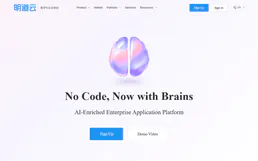
Mingdao Cloud
Enterprise zero-code application and workflow platform — manage worksheets, records, and automations via AI.

GetStream
Build and manage scalable activity feeds and social networks. Manage activities, feeds, and follower relationships directly through your AI agent.
You might also like

TIGER/Line Geocoder (Census)
Access official US Census Bureau geocoding services to convert addresses into coordinates and detailed census geography data.

Moneybird
Manage your accounting via Moneybird — list invoices, track contacts, and oversee estimates directly from your AI agent.

ConfigCat
Manage feature flags and remote configurations via ConfigCat — list environments, create settings, and toggle features directly from your AI agent.