
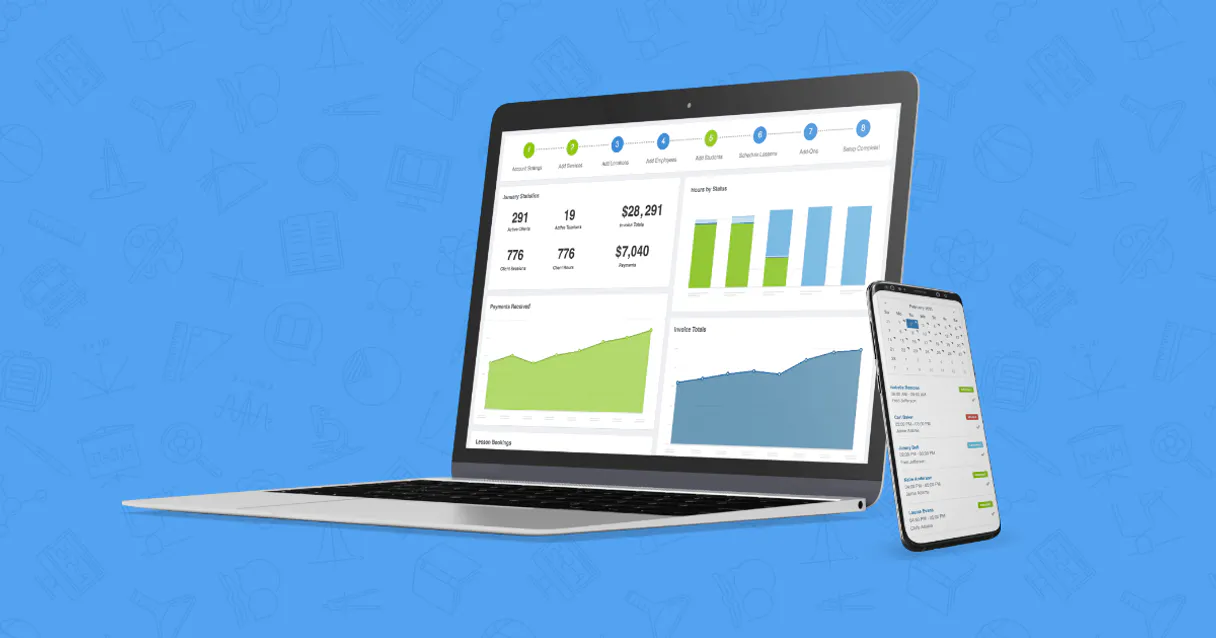
Teachworks MCP Server with 6 Tools Ready for AI Agents
 GDPR Free for Subscribers
Schedule tutoring sessions, manage student progress, and handle billing for tutoring businesses and learning centers. Unlock 6 tools ready out of the box. Connect this App Connector to instantly empower AI agents like Claude Code, Cursor, or any MCP-compatible client with advanced capabilities.
Ask AI about this App Connector
Vinkius delivers Streamable HTTP and SSE to any MCP client
* Every MCP server runs on Vinkius-managed infrastructure inside AWS - a purpose-built runtime with per-request V8 isolates, Ed25519 signed audit chains, and sub-40ms cold starts optimized for native MCP execution. See our infrastructure
What is the Teachworks MCP Server?
The Teachworks MCP Server gives AI agents like Claude, ChatGPT, and Cursor direct access to Teachworks via 6 tools. Schedule tutoring sessions, manage student progress, and handle billing for tutoring businesses and learning centers. Powered by the Vinkius - no API keys, no infrastructure, connect in under 2 minutes.
Built-in capabilities (6)
Tools for your AI Agents to operate Teachworks
Ask your AI agent "List all active students in my Teachworks account." and get the answer without opening a single dashboard. With 6 tools connected to real Teachworks data, your agents reason over live information, cross-reference it with other MCP servers, and deliver insights you would spend hours assembling manually.
Works with Claude, ChatGPT, Cursor, and any MCP-compatible client. Powered by the Vinkius - your credentials never touch the AI model, every request is auditable. Connect in under two minutes.
Why teams choose Vinkius
One subscription gives you access to thousands of MCP servers - and you can deploy your own to the Vinkius Edge. Your AI agents only access the data you authorize, with DLP that blocks sensitive information from ever reaching the model, kill switch for instant shutdown, and up to 60% token savings. Enterprise-grade infrastructure and security, zero maintenance.
Build your own MCP Server with our secure development framework →The Teachworks App Connector works with every AI agent you already use
…and any MCP-compatible client









Use all 6 Teachworks tools with your AI agents right now
Empower your AI agents to connect to Teachworks and securely perform advanced actions on Vinkius infrastructure. Beyond a simple connection, you gain an advanced AI Gateway that provides complete visibility into agent activity, ensuring maximum governance and optimized token usage.
Add a new student
Get student details
List families
List scheduled lessons
List all students in Teachworks
List all teachers (tutors)
What the Teachworks MCP Server unlocks
Connect your Teachworks tutoring management account to any AI agent and simplify how you coordinate your education business, student directory, and lesson scheduling through natural conversation.
What you can do
- Student Management — List all enrolled students, create new student profiles, and retrieve detailed academic metadata.
- Teacher Coordination — Query your directory of tutors and teachers to manage staff assignments and availability.
- Lesson Scheduling — List all scheduled lessons and classes to monitor your academy's teaching calendar.
- Family Oversight — List and manage customer families to maintain organized billing and contact records.
- Profile Insights — Fetch detailed profile information for individual students using their unique IDs.
- Operational Monitoring — Check your education ecosystem status and teacher distributions directly from the agent.
How it works
1. Subscribe to this server
2. Enter your Teachworks API Token (found in your account settings)
3. Start managing your tutoring business from Claude, Cursor, or any MCP client
Who is this for?
- Tutoring Business Owners — quickly retrieve student lists and monitor teaching schedules via simple AI commands.
- Academy Administrators — coordinate teacher availability and manage family records directly from the workspace.
- Education Coordinators — verify student details and verify lesson assignments via the AI assistant.
Frequently asked questions about the Teachworks MCP Server
Can I see all the lessons scheduled for my academy via AI?
Yes! Use the list_lessons tool. Your agent will retrieve the complete enseñante calendar, including scheduled times and associated students.
How do I add a new student to my directory?
Use the create_student action. Provide the first name, last name, and an optional email to register the new student record in Teachworks instantly.
Is it possible to see which families are registered via AI?
Absolutely. Use the list_families query. The agent will retrieve the directory of customer families associated with your business.
More in this category
Calendarific
6 toolsAccess global holiday data via Calendarific — track public, religious, and local holidays across 230+ countries directly from any AI agent.

SavvyCal
10 toolsManage your SavvyCal scheduling links, check real-time availability, and coordinate automated bookings via AI.
SimplyBook.me
10 toolsEnable your AI agent to manage appointments, browse staff calendars, and handle client records via the SimplyBook.me scheduling platform.
You might also like

RCSB PDB
2 toolsExplore 220K+ 3D molecular structures — search proteins, DNA, and RNA by name, experimental method, resolution, and bound ligands from the Protein Data Bank.

Save articles, videos, and web pages to read later with a personal content library that syncs across all your devices.
Simplenote
8 toolsManage your Simplenote notes directly from your AI assistant. Create, search, edit, and organize plain-text notes without leaving the conversation.