The Odds API MCP. Get live scores, odds, and market data in one chat.
Works with every AI agent you already use
…and any MCP-compatible client

Just plug in your AI agents and start using Vinkius.
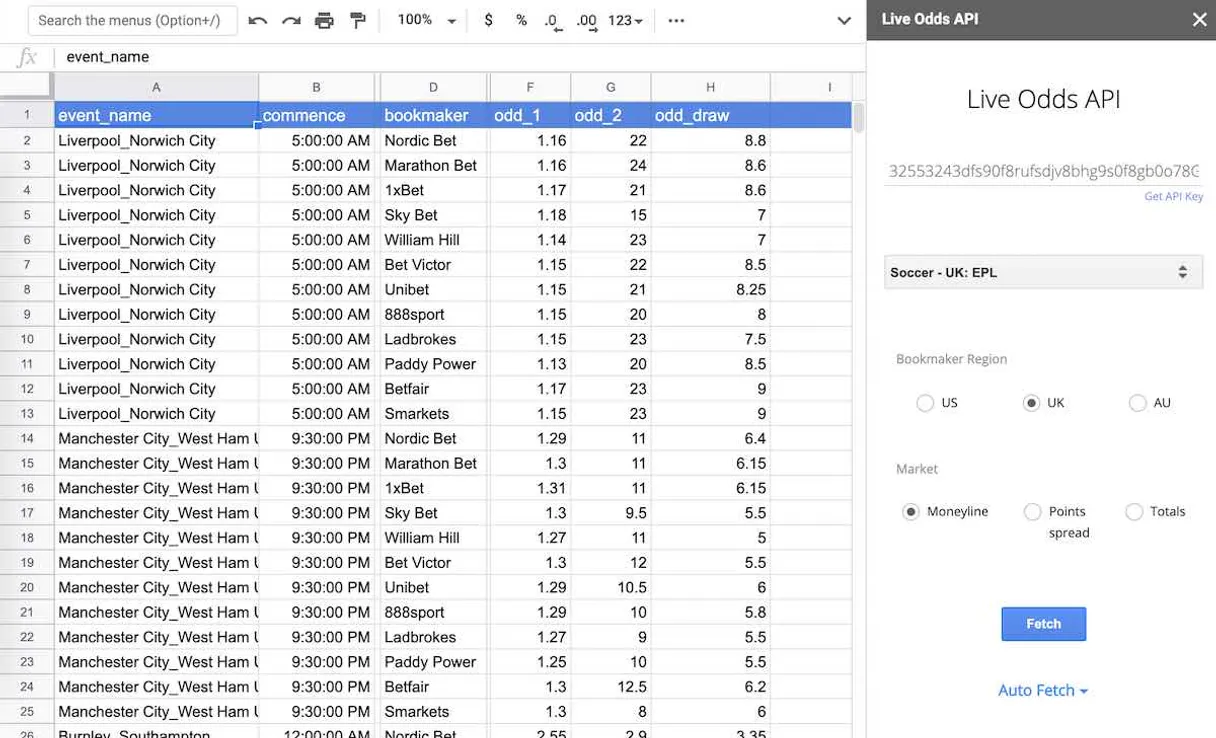
The Odds API connects real-time sports market data directly to your AI agent. It gives you instant access to live odds from dozens of bookmakers across major leagues like the NFL, NBA, and EPL.
Your agent can check scores, compare betting prices across regions (US, UK, EU, AU), or audit historical game results without leaving your chat interface.
What your AI agents can do
Get odds
Retrieves the current betting odds for a specific sport or game.
Get scores
Gets live and final scores for selected sporting events.
List sports
Returns a list of all sports and leagues currently supported by the API.
The agent fetches and compares betting prices for a specific game from multiple sources so you see the best market available.
You get immediate, up-to-the-minute scores and status updates for any active or recently finished game.
The agent retrieves past game results and market movements to help you analyze trends over time.
You ask the API to list all sports leagues available, letting you know exactly what data is accessible right now.
Ask AI about this MCP
Supported MCP Clients
Waiting for input…
The Odds API MCP Server: 3 Tools for Sports Data
These tools give your AI agent the power to list available sports, retrieve current odds, and get live scores from major global leagues.
019d8462get odds
Retrieves the current betting odds for a specific sport or game.
019d8462get scores
Gets live and final scores for selected sporting events.
019d8462list sports
Returns a list of all sports and leagues currently supported by the API.
Choose How to Get Started
Build a custom MCP for your own tools, or connect a ready-made integration from our catalog.
Build Your Own
Turn any API into an MCP. Import a spec, define Agent Skills, or deploy with MCPFusion.
- Import from OpenAPI, Swagger, or YAML specs
- Create Agent Skills with progressive disclosure
- Deploy to edge with MCPFusion framework
- Built in DLP, auth, and compliance on every call
- Real time usage dashboard and cost metering
- Publish to catalog or keep private
Make Your AI Do More
Start with The Odds API, then connect any of our 4,700+ other servers whenever your AI needs more. One click, no limits.
- Use this MCP plus 4,700+ others, all in one place
- Add new capabilities to your AI anytime you want
- Every connection is secured and compliant automatically
- Track usage and costs across all your servers
- Works with Claude, ChatGPT, Cursor, and more
- New servers added to the catalog every week
What you can do with this MCP connector
Listen up. This Odds API connects real-time sports market data straight to your agent. You get instant access to live odds from dozens of bookmakers covering major leagues like the NFL, NBA, and EPL. Your AI client basically turns into a dedicated sports analyst right in your chat window. You don't gotta jump between a dozen betting sites; your agent handles all that cross-referencing for you.
Need to know what data's even available? You can ask the API to list every sport and league it tracks using list_sports. It spits out a complete rundown of everything supported right now, so you know exactly what kind of stats you're playing with. That keeps your bets focused and doesn't waste time.
When you wanna see current odds, you use get_odds. This tool pulls the live betting prices for any specific game or sport you name. The agent compares these prices from multiple sources, so you always see the absolute best market available across different bookmakers. You can check upcoming games or even drill down into a niche league; it'll give you the whole picture.
Need to know if the game is actually happening? Use get_scores. This gets both live and final scores for any athletic event you pick. It keeps you up-to-the-minute on active games, so you don't miss a single play or status change. Once it’s wrapped, you still get the final tally.
Beyond just what's happening right now, you can audit historical data too. You run the agent to pull past game results and market movements. This helps you track trends over time—you can analyze how odds shifted during previous seasons or see if a team’s performance correlates with their betting lines.
It gives you the deep dive numbers, not just today's hype.
So, here's the deal: You tell your agent what you need—whether it's comparing prices across US, UK, and EU markets for basketball, or auditing every score from last year’s football playoffs. The API handles fetching and structuring all that complex data instantly. It means whatever sports data task you throw at it, your AI client gets the raw, actionable numbers back to you right away.
You just talk to it like you're talking to a teammate; it does the heavy lifting of checking scores, comparing odds, and digging up old records without making you leave your chat interface.
How The Odds API MCP Works
- 1 First, tell your AI client what you want. You might start by asking it to run
list_sportsto narrow down the leagues. - 2 Next, if you need odds, the agent uses
get_odds, specifying the sport and game. If you just need status, it callsget_scores. - 3 The API client processes the request, pulls the live data from multiple sources, and presents a single, structured answer back to your conversation.
The bottom line is: You talk to your agent once. It does all the cross-referencing and fetching across dozens of external sports sites for you.
Who Is The Odds API MCP For?
This server is built for people who deal with massive amounts of dynamic, time-sensitive data—betting professionals, quantitative analysts, or developers building tracking apps. If your job requires comparing prices or keeping up with real-time scores across multiple sources, this saves hours of manual web scraping and dashboard clicking.
You use get_odds and historical data to build models predicting market volatility based on past performance.
You use the API to quickly compare odds across different regions (US, UK, EU) before placing a bet, ensuring you get the best price.
You integrate get_scores and list_sports into custom applications that need live data feeds without building complex web scrapers.
What Changes When You Connect
- Stop jumping between bookmaker sites. When you use
get_odds, your agent compares prices from multiple sources automatically, showing you the best bet right away. - Need to know what's happening now? Use
get_scoresto pull live updates for any sport—from a 2-1 lead at minute 75 to a halftime score. It’s instant status checks. - The API handles market comparison across regions (US, UK, EU). You don't have to know which bookmaker has the best odds; just ask your agent.
- Analyze trends with historical data. The server lets you review past game results and market movements so you can build out models on what worked before.
- Figure out what data is available immediately by running
list_sports. It tells you if the NBA, EPL, or another league even has data today.
Real-World Use Cases
Tracking a Potential Bet
A bettor needs to know the odds for next week's NFL game. Instead of checking five separate websites, they ask their agent: 'What are the current odds for Chiefs vs Raiders?' The agent calls get_odds, pulls the data from multiple sources, and gives a clear range (e.g., 1.45 to 1.55) so they know exactly what they're getting.
Building a Live Score Dashboard
An app developer needs real-time data for a custom dashboard. They use list_sports first, then loop through the result to call get_scores for every major league (EPL, NBA). The API feeds structured, consistent score updates directly into their application pipeline.
Researching Market Value
A financial analyst wants to model market risk. They ask the agent to summarize 'historical odds and game results' for a specific sport over the last month. The API pulls past data, allowing them to analyze patterns that raw score feeds wouldn't catch.
Quick Pre-Game Check
A user is getting ready for a match and just wants to know if it’s still happening and what the current status is. They ask, 'What's the score for soccer_epl?' The agent calls get_scores and immediately reports the live minute and differential.
The Tradeoffs
Manual Cross-Referencing
Opening Google, then visiting ESPN.com for scores. Then opening Bet365 and DraftKings to compare odds. This takes ten minutes just to gather data on one game.
→
Just ask your agent: 'What are the live scores and best odds for today's NBA games?' The server calls get_scores and get_odds in sequence, giving you everything structured in seconds.
Guessing Data Availability
Trying to analyze data for a niche sport without knowing if the API supports it. You waste time building an analysis that fails midway.
→
Always run list_sports first. It confirms exactly which sports and leagues are available, so you know your research won't hit a dead end.
Sequential Tool Calls
Running get_scores for the NFL, then manually running get_odds just for football. This is slow and doesn't provide context.
→ Tell your agent: 'Give me the current odds AND the live score status for all upcoming NFL games.' The server coordinates both tools to give you a single data package.
When It Fits, When It Doesn't
Use this API if your job requires structured, real-time comparisons of financial or sporting outcomes. Specifically, use it when: 1) You need to compare prices from multiple sources (use get_odds). 2) Your primary concern is the current status or recent outcome (use get_scores). 3) You are building a system that needs to know what data pools exist (list_sports). Don't use this if you just need general sports news, commentary, or simple records of who played. For that, use a standard search engine; they won't give you structured odds data.
Independent Platform Disclaimer: Vinkius is an independent platform and is not affiliated with, endorsed by, sponsored by, verified by, or otherwise authorized by The Odds API. All third-party trademarks, logos, and brand names are the property of their respective owners. Their use on this website is strictly for informational purposes to identify service compatibility and interoperability.
VINKIUS INFRASTRUCTURE
Cloud Hosted
Managed infra
V8 Isolated
Sandboxed per request
Zero-Trust Proxy
No stored credentials
DLP Enforced
Policy on every call
GDPR Compliant
EU data residency
Token Compression
~60% cost reduction
Works with Claude, ChatGPT, Cursor, and more
The Model Context Protocol standardizes how applications expose capabilities to LLMs. Instead of operating in isolation, your AI gains direct access to external platforms, live data, and real-world actions through secure, standardized connections.
This server provides 3 capabilities that interface natively with Claude, ChatGPT, Cursor, and any MCP client. No middleware. No custom integration required.
Available Capabilities
Checking odds and scores across multiple sites is tedious, slow work.
Right now, getting a full picture of today's sports action means clicking through ESPN for the score, then opening three different betting apps to compare spreads, and finally checking Google for historical summaries. You spend more time collecting data than analyzing it.
With The Odds API MCP server, you just ask your agent: 'Give me everything I need for today.' It handles the dozens of source checks automatically, delivering a clean, structured result that lets you start working instantly.
The Odds API MCP Server gives you real-time data access.
You no longer need to manually track dozens of separate websites or build fragile web scrapers just to get a price feed. The server manages the connections and standardization for major leagues like MLB, NBA, and EPL.
It’s immediate data access. You ask, it finds. That's the difference.
Common Questions About The Odds API MCP
Can I get odds for the Premier League? +
Yes! Use the get_odds tool with the sport key soccer_epl. It will return the latest odds from various bookmakers.
How do I see results for recently finished games? +
Use the get_scores tool and provide the sport key. It will return the scores for live games and those that have recently ended.
What bookmaker regions are supported? +
The Odds API supports 'us' (United States), 'uk' (United Kingdom), 'eu' (Europe), and 'au' (Australia). Use the regions parameter to filter odds.
What is required to use `get_odds` from The Odds API? +
You must provide a valid API Key with every request. You grab this key directly from the de-odds-api site and pass it through your AI client connection. This key authenticates you and tracks your usage limits.
Are there rate limits when calling The Odds API tools? +
Yes, the service enforces usage caps to ensure fair access for all users. Always check the official documentation linked in our setup guide for current request quotas and how they reset.
What does `list_sports` show about available leagues? +
list_sports provides a comprehensive list of every sport and league supported by the API. This includes major global sports like NFL, NBA, and EPL, plus smaller niche markets.
If I get an error calling The Odds API, what should I check first? +
First, verify your API key is correctly implemented in the request headers. Then, check the specific tool parameters—you might have misspelled a league name or requested unsupported data for that sport.
Does `get_scores` provide detailed box scores or just the final score? +
get_scores provides both live and completed game status. The response includes more than just the final tally; it gives context on the current quarter, half, or minute marker for ongoing games.
Use it with your favorite AI tools
Connect this server to Cursor, Claude, VS Code, and more.
More in this category
Monzo Banking
Universal Monzo intelligence — check balances, accounts, and transactions via AI.
PostHog
Analyze product data via PostHog — list insights, track persons, inspect feature flags, and monitor experiments directly from any AI agent.
DataForSEO
Manage SERP data via DataForSEO — track Google organic rankings, audit Maps nodes, monitor News publications, and research Amazon products directly from any AI agent.
You might also like
AvoSMS
Powerful SMS automation — send messages, manage sender IDs, and coordinate contact lists via AI.
Brilliant Made
Manage your corporate swag via Brilliant Made — track orders, browse products, and monitor inventory directly from any AI agent.
Zeabur (PaaS Deployment)
Deploy services, manage containers, and send transactional emails via Zeabur PaaS directly from your AI agent.