
TheMealDB Alternative MCP. Filter Global Recipes By Cuisine, Ingredient, or Category.
 Gemini
 Works with every AI agent you already use
…and any MCP-compatible client









Just plug in your AI agents and start using Vinkius.
TheMealDB Alternative connects your AI client to a massive, open database of global recipes. You can search for meals by name, filter entire datasets by cuisine area (like Italian or Mexican), category (Dessert, Beef), or main ingredient.
It provides everything from finding random recipe inspiration to getting the full details of a single dish via its ID.
Stop browsing; start building meal plans instantly.
What your AI agents can do
Filter by area
Narrows down the recipe database by specifying a cuisine area (e.g., 'Mexican').
Filter by category
Limits search results to a general food type, like dessert or seafood.
Filter by ingredient
Filters meals to include only dishes using a specific main ingredient.
Find specific recipes by name using the dedicated search_meals tool or narrow results down with search_by_letter.
Limit meal results to a single geographic area (e.g., filtering only for Mexican or Italian dishes) using filter_by_area.
Filter recipes based on general food categories, such as Dessert, Beef, or Seafood, with the filter_by_category tool.
Get all available meals that feature a specific main ingredient using filter_by_ingredient.
Retrieve full meal details for a known ID (lookup_meal) or get instant culinary inspiration with get_random_meal.
Ask AI about this MCP
Supported MCP Clients
Gemini Waiting for input…
TheMealDB Alternative: 10 Tools for Recipe Discovery
These tools let your AI client access the entire TheMealDB dataset, allowing you to filter recipes and look up full meal details using specific functions.
019d848cfilter by area
Narrows down the recipe database by specifying a cuisine area (e.g., 'Mexican').
019d848cfilter by category
Limits search results to a general food type, like dessert or seafood.
019d848cfilter by ingredient
Filters meals to include only dishes using a specific main ingredient.
019d848cget random meal
Provides an instant, random meal suggestion for creative brainstorming or inspiration.
019d848clist areas
Returns a list of all available cuisine areas in the database.
019d848clist categories
Provides an exhaustive list of meal categories (e.g., Beef, Dessert) you can filter by.
019d848clist ingredients
Lists every ingredient available in the database to help with filtering or planning.
019d848clookup meal
Retrieves all detailed recipe information for a specific meal ID.
019d848csearch by letter
Searches the database for meals whose name starts with a specified letter.
019d848csearch meals
Finds up to 100 meal results by searching using a dish's general name.
Choose How to Get Started
Build a custom MCP for your own tools, or connect a ready-made integration from our catalog.
Build Your Own
Turn any API into an MCP. Import a spec, define Agent Skills, or deploy with MCPFusion.
- Import from OpenAPI, Swagger, or YAML specs
- Create Agent Skills with progressive disclosure
- Deploy to edge with MCPFusion framework
- Built in DLP, auth, and compliance on every call
- Real time usage dashboard and cost metering
- Publish to catalog or keep private
Make Your AI Do More
Start with TheMealDB Alternative, then connect any of our 4,700+ other servers whenever your AI needs more. One click, no limits.
- Use this MCP plus 4,700+ others, all in one place
- Add new capabilities to your AI anytime you want
- Every connection is secured and compliant automatically
- Track usage and costs across all your servers
- Works with Claude, ChatGPT, Cursor, and more
- New servers added to the catalog every week
What you can do with this MCP connector
Connect your AI client to this server, and you’ll get access to a massive, open database of global recipes. You can search for anything—from quick weeknight dinners to elaborate holiday feasts—and filter results down to pinpoint accuracy. This isn't just browsing; it’s building meal plans instantly.
Search and Find Dishes
To find specific dishes, you use search_meals to query the database by a dish's general name, getting up to 100 results in one shot. If you know the first letter of what you’re looking for, you can narrow your search right away with search_by_letter. You won't waste time sifting through thousands of entries; you just tell it what you need.
Filtering by Cuisine and Group
The real power here is the filtering. Instead of wading through every recipe in existence, you can limit your search dramatically. If you only want something from Mexico or Italy, you run filter_by_area and specify the cuisine; it instantly narrows down everything for you. For organizing by food type—say, you’re planning a dessert spread or you gotta stick to beef dishes—you use filter_by_category.
This tool limits results to general groups like 'Dessert' or 'Seafood'. You can combine these filters to get super specific sets of meals.
Targeting Ingredients and Details
You don't have to guess what ingredients are involved. If you know the main star of the meal—like chicken, lentils, or mushrooms—you run filter_by_ingredient and it gives you every dish that features that item prominently. When you find a recipe ID you like, lookup_meal pulls up all the detailed information: full instructions, ingredients list, and how many servings it makes.
It's everything in one place.
Discovering Data & Getting Inspiration
Sometimes, you just gotta get inspired, right? If you don’t know what to cook, get_random_meal spits out a suggestion instantly for creative brainstorming. You can also check the full scope of the database using list tools: run list_areas to see every cuisine available, or use list_categories if you need to see all the food groups.
If you're planning ahead and wanna know what ingredients are even in this system, list_ingredients gives you that comprehensive inventory.
How It Works For You
You feed these tools parameters—a letter, a cuisine name, or an ingredient—and they do the heavy lifting. They pull structured data back to your agent. This means no manual cross-referencing and zero guesswork. Whether you need five dinner options for Italian nights or just wanna know what's good with salmon, this server handles it fast.
How TheMealDB Alternative MCP Works
- 1 Subscribe to the TheMealDB Alternative MCP Server. Your AI client connects via your preferred interface (Claude, Cursor, etc.).
- 2 Tell your agent exactly what you need—for example, 'Find me Mexican recipes using chicken.'
- 3 The agent calls the appropriate tools (
filter_by_area,filter_by_ingredient) and returns a filtered list of results or full recipe details.
The bottom line is that your AI client handles all the multi-step querying, giving you clean, structured meal data in one go.
Who Is TheMealDB Alternative MCP For?
Food bloggers and content creators who write recipes. Product designers building cooking apps. Developers needing reliable, public domain food datasets. This server saves the time spent manually scraping or cross-referencing multiple recipe sources.
Needs to generate new content quickly and needs a massive catalog of global recipes for articles, ensuring variety using filter_by_area.
Builds the search logic. Uses specific tools like list_areas, list_categories, and lookup_meal to populate structured data fields in a new app feature.
Needs to prototype meal plans for clients or users. Uses the agent to combine filters (e.g., 'low carb' AND filter_by_category='Dessert') into a single query.
What Changes When You Connect
- Stop manually cross-referencing recipe databases. Using
filter_by_areaimmediately narrows your focus to a specific cuisine (like Indian or Italian), giving you structured results without endless links. - Need quick ideas? The
get_random_mealtool provides instant inspiration, complete with category and serving size details. It's the perfect way to beat writer's block when planning content. - Build robust search logic by using combination tools like
filter_by_category(e.g., 'Seafood') followed bylist_ingredientsto see what specific elements are available in that group. - When you know the exact dish, skip searching entirely. Use
lookup_mealwith a known ID to get every single detail—ingredients and steps—in one clean output. - It saves time on data setup. Instead of hardcoding filters, use
list_areasorlist_categoriesfirst. Your agent will show you all valid options before you even start writing the query.
Real-World Use Cases
Writing a 'Best Of' Global Food Guide
A travel blogger needs to write an article about Mediterranean cuisine, but wants to cover multiple dishes. Instead of doing 20 Google searches, they ask their agent: 'Show me all Italian meals.' The agent uses filter_by_area and returns a list of relevant recipes, which the writer then expands upon.
Designing a Dinner Party Menu
A user is planning a meal for a guest with beef allergies. They ask their agent: 'What dessert can I make that uses chocolate but no dairy?' The agent runs filter_by_ingredient and then filters the results using list_categories to find safe, suitable options.
Populating a Recipe App's Database
A developer needs 50 unique recipe entries for a new app section. They ask their agent: 'Give me 10 random meals from the Dessert category.' The agent uses get_random_meal or filter_by_category and provides structured data points that can be easily piped into an API backend.
Solving a Recipe Ingredient Gap
A cook has extra chicken breasts but needs ideas. They ask their agent: 'What meals should I make with fresh chicken?' The agent uses filter_by_ingredient and gives the cook a list of suitable recipes, saving them from kitchen indecision.
The Tradeoffs
Chaining simple searches
The user runs three separate commands: search_meals('Pasta'), then filter_by_area('Italian'), and finally, manually cross-references the results. This is slow and error-prone.
→
Let your agent combine these steps into one query: 'Find Italian pasta recipes.' The underlying logic uses filter_by_area AND search_meals simultaneously, giving you a single, accurate list.
Over-reliance on basic search
The user searches for 'Chicken'. This only gets general results and doesn't give them cuisine context or full ingredient lists.
→
Always pair search_meals with a filter. Start by asking: 'What Mexican dishes use chicken?' This combines the power of filter_by_area and filter_by_ingredient.
Ignoring available options
The user assumes they only know Italian cuisine, so they never check for other global options.
→
Before you search, run the list_areas tool. It gives you a complete list of every cuisine area available (e.g., Indian, Chinese) that you might not have thought of.
When It Fits, When It Doesn't
Use this server if your core problem is finding or organizing meal/recipe data based on global criteria: cuisine type, main ingredients, or food category. If you need to know which meals use chicken AND are Mexican, this is the tool for you.
Don't use it if your problem is inventory management (e.g., 'How many pounds of flour do we have?'). For that, you need an ERP system API. Also, if you only need a basic list of names without any filtering or detail lookup, search_meals works fine, but you'll miss the full context provided by the dedicated filters.
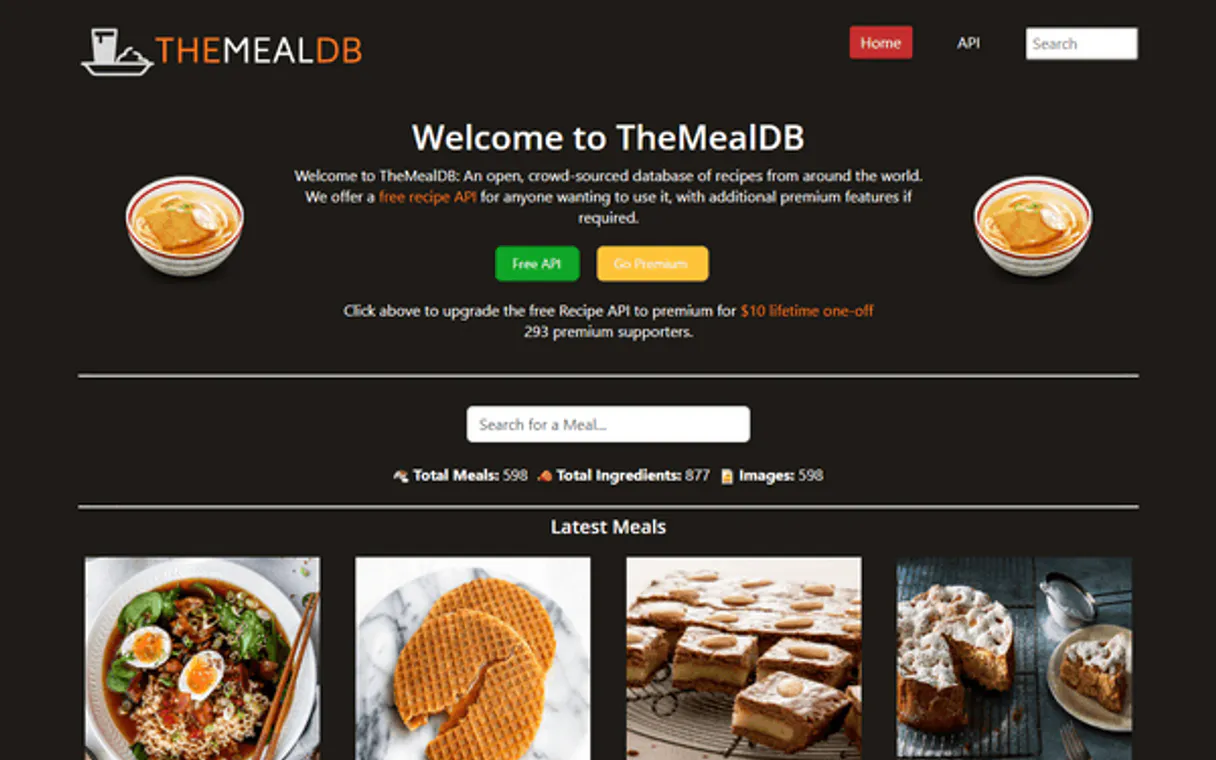
Independent Platform Disclaimer: Vinkius is an independent platform and is not affiliated with, endorsed by, sponsored by, verified by, or otherwise authorized by TheMealDB. All third-party trademarks, logos, and brand names are the property of their respective owners. Their use on this website is strictly for informational purposes to identify service compatibility and interoperability.
VINKIUS INFRASTRUCTURE
Cloud Hosted
Managed infra
V8 Isolated
Sandboxed per request
Zero-Trust Proxy
No stored credentials
DLP Enforced
Policy on every call
GDPR Compliant
EU data residency
Token Compression
~60% cost reduction
Works with Claude, ChatGPT, Cursor, and more
The Model Context Protocol standardizes how applications expose capabilities to LLMs. Instead of operating in isolation, your AI gains direct access to external platforms, live data, and real-world actions through secure, standardized connections.
This server provides 10 capabilities that interface natively with Claude, ChatGPT, Cursor, and any MCP client. No middleware. No custom integration required.
Available Capabilities
Trying to plan meals means jumping between five different websites and copy-pasting ingredient lists.
Today, planning a meal requires manual work. You start on one site for Italian dishes, open another for ingredients, then switch to a third just to check the serving size. You end up with half-copied data and an hours-long mess of tabs.
With this MCP server, you tell your agent what you need—say, 'A dessert that uses chocolate.' The agent runs `filter_by_ingredient` AND `filter_by_category`. You get a clean list, complete with full recipe details from `lookup_meal`, ready to copy and paste.
TheMealDB Alternative MCP Server: Get structured meal data in minutes.
No more juggling multiple APIs or dealing with inconsistent schema. The server handles the complexity of connecting cuisine areas, ingredients, and categories into one simple request structure.
It's fast, reliable, and uses proven open database methods. You just get to use the clean data; we handle the messy connection work.
Common Questions About TheMealDB Alternative MCP
How do I find recipes for a specific ingredient using filter_by_ingredient? +
You tell your agent: 'Find me dishes that feature beef.' The tool then filters the entire database and returns only meals where beef is listed as the main component. This saves you from sifting through thousands of unrelated results.
Can I find all available cuisines using list_areas? +
Yes, running list_areas gives you a clean list of every cuisine area supported by the database (like Chinese, Indian, or Mexican). This is the first step before filtering any results.
Does search_meals give me full recipe instructions? +
No. search_meals only gives basic info and up to 100 names. To get the actual ingredients, steps, and details for a specific dish name you found, you must then use lookup_meal with that meal's unique ID.
Is TheMealDB Alternative MCP Server reliable? +
It connects directly to the open-source TheMealDB. This means you get access to a huge, stable dataset of global recipes without needing your own API keys or complex setup.
When using `lookup_meal`, do I need to worry about API keys or authentication? +
No, you don't require an API key for this server. TheMealDB is open and free, so connection through your AI client works immediately.
If I run too many searches with `search_meals`, will there be rate limits? +
The Vinkius platform manages standard rate limiting to ensure stability. If you hit a limit, wait a minute and try your requests in batches rather than all at once.
Can I combine `filter_by_area` and `filter_by_category` for advanced meal planning? +
Yes, you can chain these tools. Run the area filter first to get a set of IDs, then use those results as input for the category filter to narrow down your search.
What specific data does `lookup_meal` return beyond just ingredients? +
It returns comprehensive details about the meal ID. This includes step-by-step instructions, the primary cuisine area, and the full list of associated components.
Do I need an API key to use TheMealDB? +
No! TheMealDB is completely free and open. No API key is required to search and retrieve recipes.
Can I get full recipe details with ingredients and instructions? +
Yes! Use the lookup_meal tool with a meal ID to retrieve the full recipe including all ingredients with measurements, category, area, and detailed instructions.
How do I find recipes by ingredient? +
Use the filter_by_ingredient tool with the ingredient name. It returns all meals that have that ingredient as their main component.
Use it with your favorite AI tools
Connect this server to Cursor, Claude, VS Code, and more.
More in this category
DropBox Alternative
Manage your DropBox files and folders — audit storage and sharing via AI.

Miro (Visual Collaboration & Whiteboarding)
Manage collaborative boards via Miro — create sticky notes, list visual items, and audit team members.

Dubsado
Run your creative business with proposal templates, contract signing, invoicing, and client scheduling in one seamless flow.
You might also like

Storylane
Interactive, personalized product demos.

Sprout Social
Empower your AI with a full social media command center. Draft posts, track global analytics, and master listening topics natively across all brands.

RentCast Alternative
Access real-time real estate data, property records, and rental market analytics directly from your AI agent.