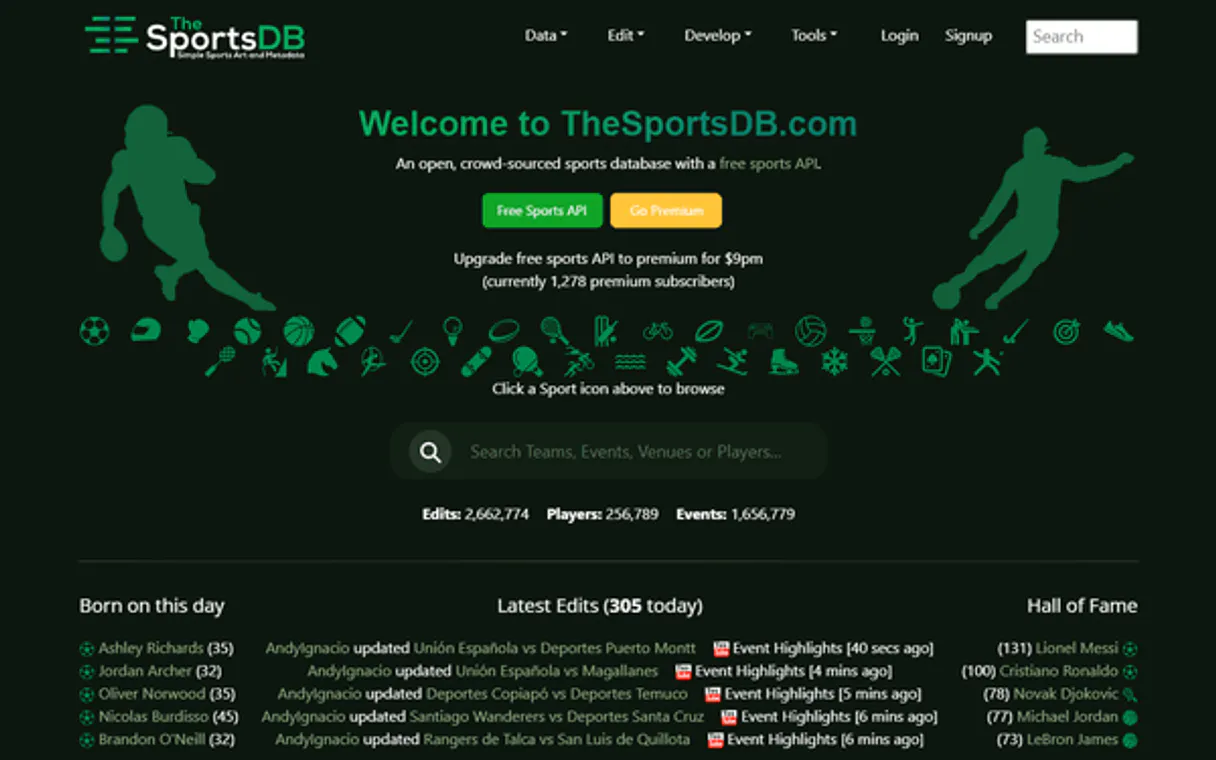
TheSportsDB Global Sports Database MCP. Analyze live standings, history, and event schedules.
Works with every AI agent you already use
…and any MCP-compatible client

Just plug in your AI agents and start using Vinkius.
TheSportsDB Global Sports Database provides API access to structured metadata for global sports. Use your AI agent to search teams, players, and leagues across hundreds of sports.
It retrieves current standings, upcoming match schedules, player career histories (honours/contracts), and detailed team profiles in one place.
What your AI agents can do
Get league details
Retrieves metadata (like league name, description) using a specific League ID.
Get league table
Fetches the current standings and points table for an entire season of a specified league.
List all leagues
Returns a list of all available sports leagues in the database, helping you find your starting point.
Locate specific players or teams by name using search_players and search_teams.
Get the current points table and standings for any specified league season via get_league_table.
List upcoming matches or past match results for a given team using list_next_events_by_team or list_last_events_by_team.
Gather an athlete's full history, including trophies (list_player_honours), contracts, and previous clubs (list_former_teams).
Find out what leagues or sports are available in the database by calling list_all_leagues or list_all_sports.
Ask AI about this MCP
Supported MCP Clients
Waiting for input…
TheSportsDB Global Sports Database: 16 Tools for Sports Data
Analyze league standings, team history, and event schedules across all major global sports using these dedicated tools.
019d848dget league details
Retrieves metadata (like league name, description) using a specific League ID.
019d848dget league table
Fetches the current standings and points table for an entire season of a specified league.
019d848dlist all leagues
Returns a list of all available sports leagues in the database, helping you find your starting point.
019d848dlist all sports
Lists every sport tracked by TheSportsDB, letting you scope your search globally.
019d848dlist all teams in league
Gives a roster of all teams that belong to one particular league ID.
019d848dlist events by day
Finds and lists every sports event or match scheduled for a specific date.
019d848dlist events by season
Retrieves all recorded events (matches) that happened within a defined league season.
019d848dlist former teams
Tracks an athlete's career path by listing every previous club or team they played for.
019d848dlist last events by team
Gets a chronological list of recent match results and scores for one specific team.
019d848dlist next events by team
Predicts and lists upcoming matches, including opponents and dates, for a given team.
019d848dlist player contracts
Gets structured details about an athlete's current or past professional contracts.
019d848dlist player honours
Lists all major trophies, awards, and accolades won by a specific player in their career.
019d848dlist player milestones
Retrieves key personal records or achievements for an athlete (e.g., most goals, best attendance).
019d848dsearch events
Searches for sports events by a general name or keyword across the database.
019d848dsearch players
Finds specific athletes using their name, and retrieves their basic profile details.
019d848dsearch teams
Locates sports teams by name across different leagues and global databases.
Choose How to Get Started
Build a custom MCP for your own tools, or connect a ready-made integration from our catalog.
Build Your Own
Turn any API into an MCP. Import a spec, define Agent Skills, or deploy with MCPFusion.
- Import from OpenAPI, Swagger, or YAML specs
- Create Agent Skills with progressive disclosure
- Deploy to edge with MCPFusion framework
- Built in DLP, auth, and compliance on every call
- Real time usage dashboard and cost metering
- Publish to catalog or keep private
Make Your AI Do More
Start with TheSportsDB Global Sports Database, then connect any of our 4,700+ other servers whenever your AI needs more. One click, no limits.
- Use this MCP plus 4,700+ others, all in one place
- Add new capabilities to your AI anytime you want
- Every connection is secured and compliant automatically
- Track usage and costs across all your servers
- Works with Claude, ChatGPT, Cursor, and more
- New servers added to the catalog every week
What you can do with this MCP connector
You'll find that TheSportsDB provides structured data access to professional sports across the globe, letting your AI agent pull together metrics you otherwise have to track manually. You don't need to jump between separate league sites; this server gathers everything into actionable tools.
Finding Your Scope and Entities
You can start broad by calling list_all_sports to see every sport tracked in the database, or use list_all_leagues to get a list of all available leagues. Once you know your area, you'll need the league ID to narrow things down. You can call get_league_details with a League ID to pull metadata like the official name and description for that specific league.
If you want to see every team in play within one competition, use list_all_teams_in_league; otherwise, you can pinpoint teams using search_teams, which locates sports clubs by name across global databases. When you need athlete profiles, run search_players to find specific players by name and pull their basic profile details.
Tracking Performance and Scheduling
To track a team's current standing or points table for any season, call get_league_table. If you just want to know what’s happening in the league generally, run list_events_by_season to get every recorded match that happened during a defined league period. For real-time planning, use list_next_events_by_team to predict and list upcoming matches for any given team, including opponents and dates.
Conversely, if you want to review recent action, run list_last_events_by_team to get a chronological rundown of that team’s latest match results and scores. You can also search generally across the entire database using search_events by name or keyword for any sports event.
Deep Player History and Career Metrics
Building an athlete's full career profile requires several tool calls. To track a player’s history, you'll use list_former_teams to list every club they played for throughout their professional life. For accolades, call list_player_honours; this retrieves all major trophies, awards, and championships the athlete has won. You can also pull structured data on an athlete's contracts—both current and past—using list_player_contracts.
To understand key personal achievements, like most goals scored or best attendance record, use list_player_milestones to retrieve those specific records for any player.
Daily Events and General Search
If you’re planning around a single day of play, call list_events_by_day to find every sports match scheduled for that precise date. You can also narrow down historical matches using list_events_by_season, which retrieves all recorded events within a specific league period. For comprehensive global data gathering, your agent uses the core search tools—search_players, search_teams, and search_events—to locate entities across different leagues before pulling detailed metrics on performance or history.
How TheSportsDB Global Sports Database MCP Works
- 1 First, determine your scope. Use
list_all_sportsto find the sport, then uselist_all_leaguesandget_league_detailsto pinpoint the exact league ID. - 2 Next, run the specific query: are you checking standings? Call
get_league_table. Are you tracking a player's recent performance? Uselist_last_events_by_teamwith the necessary team IDs. - 3 Your agent processes the data and returns structured JSON containing all requested metadata—be it scores, standings, or biographical details.
The bottom line is that you don't write complex multi-step API calls; your AI client just runs the right tool in the correct sequence for you.
Who Is TheSportsDB Global Sports Database MCP For?
Anyone who needs structured sports data, period. This is for the deep-dive analyst stuck clicking through multiple websites at 2 AM. If your job involves tracking performance metrics or building out content around global athletics, you need this. You're not just following scores; you're building reports based on history.
Needs to pull historical data points—like a player’s career milestones (list_player_milestones) or league-wide trends—to write detailed industry reports.
Must check immediate team rankings and individual player stats from multiple sources without leaving their workflow. They use get_league_table constantly.
Automates the collection of high-quality metadata, like official team badges or recent match results (list_last_events_by_team), for articles and media pieces.
What Changes When You Connect
- Get immediate, structured data on league rankings using
get_league_table. You don't have to calculate points manually; the tool returns the full table ready for analysis. - Track an athlete’s entire professional journey. By running
list_former_teamsandlist_player_honours, you build a complete, verifiable history of their career in minutes. - Never miss an upcoming match detail again. Use
list_next_events_by_teamto pull the next 5 fixtures for any team right into your workflow. - Quickly scope out data needs by calling
list_all_leagues. This tells you exactly which ID you need before attempting a complex query likeget_league_details. - Automate content gathering. For media, use
list_last_events_by_teamto pull recent scores and results without needing to visit the league's dedicated news page.
Real-World Use Cases
Building a Player Biography Report
A journalist needs to write about a player’s career peak. They ask their agent: 'Gather all of Messi's major awards, his last five matches, and list every club he played for.' The agent executes list_player_honours, list_last_events_by_team, and list_former_teams sequentially, giving the journalist a single, comprehensive data package.
Fantasy Draft Prep
A fantasy manager needs to compare two players. They instruct their agent to 'Compare Player A and Player B.' The agent uses search_players first to get IDs, then runs list_player_milestones on both, allowing the manager to see who has more career records instantly.
Analyzing League Shifts
A betting analyst wants to know how a league's structure changed. They call list_all_leagues, find the target competition, and then use get_league_table for multiple seasons by calling list_events_by_season over time periods.
Live Team Status Check
A team operations manager needs to know if their club has a gap in its schedule. They run search_teams to confirm the ID, then use list_next_events_by_team and list_last_events_by_team back-to-back to get full operational visibility.
The Tradeoffs
Searching for a player by name only
A user tries to run 'get my stats' and just inputs the person’s name, assuming the tool knows which league they mean.
→
Always start by confirming the scope. First, use list_all_sports or search_players to get a unique ID, then pass that ID into targeted tools like get_league_table or list_player_honours.
Assuming current data is enough
A user only checks the current league standings (get_league_table) and misses historical context.
→
To get full context, you must run list_events_by_season or check player history with list_former_teams. The data doesn't just reset every season.
Using a general search for specific metrics
The user runs search_events hoping to pull out detailed team rosters, but the tool is too generic.
→
Use specialized tools. If you want a roster, run list_all_teams_in_league. If you need scores, use list_last_events_by_team.
When It Fits, When It Doesn't
You should use this server if your goal is to construct a data-backed narrative about sports history or performance. You need structured metadata—standings, rosters, trophies, etc.—and you want your agent to handle the multi-step calls for you. This setup excels at deep archival research and real-time status reporting.
Don't use this if: 1) You need financial modeling (you'd need a dedicated finance API). 2) Your goal is qualitative analysis, like predicting team morale or market shifts (this only provides hard metrics). 3) You just want to know 'who won the championship.' While list_player_honours helps, for simple, single-point facts, sometimes a basic search query works fine. This server is for when you need all the supporting data to prove your point.
Independent Platform Disclaimer: Vinkius is an independent platform and is not affiliated with, endorsed by, sponsored by, verified by, or otherwise authorized by TheSportsDB. All third-party trademarks, logos, and brand names are the property of their respective owners. Their use on this website is strictly for informational purposes to identify service compatibility and interoperability.
VINKIUS INFRASTRUCTURE
Cloud Hosted
Managed infra
V8 Isolated
Sandboxed per request
Zero-Trust Proxy
No stored credentials
DLP Enforced
Policy on every call
GDPR Compliant
EU data residency
Token Compression
~60% cost reduction
Works with Claude, ChatGPT, Cursor, and more
The Model Context Protocol standardizes how applications expose capabilities to LLMs. Instead of operating in isolation, your AI gains direct access to external platforms, live data, and real-world actions through secure, standardized connections.
This server provides 16 capabilities that interface natively with Claude, ChatGPT, Cursor, and any MCP client. No middleware. No custom integration required.
Available Capabilities
Manually building sports reports requires jumping between dozens of tabs and websites.
Today, if you’re writing a piece on player performance, you'll open Wikipedia for bios, then Google the league site for standings, check the team site for badges, and finally find an archive page to see historical records. You end up with 8 browser tabs open and three hours of copy-pasting.
With TheSportsDB MCP Server, your agent handles all that work. Instead of clicking through multiple sites, you ask for 'The league standings plus player X's career trophies.' You get the full dataset back instantly.
TheSportsDB Global Sports Database MCP Server: Get verifiable sports metrics.
You don't have to manually find which ID corresponds to 'Manchester United' or what season the league was in. You let your agent use `list_all_leagues` and then use that output to correctly inform the `get_league_table` call.
This means you stop dealing with confusing IDs, broken links, and inconsistent data formats. You just get the clean, structured JSON payload you need to write or analyze.
Common Questions About TheSportsDB Global Sports Database MCP
How do I find out what leagues are available using list_all_leagues? +
Call list_all_leagues first. It returns a full list of every league ID and name tracked by the server, so you know exactly which one to target next.
Can I get current team standings using get_league_table? +
Yes, get_league_table pulls the live standings for a specific league and season. You must provide the correct League ID to make it work.
What is the best way to track an athlete's career history? Use list_player_honours or list_former_teams? +
Use both tools for a full picture. list_former_teams shows where they played; list_player_honours shows what awards they won while there.
How do I find out the next match schedule for my favorite team? +
Use list_next_events_by_team. Just provide the team's ID, and it returns a list of their upcoming fixtures with dates and opponents.
Can I search for player details by name using search_players? +
Yes. search_players finds athletes by name, giving you their initial profile data and ID needed to run deeper queries like list_player_milestones.
If I need to check basic information about a small or niche competition, should I use `list_all_leagues` or `get_league_details`? +
You must use get_league_details. This tool retrieves metadata for one specific league ID. It lets you verify if a league exists and pull key information even if it doesn't have current standings data.
What happens if I run multiple queries, like checking both `list_last_events_by_team` and `list_next_events_by_team`, in rapid succession? +
The system processes these requests sequentially. Using both tools gives you the full picture: past results provide scores and opponent history; future events give dates and times for upcoming matches.
How does the server handle rate limits or invalid API keys when I try to use any tool like `list_all_sports`? +
The server will return a specific HTTP error code and message detailing the failure. You must confirm your API Key is correctly configured in your AI client's settings before running the command.
Can my AI find the history and official badge of a specific team just by its name? +
Yes! Use the search_teams tool with the team name. Your agent will respond with complete metadata, founded year, and high-resolution badge URLs in seconds.
How do I check the current standings for a major league like the Premier League? +
Simply ask the agent to run the get_league_table tool providing the League ID (e.g., 4328 for Premier League) and the current season. It will compile the full standings with points and goal differences.
Does the integration provide video highlights for recent match events? +
Yes. Many event results retrieved via tools like list_last_events_by_team include a strVideo field which contains direct YouTube links to official match highlights when available.
Use it with your favorite AI tools
Connect this server to Cursor, Claude, VS Code, and more.
More in this category
Harvard Art Museums Alternative
Explore the Harvard Art Museums' vast collection — search over 250,000 objects, research artists, and browse exhibitions directly via AI.
N-Gram Frequency Engine
Exact deterministic unigram, bigram, and trigram counting over huge texts. Save tokens and guarantee 100% accurate phrase counts.
Open Library Alternative
Universal open book database — search millions of books, authors, and editions via AI.
You might also like
Namecheap
Manage your domains, DNS records, SSL certificates and account — check domain availability and configure nameservers.
Library of Congress
Search and retrieve millions of historical items, maps, photos, and manuscripts from the world's largest library.
Voyage AI (AI Embeddings API)
Generate high-quality text, multimodal, and contextualized embeddings, plus high-precision reranking for RAG workflows.