
tl;dv MCP for AI Agents. Analyze call recordings and transcripts instantly.
tl;dv MCP connects your AI agent directly to meeting recordings, transcripts, and summaries from Zoom and Google Meet. You stop wading through hours of video files. Instead, you ask your AI client questions—like 'What were the next steps for the marketing budget?'—and it instantly pulls the answer, whether it's a key decision, an action item, or a specific person who needs to follow up.
 Claude
  ChatGPT
  Cursor
  Gemini
  Windsurf
  VS Code
  JetBrains
  Vercel
 Give Claude and any AI agent real-world access
List recent meetings or check the full details of any past call.
Get quick, AI-generated notes on outcomes, decisions, and highlights from a recording.
Find out who was in the meeting and exactly how long the call lasted.
Retrieve the complete, searchable transcript of any recorded call.
Get direct links to download the video file or view recent transcripts immediately.
Ask an AI about this


Waiting for input…
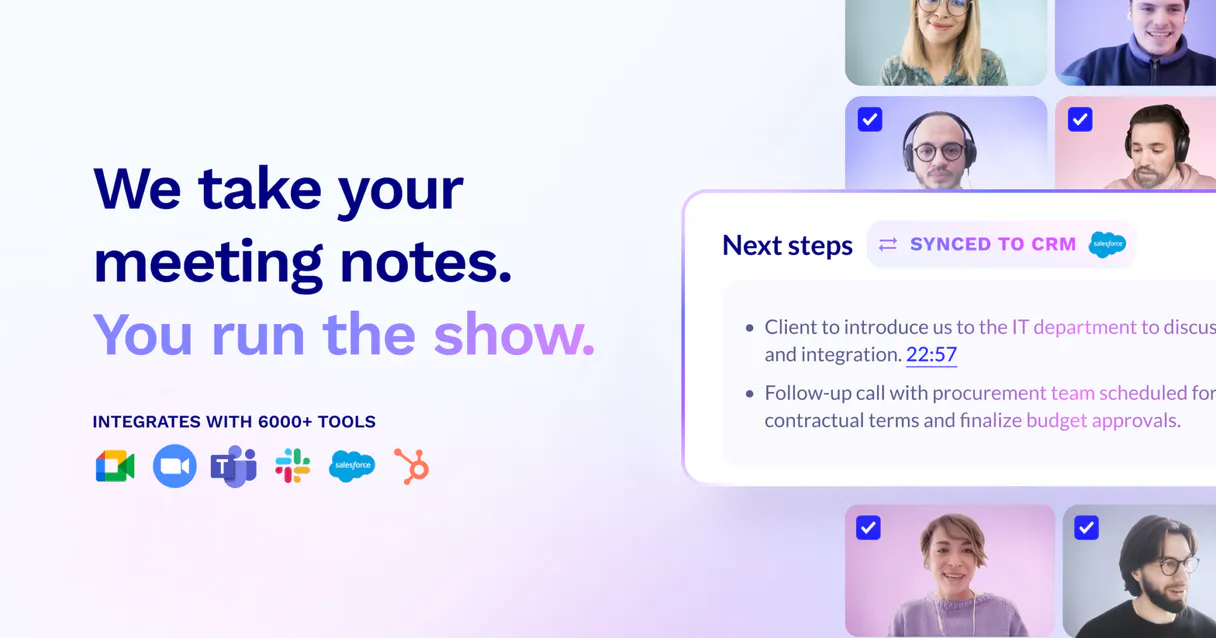
What AI agents can do with tl;dvMCP: 12 Tools for Call Analysis
These tools let you manage all aspects of your recorded meetings. You can list calls, download videos, read transcripts, and pull out summaries with simple prompts.
Make your AI actually useful.
Add this MCP to Claude, Cursor, or Windsurf and your AI stops guessing. It gets real tools to look things up, take action, and handle the stuff you keep doing by hand.
Start using tl;dv MCPGet Api Status
Checks the current connection status between your agent and tl;dv.
Get Recording Download
Provides a direct URL link so you can download a specific meeting video file.
Get Meeting Duration
Returns the total length, in minutes and seconds, of a recorded call.
Get Meeting Highlights
Retrieves the AI-identified key moments or actionable takeaways from a meeting.
Get Meeting Details
Gathers general information about a specific recorded meeting, like its title and...
Get Meeting Notes
Reads the pre-generated AI summaries of decisions and action items from a call.
Get Meeting Participants
Lists all individuals who were present during a specific meeting recording.
Get Meeting Transcript
Fetches the full, word-for-word text transcript of any recorded call for detailed...
Import External Meeting
Processes a meeting recording by uploading an external URL link for analysis.
List Recorded Meetings
Shows a list of your most recent recorded meetings, including their titles and dates.
List Recent Transcripts
Lists the latest available transcripts so you know what text data is ready for...
Test Tldv Auth
Runs a quick check to verify that your API credentials are working correctly.
Security and governance baked right in.
Pick your AI client below to get set up. Just create a Vinkius account, subscribe, and you're instantly up and running. We handle the entire backend infrastructure, delivering out-of-the-box support for HTTPS Streamable, SSE, and OAuth2—zero messy routing required.
Claude AI
Open Claude Settings
Go to claude.ai, click your profile icon, then navigate to Customize → Connectors.
Add Custom Connector
Click the "+" button and select Add custom connector. Paste your Vinkius endpoint URL:
https://edge.vinkius.com/[YOUR_TOKEN_HERE]/mcp
Replace [YOUR_TOKEN_HERE] with your token
from cloud.vinkius.com. For OAuth-protected servers, expand
Advanced settings to add credentials.
Start a conversation
Open a new chat. The tl;dv integration is available immediately — no restart needed.




Choose How to Get Started
Build a custom MCP for your own tools, or connect a ready-made integration from our catalog.
Build Your Own
Turn any API into an MCP. Import a spec, define Agent Skills, or deploy with MCPFusion.
- Import from OpenAPI, Swagger, or YAML specs
- Create Agent Skills with progressive disclosure
- Deploy to edge with MCPFusion framework
- Built in DLP, auth, and compliance on each call
- Real time usage dashboard and cost metering
- Publish to catalog or keep private
Make Your AI Do More
Start with tl;dv, then connect any of our 5,200+ other servers whenever your AI needs more. One click, no limits.
- Use this MCP plus 5,200+ others, all in one place
- Add new capabilities to your AI anytime you want
- Connections are secured and governed automatically
- Track usage and costs across all your servers
- Works with Claude, ChatGPT, Cursor, and more
- New servers added to the catalog weekly
Independent Platform Disclaimer: Vinkius is an independent platform and is not affiliated with, endorsed by, sponsored by, verified by, or otherwise authorized by tl;dv. All third-party trademarks, logos, and brand names are the property of their respective owners. Their use on this website is strictly for informational purposes to identify service compatibility and interoperability.
VINKIUS INFRASTRUCTURE
Cloud Hosted
Managed infra
V8 Isolated
Sandboxed per request
Zero-Trust Proxy
No stored credentials
DLP Enforced
Policy on each call
GDPR Compliant
EU data residency
Token Compression
~60% cost reduction
The Hidden Tax of Meeting Knowledge Solved with Vinkius AI Gateway
Every week, you download Zoom recordings. You click into them, watch for 20 minutes to find the specific detail you need, and then spend time manually copying down action items from the transcript. You’re doing data retrieval work when you should be doing high-level strategy.
With this MCP, your agent connects directly to tl;dv. You just ask it, 'What are the next steps on Project X?' It searches all your recordings and summarizes the answer for you instantly. The result is a single, clean list of action items.
tl;dv MCP: Getting Insights from Your Calls
The manual steps that vanish are downloading files, opening multiple tabs (Zoom, Google Meet), and then copy-pasting huge blocks of text into a summarization tool. You're no longer juggling the raw data.
What’s different now is simplicity: your AI client acts as the single point of truth for all your meeting history. The answer you need is always one prompt away.
What your AI can actually do with this
Managing meeting knowledge used to mean downloading video files, transcribing them in a separate tool, and then trying to read through pages of text just to find one decision. Now, you don't have to do that.
This MCP lets your agent treat all your recorded meetings like a searchable database. You can ask it to list every call held last month or fetch the full transcript for a specific discussion point. The AI doesn't just read text; it reads the insights—the notes and highlights generated by tl;dv.
Whether you need to know who attended a meeting, how long it lasted, or what key decisions were made (even if they weren't explicitly summarized), your agent handles the retrieval. Just connect this MCP via Vinkius and let your AI client do the heavy lifting. It keeps all your organizational knowledge in one place, ready for natural conversation.
019dd175-eaab-701f-88d6-5a21fbd1bd32 
Here's how it actually works
The bottom line is that you talk to your AI client about your meetings, and it gets the answers from tl;dv.
First, subscribe to this MCP and enter your unique tl;dv API Key in the agent's settings.
Next, prompt your AI client with a question about meeting data, like 'Summarize the key takeaways from the Q3 planning call.'
The agent connects using the stored credentials, pulls the relevant summary or transcript, and delivers the answer directly into the chat.
Who is this actually for?
This MCP is built for knowledge workers who spend time tracking decisions across multiple video calls. If your job involves synthesizing information from Zoom or Google Meet recordings, this saves hours of manual searching.
Needs to quickly pull summaries and highlights from dozens of user interview calls to identify recurring pain points without watching a single video.
Requires the ability to verify specific discussion points, like pricing or contract terms, by querying transcripts from past client demos immediately.
Needs a central log of meeting outcomes and attendees across different departments, making it easy to monitor organizational knowledge flow.
What Changes When You Connect
Stop searching through hours of video. Instead, use the get_meeting_highlights tool to get immediate summaries of key decisions made during a call.
Never forget who was in the room again. The agent uses get_meeting_participants to give you an instant list of attendees and their roles for any recorded meeting.
Quickly verify details from old calls by asking the agent to use get_meeting_transcript, giving you the full, searchable text without manual effort.
Need a quick overview? The agent can call list_recorded_meetings so you see all your recent discussions at a glance. Then, ask it for notes using get_meeting_notes.
Got a recording link from outside? Use the import_external_meeting tool to feed that content into the system and analyze it right away.
See it in action
Tracking project scope creep after initial planning.
A Product Manager asks their agent, 'What were the three biggest changes discussed in the Q3 roadmap sync?' The agent uses get_meeting_highlights to pull out exactly those points from the recording, saving days of manual review.
Preparing for a client follow-up call.
A Sales Team Lead asks their agent about an old prospect's meeting. The tool uses get_meeting_details and then get_meeting_transcript to pull up the conversation, allowing them to quote specific commitment details accurately.
Onboarding a new team member to historical context.
An Operations Manager asks the agent to list all meetings from the last quarter and then requests get_meeting_notes for the top five. This builds the new hire up to speed on key company decisions fast.
Analyzing external competitive calls.
A researcher receives a raw video link of an industry conference talk. Instead of downloading and transcribing it, they use import_external_meeting and ask the agent to summarize the key points.
The honest tradeoffs
What to watch out for, and the recommended way to handle each one.
Treating transcripts as pure text documents
A user copies a long transcript and asks their AI client, 'What did they say?' The output is just blocks of text. It misses the context or the key decision.
Instead, ask your agent to use get_meeting_notes first. This reads the AI-generated summary, which highlights the actual decisions, not just the words spoken.
Trying to manually find action items
A user scrolls through a full transcript trying to locate every 'action item' assigned during the call. It’s tedious and error-prone.
Ask your agent to use get_meeting_highlights. This tool specifically pulls out those key moments, making action items instantly visible.
Forgetting who was present
A user needs to know if a specific department (like Legal) attended the meeting that week, but the recording summary doesn't list them.
Use the get_meeting_participants tool. This guarantees you get an accurate roster of everyone who was recorded in the call.
When It Fits, When It Doesn't
Use this MCP if your primary source of organizational knowledge is video conferencing. If the data lives exclusively in meetings, transcripts, or recordings, this connector is necessary because it treats that content like a natural language database. Don't use it if you need to manage structured project tasks (like JIRA tickets) or financial records; for those, you need dedicated tools. However, even when managing other data types, you should use the get_meeting_notes tool whenever the required context might have been discussed in a call, ensuring no key decision point is missed.
Questions you might have
How do I list my recorded meetings using tl;dv MCP? +
You use the list_recorded_meetings tool. It shows a clean list of all your recent calls, giving you titles and dates so you know exactly what content is available.
Can I search for specific discussion points in my recordings with tl;dv MCP? +
Yes, by requesting the full transcript using get_meeting_transcript. This tool gives you the entire word-for-word text of the call so you can search it easily.
What is the difference between notes and highlights in tl;dv MCP? +
The agent uses get_meeting_notes for structured summaries (like decisions made). It uses get_meeting_highlights to pull out key, actionable moments that might not fit into a formal summary.
Does tl;dv MCP support importing external recordings? +
Yes. You use the import_external_meeting tool and provide an external URL link. The system then processes that content alongside your other recorded meetings.
How do I check if my API key is working with tl;dv MCP? +
Run the test_tldv_auth tool first. This confirms that the connection between your agent and tl;dv is active before you run any complex queries.