
Treinta App MCP. Run full bookkeeping and audit inventory from chat.
 Gemini
 Works with every AI agent you already use
…and any MCP-compatible client









Just plug in your AI agents and start using Vinkius.
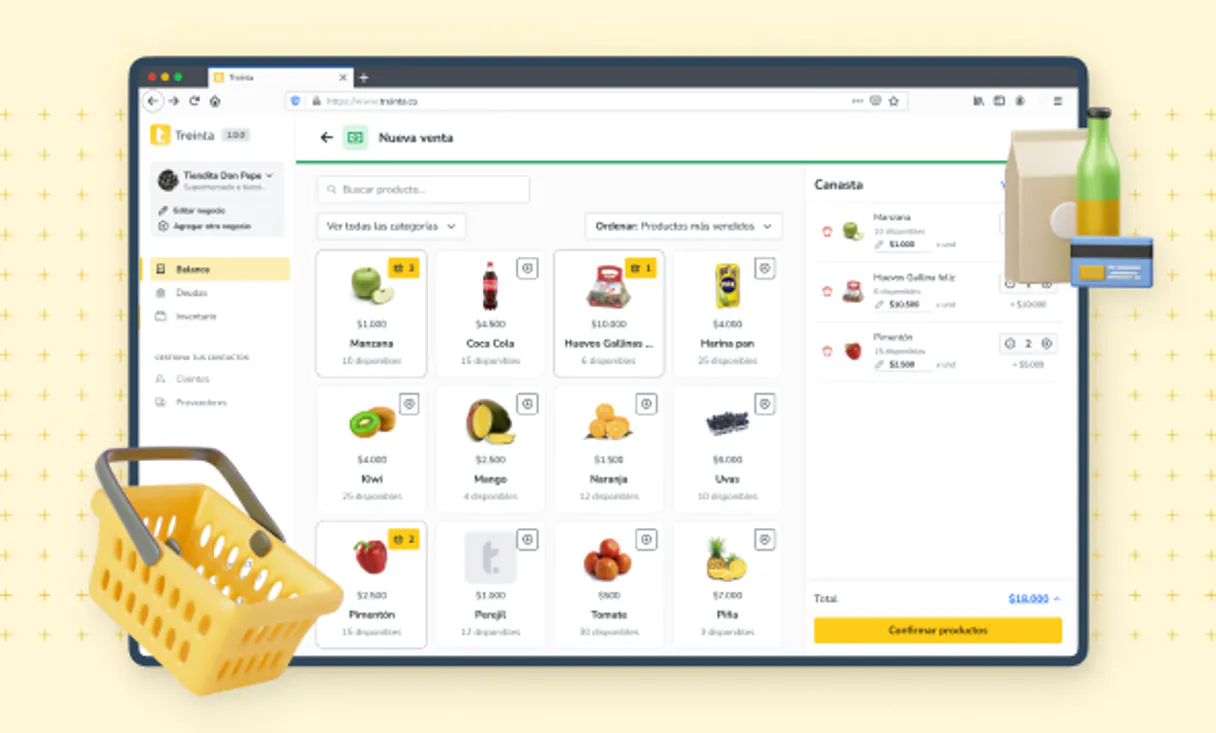
Treinta App MCP Server connects your small business ledger directly to any AI agent. Automate bookkeeping by writing transactions, checking client debt status (`get_client`), and auditing inventory from chat—no need to open the mobile app or spreadsheet.
What your AI agents can do
Create client
Adds a new customer record to the ledger system.
Create product
Registers a brand-new product into the store's inventory list.
Create transaction
Writes a new business transaction (income or expense) to your accounting books.
Write new income/expense records using create_transaction, or reverse a mistake with delete_transaction.
List all registered clients (list_clients) and fetch specific debt profiles for any individual customer using get_client.
Get the full business catalog with list_products, check a single item's details via get_product, or manually correct stock levels with update_product_stock.
Generate macro Profit & Loss statements (get_business_stats) and list consolidated sales records (list_sales).
Add a completely new client record using create_client or register a product that isn't yet in the system via create_product.
Ask AI about this MCP
Supported MCP Clients
Gemini Waiting for input…
Treinta App: 12 Tools for Finance & Inventory Management
These tools let you create clients, track debt, manage inventory counts, and generate full financial reports—all through your AI agent.
019d8491create client
Adds a new customer record to the ledger system.
019d8491create product
Registers a brand-new product into the store's inventory list.
019d8491create transaction
Writes a new business transaction (income or expense) to your accounting books.
019d8491delete transaction
Reverses an incorrect or erroneous financial entry from the ledger.
019d8491get business stats
Retrieves a summary of your overall Profit & Loss operations dashboard.
019d8491get client
Fetches the specific debt profile and transaction history for one client.
019d8491get product
Retrieves detailed information about a single product SKU in your inventory.
019d8491list clients
Gathers a list of all active clients and their basic details.
019d8491list products
Retrieves the complete, current inventory catalog for your store.
019d8491list sales
Lists all recorded sales transactions over a specified period.
019d8491list transactions
Retrieves a full, chronological list of every movement in the general ledger.
019d8491update product stock
Adjusts the physical quantity count for an existing product SKU.
Choose How to Get Started
Build a custom MCP for your own tools, or connect a ready-made integration from our catalog.
Build Your Own
Turn any API into an MCP. Import a spec, define Agent Skills, or deploy with MCPFusion.
- Import from OpenAPI, Swagger, or YAML specs
- Create Agent Skills with progressive disclosure
- Deploy to edge with MCPFusion framework
- Built in DLP, auth, and compliance on every call
- Real time usage dashboard and cost metering
- Publish to catalog or keep private
Make Your AI Do More
Start with Treinta App, then connect any of our 4,700+ other servers whenever your AI needs more. One click, no limits.
- Use this MCP plus 4,700+ others, all in one place
- Add new capabilities to your AI anytime you want
- Every connection is secured and compliant automatically
- Track usage and costs across all your servers
- Works with Claude, ChatGPT, Cursor, and more
- New servers added to the catalog every week
What you can do with this MCP connector
Treinta App connects your small business ledger straight into your AI agent. You don't gotta open the mobile app or mess with spreadsheets to run your bookkeeping; your agent handles it all.
Managing Transactions and Books:
When you need to log a sale or an expense, use create_transaction to write a new income or expense record right into your accounting books. If you make a mistake—say, you entered the wrong amount or recorded something that never happened—you can hit delete_transaction to reverse that bad entry and keep your ledger clean.
Client Accounts:
You gotta know who owes you dough. You'll use list_clients to get a full rundown of every active client in the system, giving you their basic details at a glance. If you need specifics on one person—like checking out Joe’s exact unpaid balance and seeing his whole transaction history—you run get_client.
For setting up shop with new folks, you use create_client to add a brand-new customer record directly into the ledger.
Inventory and Product Tracking:
Keeping track of stock is crucial. To get a comprehensive view of what you've got on hand, run list_products to pull up your entire current inventory catalog. If you only care about one item—maybe checking how much Model X costs or its current specs—you use get_product. And if someone misplaced some widgets and you gotta update the count, you call update_product_stock to adjust the physical quantity for an existing product SKU.
When you're starting out and haven't registered a new line of goods yet, you run create_product to add that brand-new item into the store’s inventory list.
Running Financial Reports:
Want to know if the business is making money? You call get_business_stats to pull up a summary of your overall Profit & Loss operations dashboard. For checking out sales over time, you use list_sales to get all recorded sale transactions within a specific timeframe. To see every single movement that's ever happened in the books—from deposits to write-offs—you run list_transactions, which gives you a full, chronological list of everything in the general ledger.
For tracking overall sales activity, list_sales lets you review all recorded transactions over a set period.
How It Works:
Your agent treats this server like an extension cord for your bookkeeping. You tell it what to do—'Check out Acme Corp’s debt,' or 'Log $50 in supplies paid cash'—and the agent executes the corresponding tool call (get_client or create_transaction). It keeps everything synchronized without you having to navigate multiple apps or spreadsheets.
This gives you a single chat interface for managing your money, clients, and stock.
How Treinta App MCP Works
- 1 Append the node and integrate the official bearer Dev Token, which Treinta exports privately.
- 2 Instruct your agent to act like a hands-on business manager. You're not just asking questions; you're assigning it tasks.
- 3 The agent uses the available tools (like
list_transactionsorget_client) and reports back with the calculated result, updating your ledger in real time.
The bottom line is: Your AI client talks to this server, which then executes specific commands against Treinta's core database, giving you immediate accounting data without leaving your chat window.
Who Is Treinta App MCP For?
This is for micro-business owners and retail accountants who hate having to switch between multiple apps (the point-of-sale system, the ledger app, and the inventory sheet). If you're tired of manually cross-referencing debt reports or running P&L by exporting CSVs, this server does the heavy lifting.
Runs daily audits and needs to check cash flow against outstanding client debt without logging into multiple systems.
Handles month-end closing by pulling consolidated sales data (list_sales) and generating Profit & Loss summaries from various sources.
Manages stock discrepancies, running list_products to audit inventory and using update_product_stock when a physical count is off.
What Changes When You Connect
- Stop manually tracking debt. Use
get_clientorlist_clientsto instantly pull up who owes money, seeing the precise unpaid balance without opening a separate client portal. - Never lose track of cash flow again. Running
list_transactionslets your agent pull every single entry—income and expense—into one view for easy reconciliation. - Inventory counts are always current. When you run
update_product_stock, the system changes the physical count record immediately, making sure your sales reports match reality. - Get instant financial summaries. The
get_business_statstool runs a macro P&L report that tells you if your month's operations were profitable in seconds. - Streamline data entry. You can use
create_transactionto formalize any cash sale or expense right from the chat, logging it against the correct ledger codes.
Real-World Use Cases
The End-of-Day Reconciliation
It's 5 PM and you need to close books. Instead of manually gathering sales reports from three different sources, you tell your agent: 'Audit the store today.' The agent runs list_sales and then uses get_business_stats to give you a single P&L summary, confirming if you hit your margin target.
Finding Out Who Owes Money
You suspect Client X is late paying. You tell your agent: 'Check Client X's debt.' The agent runs get_client and immediately returns the exact balance owed, along with a list of all previous transactions to back it up.
Correcting Stock Mistakes
You notice 10 units of Product B are missing from the shelf. You tell your agent: 'Update product stock for SKU 456.' The agent runs update_product_stock, changing the official count and updating all related inventory records.
Cleaning Up Mistakes
You accidentally logged a transaction twice. You tell your agent: 'Delete transaction ID ABC-123.' The agent runs delete_transaction and removes the duplicate entry, keeping your books clean instantly.
The Tradeoffs
Manually cross-referencing debt reports
Having to download a client list CSV, open the accounting app, then manually compare two separate spreadsheets to see who is late.
→
Just ask your agent: 'List all clients with unpaid debt.' The agent uses list_clients and filters the results automatically using the underlying data tools.
Forgetting to log cash sales
Making a $50 sale in cash at the counter but forgetting to enter it into the POS system, meaning your books are wrong.
→
Tell your agent: 'Create a transaction for $50 income.' The agent executes create_transaction and logs it immediately against the correct revenue stream.
Guessing inventory levels
Relying on memory or rough counts to determine how many units of a product you actually have left before placing an order.
→
Run list_products or check a specific item using get_product. The system gives you the real, tracked number.
When It Fits, When It Doesn't
Use this server if your business requires deep integration between physical operations (stock counts, cash sales) and digital accounting records. You need to perform complex bookkeeping actions—like running P&L or reconciling debt—using natural language commands rather than navigating multiple UIs.
Don't use it if you simply need a basic mobile app to check current stock levels (use dedicated inventory apps). Don't use it if your only goal is simple messaging or task reminders; this server handles financial data, which requires specific authorization and context. This tool is for the accountant who wants their AI agent to act as a junior bookkeeper.
Independent Platform Disclaimer: Vinkius is an independent platform and is not affiliated with, endorsed by, sponsored by, verified by, or otherwise authorized by Treinta App. All third-party trademarks, logos, and brand names are the property of their respective owners. Their use on this website is strictly for informational purposes to identify service compatibility and interoperability.
VINKIUS INFRASTRUCTURE
Cloud Hosted
Managed infra
V8 Isolated
Sandboxed per request
Zero-Trust Proxy
No stored credentials
DLP Enforced
Policy on every call
GDPR Compliant
EU data residency
Token Compression
~60% cost reduction
Works with Claude, ChatGPT, Cursor, and more
The Model Context Protocol standardizes how applications expose capabilities to LLMs. Instead of operating in isolation, your AI gains direct access to external platforms, live data, and real-world actions through secure, standardized connections.
This server provides 12 capabilities that interface natively with Claude, ChatGPT, Cursor, and any MCP client. No middleware. No custom integration required.
Available Capabilities
Closing books usually means switching between four different apps.
Right now, closing out your accounts requires a painful dance: You pull sales data from the POS system. Then you export the client ledger to check debt. Next, you open the inventory sheet just to audit stock levels. Finally, you copy-paste figures into a spreadsheet program to generate one final P&L report.
With this MCP server, it's all in chat. You tell your agent: 'Audit everything for me.' The system runs `list_sales` and `get_business_stats`, giving you the full financial picture—debt, sales totals, profit margin—all summarized instantly.
Using Treinta App MCP Server: Manage finances, debt & inventory
The tedious work of generating macro reports used to mean hours of spreadsheet manipulation. You'd spend time joining data sets from clients, products, and transactions just to see a green line for profit.
Now, you simply ask your agent to 'Get the monthly P&L.' It runs `get_business_stats` and gives you the result. The complex, manual labor of bookkeeping is done in two seconds.
Common Questions About Treinta App MCP
How do I list all clients with Treinta App MCP Server? +
Run list_clients. This tool gathers a comprehensive list of every client registered in the ledger, letting you see who needs attention.
Can I record an income sale using create_transaction? +
Yep. Just ask your agent to 'create transaction' and specify the amount and reason (e.g., $50 for surplus goods). It logs it instantly.
What is list_transactions used for in Treinta App MCP Server? +
list_transactions pulls a complete chronological record of every financial movement—the whole book flow. Use this when you need to audit or verify past activity.
Does update_product_stock affect my sales reports? +
It updates the core inventory count, which is critical for accurate reporting. When you run get_business_stats, it uses the most current stock data available.
How is my data secure when I run the `get_business_stats` tool? +
The connection uses the official Treinta Bearer Token, which encrypts all transmitted data end-to-end. Your AI client never sees your raw credentials; it only sends calls to a protected endpoint.
What happens if I call `delete_transaction` with an ID that doesn't exist? +
The system returns a clear status code indicating the ID was not found. You’ll get a specific error message, allowing your agent to immediately retry or alert you manually.
When I use `list_products`, am I seeing the live inventory count? +
Yes, list_products queries the active store database in real time. This means any recent stock updates or sales recorded through other tools are reflected instantly.
Is there a limit if I use `create_transaction` many times quickly? +
Yes, the API enforces standard rate limits to maintain system stability. For high-volume processing, we recommend breaking large transaction batches into smaller, sequential calls.
Can I effectively add a transaction manually into my Treinta log via chat? +
Absolutely. Target the create_transaction pipeline expressing clearly if it is 'income' or 'expense' plus the numeral amount, and the AI correctly syncs your local digital accountant book over to proper state.
Is the Treinta token key shielded visually so employees cannot read it out? +
Yes. Following protocol standard, all credentials marked within the SMB Accounting group carry underlying sensitive: true parameters natively wiping the true key from console displays.
Are operations retroactive? +
Yes, if you fetch the right dates.
Use it with your favorite AI tools
Connect this server to Cursor, Claude, VS Code, and more.
More in this category

Foodpanda
Automate food delivery operations via Foodpanda — manage vendor catalogs, track orders, and control restaurant status directly from any AI agent.

Nuvemshop
Manage your Nuvemshop e-commerce via API — list products, orders, customers, coupons, and webhooks directly from any AI agent.

Polar
Manage digital products, subscriptions, orders and customers via Polar — create checkouts, manage discounts and track revenue from any AI agent.
You might also like

Deterministic Reading Project Manager
Transform your AI into a hyper-efficient literary project manager. Analyze reading lists, calculate strict algorithmic completion times, and generate momentum-based reading sequences instantly.

Ometria Intelligence
Analyze customer data and retail marketing via Ometria — track contacts, orders, and segments directly from your AI agent.

Elastic Email
Equip your AI agent to manage email campaigns, track contacts, and monitor delivery logs via the Elastic Email API.