Twelve Data MCP. Analyze market indicators; pull historical OHLCV data instantly.
Works with every AI agent you already use
…and any MCP-compatible client

Just plug in your AI agents and start using Vinkius.
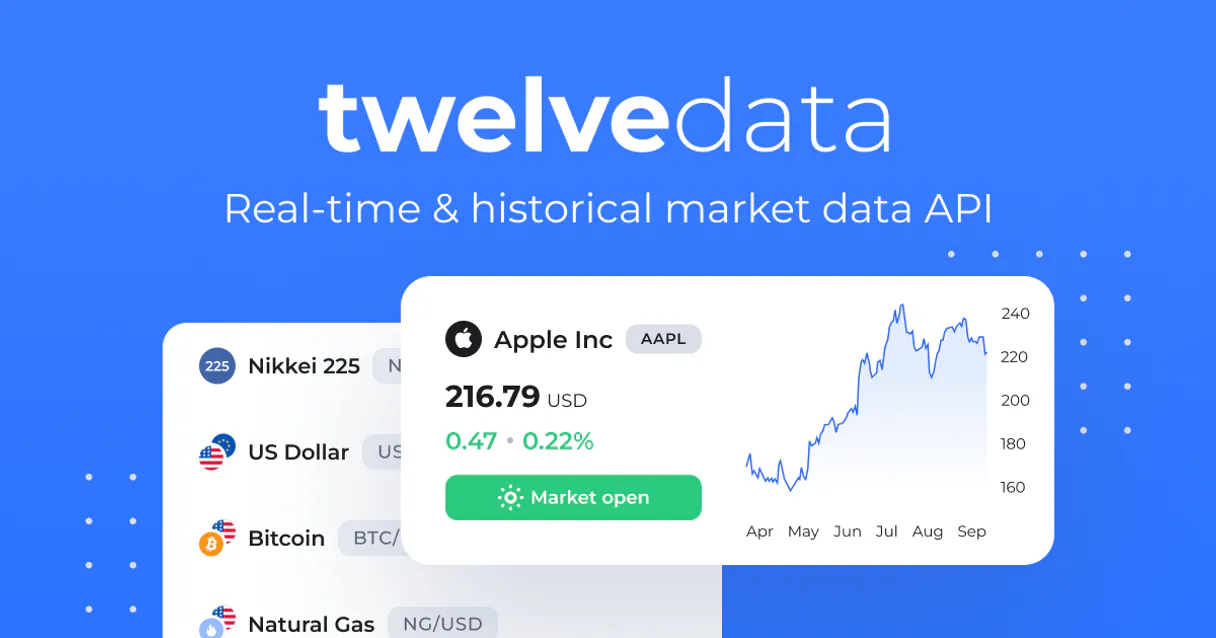
Twelve Data connects your AI agent to real-time financial markets. It gives you instant access to current stock quotes, crypto prices, forex rates, and professional technical indicators (like RSI or MACD).
You can pull historical OHLCV data for any asset class—stocks, crypto, or currency pairs—and calculate complex metrics using natural language prompts.
What your AI agents can do
Convert currency
Converts a specified amount of money from one currency to another.
Get bollinger bands
Calculates Bollinger Bands, indicating if a price is overbought or oversold relative to its recent average.
Get company profile
Retrieves fundamental company data, such as market cap and P/E ratio.
Get real-time data points (price, volume, open/high/low) for any stock or crypto pair.
Compute standard metrics like SMA, RSI, MACD, and Bollinger Bands from historical price movements.
Fetch OHLCV candlestick data across adjustable time intervals (1-minute to 1-month).
Exchange amounts between any two currencies using current market rates.
Search and list available assets, including stocks, crypto pairs, and forex instruments.
Ask AI about this MCP
Supported MCP Clients
Waiting for input…
Twelve Data: 16 Tools for Financial Analysis
These tools let your AI client perform everything from currency conversion to complex technical indicator calculations on real-time market data.
019d8493convert currency
Converts a specified amount of money from one currency to another.
019d8493get bollinger bands
Calculates Bollinger Bands, indicating if a price is overbought or oversold relative to its recent average.
019d8493get company profile
Retrieves fundamental company data, such as market cap and P/E ratio.
019d8493get crypto list
Lists available cryptocurrency pairs; filtering by exchange is possible.
019d8493get ema
Calculates the Exponential Moving Average (EMA), which weights recent price changes more heavily than older data.
019d8493get exchange rate
Fetches the current exchange rate between two specified currencies.
019d8493get forex list
Lists available foreign exchange (forex) trading pairs.
019d8493get macd
Computes the Moving Average Convergence Divergence (MACD), used to measure momentum and trend change.
019d8493get quote
Retrieves a comprehensive, real-time stock quote including open, high, low, volume, and current price.
019d8493get real time price
Gets only the fastest available current price for an asset; faster than a full quote.
019d8493get rsi
Calculates the Relative Strength Index (RSI), which signals if a stock is overbought (>70) or oversold (<30).
019d8493get sma
Computes the Simple Moving Average (SMA) over common periods like 20, 50, or 200 days.
019d8493get stochastic
Calculates the Stochastic Oscillator, measuring where a price closed relative to its recent range; signals extremes above 80 or below 20.
019d8493get stock list
Searches and lists available stocks, allowing filtering by partial symbol match or exchange.
019d8493get time series
Retrieves historical OHLCV candle data for a given asset across intervals from 1-minute up to 1-month.
019d8493search symbols
Searches broadly for financial instruments, filtering by instrument type and exchange name.
Choose How to Get Started
Build a custom MCP for your own tools, or connect a ready-made integration from our catalog.
Build Your Own
Turn any API into an MCP. Import a spec, define Agent Skills, or deploy with MCPFusion.
- Import from OpenAPI, Swagger, or YAML specs
- Create Agent Skills with progressive disclosure
- Deploy to edge with MCPFusion framework
- Built in DLP, auth, and compliance on every call
- Real time usage dashboard and cost metering
- Publish to catalog or keep private
Make Your AI Do More
Start with Twelve Data, then connect any of our 4,700+ other servers whenever your AI needs more. One click, no limits.
- Use this MCP plus 4,700+ others, all in one place
- Add new capabilities to your AI anytime you want
- Every connection is secured and compliant automatically
- Track usage and costs across all your servers
- Works with Claude, ChatGPT, Cursor, and more
- New servers added to the catalog every week
What you can do with this MCP connector
When you connect your AI agent to this MCP Server, you get instant access to financial market data. This server lets you pull real-time figures and run complex analyses across stocks, crypto pairs, forex rates, and more without having to write any boilerplate code for the API calls.
To start analyzing, you need to identify what you're looking at. You can use search_symbols to broadly search for any financial instrument by filtering it by type or exchange name, or you can narrow your focus immediately. If you know you want stocks, run get_stock_list, and if crypto is the play, get_crypto_list gives you all the available pairs—you even get to filter those by exchange.
For foreign currency trades, get_forex_list lists every pair available.
Once you've got your symbols locked down, you can get current pricing data fast. You use get_real_time_price when you just need the fastest possible price point for an asset. When you want a full snapshot—the open, high, low, volume, and current market price—you run get_quote. For companies, you don't have to guess; get_company_profile pulls fundamental data like the market capitalization or P/E ratio.
If you need historical context for your analysis, you pull it with get_time_series. This tool fetches OHLCV candle data for any asset across an adjustable timeframe, letting you choose intervals from one minute all the way out to a full month. You're not limited by time; you can set that range yourself.
Calculating technical indicators is where this thing really shines. Instead of manually calculating metrics, your agent runs these tools: get_sma computes the Simple Moving Average (SMA) over common periods like 20, 50, or 200 days. For something smoother, get_ema calculates the Exponential Moving Average (EMA), which gives more weight to recent price movements than older data points.
You can check momentum using get_macd, which computes the Moving Average Convergence Divergence (MACD) for trend change measurement. To see if a stock is overbought or oversold, you run get_rsi to get the Relative Strength Index (RSI); it flags anything above 70 as potentially overheated or below 30 as weak.
For volatility checks, get_bollinger_bands calculates Bollinger Bands, telling you if a price is way outside its normal range relative to its average. If you want to measure where the current price closed within its recent trading range, use get_stochastic for the Stochastic Oscillator; it signals extremes when prices hit 80 or drop below 20.
When your analysis involves money moving across borders, this server handles it. You can get the current exchange rate between any two currencies using get_exchange_rate, and you use convert_currency to change a specified amount from one currency into another based on those live rates.
Since most market analysis involves time series data, your agent also handles historical candle data retrieval via get_time_series. The sheer variety of tools means you don't have to switch between different API types; the whole thing runs through one connection. You can run a full-spectrum check—say, getting the 200-day SMA on a stock and comparing it against its MACD reading while also converting the resulting dollar value into Euros—all in one natural language prompt.
It's powerful, man.
How Twelve Data MCP Works
- 1 Subscribe to the Twelve Data server on Vinkius Marketplace.
- 2 Input your personal Twelve Data API Key into the client configuration.
- 3 Ask your AI agent a financial question (e.g., 'Compare AAPL's RSI to MSFT's MACD over the last 30 days'). The agent translates this request into specific tool calls.
The bottom line is you tell your AI client what market data you need, and it executes the necessary API calls through the appropriate specialized tool.
Who Is Twelve Data MCP For?
Quantitative analysts and financial researchers. You're the person who spends late nights staring at dashboards, cross-referencing metrics in Excel while wishing your tools could talk to each other. You need immediate access to complex indicator calculations without building a bespoke Python wrapper every time.
Uses the server to automate backtesting, fetching historical OHLCV data via get_time_series and running indicators like MACD or RSI on large datasets.
Needs instant market context. Uses tools like get_quote or get_real_time_price to check immediate price action, then uses get_bollinger_bands to spot potential reversals.
Integrates external financial data into predictive models. They use get_company_profile for fundamental context and convert_currency for normalization.
What Changes When You Connect
- Deep Indicator Analysis: Instead of manually calculating metrics, use tools like
get_rsiorget_macd. Your agent runs these complex calculations on demand, telling you immediately if an asset is overbought or signaling a momentum shift. This saves hours of spreadsheet work. - Comprehensive Data Scope: You don't just get prices; you get the full picture. With tools like
get_company_profile, your AI client pulls fundamental data (P/E, market cap) alongside technical indicators, giving context to every price movement. - Flexible Time Series Retrieval: Need 1-hour candles for backtesting? Or monthly closes for macro trends? The
get_time_seriestool handles it. It gives you OHLCV data across a massive range of intervals (1min to 1month) in one call. - Cross-Asset Comparison: Stop switching between separate platforms. Use the server to compare assets—say, comparing AAPL's SMA vs. BTC's MACD—all within your single AI prompt, covering stocks, crypto, and forex pairs.
- Currency Agnostic Workflows: No matter where your analysis takes you,
get_exchange_rateandconvert_currencyhandle the math for you. You can run a global portfolio check and get everything normalized to USD instantly.
Real-World Use Cases
Identifying optimal entry points for crypto trading
A trader notices Bitcoin price movement but isn't sure when it's safe to buy. They ask their agent: 'Show me BTC-USD’s RSI and MACD over the last two weeks.' The agent calls get_rsi and get_macd, providing both indicators so the user can confirm if the market is oversold or trending upward before initiating a trade.
Assessing stock health for an investment thesis
A research analyst needs to check Apple (AAPL). They first use get_company_profile to review fundamental metrics like P/E ratio. Then, they call get_time_series to pull historical OHLCV data, which they feed into the agent for running an SMA comparison against its current price.
Comparing global portfolio performance
A fund manager needs to check a mixed portfolio: EUR/USD and Tesla stock. They ask the agent: 'What was the exchange rate last Tuesday, and what was TSLA's closing quote?' The agent executes get_exchange_rate and get_quote, giving immediate, multi-asset context.
Backtesting a strategy on forex pairs
A quant needs to validate a trading signal for GBP/JPY. They request historical data via get_time_series (setting the interval and date range), which allows them to run indicators like Bollinger Bands and check if the price touched an extreme band during the test period.
The Tradeoffs
Using a simple web search for data
Typing 'Apple stock chart RSI' into Google and clicking through three different financial websites. You end up with inconsistent data formats, multiple logins, and no single place to run calculations.
→
Just ask your agent directly: 'What is the current RSI for AAPL?' The agent calls get_rsi instantly, providing clean, structured data right where you're working.
Writing complex Python code boilerplate
Starting a new script every time you want to check if an asset is overbought. You spend 20 lines setting up the API calls and indicator math, only to run it once.
→
Ask your agent: 'Get the Bollinger Bands for TSLA.' The agent handles the function call (get_bollinger_bands) and returns the result without you writing a single line of data retrieval code.
Confusing real-time with historical data
Assuming get_quote gives you enough history to run MACD. It's designed for current snapshots, not trend analysis.
→
If you need a full history for calculation, use get_time_series. If you just need the immediate status, use get_real_time_price or get_quote.
When It Fits, When It Doesn't
Use this server if your core task is quantitative analysis—specifically, when you need to pull historical OHLCV data and run multiple technical indicators (MACD, RSI, Bollinger Bands) on various assets (stocks, crypto, forex). The strength here is the depth: it’s not just a price checker; it's an indicator calculation engine.
Don't use this if you simply need to look up basic company names or simple text data that isn't numerical or time-series based. For example, if your goal is managing CRM records or sending internal messages, this server won't help—you'd need a dedicated messaging or database tool.
If you only need a single price point and nothing else (e.g., 'What's the current BTC price?'), get_real_time_price is often faster than calling get_quote. But if you want volume, high/low ranges, use get_quote.
Independent Platform Disclaimer: Vinkius is an independent platform and is not affiliated with, endorsed by, sponsored by, verified by, or otherwise authorized by Twelve Data. All third-party trademarks, logos, and brand names are the property of their respective owners. Their use on this website is strictly for informational purposes to identify service compatibility and interoperability.
VINKIUS INFRASTRUCTURE
Cloud Hosted
Managed infra
V8 Isolated
Sandboxed per request
Zero-Trust Proxy
No stored credentials
DLP Enforced
Policy on every call
GDPR Compliant
EU data residency
Token Compression
~60% cost reduction
Works with Claude, ChatGPT, Cursor, and more
The Model Context Protocol standardizes how applications expose capabilities to LLMs. Instead of operating in isolation, your AI gains direct access to external platforms, live data, and real-world actions through secure, standardized connections.
This server provides 16 capabilities that interface natively with Claude, ChatGPT, Cursor, and any MCP client. No middleware. No custom integration required.
Available Capabilities
Sifting through financial data shouldn't require a dozen tab switches and copy-pasted spreadsheets.
Today, analyzing market movements means jumping between charting software, dedicated API documentation, and your spreadsheet. You pull the OHLCV data into Excel, run indicator formulas manually (like MACD), then cross-reference that with a separate tool to find the exchange rate for a foreign asset—it's tedious, slow, and prone to copy/paste errors.
With this MCP server, you just ask your AI agent. 'Check ETH/USD's RSI against the Euro/Dollar rate.' The agent handles fetching `get_rsi` data and running `get_exchange_rate` in a single workflow. You get the final comparison delivered right to your chat window.
Twelve Data MCP Server: Get indicator calculations without writing a single line of code.
Manual analysis involves fetching raw time series data (`get_time_series`), then implementing the specific math (like SMA or EMA) in your local environment. This process is complex, requires knowledge of the underlying formulas, and takes minutes just to set up the initial API calls.
The server abstracts that complexity away. You simply ask for an indicator—'What are the Bollinger Bands?' The agent executes `get_bollinger_bands` and returns a clean analysis. It’s instant, precise, and ready for immediate use.
Common Questions About Twelve Data MCP
How do I get real-time prices using get_real_time_price? +
You ask your agent to use get_real_time_price and specify the symbol (e.g., AAPL). It returns only the fastest available current price, which is ideal for quick checks when you don't need volume or high/low data.
Can I run MACD on crypto pairs? +
Yes. You can use get_macd by specifying a supported cryptocurrency pair (e.g., BTC-USD) and the required time series for the calculation, letting you analyze its momentum.
Which tool is better: get_quote or get_real_time_price? +
Use get_quote when you need a full snapshot of the stock—it includes open, high, low, and volume. Use get_real_time_price only if speed is your absolute priority and you don't care about the other metrics.
How do I find which forex pairs are available? +
Run the get_forex_list tool. This returns a comprehensive list of all supported foreign exchange trading pairs, letting you know exactly what assets you can analyze.
How do I set up my API key when using get_quote? +
You must provide your Twelve Data API key during the initial connection phase. Your AI client handles passing this key securely for all requests, so you don't need to manage it manually.
What time intervals are supported by get_time_series? +
The tool supports retrieving OHLCV candle data ranging from 1-minute up to 1-month intervals. You specify the exact frequency you need in the function's input parameters.
Does get_rsi allow me to change the lookback period? +
Yes, you define the required lookback period in the request arguments. While 14 periods is common for RSI analysis, adjusting this number lets you tailor the indicator to specific market views.
What happens if I call multiple tools too quickly, like get_quote and get_company_profile? +
The server enforces standard API rate limits. If you exceed these limits, expect an HTTP 429 error. Simply wait a short period before retrying the function calls.
How do I get a Twelve Data API Key? +
Visit Twelve Data, sign up for a free account, and copy your API key from the dashboard. Free tier includes 800 API credits/day.
What technical indicators are available? +
SMA (Simple Moving Average), EMA (Exponential MA), RSI (Relative Strength Index), MACD, Bollinger Bands, and Stochastic Oscillator — all with customizable periods.
Can I get real-time crypto and forex prices? +
Yes! Use get_quote or get_real_time_price with any symbol. Crypto pairs like BTC/USD and forex pairs like EUR/USD are supported.
Use it with your favorite AI tools
Connect this server to Cursor, Claude, VS Code, and more.
More in this category
DoiT
Equip your AI agent to manage cloud costs, track assets across AWS/GCP/Azure, and monitor cost anomalies via the DoiT API.
OpenWeather Agro
Access agricultural weather and satellite data via OpenWeather — monitor NDVI, soil temperature, evapotranspiration, frost risk, and GDD from any AI agent.
SecurityTrails
Uncover IT infrastructure — access DNS history, subdomains, reverse IP lookups, WHOIS data and advanced domain intelligence for ultimate OSINT.
You might also like
Factorial
Manage HR operations via Factorial — list employees and teams, track leave requests, monitor shifts and payslips, and handle company documents directly from any AI agent.
Open Payments (CMS Physician Data)
Query official CMS Open Payments data to analyze financial relationships between the healthcare industry, physicians, and teaching hospitals.
Pipeline CRM
Manage sales and contacts via Pipeline CRM — list deals, track people, and monitor tasks directly from any AI agent.