
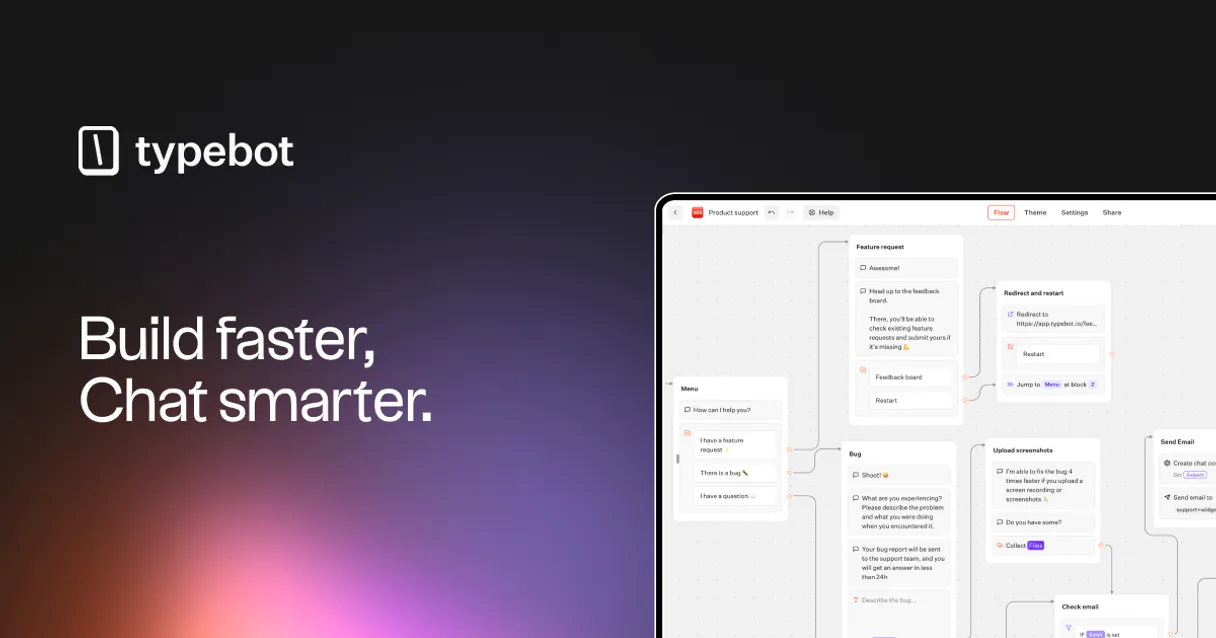
Typebot MCP for AI. Manage your entire chatbot ecosystem from chat.
 Gemini
 Works with every AI agent you already use
…and any MCP-compatible client









How this MCP server connects to your AI agent
Typebot MCP Server lets your AI client manage complex conversational flows and chatbots. Need to check bot logic, deploy updates, or track leads? Connect this server to get full control of your Typebot workspace—all from a single chat interface.
What AI agents can do with Typebot Automation
Delete typebot
Permanently removes a specified Typebot from your account.
Get typebot details
Retrieves the full structure and metadata for one specific Typebot, useful for reviewing its internal logic.
List typebots
Lists all active conversational typebots, optionally filtering by workspace ID.
Fetch a list of all available Typebot workspaces so you know where your projects live.
Retrieve the complete structure and metadata for a single bot, letting you review its logic flow without opening the editor.
Programmatically initiate a new chat session to test specific conversation branches or user inputs.
Publish the latest changes for a specified bot ID, pushing it live immediately.
List all collected user responses and conversation results, making lead export simple.
List or manage the folders and workspaces that keep your conversational projects structured.
Ask an AI about this
Waiting for input…
What AI agents can do with Typebot MCP Server: 8 Tools for Bot Management
Manage the full lifecycle of your bots—from listing workspaces to running live chat simulations and exporting lead data.
Make your AI actually useful.
Add this MCP to Claude, Cursor, or Windsurf and your AI stops guessing. It gets real tools to look things up, take action, and handle the stuff you keep doing by hand.
Start using Typebot on VinkiusDelete Typebot
Permanently removes a specified Typebot from your account.
Get Typebot Details
Retrieves the full structure and metadata for one specific Typebot, useful for...
List Typebots
Lists all active conversational typebots, optionally filtering by workspace ID.
List Folders
Lists all organizational folders within a given workspace.
List Typebot Results
Retrieves and lists collected user responses for a bot, essential for lead analysis.
List Workspaces
Lists all accessible Typebot workspaces where you have access to manage bots and folders.
Publish Typebot
Deploys the latest changes for a bot, making it live without manual steps.
Start Chat Session
Starts a new, simulated conversation with a bot to test its flow or automated...
Security and governance baked right in.
Pick your AI client below to get set up. Just create a Vinkius account, subscribe, and you're instantly up and running. We handle the entire backend infrastructure, delivering out-of-the-box support for HTTPS Streamable, SSE, and OAuth2—zero messy routing required.
Claude AI
Open Claude Settings
Go to claude.ai, click your profile icon, then navigate to Customize → Connectors.
Add Custom Connector
Click the "+" button and select Add custom connector. Paste your Vinkius endpoint URL:
https://edge.vinkius.com/[YOUR_TOKEN_HERE]/mcp
Replace [YOUR_TOKEN_HERE] with your token
from cloud.vinkius.com. For OAuth-protected servers, expand
Advanced settings to add credentials.
Start a conversation
Open a new chat. The Typebot integration is available immediately — no restart needed.
Choose How to Get Started
Build a custom MCP for your own tools, or connect a ready-made integration from our catalog.
Build Your Own
Turn any API into an MCP. Import a spec, define Agent Skills, or deploy with MCPFusion.
- Import from OpenAPI, Swagger, or YAML specs
- Create Agent Skills with progressive disclosure
- Deploy to edge with MCPFusion framework
- Built in DLP, auth, and compliance on every call
- Real time usage dashboard and cost metering
- Publish to catalog or keep private
Make Your AI Do More
Start with Typebot, then connect any of our 5,100+ other servers whenever your AI needs more. One click, no limits.
- Use this MCP plus 5,100+ others, all in one place
- Add new capabilities to your AI anytime you want
- Every connection is secured and compliant automatically
- Track usage and costs across all your servers
- Works with Claude, ChatGPT, Cursor, and more
- New servers added to the catalog every week
Independent Platform Disclaimer: Vinkius is an independent platform and is not affiliated with, endorsed by, sponsored by, verified by, or otherwise authorized by Typebot. All third-party trademarks, logos, and brand names are the property of their respective owners. Their use on this website is strictly for informational purposes to identify service compatibility and interoperability.
VINKIUS INFRASTRUCTURE
Cloud Hosted
Managed infra
V8 Isolated
Sandboxed per request
Zero-Trust Proxy
No stored credentials
DLP Enforced
Policy on every call
GDPR Compliant
EU data residency
Token Compression
~60% cost reduction
Built on the Model Context Protocol (MCP) for Claude, ChatGPT, Cursor, and more
The Model Context Protocol standardizes how applications expose capabilities to LLMs. Instead of operating in isolation, your AI gains direct access to external platforms, live data, and real-world actions through secure, standardized connections.
This connection provides 8 powerful capabilities that interface natively with Claude, ChatGPT, Cursor, and other compatible AI platforms. No middleware. No custom integration required.
Managing complex chatbots should never require jumping between 5 different tabs., Solved with Vinkius AI Gateway
Today, updating a bot often means logging into the platform, navigating to the correct workspace, finding the right folder, clicking 'Edit Flow,' making changes, and then manually remembering to hit 'Publish' in one corner while cross-referencing data exports on another tab.
With this MCP Server, all that overhead disappears. You tell your agent what needs to happen—like reviewing `get_typebot_details` or listing leads via `list_typebot_results`—and the AI executes it. You get actionable results, not just a list of links.
Typebot MCP Server: Manage bot deployment and analysis in chat.
The old way was slow manual clicks to find the right bot ID, then manually publishing it from a separate panel. You'd spend time verifying if the live site actually saw the update.
Now, you tell your agent to `publish_typebot`. The confirmation is instant and actionable. It's pure control—no more guessing or clicking through unnecessary steps.
What your AI can actually do with this
You gotta connect your AI client to this server and forget about clicking around in the Typebot dashboard. This thing lets you manage every single conversational flow and chatbot through natural language commands, right from your chat window. You get full control of your entire bot infrastructure without leaving your agent—it's pure power.
Want to know where all your projects are? Start by calling list_workspaces so you can see a roster of every Typebot workspace you have access to manage. Once you've pinpointed the right space, you can drill down further using list_folders, which gives you a complete map of how your conversational projects are organized within that specific area.
Need to know what bots live in there? You use list_typebots to pull up an inventory of every active chatbot. You can even filter this list by a workspace ID if you only want to check one section. If you need the full structural blueprint for any single bot, calling get_typebot_details retrieves all the metadata and the entire flow structure—you don't have to open up the editor just to review how it's built.
Testing a bot before going live? You use start_chat_session. This command kicks off a simulated conversation, letting you test specific user inputs or complex conversational branches without risking your actual users. When you know the bot is ready for its audience, publish_typebot deploys the latest set of changes immediately, pushing it live instantly and skipping any manual steps.
When you're done with a project—or if something went sideways—you can permanently wipe out an old setup using delete_typebot, ensuring that bot is gone for good. You also gotta track what the bots are actually doing; calling list_typebot_results gathers all the collected user responses and conversation outcomes, making it super simple to export data and analyze lead performance.
Keep in mind that this server handles everything from organization to deployment and analysis. If you need a quick overview of your bot inventory or if you're checking how users interacted with a specific conversational flow, there are tools for those too. You can confirm the complete structure of any single Typebot using get_typebot_details before you deploy it, which helps you verify that all logic paths work as intended.
This gives your agent command over every part of the Typebot lifecycle: listing what's available (list_workspaces, list_folders), checking on the bots themselves (list_typebots, get_typebot_details), simulating interactions for testing (start_chat_session), pushing updates live (publish_typebot), gathering performance data and leads (list_typebot_results), and even managing cleanup by removing old assets (delete_typebot). You've got complete oversight of your entire bot ecosystem, all from a single chat interface.
019dd17b-169a-71a4-91fc-b0afe4e9ff8c 
Here's how it actually works
The bottom line is: you manage the entire Typebot lifecycle—from listing bots to deploying changes and analyzing leads—all via chat commands.
Subscribe to this server on Vinkius.
Provide your Typebot API Token (you find this in your account settings).
Ask your AI client to execute a command, like 'List all my workspaces' or 'Get details for bot X'.
Who is this actually for?
This is for conversation designers, marketing ops staff, and product managers who are tired of clicking through multiple tabs just to check if a bot update worked. If you spend more time navigating your chatbot platform than actually designing flows, you need this.
Uses the server to programmatically test flow logic via start_chat_session and verify bot structures using get_typebot_details. This saves time manually checking every branch.
Runs list_typebot_results to grab all collected lead data from a specific campaign, then exports it for CRM entry. They don't want to download CSVs; they want the agent to do it.
Checks high-level performance by running list_typebots across all workspaces and analyzing which bots need an urgent update or refactoring.
What Changes When You Connect
Test flows instantly with start_chat_session. You don't have to manually interact with the bot in the UI; you can programmatically run chats to verify logic and user experience right through your agent.
Instantly deploy updates using publish_typebot. No more navigating to a 'Publish' button. Just ask your AI client, and the changes go live across all environments.
Stop hunting for leads. Use list_typebot_results to pull every user submission from any bot into one list, simplifying lead tracking and export processes.
Get a bird’s-eye view of everything with list_workspaces. Instead of clicking through dozens of folders, you ask the agent to list all projects across your organization's Typebot accounts.
Know exactly what a bot is doing with get_typebot_details. You can review the entire flow structure and metadata instantly without opening or navigating the visual editor.
See it in action
QA Testing Bot Logic
A QA tester needs to confirm that a multi-step survey bot correctly handles an unexpected user input (e.g., entering text when it expects a date). Instead of manually trying the edge case, they run start_chat_session through their agent. The agent executes the chat, and the output confirms if the bot logic breaks or handles the exception gracefully.
Bulk Lead Export
A marketing rep needs to gather all leads generated by a specific 'Q3 Campaign Bot' over the last month. The agent runs list_typebot_results for that bot, pulling 50+ submissions into a clean list format ready for immediate CRM import.
Auditing Project Structure
A PM joins the team and needs to know what bots exist across different departments. They run list_workspaces first, then use list_typebots filtered by a workspace ID to get a full inventory without needing admin access.
Emergency Bot Update
A critical bug is found in the main support bot. Instead of logging into Typebot and following a multi-step deployment wizard, the PM simply tells their agent to publish_typebot using the bot's unique ID. The fix goes live immediately.
The honest tradeoffs
Guessing which bots exist
A user remembers they built a 'Pricing Bot,' but doesn't know if it's in the main workspace or in the archived folder. They spend 15 minutes clicking through workspaces and folders trying to find it.
Run list_typebots first. This command immediately gives you an inventory of every bot, letting you quickly identify 'Pricing Bot' without wasting time navigating.
Manual deployment steps
After updating a flow in Typebot, the user must manually remember to publish the changes, or the fix won't go live. They might forget this step and assume the change is visible.
Always confirm your changes by instructing the agent to run publish_typebot using the bot's ID. This confirms deployment status immediately.
Debugging flow errors
A user suspects a specific conversation branch is broken, but they don't know how to trigger it without a real customer submitting data.
Use start_chat_session. This tool lets you programmatically initiate the exact chat path needed for testing, letting you validate bot logic in minutes.
When It Fits, When It Doesn't
You should use this Typebot MCP Server if your primary bottleneck is managing the lifecycle of conversational flows—meaning you need to list bots, test them, update them, or export data from them. If you're just building a single, simple form with no complex branching logic, maybe stick to the visual editor.
Don't use this if you only need to view static documentation about a bot; for that, the native Typebot interface is fine. You must use it, however, if your workflow requires analyzing list_typebot_results or running automated tests via start_chat_session. The power here isn't just building bots; it's controlling them at scale.
Questions you might have
How do I list all my bots using the Typebot MCP Server? +
Run list_typebots. This command gives you a clean inventory of every bot across your connected workspaces. If you need to filter by location, you can also use list_workspaces first.
What if I need to test my Typebot flow before publishing? +
Use the start_chat_session tool. This lets your agent programmatically start a chat with the bot, simulating real user interaction so you can debug complex flows without risking production data.
How do I get all lead submissions from my Typebot? +
The list_typebot_results tool handles this. Just give the agent the bot ID, and it compiles a list of all collected user responses for you to analyze.
Can I use the Typebot MCP Server to see my organization's structure? +
Yes. You can run list_workspaces to see every top-level workspace, and then use list_folders to drill down into the organizational groupings within that space.
How do I authenticate my connection when using `list_typebots`? +
You must provide your Typebot API Token for authentication. Your AI client uses this token to authorize all calls, ensuring you only access data from your connected workspace.
What does the `get_typebot_details` tool actually retrieve? +
This tool pulls the full structure and metadata for a specific bot. It's essential for reviewing the deep logic of a Typebot, allowing you to understand how different flow nodes connect.
What happens when I run the `publish_typebot` command? +
The tool takes your latest saved changes and deploys them instantly to production. This means any updates made in your workspace are live and accessible at the bot's public URL.
Can I use `delete_typebot`? Is it safe? +
The tool permanently removes a Typebot from your account. It handles all associated data, so make sure you have backed up or saved any necessary information before running the deletion command.
Can I publish a bot after making changes via AI? +
Yes! Use the publish_typebot action and provide the unique bot ID. Your agent will instantly deploy the latest changes to the public URL.
How do I see the submissions or leads collected by a bot? +
Run the list_typebot_results query with your Typebot ID. The agent will retrieve the complete history of user responses and collected data.
Is it possible to list bots from a specific workspace? +
Absolutely. Use the list_typebots tool and provide the optional workspace_id to retrieve only the bots associated with that team area.
We've already built the connector for Typebot. Just plug in your AI agents and start using Vinkius.
No hosting. No infrastructure. No complex setup.
All 8 tools are live and waiting.
You're up and running in seconds.
Gemini Vinkius gives your AI agents access to the full catalog of app connectors, all fully managed, secure, and enterprise-ready. One subscription, every tool you need.
Built, hosted, and secured by Vinkius. You just connect and go.