
Unsplash MCP. Get direct links to millions of creative assets.
 Gemini
 Works with every AI agent you already use
…and any MCP-compatible client









Just plug in your AI agents and start using Vinkius.
Unsplash MCP Server automates high-resolution photo searches directly from your AI agent. Find images, browse curated collections by theme, retrieve user portfolios, and get random inspiration without leaving your chat interface.
It gives you direct links to massive media assets.
What your AI agents can do
Get collection details
Retrieves descriptive metadata for a known Unsplash photo collection.
Get photo details
Fetches technical and contextual details about one specific Unsplash image.
Get photographer photos
Lists every photo uploaded by a specified Unsplash user account.
You query the global library using natural language, returning direct photo IDs and HD links matching a theme.
You search for curated thematic folders by keyword, then retrieve every single photo contained within that collection ID.
Your agent pulls a high-resolution image instantly, optionally narrowing the selection based on your prompt.
You identify an artist and receive all of their public photos uploaded to Unsplash in one go.
You retrieve detailed information for a specific image using its ID, confirming resolution properties or source details.
You list all available editorial topics (like 'Nature' or 'Industrial') to guide your search scope.
Ask AI about this MCP
Supported MCP Clients
Gemini Waiting for input…
Unsplash MCP Server: 10 Tools for Media Retrieval
These tools let your agent interact with Unsplash's API. Search for themes, list photo details, and pull entire user portfolios without leaving your chat.
019d7619get collection details
Retrieves descriptive metadata for a known Unsplash photo collection.
019d7619get photo details
Fetches technical and contextual details about one specific Unsplash image.
019d7619get photographer photos
Lists every photo uploaded by a specified Unsplash user account.
019d7619get random photo
Retrieves a high-resolution, random image, allowing you to optionally narrow the search query.
019d7619list collection photos
Lists all photos that are contained within a specific collection ID.
019d7619list editorial topics
Returns a list of predefined, curated editorial categories (e.g., Nature, Food).
019d7619list latest photos
Lists the photos that have been uploaded most recently to Unsplash.
019d7619search collections
Searches for curated photo collections using keywords like 'industrial' or 'vintage'.
019d7619search photographers
Finds Unsplash photographers by searching their name or username.
019d7619search photos
Searches the entire library for free high-resolution photos using a query, returning IDs and URLs.
Choose How to Get Started
Build a custom MCP for your own tools, or connect a ready-made integration from our catalog.
Build Your Own
Turn any API into an MCP. Import a spec, define Agent Skills, or deploy with MCPFusion.
- Import from OpenAPI, Swagger, or YAML specs
- Create Agent Skills with progressive disclosure
- Deploy to edge with MCPFusion framework
- Built in DLP, auth, and compliance on every call
- Real time usage dashboard and cost metering
- Publish to catalog or keep private
Make Your AI Do More
Start with Unsplash, then connect any of our 4,700+ other servers whenever your AI needs more. One click, no limits.
- Use this MCP plus 4,700+ others, all in one place
- Add new capabilities to your AI anytime you want
- Every connection is secured and compliant automatically
- Track usage and costs across all your servers
- Works with Claude, ChatGPT, Cursor, and more
- New servers added to the catalog every week
What you can do with this MCP connector
Yo, listen up. The Unsplash MCP Server connects the whole damn Unsplash photo library right into your AI agent. You don't gotta manually browse a website; your agent handles finding, sorting, and grabbing high-res images on command. It’s all about direct links to massive media assets without you leaving your chat window.
If you need visual ideas—like for a pitch deck or just inspiration—you can query the global library using natural language via search_photos. This spits out photo IDs and HD URLs that match whatever concept you throw at it. Need something fast? You'll get a high-resolution placeholder image instantly with get_random_photo, though you can optionally narrow down that selection with a specific search query.
When you wanna audit entire visual sets, you start by checking out the predefined editorial categories using list_editorial_topics, which lists topics like 'Nature' or 'Industrial'. Then, your agent finds curated folders using keywords via search_collections. Once it nails down that collection ID, you can pull its descriptive metadata with get_collection_details and then list every single photo inside with list_collection_photos.
Want to track a specific style or artist? You find them first by running search_photographers, which locates artists by name or username. After that, you get all their public work in one shot using get_photographer_photos. If you're digging deep into any single image—whether it came from a collection or was found randomly—you can pull its technical and source details with get_photo_details.
Beyond specific searches, your agent keeps you current by listing the most recently uploaded photos using list_latest_photos. The entire server gives you full control over discovery. You can search for photo collections like 'vintage' or 'minimalist', list all available editorial topics to scope your search, find every artist’s portfolio piece, and grab detailed stats on any image ID—it’s a complete media pipeline.
Note: Your agent handles the entire sequence of operations. For example, it first calls list_editorial_topics to check genres, then uses search_collections with that genre name, and finally executes list_collection_photos on the resulting collection ID. It's all automated right inside your chat.
How Unsplash MCP Works
- 1 First, tell your AI agent what you need: either a theme ('minimalist desk'), a topic ('Architecture'), or an artist name.
- 2 The agent selects the right tool (e.g.,
search_collectionsfor themes, orsearch_photographersfor people) and executes the query using the necessary inputs. - 3 You get back structured data: lists of photo IDs, direct URLs, and metadata—all ready to plug into code or paste into a document.
The bottom line is that you treat Unsplash like an API endpoint directly inside your chat client, skipping the entire web browser workflow.
Who Is Unsplash MCP For?
Content editors who are sick of manual image sourcing. Frontend developers needing realistic placeholders for prototypes. Marketing teams that need to quickly build mood boards or campaign assets without paying stock photo fees.
Needs the AI agent to find three 'moody forest' images, returning direct hotlinks so they can drop them into a blog draft instantly.
Uses get_random_photo or search_photos to pull realistic imagery (like product shots) for scaffolding React components without manual downloads.
Queries search_photographers and then uses get_photographer_photos to compile a mood board or portfolio showcase based on one specific artist's work.
What Changes When You Connect
- Instant Asset Retrieval: Forget clicking through dozens of pages. By calling
search_photos, your agent gives you the exact raw asset link for a 'cyberpunk city' aesthetic, ready to paste directly into code or content. - Structured Discovery: Need thematic assets? Use
search_collectionsfirst, then runlist_collection_photos. This guarantees you get an entire, consistent batch of visuals without guesswork. - Source Accountability: When you find a great photo, use
get_photo_detailsor the tools associated withsearch_photographersto confirm attribution and technical specs immediately. - Always Have Placeholders: For rapid prototyping in your IDE, running
get_random_photopulls a high-res image instantly. It’s perfect for scaffolding web pages when you don't have time to hunt for the right placeholder. - Targeted Exploration: If general searching is too broad, use
list_editorial_topicsfirst. This narrows your scope down to established categories (like 'Architecture') before running a focused search.
Real-World Use Cases
Building an article about travel destinations
The editor needs images for five different cities and topics. They ask the agent, which uses search_collections multiple times (e.g., 'Kyoto street', 'Italian coast'). The agent returns 5 sets of curated IDs and links, saving hours of manual searching.
Prototyping a new landing page layout
The frontend architect doesn't have specific images yet. They prompt the agent to run get_random_photo repeatedly while specifying 'minimalist desk'. The agent returns five distinct, high-res placeholder shots that fit the design aesthetic perfectly for testing.
Compiling a portfolio of one artist
The client loves the work of a specific photographer. They use search_photographers to find the name, then immediately call get_photographer_photos. The agent compiles a full list of every public image from that creator for the pitch deck.
Researching visual trends in tech
The marketing team wants to see what's visually popular right now. They ask the agent to run list_latest_photos and filter by 'tech setup'. The agent gathers a list of IDs from the freshest uploads, pointing out current industry aesthetics.
The Tradeoffs
Searching everything at once
Prompting: 'Give me all images about coffee shops, and also show me photos by John Doe, plus the randomest one.' This creates a messy, unprioritized list.
→
Break it up. First, use search_collections for the theme ('coffee shop'). Then, in a separate turn, use search_photographers to find John Doe, and finally run get_random_photo if you need an extra fallback.
Assuming tool redundancy
Trying to search for a photo using both search_photos and list_collection_photos. One is general, the other requires a specific ID.
→
Only use list_collection_photos when you already have a Collection ID. Use search_photos when you only have keywords (e.g., 'abstract nature'). They serve different discovery purposes.
Ignoring the source
Getting an image link and forgetting who took it, leading to attribution issues.
→
Always check get_photo_details or use the tools tied to search_photographers. This confirms the original creator and gives you proper credit information.
When It Fits, When It Doesn't
Use this server if your primary need is high-volume, structured media asset retrieval from Unsplash. You should choose it when: 1) You know a keyword or theme (use search_collections); 2) You have an artist name (use search_photographers); or 3) You need a general visual placeholder right now (run get_random_photo).
Don't use this if: 1) You just want to browse casually on the Unsplash website—the AI agent is better. 2) Your primary goal is not getting raw links, but rather analyzing photo licensing agreements or tax data related to the image. In those cases, you need a specialized document retrieval tool instead of a media library server.
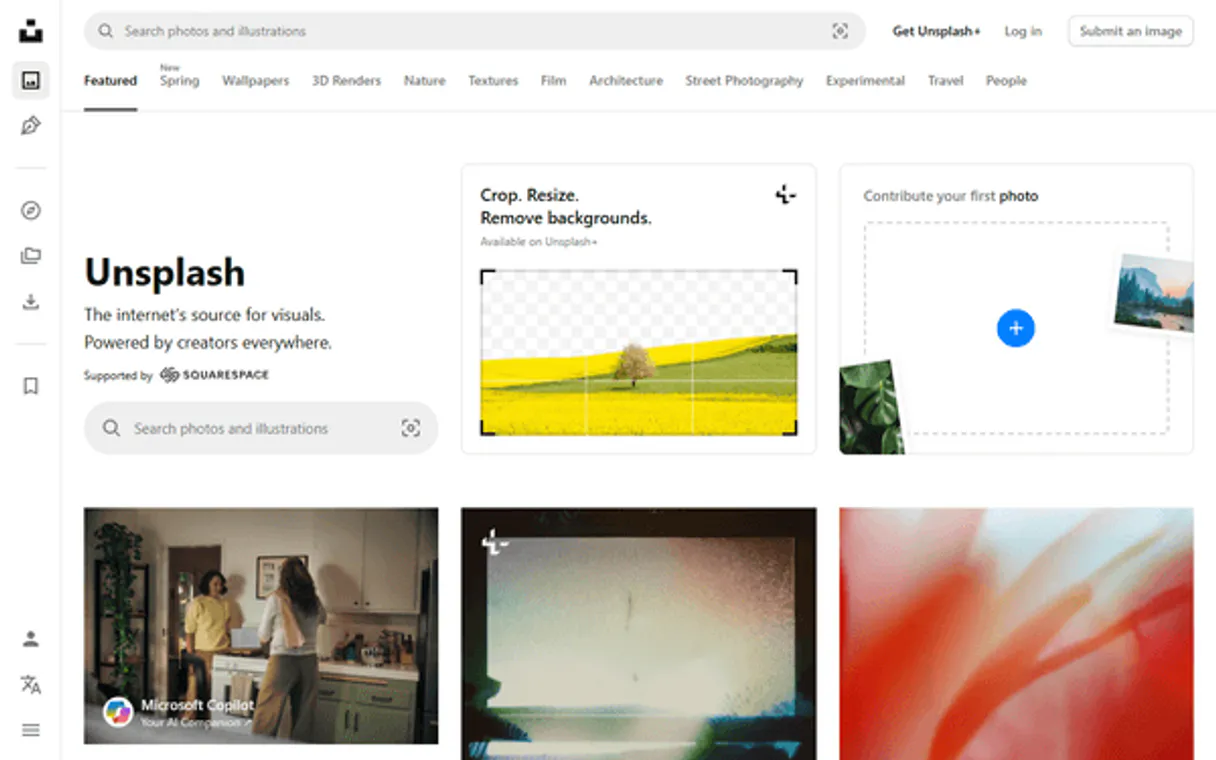
Independent Platform Disclaimer: Vinkius is an independent platform and is not affiliated with, endorsed by, sponsored by, verified by, or otherwise authorized by Unsplash. All third-party trademarks, logos, and brand names are the property of their respective owners. Their use on this website is strictly for informational purposes to identify service compatibility and interoperability.
VINKIUS INFRASTRUCTURE
Cloud Hosted
Managed infra
V8 Isolated
Sandboxed per request
Zero-Trust Proxy
No stored credentials
DLP Enforced
Policy on every call
GDPR Compliant
EU data residency
Token Compression
~60% cost reduction
Works with Claude, ChatGPT, Cursor, and more
The Model Context Protocol standardizes how applications expose capabilities to LLMs. Instead of operating in isolation, your AI gains direct access to external platforms, live data, and real-world actions through secure, standardized connections.
This server provides 10 capabilities that interface natively with Claude, ChatGPT, Cursor, and any MCP client. No middleware. No custom integration required.
Available Capabilities
Sourcing visuals shouldn't require opening twenty tabs and copying IDs.
Today, finding a consistent set of images—say, for an article on minimalist design—is a nightmare. You open Unsplash, type in 'minimalist', scroll through pages and pages until you find three photos that fit the tone. Then you copy each one's ID or link and paste them into your draft. Repeat this process for different angles, losing track of which photo belongs to which concept.
With this MCP server, you tell your agent: 'Find me a set of five images matching 'minimalist desk'.' The agent runs `search_collections` (or `search_photos`) and returns the full list of IDs and links instantly. You get the curated bundle without touching a browser interface.
Unsplash MCP Server: Find photos & collections from chat.
Previously, if you wanted to see all work by a specific photographer, you had to search their name and then manually click through dozens of individual galleries. You'd end up missing some pieces or spending forever on the site just trying to compile a list.
Now, use `search_photographers` followed immediately by `get_photographer_photos`. The agent compiles every public piece into one structured data dump. It’s faster and more complete than clicking through any web UI.
Common Questions About Unsplash MCP
Can I find images for a specific theme using search_collections? +
Yes, you use search_collections to query themes like 'Nature' or 'Industrial'. This finds curated sets of photos rather than general searches.
How do I get the best placeholder image with get_random_photo? +
You can narrow the random selection by providing a query. For example: 'Get me a random photo related to coffee' will give you a high-res visual focused on that concept.
What if I need photos from a specific artist? Should I use search_photos or get_photographer_photos? +
Use search_photographers first to find the name, then run get_photographer_photos. This guarantees you pull all of that user's public work.
Do I need a Collection ID to use list_collection_photos? +
Yes. You must first identify the collection (usually using search_collections) to get the unique Collection ID, and then pass that ID to list_collection_photos.
Can I find out more about a single image with get_photo_details? +
Absolutely. This tool retrieves all metadata for one photo—resolution, context, etc.—so you know exactly what you're using.
What does `list_editorial_topics` return, and how do I find out what major themes are available? +
It provides a comprehensive list of Unsplash's core curated categories (like Nature or Food). This is the best starting point for defining search parameters before you run search_collections.
If I want to know what’s trending right now, should I use `list_latest_photos` instead of searching by keyword? +
Yes. list_latest_photos retrieves the IDs and URLs for images most recently uploaded to Unsplash. This is useful for spotting current visual trends outside specific themes.
What kind of metadata does `get_collection_details` provide when I input a collection ID? +
It gives you the full name, description, and total photo count for that specific collection. Use this to validate your IDs before attempting to list all contained photos.
Can it automatically fetch 5 relevant images based on an abstract concept and give me direct URLs? +
Yes. Command the LLM using 'search_photos' with a query like 'Serenity' and 'per_page: 5'. It leverages the native search algorithm to bring back structured output containing precise image hotlinks alongside the photographers' names for attribution.
If I am building a mock UI, can it provide a purely random high-res placeholder image? +
A perfect use case! Instruct the AI to call 'get_random_photo'. It skips conventional heavy searches pulling one brilliant, random massive resolution photo. You can even filter the chaos slightly (e.g., random 'architecture').
How do I ensure I get photos only from a specific trusted photographer I like? +
If you know their handle, fire off the 'get_photographer_photos' payload. The bot will bypass generic listings entirely, retrieving paginated bundles of art exclusively captured and uploaded by that precise account profile natively.
Use it with your favorite AI tools
Connect this server to Cursor, Claude, VS Code, and more.
More in this category

Giphy
Search, browse, and integrate the world largest library of animated GIFs and stickers into your apps and conversations.

Getty Images
Manage stock media via Getty Images — search millions of creative and editorial photos, handle video discovery, and download assets directly from any AI agent.

Color Contrast Checker
Check WCAG color contrast compliance via AI — verify text readability against backgrounds for accessible, inclusive web design.
You might also like

Rappi API
Automate LatAm's largest super-app via Rappi — track active deliveries, request support, and manage logistics from your agent.

LiveKit Real-Time Rooms
Manage LiveKit voice and video rooms — create sessions, control participants, mute tracks, and broadcast data from any AI agent.
Nue.io Revenue
Manage the revenue lifecycle via Nue.io — track product catalogs, price tags, and revenue workflows directly from your AI agent.
