
Creatomate MCP. Automate video rendering and asset management via chat
 Gemini
 Works with every AI agent you already use
…and any MCP-compatible client









Just plug in your AI agents and start using Vinkius.
Creatomate MCP Server automates video generation, rendering, and media asset management. Connect your AI agent to manage complex video pipelines—list templates, trigger renders, track status, and organize assets—all through simple natural conversation.
It's your full video production workflow, built into your chat client.
What your AI agents can do
Get project settings
Retrieves configuration details and metadata for the current video project.
Get render status
Checks the status of a video render and provides the final download URL if complete.
Get template details
Gets the structure and dynamic fields required for a specific video template.
The agent triggers a video render using a specific template and custom text or image inputs.
The agent retrieves a list of available video templates and shows you their required fields.
The agent lists and helps you manage your uploaded image, video, and audio assets.
The agent checks the current status of a rendering job and provides the final download link when it's done.
The agent pulls metadata and configuration details for the current video project.
Ask AI about this MCP
Supported MCP Clients
Gemini Waiting for input…
019d757eget project settings
Retrieves configuration details and metadata for the current video project.
019d757eget render status
Checks the status of a video render and provides the final download URL if complete.
019d757eget template details
Gets the structure and dynamic fields required for a specific video template.
019d757elist media assets
Lists all uploaded media files, including images, videos, and audio clips.
019d757elist recent renders
Lists the history of recent video rendering tasks and their current status.
019d757elist video automations
Lists all predefined automated video workflows set up in the project.
019d757elist video templates
Lists every video template available in your project library.
019d757erender video
Triggers a new video render using a selected template and specific modifications.
019d757esearch templates by name
Searches the video template catalog using keywords or partial names.
Choose How to Get Started
Build a custom MCP for your own tools, or connect a ready-made integration from our catalog.
Build Your Own
Turn any API into an MCP. Import a spec, define Agent Skills, or deploy with MCPFusion.
- Import from OpenAPI, Swagger, or YAML specs
- Create Agent Skills with progressive disclosure
- Deploy to edge with MCPFusion framework
- Built in DLP, auth, and compliance on every call
- Real time usage dashboard and cost metering
- Publish to catalog or keep private
Make Your AI Do More
Start with Creatomate, then connect any of our 4,700+ other servers whenever your AI needs more. One click, no limits.
- Use this MCP plus 4,700+ others, all in one place
- Add new capabilities to your AI anytime you want
- Every connection is secured and compliant automatically
- Track usage and costs across all your servers
- Works with Claude, ChatGPT, Cursor, and more
- New servers added to the catalog every week
What you can do with this MCP connector
Yo, this Creatomate MCP Server lets your AI client handle your whole video production process. You'll use it to manage everything from templates and media to actually triggering and tracking renders—all just by talking to your agent. You can use the list_video_templates tool to see every video template sitting in your project library.
If you pick one, the agent can run get_template_details to show you the structure and what dynamic fields it needs. You can also use search_templates_by_name to quickly find templates by keywords or partial names. When you've got a template and know what you want, you trigger a new render with render_video, passing in a selected template and specific modifications.
You can manage your media by calling list_media_assets, which lists all your uploaded images, videos, and audio clips. Need to check the status of a render? You can use list_recent_renders to see your history and current status, or get_render_status to check a specific job and grab the final download URL when it's done.
You can also manage the project itself by getting metadata and configuration details with get_project_settings, or by checking out all the predefined automated workflows using list_video_automations and list_video_automations.
How Creatomate MCP Works
- 1 Connect the Creatomate integration to your AI client and authorize it with your API key.
- 2 Ask your agent to perform a task, like 'Render a video for the Q3 sale using template X and the text 'Big Savings!''.
- 3 The agent executes the necessary tools, starts the render, and then reports back the status and the final link when the job completes.
The bottom line is that your AI agent handles all the API calls for video production, letting you talk through your workflow instead of writing code.
Who Is Creatomate MCP For?
Content marketing leads, creative agencies, and product marketing teams need this. It's for the person who spends hours juggling video editors, DAM systems, and render queues. If your job involves turning campaign ideas into dozens of video variations, this is for you.
Generates dozens of personalized video ads. Instead of manually setting up a render job for every variation, the agent executes the necessary tools in a conversation.
Manages complex media assets and tracks multiple rendering jobs simultaneously. The agent provides a single chat interface to audit project status and retrieve final assets.
Audits the video rendering pipeline and manages project assets via chat. They can list available templates (list_video_templates) and check project configurations (get_project_settings) without writing boilerplate code.
What Changes When You Connect
- Automate Rendering: Don't manually call endpoints to start a job. Use
render_videoto trigger complex video renders in a single chat command, letting the agent handle the inputs and the queueing. - Real-Time Status: Stop checking dashboards. The
get_render_statustool tracks jobs and gives you the final video URL immediately when the video is finished. - Template Validation: Before rendering, use
get_template_detailsto confirm if your text inputs or assets match what the template expects. This prevents failed renders from bad data. - Centralized Asset Library: The
list_media_assetstool gives your agent access to all your images, videos, and audio files in one place. You don't need to switch systems to find a background clip. - Workflow Auditing: Use
list_video_automationsandlist_video_templatesto see exactly what video pipelines are available. You can audit the project's capabilities and scope from the chat interface. - Project Oversight: The
get_project_settingstool provides an immediate snapshot of the project's core metadata, letting you verify parameters before starting a large batch of renders.
Real-World Use Cases
Creating 50 Social Media Variations
A marketing manager needs 50 unique video ads for a flash sale. Instead of manually looping through 50 separate API calls, they prompt the agent: 'Render 50 variations of the sale video using template T1, changing the text to different product names.' The agent handles the render_video calls and tracks all 50 jobs via list_recent_renders, giving the manager a single status report.
Finding the Right Template for a Client
A creative producer starts a new client project. They ask the agent to list_video_templates and then use search_templates_by_name to narrow it down. Once a template is chosen, they use get_template_details to confirm the required input fields, ensuring the first render attempt won't fail.
Checking on a Critical Render Job
A developer needs to know if the high-priority video render is done. Instead of refreshing a dashboard, they ask the agent for the status of render R123. The agent uses get_render_status and immediately tells them if it's 100% complete and provides the download link.
Building a New Automated Campaign
An operations team wants to automate the quarterly report video. They first use list_video_automations to see what's possible, then use list_media_assets to confirm all necessary logos and background clips are uploaded. Finally, they can use the agent to plan the full sequence of steps.
The Tradeoffs
Doing a full manual audit
Manually calling list_media_assets and then running a separate script to check the status of the last 10 renders. This forces two separate API calls and leaves the user switching between two different data sources.
→
Start by asking the agent to use list_recent_renders to get a summary of all job statuses, then follow up with list_media_assets if you need to verify the source files. Keep the conversation flowing.
Assuming template compatibility
Calling render_video with a custom text field, only to find out later the template required a specific format or type of asset, causing the render to fail and wasting time.
→
Always run get_template_details first. This confirms the exact structure and required dynamic fields before you attempt to render_video.
Forgetting to check project scope
Starting a render job and forgetting if the project settings were updated (e.g., the wrong client ID was used). The render runs, but the output is useless because of the initial configuration error.
→
Always run get_project_settings at the start of a new session. It validates the project's current state, ensuring the entire render pipeline uses the correct parameters.
When It Fits, When It Doesn't
Use this server if your core problem is turning ideas into large volumes of video assets. You need to programmatically manage the entire video lifecycle: from finding a template (list_video_templates), checking inputs (get_template_details), triggering the job (render_video), to retrieving the final asset (get_render_status).
Don't use this if you just need a simple file transfer or a single data point (like a simple inventory check). For those tasks, a basic file storage or CRM tool will be better. If your goal is simply to list templates, you only need list_video_templates. If you need to know the status of the render, only use get_render_status. Don't try to combine them if the goal is just status checking—that's a single, focused call.
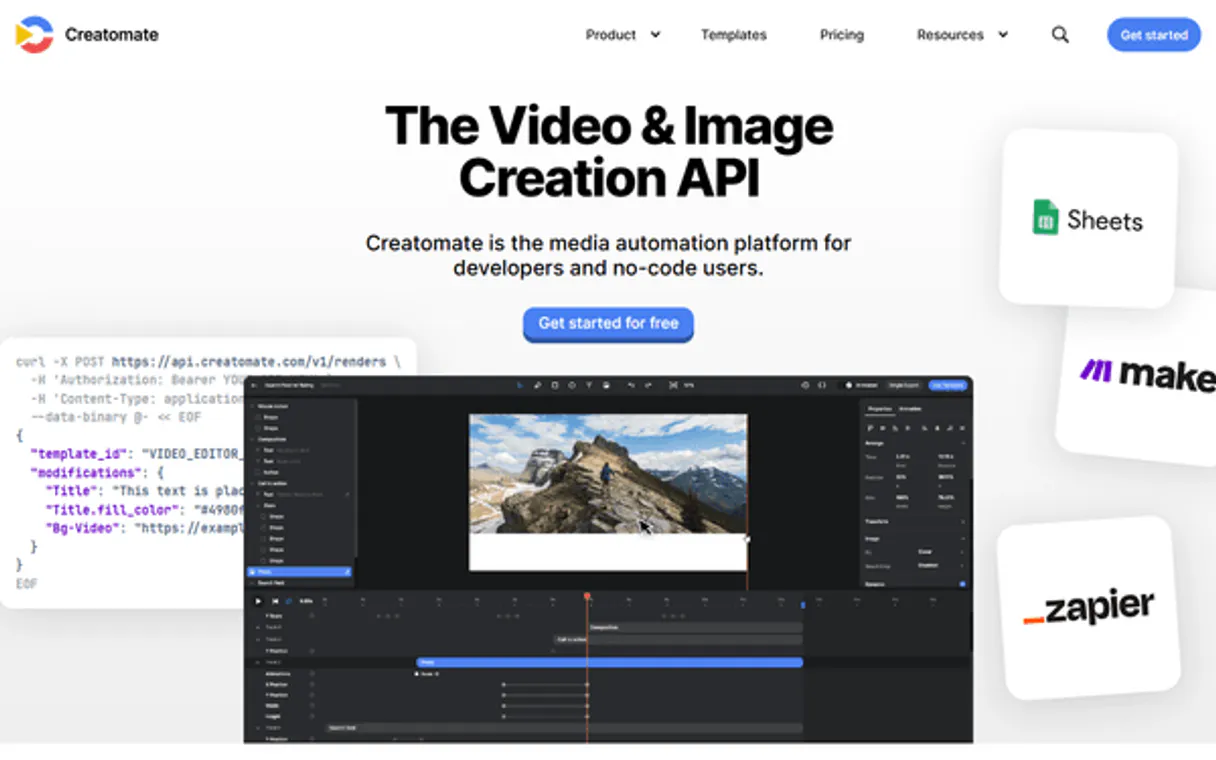
Independent Platform Disclaimer: Vinkius is an independent platform and is not affiliated with, endorsed by, sponsored by, verified by, or otherwise authorized by Creatomate. All third-party trademarks, logos, and brand names are the property of their respective owners. Their use on this website is strictly for informational purposes to identify service compatibility and interoperability.
VINKIUS INFRASTRUCTURE
Cloud Hosted
Managed infra
V8 Isolated
Sandboxed per request
Zero-Trust Proxy
No stored credentials
DLP Enforced
Policy on every call
GDPR Compliant
EU data residency
Token Compression
~60% cost reduction
Works with Claude, ChatGPT, Cursor, and more
The Model Context Protocol standardizes how applications expose capabilities to LLMs. Instead of operating in isolation, your AI gains direct access to external platforms, live data, and real-world actions through secure, standardized connections.
This server provides 9 capabilities that interface natively with Claude, ChatGPT, Cursor, and any MCP client. No middleware. No custom integration required.
Available Capabilities
Juggling video assets and render queues is a full-time job.
Right now, you have to jump between a DAM system, a template builder, and a separate render dashboard. You check the asset library for a logo, then copy the ID into the template builder, then click 'render' on a third site, and finally, you keep checking the render queue page until it's done. It's a mess of tabs and copy-pasting.
With the Creatomate MCP Server, you just tell your agent, 'Render the Q4 campaign video.' The agent handles checking the assets (`list_media_assets`), selecting the template, and managing the entire render process (`render_video`). You get the final video link back in the chat—no dashboard hopping required.
Creatomate MCP Server: Manage video assets & renders
You no longer need to open the API documentation to figure out if a template accepts a video or just a still image, or what the current project settings are. The agent uses `get_template_details` to tell you exactly what's required, and `get_project_settings` to confirm the project's context.
The whole process moves from multi-step, manual API calls to a single, conversational command. Your agent runs the whole workflow for you.
Common Questions About Creatomate MCP
How do I check the status of a render using the Creatomate MCP Server? +
Use get_render_status to check the job's status. This tool tells you if the video is complete, and if so, it provides the direct download link. You can also view all recent jobs using list_recent_renders.
Can I list all video templates with the Creatomate MCP Server? +
Yes, use list_video_templates to see every template in your project. If you want to find a specific one, search_templates_by_name is faster.
What is the best way to start a new video render with Creatomate MCP Server? +
You first need to use get_template_details to understand the template's required inputs. Once you know the structure, you can call render_video with the correct parameters.
How do I manage my media files with Creatomate MCP Server? +
Use list_media_assets to see all uploaded images, videos, and audio. You can also check what video automations are available using list_video_automations to see pre-built workflows.
How do I use the `get_template_details` tool with the Creatomate MCP Server? +
The get_template_details tool retrieves the structure and dynamic fields for a specific video template. You pass the template ID to see exactly what variables (like text or images) you need to fill out before rendering.
What is the process for listing video automations using the Creatomate MCP Server? +
You invoke the list_video_automations tool to see all established automated video workflows. This shows you what pre-configured sequences are ready to run without manual intervention.
How does the Creatomate MCP Server handle project settings with `get_project_settings`? +
The get_project_settings tool pulls metadata and global configurations for your current project. This lets your agent know necessary parameters, such as brand guidelines or default aspect ratios.
Can I search for specific video templates using the Creatomate MCP Server? +
Yes, use the search_templates_by_name tool. You only need to provide a partial name or keyword, and the server returns a list of matching video templates, saving you from manually scrolling through all of them.
How do I get a Creatomate API Key? +
Log in to your Creatomate account, select your project, and navigate to Project Settings > API Keys to generate a secret key.
Can I provide dynamic text for videos? +
Yes, you can use the 'modifications' parameter in the render_video tool to swap text, images, or colors defined in your template.
What is the rendering time? +
Rendering time depends on video length and complexity, but Creatomate is optimized for speed. You can use the get_render_status tool to check when it's done.
Use it with your favorite AI tools
Connect this server to Cursor, Claude, VS Code, and more.
More in this category

Benchmark Email
Automate email marketing via Benchmark Email — manage contacts, lists, and campaigns directly from any AI agent.

Later (Social Media Management)
Manage social media via Later — schedule posts, access your media library, and analyze profile performance.

SleekFlow
Manage omnichannel customer conversations — read messages, check contacts, and send replies across WhatsApp, Instagram, and more directly from your AI agent.
You might also like
Presenton
Automate presentation generation via Presenton — create AI slide decks and manage exports directly from any AI agent.
Universities List
Global university database — search higher education institutions by name and country via AI.

Postmark Alternative
Automate transactional email via Postmark — send emails, retrieve templates, inspect bounces, and manage your delivery analytics directly from any AI agent.