
UptimeRobot MCP. Manage all web health checks and alerts from your chat.
 Gemini
 Works with every AI agent you already use
…and any MCP-compatible client









Just plug in your AI agents and start using Vinkius.
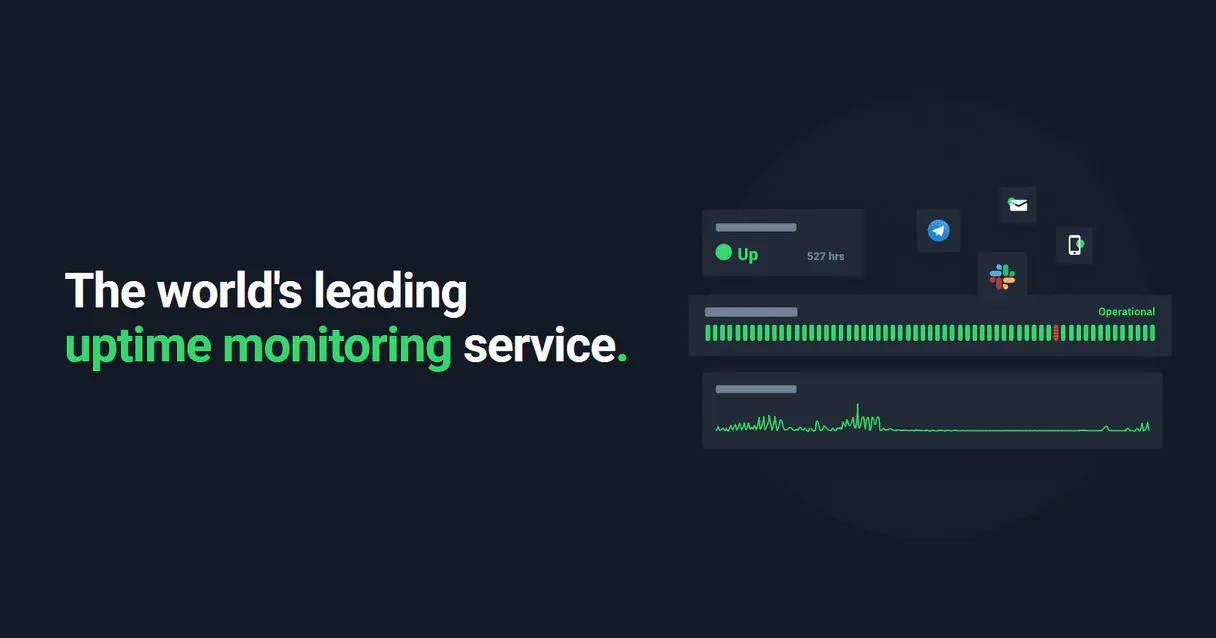
UptimeRobot MCP Server lets you manage your web uptime checks directly via your AI client. You can list all configured monitors, create new HTTP or Ping endpoints, and handle alert contacts (Slack/Email) without logging into a dashboard.
It gives instant visibility into service health, history logs, and remaining monitor slots.
What your AI agents can do
Create alert contact
Adds a new email or Slack address to receive system downtime alerts.
Create uptime monitor
Sets up a brand-new monitoring check for a specific URL using HTTP status codes or Ping requests.
Delete alert contact
Permanently removes a notification target; this action cannot be undone.
Use list_monitors to retrieve the current pass/fail status, up ratio, and response times for every configured uptime monitor.
Run create_uptime_monitor to add a brand-new HTTP or Ping monitoring endpoint with simple parameters.
Add or remove notification targets (Email, Slack) using tools like create_alert_contact and delete_alert_contact.
Fetch raw data arrays of up ratios or use reset_monitor_logs to clear old statistics for analysis.
Run get_account_info to discover your remaining monitor slots and overall subscription feature usage.
Ask AI about this MCP
Supported MCP Clients
Gemini Waiting for input…
UptimeRobot MCP Server: 10 Tools for Monitoring & Alerting
Manage every aspect of your service health. Use these tools to create, list, update, and monitor endpoints and alert contacts directly from your AI client.
019d761acreate alert contact
Adds a new email or Slack address to receive system downtime alerts.
019d761acreate uptime monitor
Sets up a brand-new monitoring check for a specific URL using HTTP status codes or Ping requests.
019d761adelete alert contact
Permanently removes a notification target; this action cannot be undone.
019d761adelete uptime monitor
Removes an existing monitoring check entirely; this action cannot be undone.
019d761aget account info
Retrieves your current UptimeRobot account usage, including remaining monitor slots and subscription limits.
019d761aget monitor details
Pulls full configuration details for one specific uptime monitor you're interested in.
019d761alist alert contacts
Returns a list of every configured contact (Email, Slack, Webhook) that receives alerts.
019d761alist monitors
Lists all active monitors and displays their current up/fail status, up ratio, and response times.
019d761areset monitor logs
Resets the historical statistics and monitoring logs for a specific service monitor.
019d761aupdate uptime monitor
Modifies the settings of an existing uptime monitor, like changing its URL or type.
Choose How to Get Started
Build a custom MCP for your own tools, or connect a ready-made integration from our catalog.
Build Your Own
Turn any API into an MCP. Import a spec, define Agent Skills, or deploy with MCPFusion.
- Import from OpenAPI, Swagger, or YAML specs
- Create Agent Skills with progressive disclosure
- Deploy to edge with MCPFusion framework
- Built in DLP, auth, and compliance on every call
- Real time usage dashboard and cost metering
- Publish to catalog or keep private
Make Your AI Do More
Start with UptimeRobot, then connect any of our 4,700+ other servers whenever your AI needs more. One click, no limits.
- Use this MCP plus 4,700+ others, all in one place
- Add new capabilities to your AI anytime you want
- Every connection is secured and compliant automatically
- Track usage and costs across all your servers
- Works with Claude, ChatGPT, Cursor, and more
- New servers added to the catalog every week
What you can do with this MCP connector
UptimeRobot MCP Server: Web Health Status Monitoring
Forget logging into a dashboard just to check if your site's up. This server lets you manage every aspect of your web uptime checks—from setting up new endpoints to controlling who gets alerted when things go sideways—all through your AI client. You get instant visibility on service health and historical data without lifting a finger to open a browser.
Checking Your Site Status
To see what's going on right now, you use list_monitors. This tool pulls the current pass/fail status for every single uptime monitor you've configured. It shows you the up ratio and the response times immediately, so you know exactly if everything's humming along or if something tripped a wire. When you need deep dives on just one specific service, get_monitor_details pulls the full configuration details for that single monitor.
If you suspect some settings are stale, remember you can use update_uptime_monitor to modify things like the URL or the check type on an existing endpoint.
Setting Up and Tearing Down Checks
You gotta keep your monitoring endpoints current. You run create_uptime_monitor when you need to set up a brand-new check, whether it's an HTTP status code test or a simple Ping request for a new URL. The parameters are straightforward: tell the agent what site and how often, and it handles the rest.
When a service is retired, you use delete_uptime_monitor to remove that monitoring check entirely. This action is permanent, so be sure of what you're deleting.
Controlling Alert Recipients
When things fail, someone needs to know. You manage those people using the alert tools. First, run list_alert_contacts to get a clean list of every contact—Email, Slack, or Webhook—that currently gets paged when an outage happens. If you need to add a new notification channel, use create_alert_contact; this adds either a new email address or a dedicated Slack integration as a target for system downtime alerts.
When a team member changes roles or a contact point is abandoned, you run delete_alert_contact to permanently wipe that notification target from the system.
Managing Account Limits and History
It's smart to know your limits before things get hairy. You check your capacity by calling get_account_info. This gives you a clear picture of your remaining monitor slots and overall subscription usage, so you never hit a paywall surprise. For analyzing performance trends, you can fetch raw data arrays for up ratios or use reset_monitor_logs to clear out old historical statistics for a specific service monitor when you need a clean slate for analysis.
How It Works in Practice
When you tell your agent, 'Check the status of the main checkout page and tell me if we're over our limit,' the system knows exactly what to do. It runs list_monitors first. Then, it uses the data from get_account_info to check the usage metrics against its known limits. If you then say, 'Hey, add my manager's email for alerts,' the agent calls create_alert_contact.
You don't deal with API keys or dashboards; your AI client just runs these tools and gives you plain text back. It’s direct, fast, and keeps your operational data right where you are.
How UptimeRobot MCP Works
- 1 First, subscribe and provide the UptimeRobot API Key to the server.
- 2 Next, tell your AI client exactly what you need (e.g., 'List all monitors that are failing').
- 3 The agent executes the relevant tool (like
list_monitors) and returns a structured report of service status or account limits.
The bottom line is: You manage your entire monitoring stack—from creating checks to adding alert contacts—using conversation, not dashboards.
Who Is UptimeRobot MCP For?
Anyone who has to check service health across multiple endpoints—DevOps Engineers and SREs primarily. If you spend time clicking through uptime dashboards at 2 AM trying to figure out why something failed, this is for you. It brings real-time infrastructure data into your chat window.
Pulls SLA metrics and failure logs directly into the incident management context window instead of switching tabs.
Instantly sets up standard monitoring checks for newly deployed microservices straight from the terminal or IDE prompt.
Manages alert contacts by quickly adding new on-call employees or service accounts to notification targets.
Gets a rapid, high-level summary report of the entire infrastructure's uptime without opening any dashboards.
What Changes When You Connect
- Immediate status reports: Use
list_monitorsto see the pass/fail status, up ratio, and response times for every single service—all in one message. No need to navigate multiple dashboard tabs. - On-the-fly monitoring setup: Need a check for a new marketing site? Run
create_uptime_monitorright from your agent prompt, providing the URL and type (HTTP or Ping) immediately. - Surgical alert management: If an engineer leaves or changes roles, use
delete_alert_contactto remove their old email/Slack address, andcreate_alert_contactto add the replacement. It keeps your notification list clean. - Account capacity checks: Stop guessing if you're running out of slots. Call
get_account_infoto see exactly how many monitor slots are left before your subscription hits a limit. - Deep dive analysis: Need raw data? Use
reset_monitor_logsor fetch historical logs for specific monitors (get_monitor_details) to graph performance and analyze failure patterns.
Real-World Use Cases
New Service Deployment Check
A DevOps Engineer pushes a new microservice endpoint. Instead of manually logging into UptimeRobot, they prompt their agent: 'Create an HTTP monitor for this new API path.' The agent runs create_uptime_monitor instantly, giving the engineer confirmation and ID numbers to move on with deployment.
Incident Triage During Off-Hours
It's 3 AM. An SRE gets an alert that something is down. They ask their agent: 'List all services, and tell me which ones failed in the last hour.' The agent runs list_monitors and isolates the failing service, allowing the SRE to immediately jump to debugging.
Team Handover/Staffing Change
The on-call engineer changes. Instead of emailing a list of people who need to be added or removed from Slack alerts, the administrator prompts: 'Remove old-devops@acme.com and add new.engineer@corp.com.' The agent runs delete_alert_contact then create_alert_contact, updating the system in two steps.
Subscription Audit
The CTO needs to know if they can afford 10 more monitors next quarter. They simply ask their agent: 'What is our current UptimeRobot monitor slot count?' The agent runs get_account_info and provides the number, preventing unexpected billing issues.
The Tradeoffs
Manual Dashboard Checking
Logging into the website dashboard, clicking through tabs, filtering by date range, and then copying the up ratio into a spreadsheet.
→
Use list_monitors to get the status report instantly. If you need raw data for graphing, run get_monitor_details or use reset_monitor_logs.
Confusing Monitors and Contacts
Thinking that just setting up a monitor means an alert will automatically go to the right person.
→
You must explicitly define recipients. Use list_alert_contacts first, then run create_alert_contact to add Slack or Email contacts before you expect alerts to fire.
Deleting Things by Memory
Remembering a monitor ID but forgetting if it was an HTTP check or Ping check before deleting it.
→
Always run get_monitor_details first. This pulls the full config, verifying the type and name before you execute delete_uptime_monitor.
When It Fits, When It Doesn't
Use this server if your primary workflow involves repeatedly querying service health, creating new monitoring endpoints (HTTP/Ping), or managing notification lists for an infrastructure stack. You need immediate status checks across many services.
Don't use it if you simply want to check one single URL manually every once in a while—just use the standard UptimeRobot site. Also, don't rely on this server for remediation steps (like rebooting a server); it only handles monitoring and alerting. For state changes beyond updating a monitor's config, you need an external workflow tool like Zapier or custom scripts.
Independent Platform Disclaimer: Vinkius is an independent platform and is not affiliated with, endorsed by, sponsored by, verified by, or otherwise authorized by UptimeRobot. All third-party trademarks, logos, and brand names are the property of their respective owners. Their use on this website is strictly for informational purposes to identify service compatibility and interoperability.
VINKIUS INFRASTRUCTURE
Cloud Hosted
Managed infra
V8 Isolated
Sandboxed per request
Zero-Trust Proxy
No stored credentials
DLP Enforced
Policy on every call
GDPR Compliant
EU data residency
Token Compression
~60% cost reduction
Works with Claude, ChatGPT, Cursor, and more
The Model Context Protocol standardizes how applications expose capabilities to LLMs. Instead of operating in isolation, your AI gains direct access to external platforms, live data, and real-world actions through secure, standardized connections.
This server provides 10 capabilities that interface natively with Claude, ChatGPT, Cursor, and any MCP client. No middleware. No custom integration required.
Available Capabilities
Checking service health shouldn't involve 5 different tabs.
Right now, checking the status of your core services means logging into UptimeRobot. You jump to the 'Monitors' tab, then you click on each service individually to see its history and current up ratio. If you have twenty apps, that’s twenty clicks just to get a quick sanity check.
With the UptimeRobot MCP Server, you ask your agent: 'List all monitors.' It runs `list_monitors` instantly and gives you one clean response showing every service's status—up or down. You get the whole picture without leaving your chat window.
UptimeRobot MCP Server: Control alerts and endpoints from chat.
Manually adding a new on-call person to an alert list requires logging into settings, finding the correct channel type (Email/Slack), and entering their address. If you forget that step, nobody gets notified when the service fails.
Now, just tell your agent: 'Add John Doe's Slack handle to alerts.' The agent runs `create_alert_contact` and handles the entire process in one conversation turn. It’s immediate, direct, and requires zero clicks.
Common Questions About UptimeRobot MCP
How do I check all my current uptime monitors using list_monitors? +
Run list_monitors. This tool returns a summary of every monitor you have configured. It shows the pass/fail status, up ratio, and response times for the entire group.
Can I add an alert contact to Slack using create_alert_contact? +
Yes. You use create_alert_contact and specify 'Slack' as the type (11). This adds a new notification target so your team gets messages directly in that channel upon downtime.
What is the difference between list_monitors and get_monitor_details? +
list_monitors gives you an overview of all monitors (status, ratio). get_monitor_details pulls every specific configuration setting for one single monitor ID.
If I change a service URL, do I use update_uptime_monitor or create_uptime_monitor? +
You must use update_uptime_monitor. This tool modifies the parameters of an existing check. Use create_uptime_monitor only when setting up a brand new monitoring endpoint.
I want to permanently remove a service; what are the risks of using `delete_uptime_monitor`? +
Using delete_uptime_monitor permanently removes the monitor and all associated data. This action cannot be undone, so check your monitor ID before running it. You'll lose historical logs and status tracking for that endpoint.
How do I clear old performance metrics using `reset_monitor_logs`? +
The reset_monitor_logs tool zeroes out the monitoring statistics for a specific monitor ID. Use this when you need to start fresh with performance data, not just analyze past uptime rates.
How can I check my remaining capacity and limits using `get_account_info`? +
It retrieves your current usage counts against your subscription plan. This is crucial for knowing how many monitor slots you have left before needing to upgrade your account.
Before creating a new notification, what does `list_alert_contacts` show me? +
It lists every configured alert target, including emails, Slack IDs, and webhooks. Always run this first to confirm which recipients are currently active before adding or updating contacts.
Can I automatically monitor a newly deployed application? +
Absolutely. After you deploy a new service (for example, inside an IDE like Cursor), you can casually text the agent: Create an HTTP uptime monitor for https://new-service.com called 'Frontend Node'. The agent natively crafts the exact UptimeRobot POST configuration and injects the endpoints. Zero web dashboards needed.
How do I easily get an executive summary of server incidents across my company? +
You don't need to sift manually through UptimeRobot's metrics arrays. Prompt your agent to get details for all monitors and summarize our SLA ratio. It will fetch the individual up-ratio indicators for every entry, average them, highlight any services below 99.9%, and present you a clean Markdown table summarizing the state of your whole operations in seconds.
Why should I reset my monitor logs by AI? +
Oftentimes a development server has planned downtime, destroying your overall "green board" of perfect SLA. By asking the AI to reset logs for monitor ID X, you cleanly wipe the inaccurate or skewed history and start recording clean metrics instantly without disturbing real-time operations.
Use it with your favorite AI tools
Connect this server to Cursor, Claude, VS Code, and more.
More in this category

Flipt
Manage feature flags and rollouts via Flipt — list namespaces, flags, segments, and rules directly from your AI agent.

World Time (Keyless)
Get precise current atomic time, UTC offsets, and DST states for any timezone worldwide — no API key required.
Volcengine RTC
Bring ByteDance's internal RTC Engine to your AI workflow. Administrate audio/video calls, manage servers, and start Mixes.
You might also like

Bollinger Bands Engine
Calculate moving standard deviation and Bollinger Bands for financial time-series deterministically.

Recharge Alternative
Manage subscription commerce via Recharge — handle customers, subscriptions, addresses, and delivery schedules directly from your AI agent.

IP & CIDR Validator
Equip cybersecurity agents with binary IP math. Instantly validate IPv4/IPv6 addresses and check CIDR subnet allocations local.