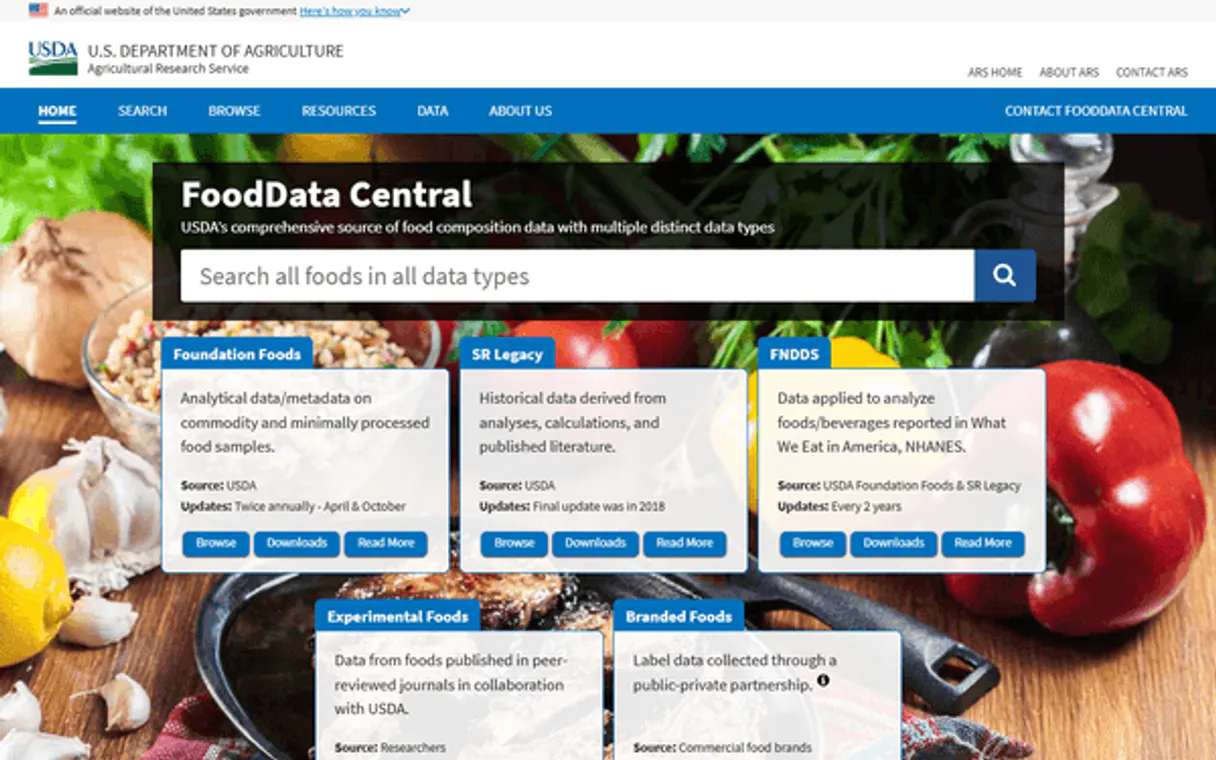
USDA FoodData Central MCP. Analyze professional-grade nutrient data from the USDA.
Works with every AI agent you already use
…and any MCP-compatible client

Just plug in your AI agents and start using Vinkius.
USDA FoodData Central MCP Server gives your AI client access to the U.S. Department of Agriculture’s massive food database. You use it to search for foods and pull deep nutritional metrics—everything from total calories to specific fatty acid profiles.
It's the definitive source for diet planning, research, and health applications.
What your AI agents can do
Get usda food details
Fetches the full nutritional breakdown for one specific food item using its unique USDA Food ID.
Search usda foods
Searches the 300,000+ food database by name or criteria and returns basic nutrition facts per serving.
Your AI client searches the entire USDA database to pull a summary of calories, protein, fat, carbs, fiber, and sugar for specified food items.
Your agent retrieves a complete profile for one specific food item, including detailed data on all vitamins, minerals, amino acids, and fatty acid types (saturated/polyunsaturated).
You access different categories of data—like research-grade foundations vs. commercial branded products—to ensure the nutrition facts are relevant to your goal.
Ask AI about this MCP
Supported MCP Clients
Waiting for input…
USDA FoodData Central MCP Server: 2 Tools for Nutritional Data Retrieval
Use these two tools to search for foods across the massive USDA database and pull highly detailed nutrient metrics when you need them.
019d761aget usda food details
Fetches the full nutritional breakdown for one specific food item using its unique USDA Food ID.
019d761asearch usda foods
Searches the 300,000+ food database by name or criteria and returns basic nutrition facts per serving.
Choose How to Get Started
Build a custom MCP for your own tools, or connect a ready-made integration from our catalog.
Build Your Own
Turn any API into an MCP. Import a spec, define Agent Skills, or deploy with MCPFusion.
- Import from OpenAPI, Swagger, or YAML specs
- Create Agent Skills with progressive disclosure
- Deploy to edge with MCPFusion framework
- Built in DLP, auth, and compliance on every call
- Real time usage dashboard and cost metering
- Publish to catalog or keep private
Make Your AI Do More
Start with USDA FoodData Central, then connect any of our 4,700+ other servers whenever your AI needs more. One click, no limits.
- Use this MCP plus 4,700+ others, all in one place
- Add new capabilities to your AI anytime you want
- Every connection is secured and compliant automatically
- Track usage and costs across all your servers
- Works with Claude, ChatGPT, Cursor, and more
- New servers added to the catalog every week
What you can do with this MCP connector
You're working with the USDA FoodData Central MCP Server when you need the definitive source for U.S. nutritional metrics. This server connects your AI client straight into the Department of Agriculture’s massive, research-grade food database. It lets your agent pull deep, specific data points—everything from basic calorie counts to complex fatty acid profiles.
Forget guessing; this is where you get real numbers.
To find a quick overview, use search_usda_foods. This tool scans the entire 300,000+ food database by name or simple criteria. It spits out fundamental nutrition facts per serving, giving you immediate summaries of calories, total protein, fat content, carbohydrates, dietary fiber, and sugar levels for specified items. You're instantly checking general nutritional balance across a huge range of foods.
When you know exactly what food item you want to analyze, use get_usda_food_details. This tool fetches the complete, granular nutritional profile for one specific food using its unique USDA Food ID. It doesn't just give you macro counts; it drills down into specialized metrics. You get detailed data on every vitamin and mineral listed, a breakdown of amino acids, and precise measurements of all fatty acid types, like saturated and polyunsaturated fats.
This server isn't limited to one type of food record. It lets your agent check multiple distinct categories of data, making sure the nutrition facts you pull are relevant for whatever project you’re running. You can access foundational research records—the pure, scientific-grade data that forms the bedrock of dietary science.
You can also pull historical metrics from the SR Legacy collection, which tracks older food compositions. For commercial applications, you'll use the Branded category to analyze exactly what people buy in stores. Finally, if your goal is understanding real consumption patterns, the Survey data provides insight into how foods are actually eaten.
The system processes these complex datasets so you don't have to manually cross-reference multiple USDA sources. Whether you're building a diet planning application or running academic research on specific nutrient deficiencies, this server gives you structured access to it all.
How USDA FoodData Central MCP Works
- 1 Tell your agent what you need, like 'Find foods high in Vitamin D.'
- 2 Your agent calls
search_usda_foods, passing the search parameters (e.g., nutrient name or food type). - 3 The server returns a list of matching foods and their basic nutritional summary; if you need more detail on one item, your agent then uses
get_usda_food_detailswith that specific Food ID.
The bottom line is: Your AI client sends structured requests to pull verified nutrition data from the USDA directly into your workflow.
Who Is USDA FoodData Central MCP For?
Dietitians, food researchers, and product developers need this. These are people who spend hours cross-referencing nutrient sheets or manually building dietary comparison charts. If you're tired of guessing nutritional facts or dealing with outdated databases, this server gives your agent the authoritative source it needs.
Uses search_usda_foods to quickly find food lists that meet specific macro requirements (e.g., high fiber, low sodium) for patient meal plans.
Employs get_usda_food_details with a Food ID to pull highly granular data—like the exact ratio of saturated vs. polyunsaturated fats—for product formulation research.
Integrates both tools into an agent pipeline that validates user-inputted food names against USDA standards, ensuring dietary advice is based on reliable metrics.
What Changes When You Connect
- Stop guessing on nutrition facts. Use
search_usda_foodsto instantly pull reliable counts for calories, protein, fat, carbs, fiber, and sugar per serving. - Get surgical detail with
get_usda_food_details. You retrieve the full breakdown of vitamins, minerals, amino acids, and specific fatty acid profiles—not just total fat. - Work across all data types. The server supports foundation (research), branded (commercial), and survey (consumption) data, giving you a complete picture of food science.
- Write faster reports by eliminating manual lookups. Your agent handles the complex querying against 300k+ records automatically.
- Build confidence into your application logic. By using USDA's definitive source, your dietary analysis is backed by government-grade data.
Real-World Use Cases
Formulating a High-Fiber Recipe
A developer needs to build a recipe that hits 30g of fiber. Instead of guessing, they ask their agent to run search_usda_foods for foods meeting high-fiber criteria. The server returns multiple options, allowing the agent to select and calculate ingredient proportions.
Comparing Fat Profiles
A food scientist wants to compare avocados and walnuts' fat composition. They use get_usda_food_details on both foods using their respective IDs, letting the agent extract and compare specific metrics like monounsaturated vs. polyunsaturated fats.
Quick Meal Planning
A user asks, 'How many carbs are in 100g of raw chicken breast?' The agent immediately runs search_usda_foods, pulling the precise carb count (and protein/fat) without needing a manual lookup or API key hassle.
Analyzing Historical Trends
A researcher needs to compare modern branded products against historical records. They use the server's ability to pull data from both 'Branded' and 'SR Legacy' data types, ensuring their analysis covers a full spectrum of food history.
The Tradeoffs
Asking for generalized health advice
Telling your agent: 'Tell me what I should eat to lose weight.' This is too vague and requires medical judgment outside the tool's scope.
→
Be specific. Ask your agent to run search_usda_foods looking for foods that are 'low in sodium, high in protein, and under 200 calories per serving.' The server gives you data; you draw conclusions.
Running multiple API calls manually
Copying a food ID from one sheet and pasting it into another research tool. This is slow and error-prone.
→
Use get_usda_food_details. Give your agent the Food ID, and it gets all the detailed metrics (vitamins, minerals, amino acids) in one clean call.
Assuming basic search covers everything
Just searching for 'apples' and assuming you get the fat profile. The basic search might only give calories.
→
If you need deep metrics (like specific fatty acids), use get_usda_food_details after finding the Food ID, or refine your initial search parameters in search_usda_foods.
When It Fits, When It Doesn't
Use this server if your job requires authoritative nutritional data and deep food science metrics. If you need to compare three different foods across five metrics (e.g., protein, fiber, iron, zinc, B12), the two tools work together: first, run search_usda_foods for a list; second, use get_usda_food_details on the specific IDs of interest to pull all required data points into your agent's working memory. Don't use this if you just need general recipes or basic meal ideas—you still need human curation. Don't use it if you only care about general ingredient availability; that requires a different inventory API. This server is for deep, scientific analysis of what food is.
Independent Platform Disclaimer: Vinkius is an independent platform and is not affiliated with, endorsed by, sponsored by, verified by, or otherwise authorized by USDA. All third-party trademarks, logos, and brand names are the property of their respective owners. Their use on this website is strictly for informational purposes to identify service compatibility and interoperability.
VINKIUS INFRASTRUCTURE
Cloud Hosted
Managed infra
V8 Isolated
Sandboxed per request
Zero-Trust Proxy
No stored credentials
DLP Enforced
Policy on every call
GDPR Compliant
EU data residency
Token Compression
~60% cost reduction
Works with Claude, ChatGPT, Cursor, and more
The Model Context Protocol standardizes how applications expose capabilities to LLMs. Instead of operating in isolation, your AI gains direct access to external platforms, live data, and real-world actions through secure, standardized connections.
This server provides 2 capabilities that interface natively with Claude, ChatGPT, Cursor, and any MCP client. No middleware. No custom integration required.
Available Capabilities
Nutrition research shouldn't require jumping between five different government websites.
Today, if you needed to validate a nutrient claim, you'd jump through hoops: check the USDA website for foundational data, then switch to a commercial database for branded products. You spend time copy-pasting IDs and cross-referencing different metric sheets just to get a full picture of what 'apples' contain.
With this MCP Server, your agent handles the complexity. You tell it: 'Compare the fat profile of raw apples vs. processed apple juice.' The server uses `search_usda_foods` and `get_usda_food_details` to pull reliable metrics from multiple data types into a single response.
The USDA FoodData Central MCP Server: Get scientific-grade nutrient profiles.
Manual comparison is slow. You have to run separate queries for total fat, then another for saturated fat, and a third for vitamins. This breaks your workflow every time you need a new metric.
Now, the agent pulls it all together. Give it the IDs and tell it what metrics matter—the server runs `get_usda_food_details` once and gives you a structured data object containing everything from amino acids to fatty acid percentages.
Common Questions About USDA FoodData Central MCP
How do I find basic nutritional facts using search_usda_foods? +
Run search_usda_foods and provide the food name. The server returns a quick summary of calories, protein, fat, carbs, fiber, and sugar per serving right away.
Do I need get_usda_food_details for every query? +
No. Use search_usda_foods first for a quick overview. You only use get_usda_food_details when you need the deep metrics, like specific micronutrients or fatty acid breakdowns.
Can I compare branded and foundation foods? +
Yes. The server supports multiple data types. Just provide the necessary Food IDs, and your agent can pull comparable nutritional profiles regardless of whether they are commercial products or research standards.
How do I get started with `search_usda_foods`? +
You must first obtain a free API key from Vinkius. Once you have that credential, set it as an environment variable in your agent's configuration to enable the tool.
What should I do if `get_usda_food_details` fails? +
If the ID is invalid or data isn't found, the tool returns a specific error code and null payload. Your agent needs to check for this failure state before attempting any nutritional analysis.
Can I filter `search_usda_foods` by a nutrient other than calories or protein? +
Yes, the tool accepts specific Nutrient IDs. You simply pass the ID and the minimum required amount you want to track in your search parameters.
Are there limitations on calling `search_usda_foods` repeatedly? +
Vinkius enforces standard rate limits per subscription level. To avoid hitting those caps, we recommend batching multiple queries into a single workflow run.
Does `get_usda_food_details` handle different data sources (e.g., branded vs foundation)? +
Yes. You specify the required data type—Foundation, SR Legacy, or Branded—as part of the food ID to ensure you get the correct nutritional profile for your use case.
How do I get a USDA API key? +
Register for a free API key at fdc.nal.usda.gov/api-key-signup.html. Approval is instant — no wait time required.
Use it with your favorite AI tools
Connect this server to Cursor, Claude, VS Code, and more.
More in this category
Five9 QM
Manage agent evaluations, review recorded interactions, and track quality metrics via AI agents with Five9 QM.
Zoho Inventory
Manage inventory, orders, and contacts on Zoho Inventory with AI agents.
Walmart Marketplace
Manage your Walmart Marketplace catalog, inventory, and dynamic pricing natively.
You might also like
Open Exchange Rates
Access real-time and historical currency exchange rates for 200+ currencies. Convert values, track time series, and analyze OHLC data directly from your AI agent.
TheCocktailDB Extended
Access a massive database of cocktail recipes and ingredients — search by name, filter by alcohol content, and discover new drinks.
Blueshift
Orchestrate customer engagement via Blueshift — manage campaigns, track events, and sync customer data directly from any AI agent.