
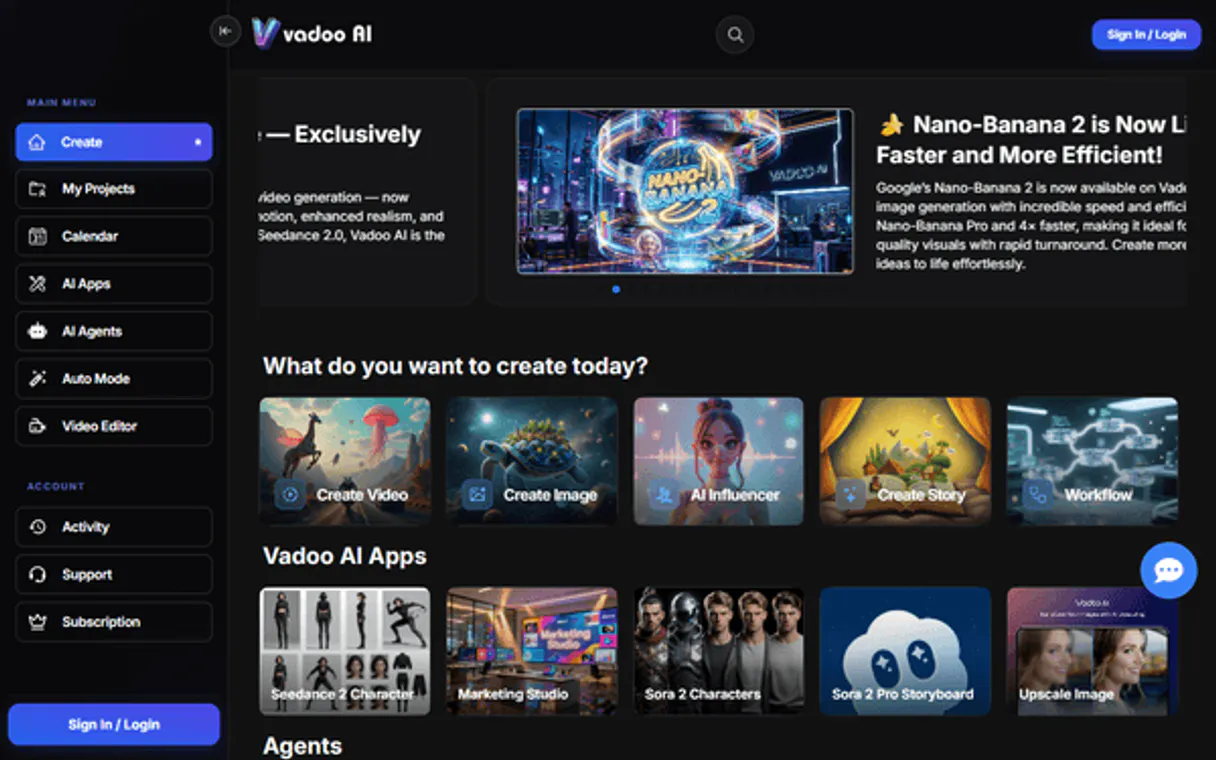
Vadoo MCP Server with 6 Tools Ready for AI Agents
 GDPR Free for Subscribers
Host and optimize video content for the web with AI-powered SEO, automatic subtitles, and engagement analytics for creators. Unlock 6 tools ready out of the box. Connect this App Connector to instantly empower AI agents like Claude Code, Cursor, or any MCP-compatible client with advanced capabilities.
Ask AI about this App Connector
Vinkius delivers Streamable HTTP and SSE to any MCP client
* Every MCP server runs on Vinkius-managed infrastructure inside AWS - a purpose-built runtime with per-request V8 isolates, Ed25519 signed audit chains, and sub-40ms cold starts optimized for native MCP execution. See our infrastructure
What is the Vadoo MCP Server?
The Vadoo MCP Server gives AI agents like Claude, ChatGPT, and Cursor direct access to Vadoo via 6 tools. Host and optimize video content for the web with AI-powered SEO, automatic subtitles, and engagement analytics for creators. Powered by the Vinkius - no API keys, no infrastructure, connect in under 2 minutes.
Built-in capabilities (6)
Tools for your AI Agents to operate Vadoo
Ask your AI agent "List all the AI videos I've generated so far." and get the answer without opening a single dashboard. With 6 tools connected to real Vadoo data, your agents reason over live information, cross-reference it with other MCP servers, and deliver insights you would spend hours assembling manually.
Works with Claude, ChatGPT, Cursor, and any MCP-compatible client. Powered by the Vinkius - your credentials never touch the AI model, every request is auditable. Connect in under two minutes.
Why teams choose Vinkius
One subscription gives you access to thousands of MCP servers - and you can deploy your own to the Vinkius Edge. Your AI agents only access the data you authorize, with DLP that blocks sensitive information from ever reaching the model, kill switch for instant shutdown, and up to 60% token savings. Enterprise-grade infrastructure and security, zero maintenance.
Build your own MCP Server with our secure development framework →The Vadoo App Connector works with every AI agent you already use
…and any MCP-compatible client









Use all 6 Vadoo tools with your AI agents right now
Empower your AI agents to connect to Vadoo and securely perform advanced actions on Vinkius infrastructure. Beyond a simple connection, you gain an advanced AI Gateway that provides complete visibility into agent activity, ensuring maximum governance and optimized token usage.
Add captions to a video
Generate viral clips from a video
Generate an AI podcast
Generate a new AI video
Get details for a specific video
List your Vadoo AI videos
What the Vadoo MCP Server unlocks
Connect your Vadoo AI account to any AI agent and simplify how you generate, edit, and optimize your video content through natural conversation.
What you can do
- AI Video Generation — Create high-quality videos from simple text prompts or scripts instantly.
- Viral Clip Creation — Extract short, social-media-ready clips from long-form video URLs (like YouTube).
- Automated Captioning — Generate and overlay captions onto your videos to increase engagement and accessibility.
- AI Podcasts — Trigger the creation of conversational 2-person podcasts from any topic or text source.
- Content Library — List all your generated videos and retrieve direct download links and metadata.
How it works
1. Subscribe to this server
2. Enter your Vadoo AI API Key (found in your account dashboard)
3. Start generating and editing your video content from Claude, Cursor, or any MCP client
Who is this for?
- Content Creators & YouTubers — quickly generate viral shorts and captions via simple AI commands.
- Marketing Teams — automate the creation of promotional videos and social media assets.
- Podcasters — transform text-based topics into interactive AI-generated conversational audio.
Frequently asked questions about the Vadoo MCP Server
Can I generate a video in a specific aspect ratio?
Yes! When using the generate_video tool, you can specify the ratio parameter (e.g., '9:16' for vertical shorts or '16:9' for horizontal videos).
How do I turn a long YouTube video into viral clips?
Use the create_clips action and provide the YouTube URL. Vadoo AI will analyze the content and automatically extract high-potential segments for social media.
Is it possible to add captions to an existing video ID?
Absolutely. Use the add_captions tool and provide the Video ID. The AI will generate and overlay the subtitles onto that specific video in your library.
More in this category

Landbot
8 toolsEmpower your AI to generate, route, and interact with conversational chatbots and customers naturally.
HelpCrunch
12 toolsEngage customers with live chat, email automation, and a knowledge base that reduces support workload and boosts satisfaction.
Hiro.fm
10 toolsCreate and distribute audio content with a podcast-like platform that lets you build a private audio feed for your audience.
You might also like
CocktailFyi
12 toolsExplore cocktails, ingredients, and bartending techniques — get recipes and guides via AI.
Thinkific
10 toolsCreate and sell online courses with a platform that handles course hosting, student enrollment, and payment processing beautifully.
Fluxiom
9 toolsManage digital assets, organize with tags, and oversee collections via AI agents with Fluxiom DAM.