
Fluxiom MCP. Automate DAM workflows and manage assets via AI.
 Gemini
 Works with every AI agent you already use
…and any MCP-compatible client









Just plug in your AI agents and start using Vinkius.
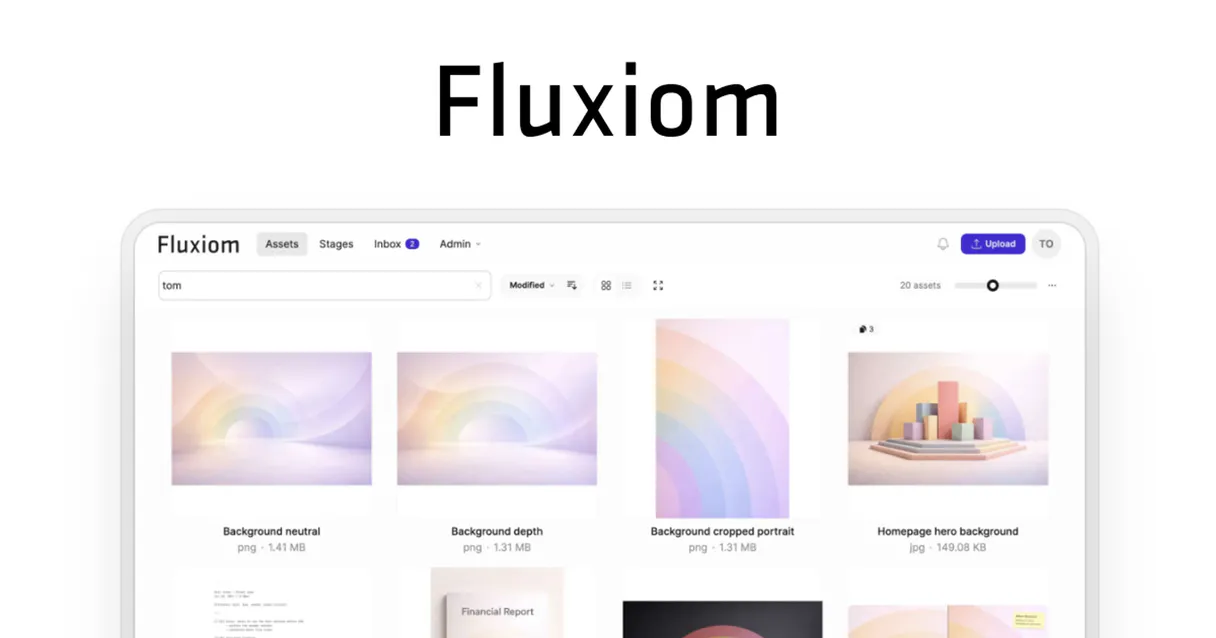
Fluxiom: Manage your entire digital asset lifecycle. Connect your AI agent to Fluxiom to automate DAM tasks. You can list all assets, apply tags, check version history, and manage branded sharing portals (Stages) directly via natural conversation.
It centralizes your organization's file storage and distribution workflow.
What your AI agents can do
Create tag
Adds a new organizational tag to the asset library.
Delete asset
Permanently removes a specified digital asset from the system.
Get account details
Retrieves detailed administrative information about the connected Fluxiom account.
List all digital assets, fetch their detailed metadata, or update/delete files instantly.
Create and apply organizational tags to your library using natural language prompts.
Retrieve the complete version history for any asset to track every update and change.
Access and list your branded sharing portals (Stages) to see where files are being distributed.
Efficiently find specific files using full-text search and tag-based filtering.
Fetch detailed account attributes and metadata to maintain context about the DAM environment.
Ask AI about this MCP
Supported MCP Clients
Gemini Waiting for input…
Fluxiom MCP Server: 9 Tools for Asset Management
Use these tools to list, tag, update, and manage assets, versions, and branded portals within your Fluxiom DAM environment.
019d759ccreate tag
Adds a new organizational tag to the asset library.
019d759cdelete asset
Permanently removes a specified digital asset from the system.
019d759cget account details
Retrieves detailed administrative information about the connected Fluxiom account.
019d759cget asset
Fetches all specific details for a single digital asset.
019d759cget asset versions
Gets the full change history for any asset, showing every past version.
019d759clist assets
Lists all digital assets available in the library.
019d759clist stages
Lists all branded sharing portals (Stages) where files are distributed.
019d759clist tags
Retrieves a list of all existing organizational tags in the system.
019d759cupdate asset
Modifies the metadata or properties of an existing digital asset.
Choose How to Get Started
Build a custom MCP for your own tools, or connect a ready-made integration from our catalog.
Build Your Own
Turn any API into an MCP. Import a spec, define Agent Skills, or deploy with MCPFusion.
- Import from OpenAPI, Swagger, or YAML specs
- Create Agent Skills with progressive disclosure
- Deploy to edge with MCPFusion framework
- Built in DLP, auth, and compliance on every call
- Real time usage dashboard and cost metering
- Publish to catalog or keep private
Make Your AI Do More
Start with Fluxiom, then connect any of our 4,700+ other servers whenever your AI needs more. One click, no limits.
- Use this MCP plus 4,700+ others, all in one place
- Add new capabilities to your AI anytime you want
- Every connection is secured and compliant automatically
- Track usage and costs across all your servers
- Works with Claude, ChatGPT, Cursor, and more
- New servers added to the catalog every week
What you can do with this MCP connector
Connect your AI agent to Fluxiom. You'll manage your entire digital asset lifecycle and automate DAM tasks. You can list every asset in the library, check its metadata, or update or delete files instantly. You'll get all the details for a specific asset using get_asset, and you can see the full change history for any file with get_asset_versions.
Need to find stuff? You can list all assets with list_assets, or you can search using tags by first running list_tags and then applying the tags with create_tag to organize the library. You'll also get a list of all existing tags using list_tags. You can modify the metadata or properties of an existing file using update_asset, or you can permanently wipe a digital asset using delete_asset.
You'll access and list branded sharing portals, called Stages, by calling list_stages. To keep track of the environment, you can pull administrative information about the connected Fluxiom account by running get_account_details.
How Fluxiom MCP Works
- 1 Subscribe to the server on the Vinkius Marketplace and enter your Fluxiom Subdomain and API Key.
- 2 Your AI agent authenticates with the Fluxiom MCP Server.
- 3 You tell your agent what you need (e.g., 'Find all assets tagged 'Q4''). The agent uses the correct tool to execute the command.
The bottom line is you manage your digital assets by talking to your AI agent, and the agent handles the API calls to Fluxiom.
Who Is Fluxiom MCP For?
Anyone who deals with brand assets—marketers, content managers, or creative directors. If your team spends time manually searching for the latest logo file, tracking which version is live, or updating tags across different folders, this is for you. It cuts out the manual file system management.
Uses the agent to list assets and apply tags, ensuring every piece of content adheres to the current brand guidelines before publishing.
Checks asset metadata and account details to confirm which version of a campaign graphic is active in the sharing portals (Stages).
Manages the entire library, running commands to delete old files, update metadata, and maintain version control for compliance.
What Changes When You Connect
- Track every asset change. Use
get_asset_versionsto see the entire history of a file, knowing exactly when it was updated and by whom. This eliminates 'which version is the latest?' confusion. - Keep your assets organized. Instead of manually renaming files, use
create_tagandlist_tagsto programmatically apply categories, making the whole library searchable. - Control your assets. Need to remove an old logo or draft?
delete_assethandles the removal, andupdate_assetlets you fix metadata or change file properties instantly. - Monitor distribution. Use
list_stagesto see all your branded sharing portals. You can track how your files are being used and where they are being shared. - Find anything, fast. The server lets you combine
list_assetswith filtering to locate specific files by name or tag in seconds, instead of scrolling through thousands of items. - Maintain context.
get_account_detailspulls metadata about your DAM environment, giving your agent the full context it needs to perform complex operations.
Real-World Use Cases
Auditing Compliance for Brand Assets
A compliance officer needs to prove that the current version of a marketing graphic used in a client presentation is the approved v3. They ask their agent to run get_asset_versions on the graphic's ID. The agent retrieves the full history, confirming the latest state and the date of approval, solving the compliance risk.
Preparing for a Product Launch
The product marketing team needs to ensure all assets for the new campaign are ready. They ask the agent to use list_assets and filter by 'Product X'. The agent returns the list, allowing the team to then use create_tag to tag everything 'Launch Q2' and update_asset to add the required launch date metadata.
Decommissioning Old Content
A content manager finds thousands of outdated files. Instead of manually deleting them, they ask the agent to list all assets older than 2 years and tag them 'Archive'. Then, they use delete_asset on the tagged collection, clearing out the clutter.
Checking File Distribution Status
The sales team needs to know if the latest pricing sheet is visible to the European sales force. They ask the agent to use list_stages to check the European portal, then use get_asset to confirm the asset ID is present and has the correct metadata.
The Tradeoffs
Over-relying on manual browsing
A user logs into the web portal and clicks through five different folders, manually searching for the asset ID, and then copying the metadata into a spreadsheet. This is slow, prone to copy/paste errors, and ignores the asset's history.
→
Instead, tell your agent to use list_assets combined with filters. If you need deep history, run get_asset_versions directly. This keeps everything in the conversation and eliminates manual clicks.
Attempting mass cleanup without records
The team just deletes a folder of assets because they look old. They have no record of who deleted what, or why. This creates a compliance gap and makes recovery impossible.
→
Use list_assets to find the assets, then use create_tag to mark them 'PENDING DELETION'. Finally, if necessary, run delete_asset only after the tag is confirmed, keeping an audit trail.
Assuming a single source of truth
A user thinks that just updating the file in the main storage directory is enough. They forget to update the metadata or the tags, leading to a system that is technically updated but functionally unusable.
→
Always use update_asset to change metadata, and always use create_tag to classify the asset. These tools ensure the asset's context is updated, not just the file itself.
When It Fits, When It Doesn't
Use this if you need to manage an asset library at scale. Specifically, if you need to automate the process of finding, categorizing, versioning, or distributing brand files, this server works. It's essential for teams where file provenance matters.
Don't use this if your goal is just simple file sharing via a standard cloud link. For simple viewing, a typical cloud storage service is fine. But if you need to track who saw the file, when it was updated, or why it was tagged, you need the tools here. If you only need basic file storage without any metadata management, then you don't need the complexity of the DAM server.
Independent Platform Disclaimer: Vinkius is an independent platform and is not affiliated with, endorsed by, sponsored by, verified by, or otherwise authorized by Fluxiom. All third-party trademarks, logos, and brand names are the property of their respective owners. Their use on this website is strictly for informational purposes to identify service compatibility and interoperability.
VINKIUS INFRASTRUCTURE
Cloud Hosted
Managed infra
V8 Isolated
Sandboxed per request
Zero-Trust Proxy
No stored credentials
DLP Enforced
Policy on every call
GDPR Compliant
EU data residency
Token Compression
~60% cost reduction
Works with Claude, ChatGPT, Cursor, and more
The Model Context Protocol standardizes how applications expose capabilities to LLMs. Instead of operating in isolation, your AI gains direct access to external platforms, live data, and real-world actions through secure, standardized connections.
This server provides 9 capabilities that interface natively with Claude, ChatGPT, Cursor, and any MCP client. No middleware. No custom integration required.
Available Capabilities
Finding the right version of a brand asset shouldn't take a dozen clicks.
Today, finding a single, approved logo can mean opening the main shared drive, navigating through 'V2 Drafts,' then 'V2 Approved,' and finally clicking into a folder that might contain a 'FINAL_FINAL_USETHISONE.psd.' You end up checking metadata fields, downloading the file, and hoping it’s the correct one.
With the Fluxiom MCP Server, you simply ask your agent: 'What's the approved logo for the Q2 campaign?' The agent uses `list_assets` and `get_asset_versions` to find the exact file, returning the clean asset link and its metadata instantly. No clicking required.
Fluxiom MCP Server: Manage your assets and tags.
Before, tagging a whole collection meant downloading every file and manually renaming/moving them, or logging into the web UI and clicking the tag button repeatedly. It was a tedious, high-friction manual process.
Now, you tell your agent to 'Tag all assets in the 'Campaign' folder as 'Archive' and run `delete_asset` on anything older than 6 months.' The agent executes the sequence of tools, managing the entire lifecycle without you leaving the chat interface.
Common Questions About Fluxiom MCP
How do I use the `list_assets` tool in Fluxiom? +
The list_assets tool lists all available assets. You can refine this list by providing tags or date ranges in your request to the agent. It's the starting point for most asset checks.
What is the difference between `get_asset` and `get_asset_versions`? +
get_asset retrieves the current state and metadata of a file. get_asset_versions shows the complete chronological history of the asset, including every previous version and when it changed.
How does the `create_tag` tool work? +
You use create_tag when you need to programmatically add a new organizational category to an asset. It's better than just renaming the file because it keeps the classification in the system's database.
Can I delete assets using `delete_asset`? +
Yes, delete_asset removes assets. It's best practice to tag the assets first using create_tag to mark them for deletion, which provides a safety layer and audit trail.
Do I need to use `get_account_details` frequently? +
You only need to use get_account_details when you need to verify overall account limits, billing information, or the high-level metadata of the entire Fluxiom environment. It's not for daily asset work.
What happens if I run `update_asset` with bad metadata using Fluxiom? +
The tool validates the metadata before writing. If the format is incorrect, it returns a specific error code and details, letting you fix the data before trying again.
How do I check if a specific 'Stage' exists using `list_stages`? +
You first call list_stages to get all branded portals. Then, you filter the returned list in your agent's logic to see if the desired Stage name is present.
Does `list_assets` handle very large collections of digital assets? +
Yes, the tool supports pagination. When results exceed the default limit, the API returns a next page token, which your agent can use for subsequent calls.
How do I get an API Key for Fluxiom? +
You can find your API token in your Fluxiom user account settings under the Integrations or API section.
What is a 'Stage' in Fluxiom? +
A 'Stage' is a branded portal or collection used to share curated sets of files with external partners or clients.
Can I manage file versions using the agent? +
Yes, the 'get_asset_versions' tool allows you to retrieve the complete history of updates for any specific digital asset.
Does Fluxiom support high-res previews? +
Yes, Fluxiom generates previews for common image, video, and document formats automatically.
Use it with your favorite AI tools
Connect this server to Cursor, Claude, VS Code, and more.
More in this category

Dext
Equip your AI agent to manage receipts, track invoices, and monitor accounting data via the Dext API.

Deterministic 50/30/20 Budget Engine
Transform your AI into a hyper-precise financial controller. Mathematically enforce the 50/30/20 budgeting rule on pre-categorized expense pipelines to detect exact capital deviations.

timeghost
Log working hours directly from Microsoft Teams and Outlook with time tracking that integrates into the tools you already use.
You might also like

Xata (Serverless DB)
Manage your serverless databases via Xata — list organizations, manage projects, branches, and execute SQL queries directly from any AI agent.

Corpay One
Simplify business payments with automated AP processing, virtual cards, and vendor management that saves your finance team hours.

Mighty Networks
Build thriving online communities with courses, events, and member networking features all under your own brand.