
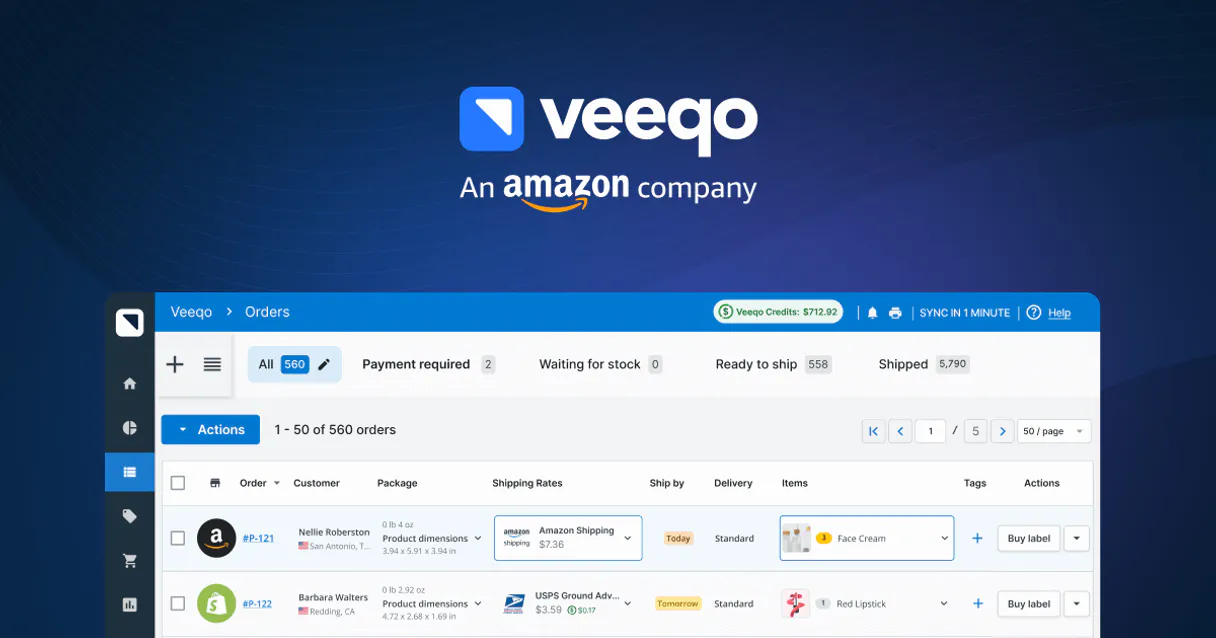
Veeqo MCP. Manage fulfillment, inventory, and orders in chat.
 Gemini
 Works with every AI agent you already use
…and any MCP-compatible client









Just plug in your AI agents and start using Vinkius.
Veeqo MCP manages everything from order intake to shelf stock. It lets you query inventory levels, track shipments across multiple carriers, and build new orders directly inside your AI agent.
Use it to manage multi-channel fulfillment for Amazon, Shopify, and beyond.
What your AI agents can do
Create manual order
Manually builds a new sales order record in Veeqo.
Get order details
Retrieves all specific information for one given sales order.
Get product details
Fetches detailed metadata and variant status for a single product SKU.
Get a list of all sales orders or specific customer contact details associated with those orders.
Check current stock levels for any product SKU across your entire inventory catalog.
List all past shipments or track the status of items currently in transit.
Manually build a new sales order for a customer when one isn't automatically logged into the system.
Ask AI about this MCP
Supported MCP Clients
OAuth 2.0 Compatible Gemini Waiting for input…
Veeqo: 7 Tools for E-commerce Operations
These tools let you perform core e-commerce actions like listing inventory, creating orders, checking customer records, and tracking shipments using simple conversational prompts.
Make your AI actually useful.
Add this MCP to Claude, Cursor, or Windsurf and your AI stops guessing. It gets real tools to look things up, take action, and handle the stuff you keep doing by hand.
Start using Veeqo on Vinkius019dd181create manual order
Manually builds a new sales order record in Veeqo.
019dd181get order details
Retrieves all specific information for one given sales order.
019dd181get product details
Fetches detailed metadata and variant status for a single product SKU.
019dd181list customers
Lists all customer records currently in the Veeqo system.
019dd181list inventory products
Retrieves a list of every available product SKU in your catalog.
019dd181list orders
Generates a summary list of sales orders within the platform.
019dd181list shipments
Lists all past and pending shipments with their tracking numbers.
Choose How to Get Started
Build a custom MCP for your own tools, or connect a ready-made integration from our catalog.
Build Your Own
Turn any API into an MCP. Import a spec, define Agent Skills, or deploy with MCPFusion.
- Import from OpenAPI, Swagger, or YAML specs
- Create Agent Skills with progressive disclosure
- Deploy to edge with MCPFusion framework
- Built in DLP, auth, and compliance on every call
- Real time usage dashboard and cost metering
- Publish to catalog or keep private
Make Your AI Do More
Start with Veeqo, then connect any of our 4,800+ other servers whenever your AI needs more. One click, no limits.
- Use this MCP plus 4,800+ others, all in one place
- Add new capabilities to your AI anytime you want
- Every connection is secured and compliant automatically
- Track usage and costs across all your servers
- Works with Claude, ChatGPT, Cursor, and more
- New servers added to the catalog every week
Independent Platform Disclaimer: Vinkius is an independent platform and is not affiliated with, endorsed by, sponsored by, verified by, or otherwise authorized by Veeqo. All third-party trademarks, logos, and brand names are the property of their respective owners. Their use on this website is strictly for informational purposes to identify service compatibility and interoperability.
VINKIUS INFRASTRUCTURE
Cloud Hosted
Managed infra
V8 Isolated
Sandboxed per request
Zero-Trust Proxy
No stored credentials
DLP Enforced
Policy on every call
GDPR Compliant
EU data residency
Token Compression
~60% cost reduction
Works with Claude, ChatGPT, Cursor, and more
The Model Context Protocol standardizes how applications expose capabilities to LLMs. Instead of operating in isolation, your AI gains direct access to external platforms, live data, and real-world actions through secure, standardized connections.
This server provides 7 capabilities that interface natively with Claude, ChatGPT, Cursor, and any MCP client. No middleware. No custom integration required.
The Inventory Dashboard Nightmare
Right now, to figure out if your warehouse has enough stock for a big sale, you have to log into the backend portal. You click 'Products,' then filter by category, and finally scroll through dozens of SKUs, making sure none are showing red or yellow alerts. If you need customer info on that order? Open another tab and search the CRM.
With this MCP, you just ask your agent: 'Check stock for SKU ABC-123.' It runs the query instantly and tells you the precise count, even if it's spread across two different warehouse locations. You get the answer immediately in chat; no dashboard navigation required.
Get Order Details
Before this MCP, figuring out exactly what went wrong with a specific sale meant finding the order ID, then manually pulling up the line items to see which product was missing or if the customer address had changed. It was copy-paste hell.
Now, you just ask for `get_order_details`. The agent fetches every piece of information—the buyer's info, the products purchased, and the initial status—all in one comprehensive data block. You spend less time investigating failures and more time fixing them.
What you can do with this MCP connector
Managing retail operations usually means jumping between five different dashboards: one for sales, one for warehouse stock, one for carrier tracking, and another for customer records. This MCP lets you handle that mess through natural conversation. You can ask your agent to list all active orders or check the real-time count of a specific product SKU across every location.
It handles complex logistics tasks—from retrieving detailed line items on an order to fetching full fulfillment histories for shipments. If your workflow requires combining this with, say, a messaging MCP to alert staff when stock drops, you can chain those operations together through Vinkius. This means building automations that span multiple platforms using one AI agent, keeping your entire supply chain view accessible in the chat window.
019dd181-fec0-738e-80da-36cce0d81b29 
How Veeqo MCP Works
- 1 Subscribe to this MCP and enter your Veeqo API Key in the platform settings.
- 2 Connect your preferred AI client (Claude, Cursor, or any compatible app) to the Vinkius catalog.
- 3 Ask your agent a question like 'What's the stock for SKU XYZ?' and it runs the query through Veeqo.
The bottom line is you talk to your agent, and the MCP executes the necessary e-commerce data calls behind the scenes.
Who Is Veeqo MCP For?
The logistics manager who has too many tabs open at once. The operations coordinator tired of copy-pasting tracking numbers. Anyone running a multi-channel store that needs visibility into inventory, sales, and shipments without logging into multiple vendor portals.
Uses the MCP to quickly check stock levels or list all pending shipments in bulk.
Runs reports by listing orders and inspecting customer data to spot sales trends or fulfillment bottlenecks.
Needs a single view of the entire operation, checking inventory health and recent order statuses without deep diving into the backend portal.
What Changes When You Connect
- Stop jumping between screens. You can list all shipments and get their tracking numbers using the
list_shipmentstool, right where you are working. - Need to check if a product is available? Use
get_product_detailsto fetch deep metadata on any SKU instantly. - Building an order for a customer who missed checkout? You can use
create_manual_orderinstead of logging in and navigating forms. - Keep your contact records clean. The agent can run
list_customersso you always have the right details when fulfilling an order. - Monitor sales flow by using
list_orders, giving you a quick summary view without needing to check individual invoices.
Real-World Use Cases
The stock count is wrong, and I need to verify it.
A client asks: 'Does the Blue T-Shirt have enough stock for 50 units?' The agent runs get_product_details and returns the real-time count from multiple warehouses. You confirm the shortage and flag the inventory team.
I need to know what happened with a specific order.
You ask your agent: 'Tell me everything about Order #12345.' The tool runs get_order_details, giving you line-item information, customer history, and fulfillment status all in one response.
I'm onboarding a new client who needs an order logged fast.
Instead of manually creating the order on the website, you tell your agent to create_manual_order for the new customer. It logs the transaction instantly and keeps the record clean.
I need a quick overview of everything we sold last week.
You prompt the agent to list_orders. It returns a summary list, allowing you to see which orders are pending shipment versus those already completed. This saves 10 minutes of dashboard clicking.
The Tradeoffs
Checking inventory without context
Asking the agent: 'Show me stock.' The tool fails because it doesn't know which product you mean, resulting in an unhelpful error message.
→
Be specific. Use list_inventory_products to see all SKUs, or better yet, use get_product_details and specify the SKU name when asking about stock.
Trying to track a shipment by tracking number only
Simply pasting '1Z99...' into the chat. The agent can't verify it because it needs a formal request.
→
Use list_shipments. This tool organizes your shipments and lets you find the specific tracking number associated with a particular order date.
Relying on old data
Assuming the stock level shown yesterday is still accurate. Manual checks are slow, but relying on memory is worse.
→
Always run get_product_details to get a real-time snapshot of the inventory count before confirming any fulfillment plan.
When It Fits, When It Doesn't
Use this MCP if your primary pain points center around multi-channel data visibility, order tracking, or physical inventory management. You need to know: 'How many units do we have? Where is that shipment? What did the customer buy?' Don't use it if you are trying to manage general accounting ledgers (use a dedicated finance tool) or writing marketing copy for product pages; this MCP only handles transaction and stock data. If your goal is purely reporting, focus on list_orders and list_shipments. If you need deep SKU validation, always call get_product_details.
Common Questions About Veeqo MCP
Can I check the stock level of a specific SKU via AI? +
Yes! Use the list_inventory_products tool to see your catalog, or get_product_details with a specific Product ID to see variant stock levels.
How do I see the latest shipping updates? +
Run the list_shipments query. The agent will retrieve a history of recent shipments, allowing you to monitor fulfillment progress directly from the conversation.
Is it possible to create a manual order via AI? +
Absolutely. Use the create_manual_order action. You'll need to provide the customer details and an array of line items in JSON format to initiate the order.
When I run `list_orders`, what parameters can I use to filter orders by date or status? +
You can specify filters like date ranges and order statuses. The AI agent handles this by passing the necessary query parameters to the tool call, so you don't have to manually filter large datasets.
If I try to run `get_order_details` for an order ID that doesn't exist, what response do I get? +
It returns a clear error code and message. The agent will tell you the record wasn't found because the specific Order ID provided doesn't match any records in Veeqo.
What process should I follow to correctly authenticate my connection before using `list_customers`? +
You must provide a valid Veeqo API key during setup. The MCP uses this credential only for transit, ensuring your keys are never stored on the platform.
When I use `list_inventory_products`, does it return all available product metadata, or just basic stock levels? +
It returns comprehensive metadata. You get details like variant status and full descriptions alongside real-time inventory counts for accurate catalog management.
Is there a limit to the number of shipments I can retrieve when calling `list_shipments`? +
The tool supports pagination, meaning it handles large volumes. If you need more than the initial batch, just ask your agent to 'continue listing' or specify a page offset.
Use it with your favorite AI tools
Connect this server to Cursor, Claude, VS Code, and more.