
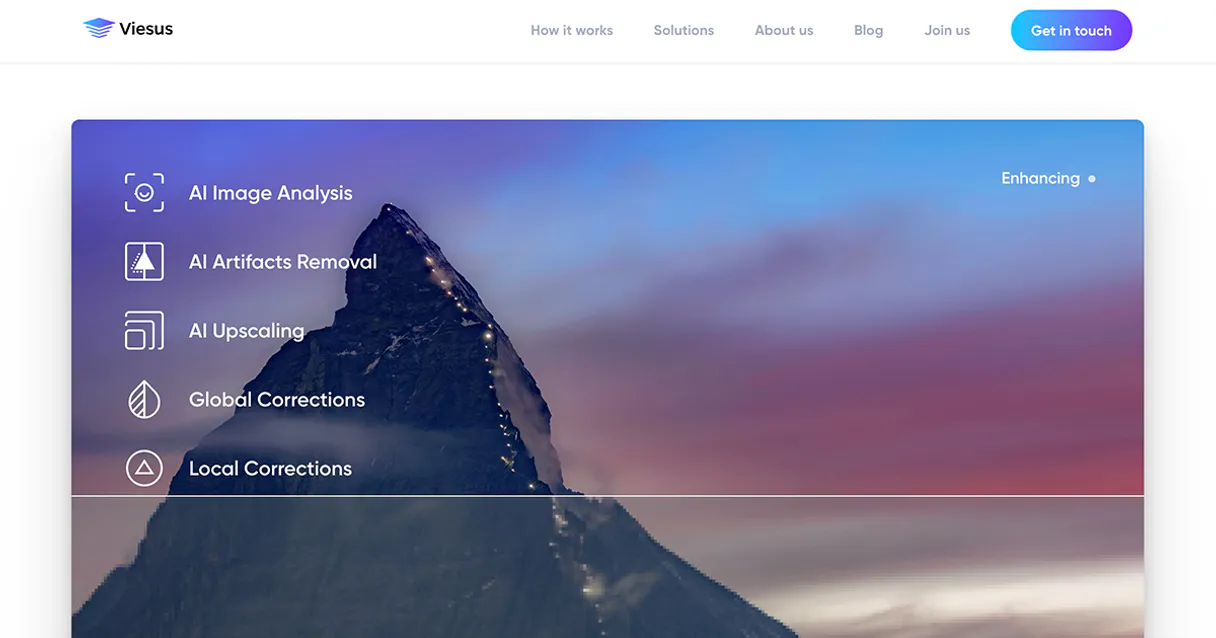
Viesus MCP Server with 12 Tools Ready for AI Agents
 GDPR Free for Subscribers
Enhance photos automatically with AI that adjusts exposure, color balance, and sharpness to make every image look professional. Unlock 12 tools ready out of the box. Connect this App Connector to instantly empower AI agents like Claude Code, Cursor, or any MCP-compatible client with advanced capabilities.
Ask AI about this App Connector
Vinkius delivers Streamable HTTP and SSE to any MCP client
* Every MCP server runs on Vinkius-managed infrastructure inside AWS - a purpose-built runtime with per-request V8 isolates, Ed25519 signed audit chains, and sub-40ms cold starts optimized for native MCP execution. See our infrastructure
What is the Viesus MCP Server?
The Viesus MCP Server gives AI agents like Claude, ChatGPT, and Cursor direct access to Viesus via 12 tools. Enhance photos automatically with AI that adjusts exposure, color balance, and sharpness to make every image look professional. Powered by the Vinkius - no API keys, no infrastructure, connect in under 2 minutes.
Built-in capabilities (12)
Tools for your AI Agents to operate Viesus
Ask your AI agent "Check my Viesus credit balance." and get the answer without opening a single dashboard. With 12 tools connected to real Viesus data, your agents reason over live information, cross-reference it with other MCP servers, and deliver insights you would spend hours assembling manually.
Works with Claude, ChatGPT, Cursor, and any MCP-compatible client. Powered by the Vinkius - your credentials never touch the AI model, every request is auditable. Connect in under two minutes.
Why teams choose Vinkius
One subscription gives you access to thousands of MCP servers - and you can deploy your own to the Vinkius Edge. Your AI agents only access the data you authorize, with DLP that blocks sensitive information from ever reaching the model, kill switch for instant shutdown, and up to 60% token savings. Enterprise-grade infrastructure and security, zero maintenance.
Build your own MCP Server with our secure development framework →The Viesus App Connector works with every AI agent you already use
…and any MCP-compatible client









Use all 12 Viesus tools with your AI agents right now
Empower your AI agents to connect to Viesus and securely perform advanced actions on Vinkius infrastructure. Beyond a simple connection, you gain an advanced AI Gateway that provides complete visibility into agent activity, ensuring maximum governance and optimized token usage.
Verify Viesus API status
Apply AI enhancement to an image
Check remaining API credits
Retrieve API version details
Retrieve the final image download link
Check the status of an enhancement job
Retrieve technical metadata for an image
List active webhooks
List available enhancement configurations
List recent image processing jobs
List supported image formats
Upload an image for processing
What the Viesus MCP Server unlocks
Connect your Viesus account to any AI agent and simplify your professional image processing and enhancement workflows through natural conversation.
What you can do
- AI Enhancement — Apply powerful upscaling, face restoration, and automatic color correction to your photos.
- Job Monitoring — Upload images and track the real-time status of your enhancement requests (queued, processing, completed).
- Content Retrieval — Fetch direct download links for your processed images and retrieve technical metadata like resolution and color space.
- Account Management — Monitor your credit balance and view the history of all processing jobs.
- Preset Library — List and select from predefined enhancement configurations optimized for different photo types.
How it works
1. Subscribe to this server
2. Enter your Viesus Cloud API Access Token
3. Start enhancing your visual content from Claude, Cursor, or any MCP-compatible client
Who is this for?
- Professional Photographers — quickly upscale low-res images and apply color correction via simple AI commands.
- Content Creators — automate the retouching of social media assets and verify processing history.
- E-commerce Teams — ensure product photos meet technical standards by retrieving metadata and applying consistent presets.
Frequently asked questions about the Viesus MCP Server
Can I check how many credits I have left in Viesus?
Yes! Use the get_account_credit_balance tool. Your agent will retrieve the current number of processing credits available in your account.
How do I download the enhanced version of my image?
Once the job status is 'completed', use the get_enhanced_image_url tool with your Job ID to get the direct download link for the final photo.
What are the supported file formats for enhancement?
You can run the list_supported_file_formats query to see a complete and up-to-date list of all input and output formats supported by the Viesus API.
More in this category

Everfit Coaching
10 toolsEquip your AI agent to manage coaching clients, track workout plans, and monitor performance via the Everfit API.
AstrologyAPI
8 toolsLeading global astrology platform — get daily horoscopes, birth charts, and numerology via AI.
Range
11 toolsKeep distributed teams in sync with async check-ins, team updates, and meeting tools that reduce unnecessary status meetings.
You might also like

Metrc
10 toolsCannabis track-and-trace via Metrc — track facilities, items, plants, and harvests.

Fintoc
12 toolsAccess bank accounts, movements, and initiate transfers via AI agents with Fintoc.
Brevo
11 toolsEngage customers across email, SMS, and chat with marketing campaigns and transactional messaging that scale with you.