
Everfit Coaching MCP. Manage client data and fitness plans in conversation.
 Gemini
 Works with every AI agent you already use
…and any MCP-compatible client









Just plug in your AI agents and start using Vinkius.
Everfit Coaching manages client health and fitness data. Your AI agent uses this server to pull detailed client profiles, track workout plans, and monitor habit adherence for personal trainers and gym operations.
It gives you instant access to client metrics and coaching status without leaving your chat window.
What your AI agents can do
Get client detailed profile
Gets a client's full profile and current fitness metrics.
Get client performance metrics
Pulls high-level health metrics and performance data for a specific client.
Get everfit account metadata
Retrieves usage limits and metadata for your Everfit business account.
Pulls a client's full profile, including fitness metrics and general details.
Retrieves high-level health metrics and performance data for a specific client.
Shows all assigned workout plans and routines for a client.
Accesses and monitors a client's daily tasks and habit tracking records.
Lists all clients who are currently marked as 'Active' in the coaching system.
Provides a quick summary of client volume, available programs, and active trainers.
Ask AI about this MCP
Supported MCP Clients
Gemini Waiting for input…
Everfit Coaching MCP Server: 10 Tools for Client Data
These tools let your AI agent pull client profiles, workout plans, and performance metrics from Everfit directly into your chat.
019d7593get client detailed profile
Gets a client's full profile and current fitness metrics.
019d7593get client performance metrics
Pulls high-level health metrics and performance data for a specific client.
019d7593get everfit account metadata
Retrieves usage limits and metadata for your Everfit business account.
019d7593list client daily tasks
Lists all daily habit tracking and tasks for a specific client.
019d7593list client workout plans
Lists all assigned workout routines and plans for a client.
019d7593list coaching clients
Lists every client managed in the coaching account.
019d7593list coaching programs
Lists all available coaching programs and templates in your account.
019d7593list coaching trainers
Lists all trainers and coaching staff in your organization.
019d7593list currently active clients
Identifies clients whose coaching status is currently 'Active'.
019d7593quick coaching volume audit
Gets a high-level summary of client volume, programs, and active trainers.
Choose How to Get Started
Build a custom MCP for your own tools, or connect a ready-made integration from our catalog.
Build Your Own
Turn any API into an MCP. Import a spec, define Agent Skills, or deploy with MCPFusion.
- Import from OpenAPI, Swagger, or YAML specs
- Create Agent Skills with progressive disclosure
- Deploy to edge with MCPFusion framework
- Built in DLP, auth, and compliance on every call
- Real time usage dashboard and cost metering
- Publish to catalog or keep private
Make Your AI Do More
Start with Everfit Coaching, then connect any of our 4,700+ other servers whenever your AI needs more. One click, no limits.
- Use this MCP plus 4,700+ others, all in one place
- Add new capabilities to your AI anytime you want
- Every connection is secured and compliant automatically
- Track usage and costs across all your servers
- Works with Claude, ChatGPT, Cursor, and more
- New servers added to the catalog every week
What you can do with this MCP connector
Everfit Coaching manages all your client health and fitness data. Your AI agent pulls detailed client profiles, tracks workout plans, and monitors habit adherence for personal trainers and gym operations. You get instant access to client metrics and coaching status without leaving your chat window.
Get Client Profile Detailsget_client_detailed_profile pulls a client's full profile and current fitness metrics. get_client_performance_metrics pulls high-level health metrics and performance data for a specific client. List Client Workoutslist_client_workout_plans shows all workout routines assigned to a client. Manage Client Habitslist_client_daily_tasks gives you all of a client's daily habit tracking and tasks. Find Active Clientslist_currently_active_clients identifies every client whose coaching status is marked as 'Active'. Audit Coaching Volumequick_coaching_volume_audit provides a quick summary of client volume, available programs, and active trainers.
You can also check what programs you have available with list_coaching_programs, see every client you're managing using list_coaching_clients, and check your organization's trainers with list_coaching_trainers. Finally, you can see what your Everfit account limits are with get_everfit_account_metadata.
How Everfit Coaching MCP Works
- 1 Connect the Everfit integration to your AI client and provide your API Key.
- 2 Tell your agent what you need (e.g., 'What is John's progress?').
- 3 The agent runs the appropriate tool, and you get the data back in conversation.
The bottom line is, you talk to your AI client, and it talks to Everfit to pull the data you need.
Who Is Everfit Coaching MCP For?
This is for fitness coaches, gym owners, and operations staff. If your job involves tracking client progress, managing workout plans, or auditing coaching capacity, this tool saves you from clicking through multiple dashboards. You get the data you need, right where you're already working.
Quickly checks a client's workout completion status and reviews their detailed profile before a session.
Checks trainer caseloads and monitors the total count of active client subscriptions across the entire facility.
Runs an audit to see how many clients are active, what programs are running, and if the coaching department is meeting volume targets.
What Changes When You Connect
- See a client's full history in one go. Use
get_client_detailed_profileto instantly access demographics, fitness metrics, and subscription status without switching tabs. - Track daily adherence. Check if a client is hitting their goals by calling
list_client_daily_tasksto see their habit tracking records. - Review workout status instantly. Use
list_client_workout_plansto see what routines are assigned and if the client has completed today's workout. - Audit the whole business. Running
quick_coaching_volume_auditgives you a fast summary of total clients, programs, and staff availability. - Focus on active clients. The
list_currently_active_clientstool filters the list down to only the clients you need to focus on right now. - Check your system limits. Use
get_everfit_account_metadatato know your current usage quotas and API limits.
Real-World Use Cases
Client Check-in Before a Session
A trainer needs to know if a client, 'Jane Doe,' is ready for today's session. They ask their agent: 'What is Jane's status and workout plan?' The agent calls get_client_detailed_profile and list_client_workout_plans to confirm her status and today's routine. The trainer gets a complete summary immediately.
Auditing Coaching Capacity
The gym manager needs to know if they have enough coaches for next month. They ask the agent to run a volume audit. The agent calls quick_coaching_volume_audit, which returns the count of active trainers and overall client volume, allowing the manager to staff appropriately.
Reviewing Client Progress Over Time
An operations lead wants to track overall client health trends. They ask the agent for performance metrics for a specific ID. The agent uses get_client_performance_metrics, providing metrics like average steps or weight change, which helps the lead spot trends faster than manual reports.
Onboarding a New Coach
A new coach needs to know who is available and what resources exist. They ask the agent to list all staff and available programs. The agent calls list_coaching_trainers and list_coaching_programs, giving the new coach a full picture of the organization's resources.
The Tradeoffs
Relying on manual dashboard navigation
The coach opens the main dashboard, clicks 'Clients,' filters by status, opens a client's profile, then clicks 'Workouts,' and finally clicks 'Tasks' to get a full picture. This takes 8-10 minutes of clicking and copy-pasting data.
→
Tell your agent to pull the data in one go. Ask, 'Give me the status and plan for John Doe.' The agent runs get_client_detailed_profile and list_client_workout_plans to gather everything instantly.
Forgetting to check account limits
The operations team runs a massive client list query and the API fails midway because the account hit its data limit, leaving the team unsure why the data stopped.
→
Before running large reports, ask the agent to run get_everfit_account_metadata. This checks your current limits and usage quotas first.
Only checking the client list
The gym manager runs list_coaching_clients but doesn't know which clients are actually ready to pay or use the service, so they waste time contacting inactive users.
→
Instead, ask the agent to use list_currently_active_clients to pull a list of only the clients who are currently marked as 'Active'.
When It Fits, When It Doesn't
Use this server if you need to correlate data from multiple sources (profile, performance, tasks, workouts) into a single, conversational answer. You need a 'Client 360 View' without opening a dashboard. Don't use this if you just need to run a simple report (e.g., 'Give me a list of all clients'). For those, simple listing tools like list_coaching_clients are enough. You need the ability to combine tools to answer complex questions, like 'Show me the performance metrics and assigned workouts for Client X.'
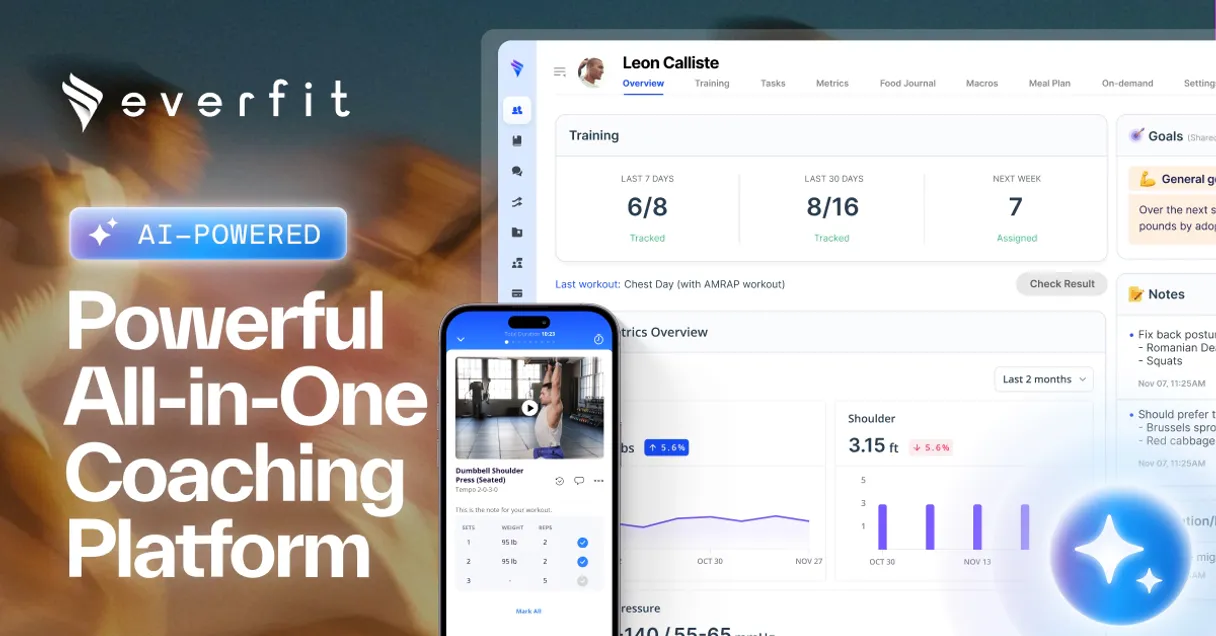
Independent Platform Disclaimer: Vinkius is an independent platform and is not affiliated with, endorsed by, sponsored by, verified by, or otherwise authorized by Everfit Coaching. All third-party trademarks, logos, and brand names are the property of their respective owners. Their use on this website is strictly for informational purposes to identify service compatibility and interoperability.
VINKIUS INFRASTRUCTURE
Cloud Hosted
Managed infra
V8 Isolated
Sandboxed per request
Zero-Trust Proxy
No stored credentials
DLP Enforced
Policy on every call
GDPR Compliant
EU data residency
Token Compression
~60% cost reduction
Works with Claude, ChatGPT, Cursor, and more
The Model Context Protocol standardizes how applications expose capabilities to LLMs. Instead of operating in isolation, your AI gains direct access to external platforms, live data, and real-world actions through secure, standardized connections.
This server provides 10 capabilities that interface natively with Claude, ChatGPT, Cursor, and any MCP client. No middleware. No custom integration required.
Available Capabilities
Figuring out a client's status shouldn't require clicking through five different dashboards.
Today, checking one client's status means opening the main dashboard, pulling up their profile, navigating to the workout tab, checking habit tracking, and then jumping to the subscription page. You're copying and pasting four different data points just to get a full picture.
With this MCP server, you simply ask your agent, 'What's the full status for John Doe?' The agent runs multiple tools (`get_client_detailed_profile`, `list_client_workout_plans`, `list_client_daily_tasks`) and gives you one consolidated answer.
Everfit Coaching MCP Server: Track client progress and plans
Manual tasks that disappear include cross-referencing a client's current fitness metrics with their assigned workout plan and checking if they missed any daily tasks. You used to manually compare three separate reports.
Now, your agent does that work. It gathers all the necessary data—from `get_client_performance_metrics` to `list_client_daily_tasks`—and gives you a single, actionable summary.
Common Questions About Everfit Coaching MCP
How do I list all clients using the list_coaching_clients tool? +
The agent calls list_coaching_clients and returns a list of every client managed in your account. You can then ask for more details on a specific client from that list.
What does get_client_detailed_profile do? +
This tool pulls the client's full profile, including demographics, fitness metrics, and subscription status. It's the best starting point for a new client review.
Can I check workout plans for a specific client? +
Yes. You use list_client_workout_plans to see all assigned routines and plans for that client. It confirms the current workout focus.
How can I check client performance metrics? +
Use get_client_performance_metrics to get high-level health data, like average steps or weight changes. This is for spotting trends, not just listing data.
Which tool shows only active clients? +
Use list_currently_active_clients. This tool filters the general client list down to only those marked as 'Active' in the system.
How do I check a client's daily habits using the list_client_daily_tasks tool? +
The list_client_daily_tasks tool retrieves all tracked habits and daily assignments for a specific client. This lets you verify if a client is meeting their wellness goals and staying consistent with their routines.
What information does get_everfit_account_metadata provide? +
This tool provides high-level data about your Everfit business account, including limits and overall metadata. You can use it to audit your usage and confirm your operational capacity before running complex reports.
How can I find all coaching staff and trainers using list_coaching_trainers? +
The list_coaching_trainers tool lists every trainer and coaching staff member in your organization. This is useful for checking caseloads or verifying who is assigned to which client.
How do I get an Everfit API Key? +
Log in to your Everfit Business dashboard, navigate to Settings > API Integration, and you can generate or retrieve your unique API Key from there. API access usually requires a specific coaching plan.
Can the agent update workout results? +
This integration currently focuses on listing and auditing clients, workouts, and tasks. Logging actual workout results (reps, weight) or completing tasks should be managed via the Everfit mobile app by the client or trainer.
Does the integration show real-time activity? +
Yes, you can use the list_client_daily_tasks and get_client_performance_metrics tools to retrieve the latest recorded data and completion status for any client.
Use it with your favorite AI tools
Connect this server to Cursor, Claude, VS Code, and more.
More in this category

ScreenshotAPI
Capture full-page website screenshots programmatically with custom viewport sizes, delays, and rendering options via a simple API.

ThinkStack
Manage AI chatbots via ThinkStack u2014 query bots, manage knowledge sources, review conversations, and configure actions from your AI agent.

Strava Alternative
Connect Strava to your AI agent to track activities, analyze athlete performance stats, and manage segments or routes directly.
You might also like
Commission Factory
Commission Factory is a leading affiliate marketing network in Asia-Pacific. This MCP server allows affiliates and merchants to retrieve transactions, manage programs, and track performance programmatically.

ALESP (Assembleia SP)
Access open data from the Legislative Assembly of São Paulo, including deputy info, expenses, and legislative proposals.
Kontak
Manage communications — list messages, send SMS, and audit contacts.