
WA Smart Business MCP for AI Agents. Automate WhatsApp conversations and customer workflows.
WA Smart Business MCP gives you full control over your WhatsApp marketing and customer service operations directly from your AI client. Manage everything—from listing customers and sending media messages to coordinating support agents—without leaving your chat window. It's built for growing companies that rely on high-volume, automated WhatsApp communication.
 Claude
  ChatGPT
  Cursor
  Gemini
  Windsurf
  VS Code
  JetBrains
  Vercel
 Give Claude and any AI agent real-world access
List, search, and create complete customer profiles, accessing detailed metadata for every contact.
View the full directory of support agents and manage agent assignments to ensure smooth coverage.
Dispatch text, images, PDFs, videos, or official templates to customers via WhatsApp Business Platform.
Check real-time message delivery statuses and track overall messaging volume for operational oversight.
List available marketing campaigns and templates to execute structured, bulk communications.
Ask an AI about this


Waiting for input…
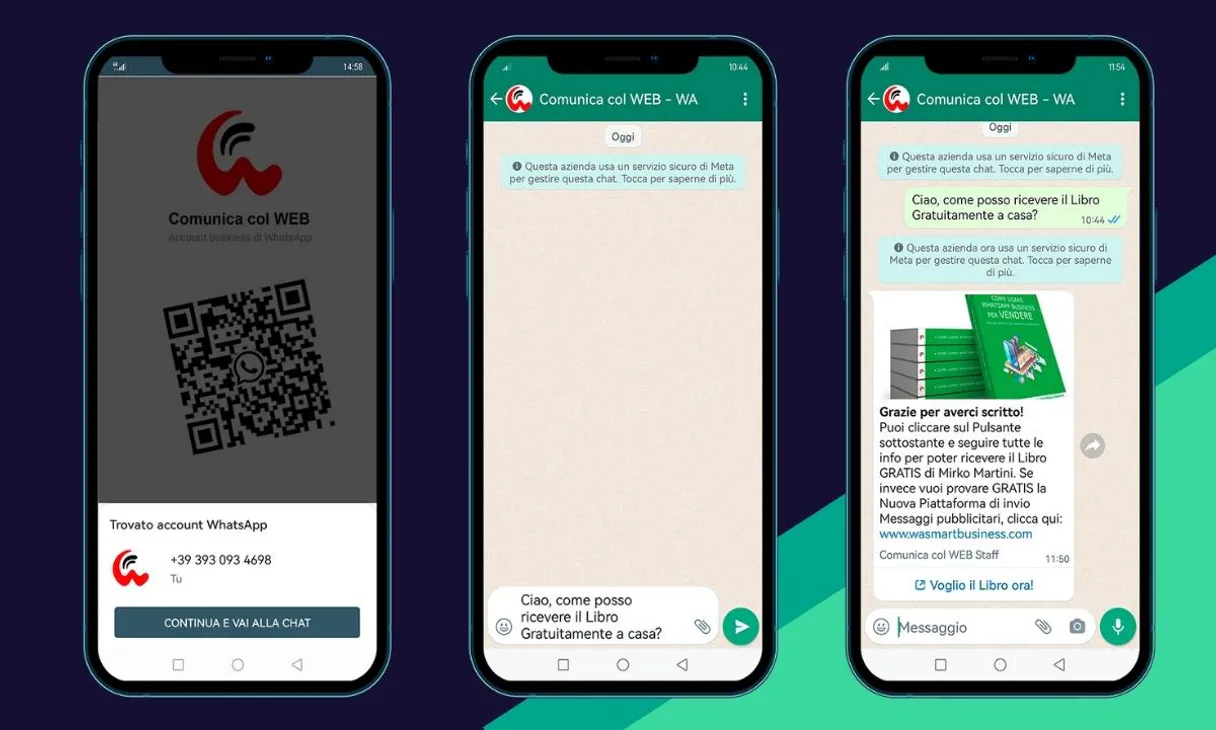
What AI agents can do with WA Smart Business: 13 Tools for WhatsApp Ops
These tools allow you to manage every aspect of your WhatsApp communication flow, from listing customer records to sending complex media messages.
Make your AI actually useful.
Add this MCP to Claude, Cursor, or Windsurf and your AI stops guessing. It gets real tools to look things up, take action, and handle the stuff you keep doing by hand.
Start using WA Smart Business MCPCheck Wasmart Status
Verify if the MCP is currently connected and operational.
Create Customer
Registers a new customer profile within your database.
Get Agent
Retrieves specific details about a single support agent.
Get Customer
Fetches the full, detailed profile metadata for an existing customer.
List Agents
Provides a complete list of all support agents available in your directory.
List Campaigns
Lists the names and parameters of active marketing campaigns.
List Customers
Retrieves a full list of all customer accounts in your system.
List Messages
Shows a history and summary of recent messages sent or received.
List Templates
Displays the names and status of pre-approved messaging templates you can use.
Search Customers
Finds specific customers by using search criteria like name or phone number.
Send Media
Sends rich media, such as images or PDFs, to a customer's WhatsApp chat.
Send Message
Sends a standard text message directly to a specified customer number.
Send Template
Executes pre-approved, structured messaging templates with defined variables.
Security and governance baked right in.
Pick your AI client below to get set up. Just create a Vinkius account, subscribe, and you're instantly up and running. We handle the entire backend infrastructure, delivering out-of-the-box support for HTTPS Streamable, SSE, and OAuth2—zero messy routing required.
Claude AI
Open Claude Settings
Go to claude.ai, click your profile icon, then navigate to Customize → Connectors.
Add Custom Connector
Click the "+" button and select Add custom connector. Paste your Vinkius endpoint URL:
https://edge.vinkius.com/[YOUR_TOKEN_HERE]/mcp
Replace [YOUR_TOKEN_HERE] with your token
from cloud.vinkius.com. For OAuth-protected servers, expand
Advanced settings to add credentials.
Start a conversation
Open a new chat. The WA Smart Business integration is available immediately — no restart needed.




Choose How to Get Started
Build a custom MCP for your own tools, or connect a ready-made integration from our catalog.
Build Your Own
Turn any API into an MCP. Import a spec, define Agent Skills, or deploy with MCPFusion.
- Import from OpenAPI, Swagger, or YAML specs
- Create Agent Skills with progressive disclosure
- Deploy to edge with MCPFusion framework
- Built in DLP, auth, and compliance on each call
- Real time usage dashboard and cost metering
- Publish to catalog or keep private
Make Your AI Do More
Start with WA Smart Business, then connect any of our 5,200+ other servers whenever your AI needs more. One click, no limits.
- Use this MCP plus 5,200+ others, all in one place
- Add new capabilities to your AI anytime you want
- Connections are secured and governed automatically
- Track usage and costs across all your servers
- Works with Claude, ChatGPT, Cursor, and more
- New servers added to the catalog weekly
Independent Platform Disclaimer: Vinkius is an independent platform and is not affiliated with, endorsed by, sponsored by, verified by, or otherwise authorized by WA Smart Business. All third-party trademarks, logos, and brand names are the property of their respective owners. Their use on this website is strictly for informational purposes to identify service compatibility and interoperability.
VINKIUS INFRASTRUCTURE
Cloud Hosted
Managed infra
V8 Isolated
Sandboxed per request
Zero-Trust Proxy
No stored credentials
DLP Enforced
Policy on each call
GDPR Compliant
EU data residency
Token Compression
~60% cost reduction
The Pain of Manual WhatsApp Management Solved with Vinkius AI Gateway
Today, managing growing client communications means constant context switching. You're hopping between your messaging app, a separate CRM for customer details, and another dashboard just to see if an agent is free. Every time you need to send a promotional image or check the delivery status of a critical message, it’s a multi-click process involving copy-pasting links and verifying account permissions.
With this MCP, your AI client handles that coordination for you. You simply ask: 'Send the Q4 brochure to Mike Client and tell me if he got it.' The agent executes `send_media` and simultaneously checks delivery status using the available tools. It's instant, accurate automation.
Get Full Visibility with WA Smart Business MCP
Before this MCP, creating a structured campaign meant manually listing all eligible customers and then remembering to draft the exact template text for each one. You also had no way of knowing if your API connection was about to fail or how many campaigns were even set up.
Now you can use `list_templates` and `send_template` in a single conversational turn. The system handles the structure, variables, and execution checks automatically. It's reliable messaging at scale.
What your AI can actually do with this
This MCP lets you use natural conversation to handle complex WhatsApp workflows. Forget switching between tabs or manually updating customer records; just ask your AI client what you need done. You can programmatically send rich media messages—images, videos, and PDFs—and monitor the delivery status in real time. It also gives you visibility into your entire support team, letting you assign tasks and check agent availability on demand.
By connecting to this MCP through Vinkius, your AI becomes a dedicated communication architect, handling everything from listing existing customer profiles to checking API connectivity so you always know exactly where your account stands.
019dd185-a4bc-7018-9a15-959daeebdb23 
Here's how it actually works
The bottom line is that your AI acts as a direct interface to the WhatsApp Business Platform, eliminating manual steps and giving you immediate access to all customer data and communication tools.
Subscribe to this MCP on Vinkius.
Retrieve your API Key from your WA Smart Business dashboard (Settings > API).
Tell your AI client what you need—for example, 'Send a promotional video link'—and the tool executes the command.
Who is this actually for?
This MCP is essential for marketing managers and support leads whose daily work revolves around high-volume WhatsApp communications. If your team spends hours manually checking message statuses, updating CRM records, or coordinating agent shifts across multiple interfaces, you need this.
Uses the MCP to check which agents are assigned to a client and coordinate reassignment when coverage changes.
Triggers bulk messaging campaigns, lists available templates, and monitors delivery rates for marketing promotions.
Verifies the API connection status and checks overall message volume to ensure scaling efforts are running correctly.
What Changes When You Connect
Stop juggling tabs. Using the list_customers or search_customers tool means you can instantly pull up a client's entire record, including custom metadata, without leaving your chat interface.
Boost marketing outreach by sending rich media directly. The send_media capability lets you send promotional images and PDFs straight through WhatsApp with simple instructions.
Improve support handoffs. You can use the MCP to check agent availability via list_agents, ensuring that customers are always routed to the right person immediately.
Maintain compliance and scale messaging by using send_template. This tool ensures your bulk communications follow official WhatsApp structure, reducing risk.
Always know if you're connected. The dedicated check_wasmart_status function lets you verify API connectivity instantly, so deployment never stalls because of an unknown issue.
See it in action
Responding to a high-value lead inquiry
A sales rep asks the agent: 'What's this client's history?' The agent uses get_customer and immediately pulls up all metadata. They then use send_message to send a personalized follow-up text, turning a quick query into a structured conversation.
Running a scheduled promotion
The marketing lead asks the agent: 'Send the Q3 flyer.' The agent uses list_templates first to ensure the template is ready, then executes send_template, delivering high-fidelity media to thousands of contacts automatically.
Handling a complex support ticket
A customer needs help and the current agent is busy. The supervisor asks the agent: 'Find an available specialist.' The agent uses list_agents and then coordinates through get_agent to assign coverage, ensuring zero downtime for the client.
Verifying business readiness
The operations team needs to scale. They ask: 'Check our message volume status.' The agent uses check_wasmart_status and monitors overall messaging capacity via list_messages, confirming the system can handle projected growth.
The honest tradeoffs
What to watch out for, and the recommended way to handle each one.
Treating WhatsApp like email marketing
Trying to send complex, unstructured bulk announcements or mass newsletters that don't conform to WhatsApp business rules.
For structured outreach, always use the send_template tool. This ensures your messages are compliant with WhatsApp Business Platform and look professional.
Assuming customer data is centralized
Having to manually check a spreadsheet or a separate CRM just to verify if a client exists or what their last interaction was.
Use list_customers or search_customers. This MCP consolidates all high-fidelity customer records into one searchable source for your AI agent.
Losing track of who is available
A support request comes in after hours, and the team has to manually check Slack or a shared calendar to see who can take it.
Use list_agents and get_agent. This allows your AI client to check real-time agent assignments and availability before assigning the ticket.
When It Fits, When It Doesn't
You should use this MCP if your business relies on WhatsApp as a primary, high-volume customer communication channel. Specifically, if you need to send rich media (images/PDFs), manage structured campaigns using templates, or coordinate real-time support staff movements, this is the right connector.
Don't use it if your core need is internal chat management (like Slack integration) or purely email marketing. For those uses, look at communication platforms designed for those specific channels. If you only need to read basic public data without writing messages, a simpler data retrieval MCP might suffice. But if the goal is full-cycle customer service automation on WhatsApp, this is your tool.
Questions you might have
How do I check if WA Smart Business MCP is connected? +
You use the check_wasmart_status tool. This immediately verifies API connectivity, telling you right away if there are any issues with your account setup.
Can I send images using WA Smart Business MCP? +
Yes, you can. Use the send_media tool to dispatch rich media like photos and PDFs directly through WhatsApp to a customer.
What if I need to update my customer information? +
While this MCP focuses on communications, you can use create_customer or get_customer to manage profiles. You'll find all the necessary metadata for your records.
Does WA Smart Business MCP handle agent shifts? +
Yes. The list_agents tool gives you a directory of support staff, and you can use other tools to monitor who is currently assigned to which customer.
Is this for marketing or just support? +
It's both. You can run structured campaigns with send_template (marketing) and coordinate agent assignments (support), making it a full-cycle comms tool.